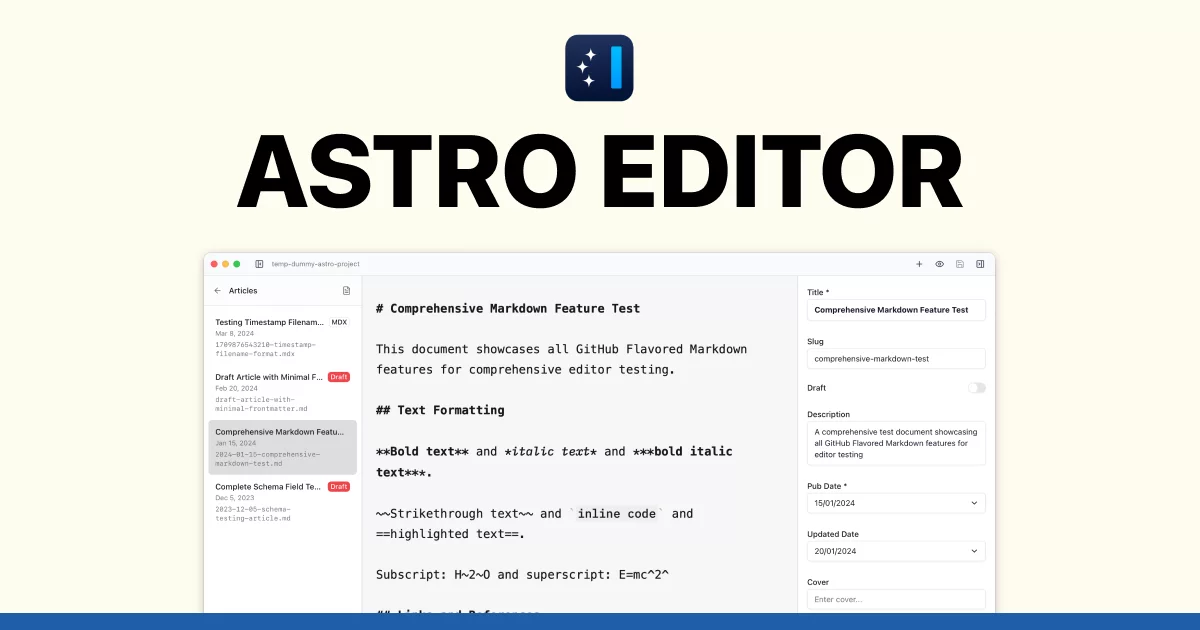

A native macOS markdown editor for Astro content collections. Clean writing interface with automatic frontmatter editing based on your collection schemas.
https://github.com/user-attachments/assets/dc32dd12-2094-47c4-ab90-620ecd11ba48
Features
Writing Environment
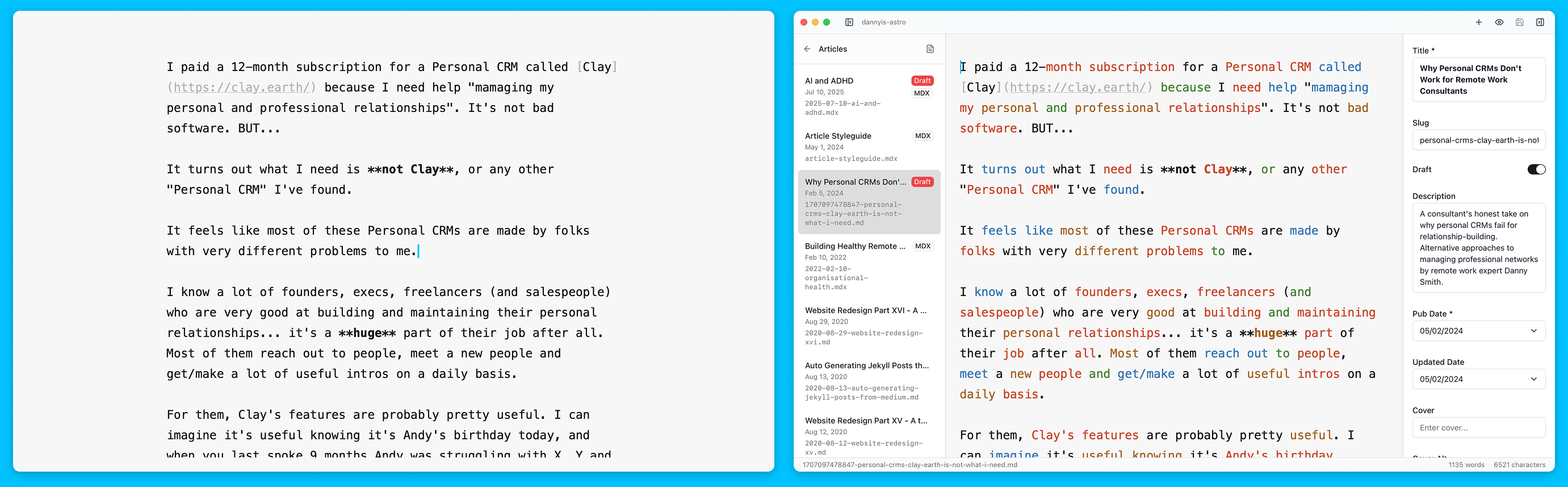
- Clean markdown/MDX editor with syntax highlighting. Frontmatter and imports are hidden while editing, shown in a dedicated sidebar.
- Focus mode (highlights current sentence), copyedit mode (highlights parts of speech), and typewriter mode (keeps the cursor centered on screen).
- Customizable heading colors with separate settings for dark and light themes.
- Image preview on hover (Option + hover over paths).
- Comprehensive keyboard shortcuts for formatting, headings, and navigation.
- Auto-save: saves 2 seconds after you stop typing (configurable) with backup saves every 10 seconds while typing. Crash recovery included.
Frontmatter & Schema Integration
- Generates editing forms from your Astro collection schemas with proper validation.
- Supports all Zod types: strings, numbers, dates, booleans, enums, arrays, nested objects, references, and image fields.
- Image fields provide drag-and-drop with automatic copying to your assets directory using relative paths by default (configurable per project/collection).
- Field constraints (min/max, character limits) enforced in the UI.
MDX Components
Cmd + /opens component builder showing all components in yoursrc/components/mdx/directory.- Supports Astro, React, Vue, and Svelte components.
- Automatically detects available props and lets you tab through values after insertion.
File Management
- Collections and files automatically discovered from your
content.config.ts. - Full support for subdirectories within collections.
- Files sorted by publication date (configurable field name) with draft indicators.
- Context menu for rename, duplicate, reveal in Finder, copy path.
- Command palette (
Cmd + P) for quick file switching and command access.
Project Configuration
- Per-project and per-collection settings for custom directory structures.
- Configurable field mappings (title, date, draft, description fields).
- Light/dark theme with system integration.
- IDE integration (open files/projects in VSCode, Cursor, etc.).
Supported Astro Projects
- Astro Version: 5.x (may work with 4.x but expect bugs)
- Content Collections: Must use the
globloader and have a schema defined withdefineCollection - Configuration: Requires
src/content/config.tsorsrc/content.config.ts
Non-markdown/MDX files in collections are ignored.
Default directory structure (all paths are configurable per project and per collection):
my-astro-site
└── src
    ├── assets/mycollection/      # Images and media
    ├── components/mdx/            # Astro/React/Vue/Svelte components for MDX
    ├── content/mycollection/      # Markdown and MDX files
    └── content.config.ts          # Collection definitions
Installation
Requires macOS 12 or later. Download the latest Release or install with Homebrew:
brew install --cask astro-editor
Other Platforms: Windows (.msi) and Linux (.AppImage, .deb, .rpm) builds are available from the releases page but are not officially supported yet. Use at your own risk.
Documentation
- Documentation - Complete feature documentation
- Contributing - Development setup and guidelines
Disclaimer
Work in progress. Commit your Astro project regularly when using the editor.
Contributing
Bug reports and feature requests are welcome. See the issue tracker.
Project Philosophy:
- This is a tool for "writer mode", not "coder mode". Features related to git, publishing, deployment, or code editing are out of scope.
- The UI is intentionally opinionated for simplicity. Customization options are limited to what's needed to work with different Astro project structures.
Pull requests welcome. See CONTRIBUTING.md for development setup.
Roadmap
See the GitHub Project
Credits
- iA Writer for inspiration and typography
- DarkMatter by Vadim Demedes
Development
See CONTRIBUTING.md and developer docs for setup and architecture details.
Quick start:
bun install
bun run reset:testdata  # Creates test Astro project
bun run tauri:dev   # Starts dev server
Development commands:
bun run check:all       # Run all checks (TypeScript, Rust, tests)
bun run fix:all         # Auto-fix linting/formatting issues