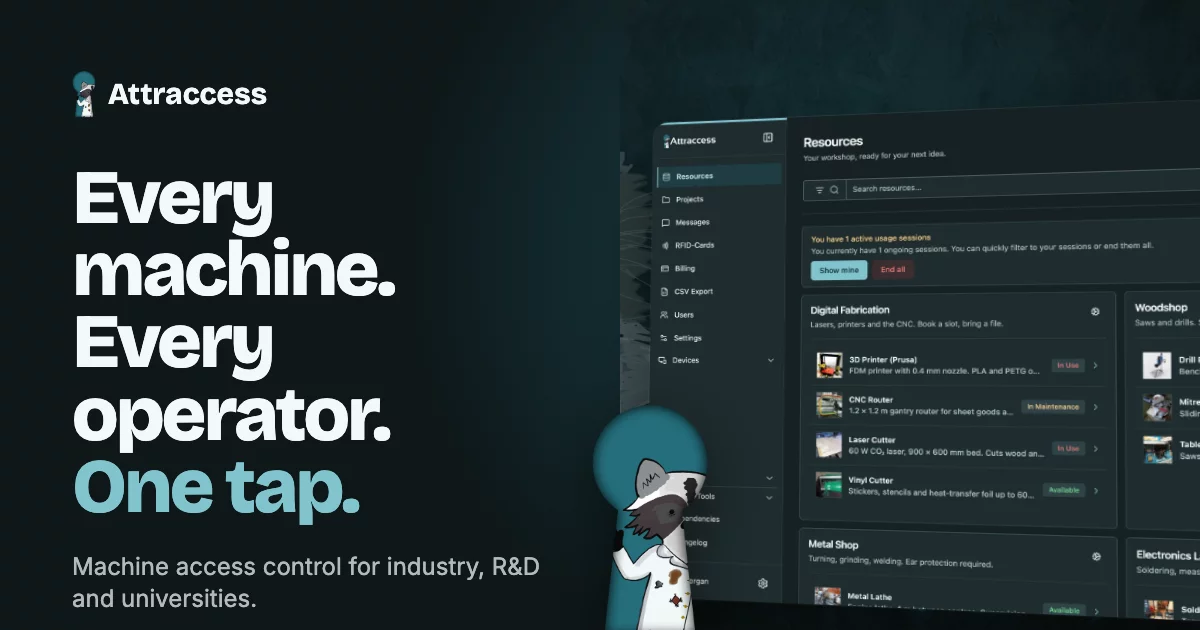

Attraccess manages machine access and resource usage for industry, R&D and universities. It checks operator permissions and safety briefings, connects machines through PLCs and automation flows, and records usage for reporting and maintenance.
Attraccess runs on your own infrastructure and is source-available under the modified Prosperity Public License 3.0. Commercial use requires a license after a 30-day evaluation; qualifying non-commercial use is free under the license terms.
Features
- Resource Management
- Track resource status, usage, and maintenance
- Image support for resources with automatic resizing and caching
- Operator permissions and documented safety briefings
- Preventive maintenance scheduling
- Usage tracking, project attribution and CSV reporting
- Machine Integration
- Badge access through Attractap readers
- WAGO PLC integration and automation via MQTT and HTTP
- Workstation access through Attraccess Companion
- IT & Operations
- Single sign-on via OIDC and SAML
- Role-based access control and audit logging
- On-premises deployment with Prometheus and Grafana monitoring
Everything below is meant for developers
If you are looking for user documentation, take a look at https://docs.attraccess.org
Developer Setup
Routine API/frontend work needs:
| Dependency | Purpose |
|---|---|
| Docker | pnpm services – mailpit, authentik, keycloak, etc. |
| Node.js | Exact version pinned in .nvmrc |
| pnpm | Exact version pinned in package.json |
Quick setup:
./scripts/setup-dev-dependencies.sh
This checks the pinned Node and pnpm versions, installs missing host tools, and
sets up the workspace (dependencies, .env, submodules and database migrations).
Host installation is in scripts/setup-host-dependencies.sh; workspace setup is
in scripts/setup-workspace.sh. To repeat workspace setup without installing
global tools, run ./scripts/setup-dev-dependencies.sh --workspace-only.
Docker is optional for API/frontend setup, but services and container tests need
a running Docker daemon and the docker compose plugin. Install Docker manually if missing:
- Docker:
curl -fsSL https://get.docker.com | shthensudo usermod -aG docker $USER(log out/in)
For Attractap firmware work, also install the project-local ESP-IDF toolchain:
INSTALL_ESP_IDF=true ./scripts/setup-dev-dependencies.sh --workspace-only
Installation
- Clone the repository
- Install dependencies:
pnpm install - Set up environment variables:
cp .env.example .env - Run database migrations:
pnpm nx run api:migrations-run
Development
Tooling tests run as an ordinary Nx target, independently of coverage reporting:
pnpm test:tooling
pnpm nx run api:test-scripts
Core CI discovers these targets automatically. api:test also runs the seeding
regressions. pnpm seed:dev -- --demo creates a local administrator and demo
resources after migrations. Seeding and migrations read .env; process variables
take precedence. Both resolve STORAGE_ROOT through the API's shared path helper.
Seeding configured storage outside the repository requires --allow-external-db,
and local database paths cannot follow symlinks outside configured storage.
Repository checks and generators are available through Nx:
pnpm lint:files                           # always checks current files
pnpm lint:files --staged                  # always checks the Git index
pnpm nx run @attraccess/source:check-balena-compose
pnpm nx run @attraccess/source:check-brand-assets
pnpm nx run @attraccess/source:generate-brand-assets
Validation targets can cache their results. Bootstrap, seeding, migrations, service management and asset generation always execute.
Start the API and frontend in development mode (HMR), with automatic port resolution:
pnpm serve
By default, startup does not build or copy kiosk (Companion) installers or Attractap firmware. Build and bundle either set of assets before launching:
pnpm serve --with-kiosk                  # Companion installers for this host
pnpm serve --with-attractap              # Active Attractap firmware variants
pnpm serve --with-kiosk --with-attractap # Both
--with-companion is an alias for --with-kiosk. These flags also work with
--only=api; frontend-only startup cannot prepare API assets. Requested builds
must succeed before the servers launch. Firmware builds require ESP-IDF:
INSTALL_ESP_IDF=true ./scripts/setup-dev-dependencies.sh.
CI always tests the deliverables and builds all Companion platforms and active firmware variants. Docker and Balena consume the same uploaded artifacts; missing installers or firmware fail the image build.
The launcher probes for free ports and prints them at startup. Defaults:
- API: 3000 (searches 3000–3099)
- Frontend: 4200 (searches 4200–4299)
- Vite preview: 4300 (searches 4300–4399)
Run only one service:
pnpm serve --only=api
pnpm serve --only=frontend
Use the nx interactive terminal UI instead of streamed output (default is streamed, which is agent/CI friendly):
pnpm serve --tui
Pin a specific port (fails loudly if busy):
PORT=3010 pnpm serve              # API on 3010
VITE_PORT=4250 pnpm serve         # Frontend on 4250
The frontend dev proxy automatically targets whichever port the API resolved to (via VITE_API_PROXY_TARGET).
The resolved ports are also written to .dev-serve-ports.json at the repo root (gitignored, deleted on exit), so you can look them up without reading the banner:
cat .dev-serve-ports.json
# { "pid": 12345, "api": {...}, "frontend": {...}, "preview": {...} }
API Documentation
Swagger documentation is available at /api when the server is running.
Licensing & Activation
Attraccess includes license verification. Configure your key in the setup wizard or under Settings → Application Settings. New installations can also seed the key with the LICENSE_KEY environment variable before the database is initialized. Existing installations use the stored key; change it in Settings.
- Commercial users: Use the license key you received after purchasing a license.
- Non-profit organizations: You can use Attraccess for free by setting
LICENSE_KEYto the following special key:
I AM USING THIS SOFTWARE ONLY FOR NON-PROFIT AND COMPLY TO ALL TERMS OF THE LICENSE.md at https://github.com/Attraccess/Attraccess/blob/main/LICENSE.md
How to set LICENSE_KEY
The examples below seed a new installation. To change the key after setup, use Settings → Application Settings.
- Shell / local
.envfile
export LICENSE_KEY="I AM USING THIS SOFTWARE ONLY FOR NON-PROFIT AND COMPLY TO ALL TERMS OF THE LICENSE.md at https://github.com/Attraccess/Attraccess/blob/main/LICENSE.md"
- Docker Compose
services:
  attraccess:
    image: attraccess/attraccess:latest
    environment:
      LICENSE_KEY: 'I AM USING THIS SOFTWARE ONLY FOR NON-PROFIT AND COMPLY TO ALL TERMS OF THE LICENSE.md at https://github.com/Attraccess/Attraccess/blob/main/LICENSE.md'
- Docker CLI
docker run -e LICENSE_KEY="I AM USING THIS SOFTWARE ONLY FOR NON-PROFIT AND COMPLY TO ALL TERMS OF THE LICENSE.md at https://github.com/Attraccess/Attraccess/blob/main/LICENSE.md" attraccess/attraccess:latest
Licensed features require a valid configured key. Qualifying non-commercial users can enter the special key above in the setup wizard or application settings.
Contributing
Please see CONTRIBUTING.md for details on our code of conduct and the process for submitting pull requests.
Lizenz
Dieses Projekt ist source-available und steht unter einer modifizierten Version der Prosperity Public License v3.0.
✅ Erlaubt:
- Nutzung, Veränderung und Weitergabe für Privatpersonen und gemeinnützige Organisationen
- 30-tägige Testnutzung für kommerzielle Nutzer
❌ Nicht erlaubt:
- Kommerzielle Nutzung über 30 Tage hinaus ohne kommerzielle Lizenz
- Verwendung oder Verbreitung von Forks für kommerzielle Zwecke ohne Genehmigung
- Umlizensierung oder Änderung der Lizenzbedingungen
🛡️ Schutz vor Fork-Missbrauch
Alle Forks und abgeleiteten Projekte unterliegen denselben Lizenzbedingungen. Kommerzielle Nutzung ist auch in Forks nicht erlaubt, es sei denn, es liegt eine gültige Lizenz des ursprünglichen Autors vor.
🔍 MIT-lizenzierte Bestandteile
Dieses Projekt basiert teilweise auf einem MIT-lizenzierten Projekt. Diese Komponenten bleiben unter der MIT-Lizenz verfügbar. Details siehe LICENSE-fabinfra.md.
Für kommerzielle Nutzung oder Lizenzanfragen:
Bitte kontaktiere contact@attraccess.org.