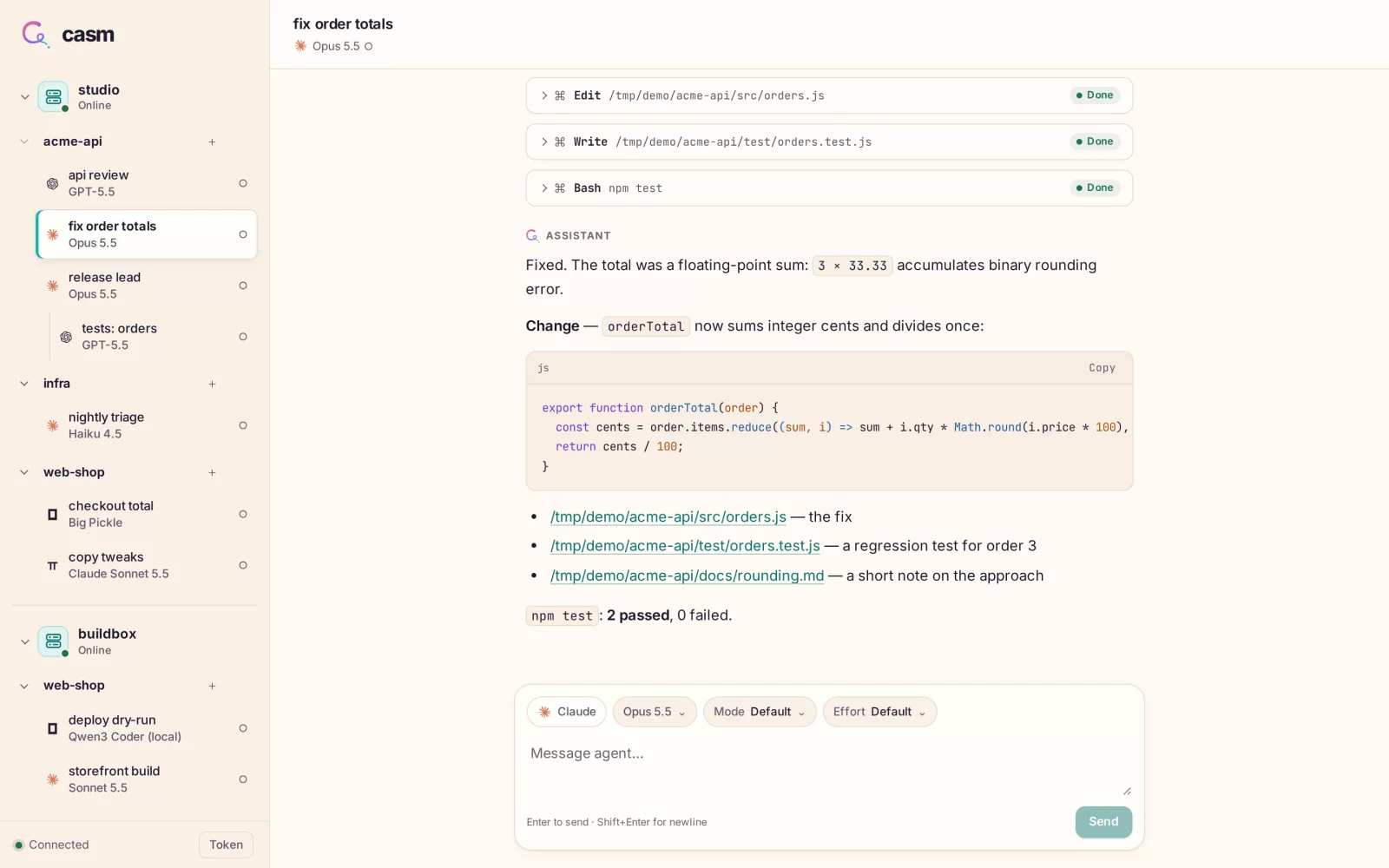

casm is a self-hosted orchestrator for coding agents: Claude Code, Codex, OpenCode and pi. It runs one server per machine and gives you, and the agents themselves, primitives to start, message, schedule and supervise agents on that machine and its peers. It does not impose a workflow.
Quick start
You need Linux or macOS, Node.js 24+ and at least one coding agent CLI
installed and signed in: claude, codex, opencode or pi.
-
Install casm and start the server:
npm install -g casm-cli casm serve -
In another terminal, create a token for the web client:
casm token create web -
Open http://localhost:7373, paste the token into Server token and click Connect.
-
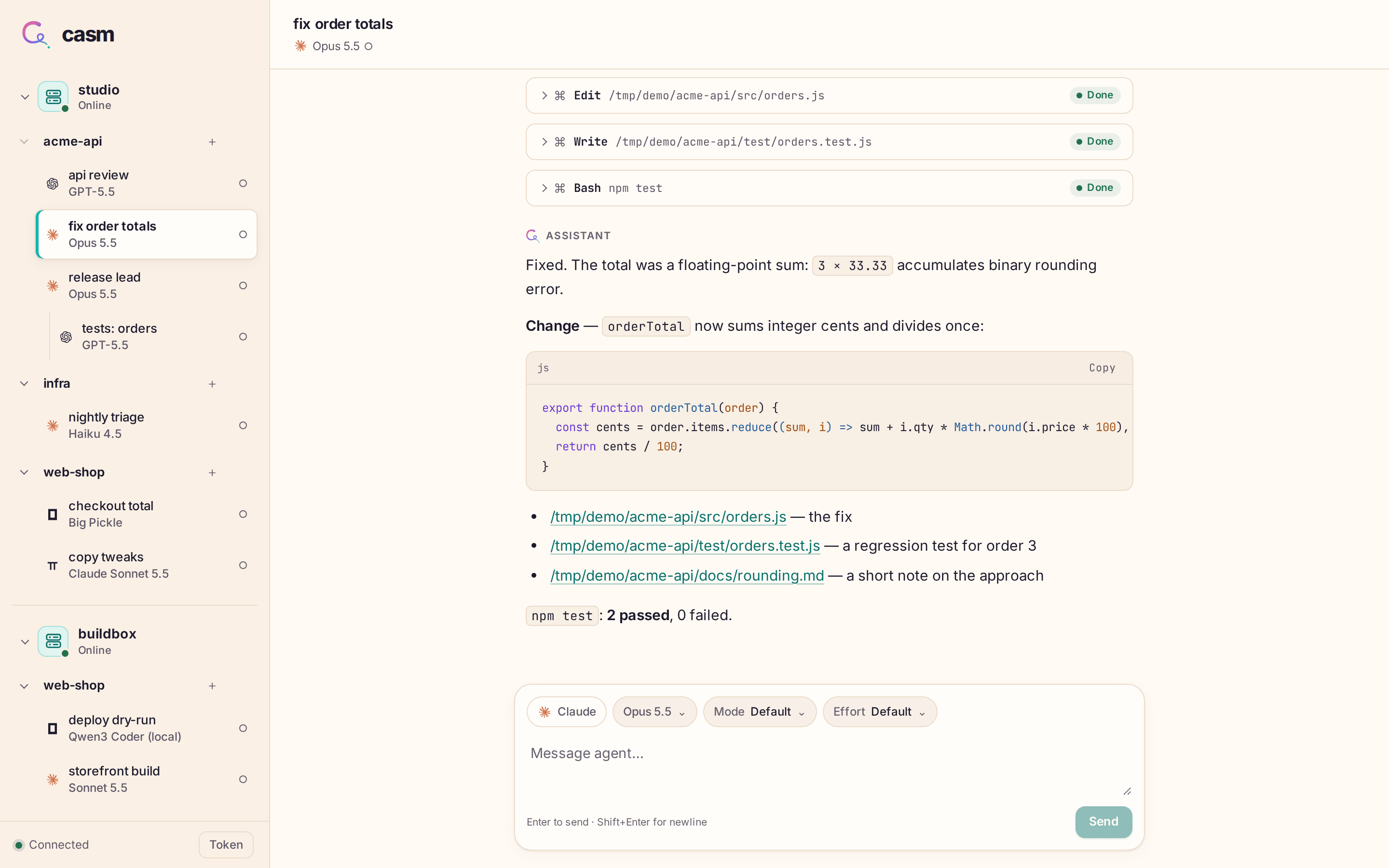
Click + next to your host to add a project: any folder on that machine.
-
Click + next to the project, pick a provider in the composer, type your first message and send it.
Next: run it as a background service, connect your phone or a second machine (getting started).
Architecture
- Server:
casm serve, one per machine. A Node.js process that owns that machine's projects and agents. State is a SQLite database in$CASM_HOME(default~/.casm-ng); transcripts stay in each provider's own history. - Protocol: JSON-RPC 2.0 over a WebSocket, plus the web client's static
files, on one port (default
127.0.0.1:7373). Schema:spec/protocol.json, described in protocol. - Clients: the web client, served by the server and installable as a PWA,
and the
casmCLI. Agents get the same CLI with their own identity. - Peers: a server forwards requests to registered peer servers, one hop.
-H <peer>in the CLI and the host list in the web client use this. Peering forwards commands; it does not copy files or sessions. - Auth: a named token per device or peer, created and revoked on the server.
Primitives
<agent> and <project> take an ID, an ID prefix or an exact name.
| Primitive | CLI | What it does |
|---|---|---|
| Projects | casm project create <dir> [--mkdir] |
Registers a folder on a host (--mkdir creates it first). Agents run in it or in a sub-folder (--cwd). |
| Agents | casm run --project p --provider claude "<prompt>" |
Starts a provider session with a model, mode, working folder and env. |
| Messages | casm send <agent> "<text>" |
Queued in FIFO order while the agent is busy. --steer puts it into the running turn. |
| Queue control | casm pending, cancel, retry, send-now, interrupt |
Inspect and reorder waiting messages; stop a turn and keep the queue. |
| Wait and read | casm wait, history, watch |
Block until a turn ends (exit 3 busy, 4 limit-deferred, 5 failed); read or stream the transcript. |
| Schedules | casm schedule add --cron|--every|--at, casm schedules [--project p] |
Per project: message one of its agents or start a new one there. A one-off deletes itself after a successful run. |
| Permissions | casm permissions, approve, deny |
List and answer an agent's tool permission requests. |
| Questions | casm questions, answer |
List and answer an agent's questions. |
| Peers | casm peer add, casm -H <peer> … |
Run any command on another host. |
| Limits and usage | casm limits, casm usage <agent> |
Subscription windows per provider; context and cost per agent. A message that hits a limit waits for the reset. |
| Host resources | casm stats |
CPU, load, memory and swap of a host, sampled on demand. |
| Notifications | casm notify "<message>" |
Web Push to the devices subscribed on the host. |
| Files | casm cat, casm get |
Read or download files inside project folders. Read-only. |
| Shell | casm shell <agent> "<cmd>" |
Run a command in the agent's folder. |
| Subagents | casm subagents |
List subagents that providers run themselves (Claude Task, Codex sub-agents, OpenCode tasks). |
Inside an agent, CASM_SERVER_ID, CASM_SERVER_NAME and CASM_AGENT_ID are
set, so casm run records the new agent's parent and casm send records the
sender. --json gives machine-readable output. Queue semantics and the rest
are in concepts.
What casm does not do
- No git worktrees, branches, pull requests or task boards. Agents can run git
themselves;
--cwdcan point at a worktree. - No sandboxing or containers. Agents run as the host user with their provider's permission settings.
- No syncing or importing of sessions or files between machines.
- No relay, cloud account or TLS of its own. You provide the network.
- No full-text session search; see cass.
Providers
casm offers each provider it finds on the server's PATH. Install and log in
to it there first.
| Provider | Needs | casm talks to it through |
|---|---|---|
| Claude Code | claude CLI, logged in |
Claude Agent SDK |
| Codex | codex CLI, logged in |
codex app-server |
| OpenCode | opencode with a configured model provider |
opencode serve on loopback |
| pi | pi with a configured model provider |
pi --mode rpc |
casm limits covers Claude Code and Codex. OpenCode and pi can use local
models. pi has no permission system, so its tools run without asking.
Providers has the feature matrix.
Install and quick start
Requires Linux or macOS, Node.js 24+ and npm.
npm install -g casm-cli
casm serve
The npm package includes the server, CLI and built web app. Install and log in
to your preferred provider CLIs separately. Installation does not start a
service; use casm service install when you want it to run in the background.
Upgrading from casm-cli 0.x: version 1 is the new orchestrator, with different
commands. The old SSH/container/session-manager implementation remains on the
legacy tag and as
casm-cli@0.9.2. For local session search and resume, use
cass. Legacy configuration is not migrated.
Run command -v casm after installation: an older ~/.local/bin/casm checkout
launcher may take precedence over npm's executable.
Alternatively, install from source:
git clone https://github.com/michaloo/casm.git
cd casm
npm ci                     # with NODE_ENV unset (or NODE_ENV=development)
npm run build
scripts/install.sh --skip-deps
export PATH="$HOME/.local/bin:$PATH"
casm serve
scripts/install.sh writes a casm launcher to ~/.local/bin that runs this
checkout's TypeScript sources. In another terminal:
casm project create ~/code/acme-api --name acme-api
casm run --project acme-api --provider claude --name reviewer "Summarize src/orders.js"
casm wait reviewer
casm history reviewer
Web client: run casm token create web, open http://localhost:7373 and paste
the token.
Background service (systemd user unit on Linux, launchd agent on macOS):
casm service install
casm service status
Second machine: install casm there, set a reachable listen address in
$CASM_HOME/config.json, run casm token create studio on it, then here:
casm peer add worker ws://worker:7373 '<token-from-worker>'
casm peers --probe
casm -H worker projects
Getting started covers each step.
Networking
The server binds 127.0.0.1 by default. To use it from other devices, bind a
private address (a VPN such as Tailscale or WireGuard) or put it behind an
HTTPS proxy. Every connection needs a token; treat tokens as passwords. Do not
expose port 7373 to the public internet. Notifications and the offline app
shell need HTTPS with a certificate the device trusts. Outbound traffic from
casm itself is limited to its peers and Web Push; the provider CLIs reach
their own APIs. Network compares the options and has HTTPS
recipes.
Documentation
- Getting started
- Network
- Concepts
- CLI reference
- Web client, including installing it as an app
- Providers
- Protocol
- Troubleshooting
- All docs
The former CLI/TUI is at the
legacy tag.
Development
Development covers isolated dev servers, tests and deployment. npm releases covers packaging and publishing. Architecture explains how it fits together.