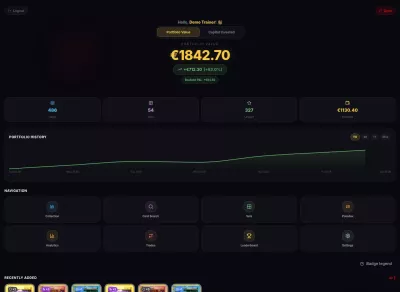
A professional Yu-Gi-Oh! deck building and testing platform.
Tech Stack
- Next.js 16 (App Router)
- TypeScript
- Tailwind CSS (dark mode, custom design system)
- PostgreSQL via Prisma
- NextAuth v4 (credentials-based authentication)
- YGOPRODeck API (card data, kept as a local copy; see Card data and images)
- Framer Motion, Recharts, Radix UI
Prerequisites
- Node.js 20.9+ (the minimum for Next.js 16)
- A PostgreSQL database
Quick Start
1. Clone and install
git clone https://github.com/ziaboy123/DeckForge.git
cd DeckForge
npm install
2. Configure environment
Copy .env.example to .env.local and fill in your values:
cp .env.example .env.local
Required variables:
# PostgreSQL connection string
DATABASE_URL="postgresql://USER:PASSWORD@localhost:5432/deckforge"

# NextAuth
NEXTAUTH_URL="http://localhost:3000"
NEXTAUTH_SECRET="your-secret-here"   # generate: openssl rand -base64 32
Optional:
# Where card pictures come from. Defaults to /millenniumarena/img (Millennium Arena's copies on the same site),
# which doesn't exist on localhost, so for local development point it at the live site:
NEXT_PUBLIC_CARD_IMAGES="https://daniyalzia.co.uk/millenniumarena/img"

# Where the downloaded card data is kept. Defaults to data/ in the project folder (gitignored).
CARD_DATA_DIR="/path/to/card-data"
NEXT_PUBLIC_CARD_IMAGES is built into the pages, so set it before npm run dev / npm run build.
3. Create database and push schema
# Create the database (run in psql or pgAdmin)
# CREATE DATABASE deckforge;

# Push Prisma schema (creates all tables)
npm run db:push

# Optional: open Prisma Studio to browse your data
npm run db:studio
4. Start development server
npm run dev
Open http://localhost:3000/deckforge. The app lives under /deckforge (basePath in next.config.ts), the same as on the live site.
Database Commands
| Command | Description |
|---|---|
npm run db:push |
Push schema to DB (no migrations) |
npm run db:migrate |
Create and run migrations |
npm run db:studio |
Open Prisma Studio GUI |
Checks
| Command | Description |
|---|---|
npm test |
Unit tests (card search, card data download/refresh, image links, the YGOPRODeck queue); no database needed |
npm run typecheck |
TypeScript check |
npm run build |
Production build (also type-checks) |
Project Structure
src/
├── app/
│   ├── (auth)/          # Login, Register pages
│   ├── (app)/           # Protected pages (dashboard, deck, profile)
│   ├── api/             # API routes
│   └── page.tsx         # Landing page
├── components/
│   ├── ui/              # Button, Input, Modal, Badge, etc.
│   ├── layout/          # Navbar, AppShell, SiteFooter
│   ├── cards/           # CardImage, CardGrid, CardFilters, CardTooltip
│   └── deck/            # DeckZone component
├── hooks/               # useDeck, useHandTest
├── lib/                 # db, auth, probability, utils, and the card data:
│                        #   ygoprodeck (what the app calls), cardData (local copy), cardIndex (search),
│                        #   cardImages (picture links), ygoApi (YGOPRODeck calls); *.test.ts next to them
└── types/               # yugioh.ts
prisma/
└── schema.prisma
test/
└── register.mjs         # lets node --test run the TypeScript sources
data/                    # downloaded card data (gitignored, created on first run)
Features
- Deck Builder — Search 13,000+ cards, filter by type/attribute/level/archetype/banlist, add to main/extra/side deck, import/export deck lists
- Hand Tester — Shuffle deck, draw opening hands (5 or 6 cards), draw additional cards, reset
- Goldfish Mode — Move cards freely between deck/hand/field/graveyard/banished zones
- Analytics — Type ratios, attribute breakdown, level distribution, archetype analysis, full deck statistics
- Probability Calculator — Hypergeometric distribution for single-card and multi-piece combo probabilities
- Authentication — Register/login/logout with bcrypt-hashed passwords. Accounts are shared with Millennium Arena, and are deleted from its Settings page (the Profile page links there)
Deployment
The live site (daniyalzia.co.uk/deckforge) runs on a self-hosted Linux server, not Vercel:
- a systemd service runs
next startas its own unprivileged user, listening only on localhost, behind nginx (which passes/deckforgethrough) - a deploy pulls the latest commit, then runs
npx prisma db push --skip-generate(schema first: it refuses any change that would lose data),npm install,npm run build, and restarts the service
To run it somewhere else, set the environment variables above and use npm run build then npm start on Node 20.9+.
Card data and images
YGOPRODeck's API guide asks sites to keep their own copy of the card data instead of calling the API on every request, and not to hotlink its images. So:
- Card data: on first start the server downloads the whole database in one request (
cardinfo.php, ~3 MB compressed) plusarchetypes.php, cuts it down to the fields DeckForge uses, and saves it todata/cards.json(about 7.5 MB) and memory. Searches, deck pages, card lookups and the archetype list all run against that copy. Once a day it askscheckDBVer.phpwhether YGOPRODeck has a newer version and downloads again only if so. If there's no copy yet (the first download failed), it falls back to the live API, through the same rate-limited queue, and tries the download again later. Code:src/lib/cardData.ts,src/lib/cardIndex.ts. - Images: pictures come from Millennium Arena's re-hosted copies on the same site, not from
images.ygoprodeck.com:/millenniumarena/img/cards/<id>.jpg(full),/millenniumarena/img/small/<id>.jpgand/millenniumarena/img/cropped/<id>.jpg(art crop), named by passcode like YGOPRODeck's. They're outside DeckForge's/deckforgebasePath, so next/image optimisation is turned off. Code:src/lib/cardImages.ts.
No manual seeding needed. To force a fresh download, stop the server, delete data/, and start it again.
Credits and notices
Card data and images from YGOPRODeck.
Yu-Gi-Oh! is a trademark of Konami Digital Entertainment. Card names, text and artwork © Studio Dice/SHUEISHA, TV TOKYO, KONAMI. This is an unofficial fan project, not affiliated with or endorsed by Konami.
The site's Terms and Privacy Policy cover DeckForge too.
Licence
DeckForge's own code is under the MIT licence, see LICENSE. That doesn't cover Yu-Gi-Oh! itself: the card names, game terms and the few short card texts in the code and tests belong to Konami and its licensors (see Credits and notices). The card data and images aren't in this repo either. The server downloads the card data from YGOPRODeck when it runs, and the images come from Millennium Arena's copies (see Card data and images).
Future Roadmap
- Public deck sharing and browsing
- Deck ratings and comments
- Collection tracking
- Price tracking via TCGPlayer/Cardmarket
- Tournament report builder
- Meta analysis dashboard