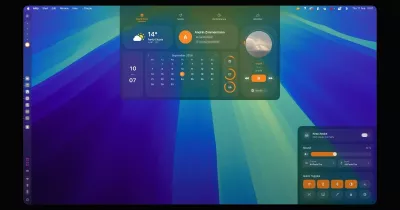
Two small, fast tools for GNOME on Wayland (GNOME 49 and 50):
- Clip: clipboard history and "copy the text in this part of the screen"
- pick: a color picker with a magnifier, written in C
Both are keyboard first, keep nothing on disk that you did not ask for, and never touch the network.
Clip
A GNOME Shell extension (clip@ahmadcodes.com). It has to be an extension:
on GNOME Wayland only code running inside the compositor can watch the
clipboard reliably, which is why standalone managers such as CopyQ break.
| Key | Action |
|---|---|
Super+V |
open history, type to search |
Enter or click |
paste the entry into the app you were in |
Shift+Enter |
copy only, do not paste |
Alt+1 … Alt+9 |
paste one of the first nine entries |
Ctrl+P |
pin or unpin (pinned entries survive clearing and reboots) |
Del |
remove entry (with an empty search box, Ctrl+Del otherwise) |
Ctrl+Shift+Del |
clear everything that is not pinned |
Super+Shift+T |
freeze the screen, drag over any text, get it on the clipboard |
Pasting uses Ctrl+Shift+V automatically in terminals.
Images are recorded too (screenshots, copied pictures): the popup shows a
thumbnail with size and dimensions, and selecting one puts the image back on
the clipboard. Up to 20 images are kept, in memory only. Type image or
screenshot to filter to them. Terminal programs such as Claude Code read
clipboard images through wl-paste, so install wl-clipboard to paste
images there.
Text recognition languages
Open settings with the gear in the history popup, or
gnome-extensions prefs clip@ahmadcodes.com. The Text recognition
languages list switches installed languages on and off; Add a language
lists every language Tesseract offers (about 160) with an Install button,
which runs apt-get through pkexec and asks for your password. On other
distributions install the matching tesseract language package and it
appears in the list.
Privacy
- History, including images, lives in memory only and is gone when you log out.
- Only pinned entries are written, to
~/.local/share/clip/pinned.json, mode 0600. - Copies that password managers flag as secret (
x-kde-passwordManagerHint, used by KeePassXC and others) are never recorded. - Screen captures for text recognition go to
$XDG_RUNTIME_DIR(a per-user tmpfs) and are deleted as soon as Tesseract has read them.
pick
GTK 4, about 500 lines of C. Super+Shift+C freezes the screen through the
XDG screenshot portal and shows a magnifier on every monitor.
| Input | Copies |
|---|---|
click, Enter |
#rrggbb |
Shift+click, r |
rgb(r, g, b) |
Ctrl+click, h |
hsl(h, s%, l%) |
Arrows nudge by one pixel (Shift: ten), scroll or +/- zooms, Esc or
right click cancels. After a pick the process stays alive without a window
until something else is copied, because on Wayland the app that copied
serves the clipboard. It exits after 30 minutes at most.
Install
Dependencies (Ubuntu/Debian):
sudo apt install build-essential libgtk-4-dev tesseract-ocr tesseract-ocr-eng wl-clipboard
Fedora: gtk4-devel tesseract tesseract-langpack-eng. Arch: gtk4 tesseract tesseract-data-eng.
Then:
make            # builds pick
make install    # installs both for the current user, no root needed
Log out and back in once after the first install: GNOME on Wayland only
loads new extensions at login. make uninstall removes everything
(./uninstall.sh --purge also deletes pinned entries).
Development
make check      # schema, JavaScript syntax, shell scripts, build
make devkit     # run the extension in a nested GNOME Shell window
make dist       # extension zip for extensions.gnome.org + source tarball
tests/image-roundtrip.sh some.png   # image copy/re-copy test in a nested shell
journalctl --user -f -o cat /usr/bin/gnome-shell   # extension logs
Layout:
clip@ahmadcodes.com/   extension.js, prefs.js, stylesheet.css, schemas/
pick/                  pick.c, Makefile, desktop entry
install.sh, uninstall.sh
License
MIT, see LICENSE.