
flatlink
The self-hosted URL shortener – with a QR
designer and link-in-bio pages.
Plain PHP. No database server,
no Composer, no build step –
copy the files to your web host and you're
done.




🇩🇪 Deutsche Fassung: README.de.md – German is the project's source language; this translation follows it.
What flatlink is
A URL shortener you run yourself: shorten links, generate QR codes fit for the print shop, build link-in-bio pages – on your domain, in your building. Plain PHP, no database server, no Composer, no build step.
It is built for universities, libraries and public bodies that are not allowed to hand their links to an outside service. That is why sign-in via LDAP and Shibboleth, groups with permissions and limits, namespaces per department and multiple domains are core, not add-ons.
And it counts visits without recording visitors: no IP addresses, no record per request, no profiles – verifiable in the source, not merely claimed.
Features
Short links
| Code | random or custom, with a minimum length and a quota to curb squatting on short names |
| Order | a label for your own overview, up to eight tags, filtering and search across the inventory |
| Time window | a start date (print the code before the target exists) and an expiry date |
| Visit limit | "only the first 50" – after that the link answers with 410 |
| Protection | a password before the redirect, and blocking of individual links |
| Switches | one link, several targets – by device, language, country or share (A/B). The language switch negotiates against the target's own language, storing nothing in the process |
| Campaigns | a builder for utm_* parameters, with suggestions from what you already use |
| Migration | CSV import from Bitly, YOURLS, Shlink and Kutt – short codes survive; CSV export in the same format |
| Multiple domains | one per client or institution, each with its own namespace – client-a.link/shop and client-b.link/shop are two different links |
QR codes
| In-house encoder | ISO/IEC 18004, byte mode, versions 1–40, all four error correction levels – without any third-party library, verified with a foreign decoder across all 160 combinations |
| Designer | seven module shapes, four eye shapes (ring and core separately), free colours, gradients, a frame with text |
| Logo | from a library that can be shared with groups; modules under the logo are omitted entirely rather than clipped |
| Five types | address/short link, Wi-Fi access, contact (vCard), event (iCalendar), GS1 Digital Link – the last four store nothing at all |
| SVG, PNG, vector PDF and EPS, optionally in CMYK – the format print shops ask for | |
| Batches | twenty codes in one ZIP, with an overview as CSV |
| Readability check | contrast, quiet zone, logo coverage and module size, live while you design |
Link in bio
One page with several targets under a single short code – for the profile on a social network, the sticker in a shop window. Your own colours and logo, legal notice and privacy links in the footer (your own or the instance's). Counted per day, for the page and per target.
Statistics without visitor profiles
| What is counted | visits in total and per calendar day, plus origin, device class and language as sums |
| What does not count | known bots, HEAD requests and the signed-in owner |
| What is missing | times of day, IP addresses, records per visit, recognition – none of it exists, so none of it is in the API either |
| Switchable | 'click_dims' => false leaves the plain counters and nothing else |
| Export | CSV per link and across the whole inventory |
Accounts, groups, sign-in
| Accounts | self-registration via double opt-in, password reset, roles, per-account limits |
| Sign-in | two-step: a passkey instead of the password (WebAuthn, with user verification) or a one-time password (TOTP) beside it, enforceable instance-wide; accounts without one get the offer once a month |
| Central sign-in | LDAP and Active Directory with directory search; Shibboleth, SAML and OpenID Connect through the web server |
| Groups | as a permission group (rights and limits) or a working group (the team manages the links together) |
| Namespaces | a prefix per department – /lib/opening-hours belongs to the library |
| Data access | export and delete button in the profile, Art. 15/17/20 GDPR without a ticket system |
| Sessions | a list of active sign-ins; end one or all others |
Operations
| Installation | copy the files – or use a container image for amd64 and arm64 |
| Backup | one button that writes database, settings, counters and logos into a ZIP; plus a text export for versionable backups |
| API | links, tags and a health endpoint for monitoring, with access keys per account |
| Browser extension | "shorten this page" for Chrome and Firefox, pointed at your own instance – one generic build, connected to your server by a one-click code |
| Abuse protection | rate limits, a report form, blocking, optionally Google Safe Browsing including a re-check pass over the existing links |
| Audit log | who administered what, and when – administration only, never visitors |
| Cleanup | never-visited links after N years, with advance warning by mail; periods set in the ground rules, off by default |
| Demo mode | a public playground that resets itself – without cron |
| Bilingual | interface in German or English, switchable at runtime |
| Accessible | tested against WCAG 2.1 AA, with a self-assessment and a statement template for public bodies |
What the others do not have
The comparison with Shlink, YOURLS and Kutt, reduced to features:
- QR codes fit for the print shop. Vector PDF, EPS and CMYK from an in-house encoder – elsewhere the export stops at PNG.
- Switches with language negotiation. A Chinese browser with English as a second language gets the English page; a German browser gets the German one.
- Link-in-bio in the same tool, under the same permissions and counters.
- Central sign-in for institutions – Shibboleth and LDAP, not just OAuth for individual accounts.
- Statistics that need no profiles. The question "where do my clicks come from?" is answered without storing a single visit.
- No database server, no build step. It runs on a three-euro web host.
What remains exclusive to the commercial services is the thing this project does not build: visitor profiles.
What it looks like
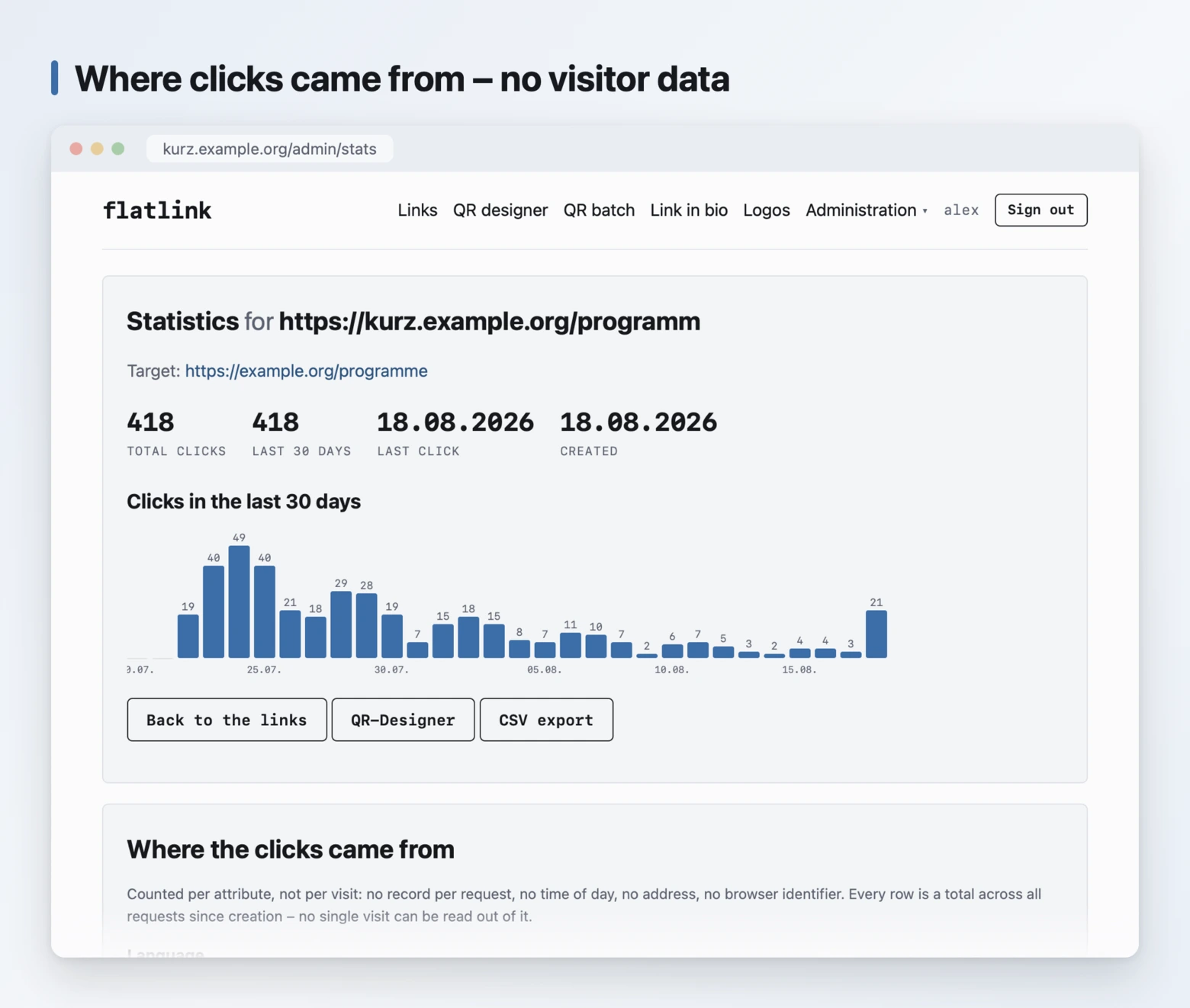
 QR designer. Module and eye shapes, free colours, a logo in the middle, a frame with text. Export as SVG, PNG, vector PDF and EPS, optionally in CMYK – from an in-house encoder, without any third-party library. Five types, one generator. Besides URLs and short links also Wi-Fi access, contacts (vCard), events (iCalendar) and GS1 Digital Links – reachable via tabs, with the same design options. These four are static: the data lives in the code itself, nothing is stored, and they keep working even without the instance. |  QR batches. Twenty
table tents in one archive, with a CSV overview for the print shop. flatlink
writes the ZIP itself – even without the PHP  Logo library. Upload your own logos, rename them and share them with groups – whoever may use one sees it in the designer and on link-in-bio pages. Sharing means permission to use, not to manage. |
 Creating. Custom name, a label for your own overview, tags for filtering, expiry date, password protection and a builder for campaign parameters. |  Link in bio. One page with several targets under one short code. Counted like everything else: per day, for the page and per target, without visitor records. |
Installation
Requirements
| PHP | 8.1 or newer |
| Required extensions | json, mbstring, pdo_sqlite |
| Optional | gd (PNG and PDF export), fileinfo (logo upload), openssl (SMTP), ldap (LDAP sign-in only) |
| Web server | Apache, nginx, Caddy – anything that can rewrite paths |
| Write access | for exactly one directory: data/ |
No database server, no Composer, no build step. To see what you have:
php -v && php -m | grep -E '^(json|mbstring|pdo_sqlite|gd|fileinfo|openssl|ldap)$'
Route 1: Upload the files
The usual case on shared hosting, with no command line at all.
- Download the latest release as a ZIP and unpack it.
- Copy
inc/config.example.phptoinc/config.phpand setbase_urlin it (see Configuration). - Upload everything except
tests/,tools/andextension/to the webroot – those three are command-line tools and have no business being on the web. data/is created on first use. If you get an error instead, the web server lacks write permission in the target folder.
Route 2: Container
One image, one volume, no database service:
docker run -d -p 8080:8080 \
  -e FLATLINK_BASE_URL="http://localhost:8080" \
  -v flatlink-data:/var/lib/flatlink \
  ghcr.io/herrbarmann/flatlink:latest
There the configuration comes from FLATLINK_* environment variables; a
mounted inc/config.php still takes precedence. Details in the Docker
guide – it also carries ready-made Kubernetes manifests.
Route 3: With Git
If you have a command line on the server, updating later is a git pull:
cd /var/www
git clone https://github.com/HerrBarmann/flatlink.git
cd flatlink && cp inc/config.example.php inc/config.php
Set permissions – the web server writes to data/ and nowhere else:
sudo chown -R root:www-data /var/www/flatlink
sudo find /var/www/flatlink -type d -exec chmod 750 {} \;
sudo find /var/www/flatlink -type f -exec chmod 640 {} \;
sudo mkdir -p /var/www/flatlink/data
sudo chown -R www-data:www-data /var/www/flatlink/data
sudo chmod 700 /var/www/flatlink/data
First start
Open /admin/ in a browser. The first visit walks you through the setup and
creates the administrator account – the first account automatically gets the
admin role.
After that, glance at Settings: the instance checks for itself whether its data directory is reachable from outside, and whether mail delivery works.
To try it out, the built-in server is enough. It does not support
rewrites, hence the bundled router script – it emulates the .htaccess
rules so that short links and /api/… work:
php -S localhost:8080 router.php
Configuration
Everything lives in inc/config.php. The commented template with all
options is inc/config.example.php; anything
absent there keeps its default. What follows are the switches people
actually touch.
The essentials
'site_name' => 'Short links of Example University',
'base_url'  => 'https://s.example.org',   // no trailing slash
'data_dir'  => '/var/lib/flatlink',       // empty = data/ next to the application
base_urlis not a matter of taste. Left empty, flatlink guesses the address from theHostheader – which is user input. Someone triggering a password-reset mail for another account could otherwise point the link in it at their own domain and capture the token. flatlink therefore sends no mails containing links while the address is missing. The session cookie'ssecureflag depends on it as well.
data_dirbelongs outside the webroot. It holds password hashes, valid reset tokens and, in mail modelog, complete mails in plain text. If your host does not allow that, the bundled.htaccessprotects it – but only Apache reads that file.
Who may do what
| Option | Meaning |
|---|---|
public_mode |
on, prefix or off – may people shorten without an account? |
registration |
on or off – self-registration |
default_perms |
permissions every signed-in account has without a group |
limits |
links, statistics depth and logos per account (0 = unlimited) |
custom_code_min_len, custom_code_quota |
curbs on squatting short names |
Both public shortening and self-registration can also be switched at runtime under Settings, without touching the file.
Sign-in
| Option | Meaning |
|---|---|
ldap |
LDAP or Active Directory; tools/ldap-check.php verifies the settings from the command line |
sso |
Shibboleth, SAML or OpenID Connect through the web server |
totp_required |
enforce a second factor: off, admins or all |
Local accounts always keep working alongside. Keep at least one local administrator account – if the directory fails, you would otherwise be locked out of your own administration.
'mail' => [
    'mode' => 'smtp',                 // 'log' writes to data/mail.log
    'host' => 'mail.example.org',
    'port' => 587,                    // 587 STARTTLS, 465 TLS, 25 in-house relay
    'user' => 'no-reply@example.org', // empty = no authentication
    'pass' => '…',
    'from' => 'no-reply@example.org',
],
Without these, mode log applies: the confirmation mail lands in
data/mail.log and you copy the link from there. Good for trying things
out, not for production.
Operations and security
| Option | Meaning |
|---|---|
trusted_proxies |
addresses of upstream proxies – without them, rate limit and sign-in lock apply to all visitors collectively by accident |
safe_browsing_key |
Google Safe Browsing; empty = off |
safety_recheck_days |
re-check existing links every N days (0 = off) |
link_gc_years, link_gc_years_unreachable, link_gc_note |
remove never-visited links after N years (0 = off) – also under Settings → Ground rules |
click_dims |
false counts visits only, without origin/device/language |
demo_mode |
public playground with a self-reset |
language |
de or en |
For real operation the deployment guide takes it step by step: web server blocks for Apache and nginx, mail delivery including SPF/DKIM/DMARC, LDAP and Active Directory, the complete Shibboleth setup – plus operation, backup and a table of the most common pitfalls.
Your own colours, your own logo? That is what the customization guide is for – update-safe via
assets/custom.css, without touching the source.
What is not stored
Where practically every URL shortener logs who clicks, flatlink stores exactly this per link – in full, not abridged:
{ "n": 1840, "last": "2026-08-14", "days": { "2026-08-14": 72 },
  "refs": { "google.com": 210, "-": 1630 },
  "devs": { "mobile": 1402, "desktop": 438 },
  "langs": { "de": 1701, "en": 139 } }
Counters, nothing else. No record of individual visits, hence no IP addresses and no stored device or browser fingerprints. The lower three lines answer the most common question asked of any statistic – where do my clicks come from? – without following visitors to do it: three coarse attributes are derived from each request and added up. From the referrer only the hostname survives (never the path, which can carry a search query), from the browser identifier one of three words, from the language list two letters. No single visit can be read out of a total, because no single visit is ever stored.
The path to the total, precisely: the three attributes are added up
immediately – one counter update per attribute, nowhere a record per
visit. Alongside, a scan writes one line into an append log
(clicks/<code>.log), and that line is nothing but the date:
{"d":"2026-08-21"} – verifiable with head data/clicks/*.log. The log
lives briefly: it is compacted when the statistics are viewed, automatically
after a few hundred visits, weekly for everything else (spread over several
weeks on very large stocks) – and before every backup, so an archive
only ever contains totals.
Even the last visit is recorded only to the day. For a link with a handful of clicks, a time of day would otherwise be the single value in the whole data set by which one visit could be placed in time – and joined with other sources.
This is not a statement of intent; it can be read in
inc/store.php (clicks_bump() counts, clicks_fold() compacts). Go
check – that is exactly why the code is open. The redirect path (go.php)
does not even start a session unless the link is password-protected.
If even that is too much for you, switch it off ('click_dims' => false)
and the first line is all that remains.