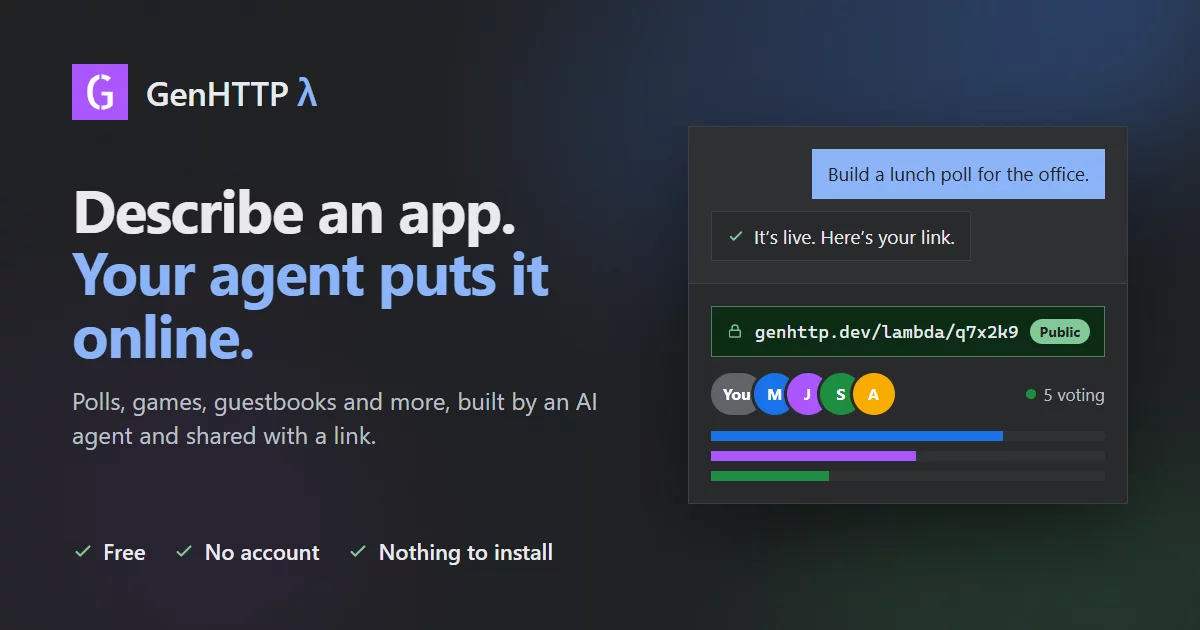

Write a C# snippet that returns a GenHTTP IHandler, press deploy, and get a
public URL that serves it. The snippet is compiled with Roslyn at runtime and
the resulting handler is hosted by the same [GenHTTP][genhttp] server that
serves this application.
return Inline.Create()
             .Get(() => "Hello from my lambda!");
Quick start
docker compose up --build
The application is then available at http://localhost:8080/. Its data - the
SQLite database, the stored code, and the workspaces and databases of the
lambdas - lives in a named volume mounted at /data. The lambdas answer at
subdomains of LAMBDA_HOSTING_URL, one each (see
Where the lambdas answer).
Developing locally
Two processes: the .NET server, and Vite serving the frontend with hot reload.
# the server, on http://localhost:8080/
dotnet run --project src/GenHTTP.Lambda

# the frontend, on http://localhost:5173/ (proxies /api, /lambda and /features to the server)
cd src/Frontend && npm install && npm run dev
Work against http://localhost:5173/ while developing. The lambdas answer at
subdomains of localhost named after their keys - http://quiz.localhost:8080/ -
which browsers resolve without a record. The server on its own answers with a
placeholder page until a frontend has been built into its web root, which is
what npm run build does:
cd src/Frontend && npm run build # writes src/GenHTTP.Lambda/wwwroot
English is the source of every page; the other languages are translated by script and agent, so that only what changed is read and written:
cd src/Frontend
npm run translations -- extract   # a request per language in .translations/
# one `translator` agent per request (.claude/agents/translator.md, on Sonnet)
npm run translations -- apply     # the answers into the catalogs, checked
npm run translations -- check     # every language against English
CLAUDE.md ("How a change is translated") has the rules.
Build and test everything the way CI does:
dotnet build GenHTTP.Lambda.slnx -c Release
dotnet test GenHTTP.Lambda.slnx -c Release
The tests compile and execute real lambdas against a real server on a random port, each against its own temporary data directory.
Routes
| Route | Serves |
|---|---|
/ |
the landing page |
/build |
the text box for somebody who wants an app built, no code |
/ship |
for developers: connect an agent and publish what it built |
/docs |
the guide for owners |
/showcase |
the lambdas their owners chose to show |
/source |
the lambdas whose owners published their code |
/source/:publicKey |
the published code of one: its files, documentation, tests and changes, per version |
/source/:publicKey.git |
the published code as a git repository, read only |
/enterprise, /terms, /privacy, /imprint |
the company pages |
/editor/create |
the creation assistant |
/editor/:privateKey |
the editor for one lambda |
/editor/:privateKey/:name.git |
the lambda as a git repository, to clone and push to (any name; the editor offers the public key) |
/lambda/:publicKey/… |
where a lambda answered once: a permanent redirect to where it answers now, with the rest of the path and the query |
/features/:feature |
the preview of a feature, while it is online |
any path, at {publicKey}.{hosting domain} |
the deployed handler - or, while the lambda answers at a domain of its own, a permanent redirect there |
| any path, at a lambda's own domain | the deployed handler of a premium lambda with that domain |
| the hosting domain itself | a page saying what is hosted there, leading to the site |
/api/v1/ |
everything the editor calls, see below |
/mcp |
the same, for agents |
/admin |
every lambda on the server, for whoever runs it |
API
Browsable at /api/v1/scalar/, described by /api/v1/openapi.json (or
.yaml). The description is the reference for whoever calls the API: it opens
with an introduction (getting started, keys, files, limits, errors), groups
the operations by what they are about, and says of each what it does, what it
leaves alone and every way it is refused. It is written with GenHTTP's
documentation attributes beside the code (see ApiDocumentation), and
ApiDocumentationTests keeps it complete.
A lambda is addressed by its editor key, which is also what authorizes the
call. Things that can be listed, read, created or changed are resources; what
is a process rather than a thing is a verb in the path. A refusal is answered
with a status and { status, error, message }, where error is Invalid
(400), Forbidden (403), NotFound (404), Conflict (409) or TooMany (429).
| Endpoint | Does |
|---|---|
POST /lambdas |
creates a lambda (optionally with view: Full or Simple) |
GET / PATCH / DELETE /lambdas/:privateKey |
reads, changes (its key, its view), removes it |
GET /lambdas/:privateKey/export |
the newest version as a runnable .NET 10 project with a Dockerfile (zip), with its database, see below |
GET / POST /lambdas/:privateKey/versions |
lists versions, saves a new one (optionally with specification and change) |
GET /lambdas/:privateKey/versions/:version |
reads one version (?folder=docs/ for its documentation alone, resources/ for its resources) |
GET /lambdas/:privateKey/versions/:version/zip |
one version's files as a zip (?layout=project laid out as a clone) |
POST /lambdas/:privateKey/versions/zip |
saves a zip of all files as a new version (?layout=project for one laid out as a clone) |
POST /lambdas/:privateKey/versions/changes |
changes some files of the newest version, as a new one |
GET /lambdas/:privateKey/deployment |
what is online, and until when |
POST /lambdas/:privateKey/deployment/start / stop |
puts a version online, takes it off |
GET /lambdas/:privateKey/deployment/history |
every stretch it was online, and what ended it |
GET /lambdas/:privateKey/summary |
the dashboard: state, traffic, problems, storage, what the documentation says |
GET /lambdas/:privateKey/traffic |
requests by minute and quarter hour, statuses, paths |
GET /lambdas/:privateKey/logs |
its own log, followed with ?since=; no visitor addresses |
GET /lambdas/:privateKey/agent |
the agent's change of it - under way, or the last one - and how many are left today |
POST /lambdas/:privateKey/agent/start / stop |
asks the agent for a change, stops it |
GET /lambdas/:privateKey/data |
the kinds of data it keeps, and how full each is |
GET / PUT / DELETE /lambdas/:privateKey/data/:kind |
one kind (database, workspace, secrets); switches it on; switches it off and deletes what it held |
GET /lambdas/:privateKey/database |
its database: tables and views, their columns and rows, how full it is, whether the code connects |
GET /lambdas/:privateKey/database/tables/:table |
a page of one table's rows, newest first (offset, limit, order, descending) |
GET /lambdas/:privateKey/secrets |
the secrets by name, which names the code reads, and which of those have no value |
PUT / DELETE /lambdas/:privateKey/secrets/:name |
stores a value ({ "value": … }), never read back; removes one |
GET /lambdas/:privateKey/files |
lists the workspace |
GET / PUT / DELETE /lambdas/:privateKey/files/:path |
one file, its path encoded (a%2Fb.txt), as base64 up to 32 MB |
GET / PUT /lambdas/:privateKey/files/:path/content |
one file as it is, streamed, however large |
PUT /lambdas/:privateKey/folders/:path |
makes a folder |
GET / POST /lambdas/:privateKey/features |
lists the features, starts one (name, specification, base) |
GET / PATCH / DELETE /lambdas/:privateKey/features/:feature |
one feature with its files (?folder= as for a version); changes its name, notes or base; deletes it |
PUT /lambdas/:privateKey/features/:feature/files |
replaces its files (?deploy=true puts its preview online) |
POST /lambdas/:privateKey/features/:feature/changes |
changes some of its files |
GET / PUT /lambdas/:privateKey/features/:feature/zip |
its files as a zip; a zip put back into it (both with ?layout=project) |
POST /lambdas/:privateKey/features/:feature/preview/start / stop |
puts its preview online, takes it off |
POST /lambdas/:privateKey/features/:feature/merge |
makes it the next version and deletes it (deploy to put that online) |
GET /lambdas/:privateKey/features/:feature/logs |
what its preview has been doing |
GET /lambdas/:privateKey/features/:feature/data, POST …/data/refresh |
its copy of the data; a fresh copy of the lambda's |
…/features/:feature/workspace[/:path[/content]], …/folders/:path |
its copy of the workspace, as files and folders are the lambda's |
…/features/:feature/secrets[/:name] |
its copy of the secrets, as secrets are the lambda's |
…/features/:feature/database[/tables/:table] |
its copy of the database, as database is the lambda's |
POST /lambdas/:privateKey/code/check |
compiles without saving |
POST /lambdas/:privateKey/code/semantics, completions, definition |
what the editor asks the compiler |
GET /keys/:publicKey |
whether a key is free, and if not, online |
GET /demos |
the demos, and the keys to read them with |
GET / PUT / DELETE /lambdas/:privateKey/showcase |
its entry on the showcase: read, list it (title, description, picture), take it off |
GET /lambdas/:privateKey/domain, PUT / DELETE |
the domain of a premium lambda, whether it is served, and what it resolves to |
GET /showcases, GET /showcases/:publicKey/image |
what /showcase lists, and a picture |
GET / PUT / DELETE /lambdas/:privateKey/analytics |
who visits it, by day, over the last days (at most what its tier shows); switches counting on; switches it off and deletes what was counted, see Analytics |
GET / PUT / DELETE /lambdas/:privateKey/source |
whether its code is published and under which license, the licenses on offer; publishes it or changes the license (license, author); takes it down |
GET /sources |
what /source lists (search, order: stars, updated, published, skip, take) |
GET /sources/:publicKey |
a published source: what it is, its license, where it runs, every version and what it changed, a ticket to star it with |
GET /sources/:publicKey/versions/:version |
the files of a version as its project has them, packed on the first request |
GET /sources/:publicKey/versions/:version/files/:path, …/raw/:path |
one file, its path encoded: its text; as it is (?download=1 to save it) |
GET /sources/:publicKey/versions/:version/zip |
a version as a project to download |
POST /sources/:publicKey/star |
stars it, or takes the star back (ticket, starred) |
POST /builds, GET /builds/:id |
the text box on /build |
GET /system |
terms, limits, starters, build agent, where a lambda answers (lambdaUrl) |
GET /telemetry, /logs, /admin/... |
for whoever runs the installation |
Creating a lambda asks what somebody would like to build and offers the demos
in those words - "Keep track of things", "Let people sign up" - next to an empty
lambda. Picking a demo starts the new lambda as a copy of it, which is theirs to
change. The files are in Resources/Templates and listed in TemplateCatalog.
A lambda has two keys. The public one names its address - quiz answers at
https://quiz.genhttp.run/ - and may be changed; the private one is the
editor link and is shown only to whoever created the lambda - anyone holding
it can edit, deploy and delete. What the API answers about a lambda carries
both its address below the hosting domain, publicUrl, and where to link to
it, address - its own domain while it answers at one, publicUrl otherwise
(see Where the lambdas answer).
A lambda may also return a websocket rather than a document, in any of the
three flavours the module offers - Websocket.Functional(), .Reactive() and
.Imperative(). The handshake is an ordinary request and is bounded by the
execution timeout like any other; everything after it belongs to the
connection, which is why a socket may stay open far longer than a lambda is
given to answer. FrameType, which the imperative flavour reads off every
frame, is one of the names a lambda is given, so no import is needed.
A lambda may offer tools to AI agents itself, over the Model Context Protocol:
Tools.Create() with a class whose methods are marked [Tool], added at a
path such as mcp, which an agent then connects to. And a webservice of its
own describes itself as OpenAPI, in the words of [Summary], [Remarks],
[Tag] and [Response] on its routes and records. The MCP module and those
attributes are imported for every lambda and in its export; demo-crud shows
both, and the guide says how (toolsForAgents, describingAnApi).
The editor says when both free tier timers run out: a hint under the public URL for the deployment, and a chip beside the buttons for the lambda itself, which opens an explanation of how each one is extended.
Where the lambdas answer
Every lambda answers at a subdomain of one domain, the hosting domain, named
after its public key: https://quiz.genhttp.run/, the whole of the host its
own. LAMBDA_HOSTING_URL names that domain with its scheme and port; left
empty it is this server on localhost - http://quiz.localhost:8080/ - which
browsers resolve without a record in the DNS.
A host of its own rather than a path below the platform's, so that what
somebody built is a site of its own: a page of it cannot read what the
platform keeps in a browser - the admin token, for one - nor what another
lambda keeps there, and its paths start at the root of its host, so a
browser asking for /favicon.ico asks the lambda. The editor, the API, the
agents' endpoint and git stay where they are, on the platform.
- Its old address.
/lambda/{key}/…on the platform is answered with a permanent redirect to where the lambda answers now, with the rest of the path and the query as they were sent, byte for byte - a signature over them still matches - Moved Permanently for a read, Permanent Redirect for anything else, which a client sends again with the same method and body. It is answered before anything else the server does: no request line, no telemetry, no upgrade to HTTPS, since the address it sends to is secure already. A browser keeps it for a day rather than for good, because where a lambda answers changes when it gets a domain or loses one. A key nobody has is sent on as well - the address moved, whether or not something is there - while a path below/lambda/that could never have been a key is not found. - A domain of its own. A premium lambda with a domain answers there and
only there: its subdomain sends visitors on to the domain the same way, so
there is one address for search engines to keep and for visitors to pass
on. Removing the domain, or the tier that serves it, has the subdomain
answer again. For the same reason
www.in front of the domain sends its visitors on to it -www.shop.example.comtoshop.example.com- unless the owner entered the domain withwww., which is then where it answers, and nothing is sent there from the name without; or unless thatwww.is the domain of another lambda, or one of the platform's own names. - Nothing there. A subdomain nothing is online at - a key nobody has, a
lambda that is offline, a name no key can be - is told so in a plain page
that leads to the site, or in a line of JSON for anything but a browser.
The hosting domain itself, and
www.in front of it, has a page of its own that says what is hosted there and leads to the site, in the language the browser prefers; its words are inpages.json(hosting:/andhosting:/:key) and translated with the rest. Both link the site's legal notice and privacy policy, named as the site names them. Neither is one of the site's pages: none of the site's scripts is ever served at the hosting domain. - Keys are host names. A key is a label of the hosting domain, so the
names mail clients and servers look for below a domain (
mail,autoconfig,autodiscover,mta-sts) cannot be claimed, nor can a key starting withxn--, which a browser reads as an international name. A lambda is found by its key as it is spelled, whatever the rules for claiming one say today, so a rule made later takes nothing offline. - Previews stay on the platform. The preview of a feature answers at
/features/{feature}/, as it did, which is why a lambda links relatively. It is the one place a lambda's code still runs on the platform's host - with what the platform keeps in that browser in reach of its scripts - until previews get hosts of their own as well.
The request log names the host in front of the path - GET quiz.genhttp.run/api/items - as it does for a domain of its own, and the
traffic of a lambda counts its visitors by the host they came to.
What it takes is a wildcard record in the DNS - *.genhttp.run, and
genhttp.run for the page at its root, pointing at the server - and a
certificate for both names (see The hosting domain).
The hosting domain belongs on the Public Suffix List:
until it is there, a lambda can set a cookie for the whole domain, which the
browser then sends to every other lambda as well.
Versions, features and data
A lambda keeps three kinds of things, and they live differently.
A version is the program: its code - the C# it is compiled from, and
whatever else is kept with it, its documentation and its tests among it - and
its resources, which it reads and serves while it runs, the front end and
the database's migrations among them (see Code and resources).
A version never changes once it is saved, which is
what makes every one worth keeping - any of them can be compared with, and put back online
exactly as it was. Saving files (POST …/versions, write_code) makes a new
one.
A feature is a change worked on beside the lambda. It branches off a version - the newest, unless another is named - with a copy of its files