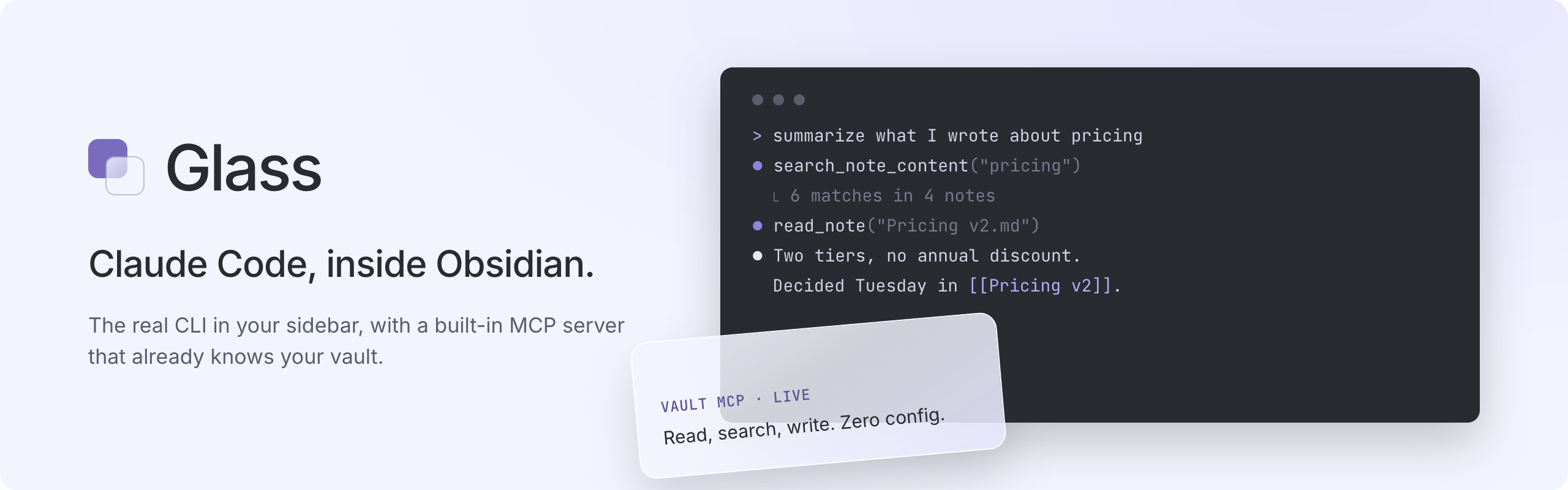
Glass puts Claude Code inside Obsidian with a built-in MCP server that gives Claude direct access to your vault: reading, searching, and writing notes without any configuration on your part. Not a chat UI, not a reimplementation: the actual Claude Code CLI running in a real terminal alongside your notes.
Every slash command, every MCP tool, every session you'd have in a standalone terminal. If you already use Claude Code, there's nothing new to learn.
| Light | Dark |
|---|---|
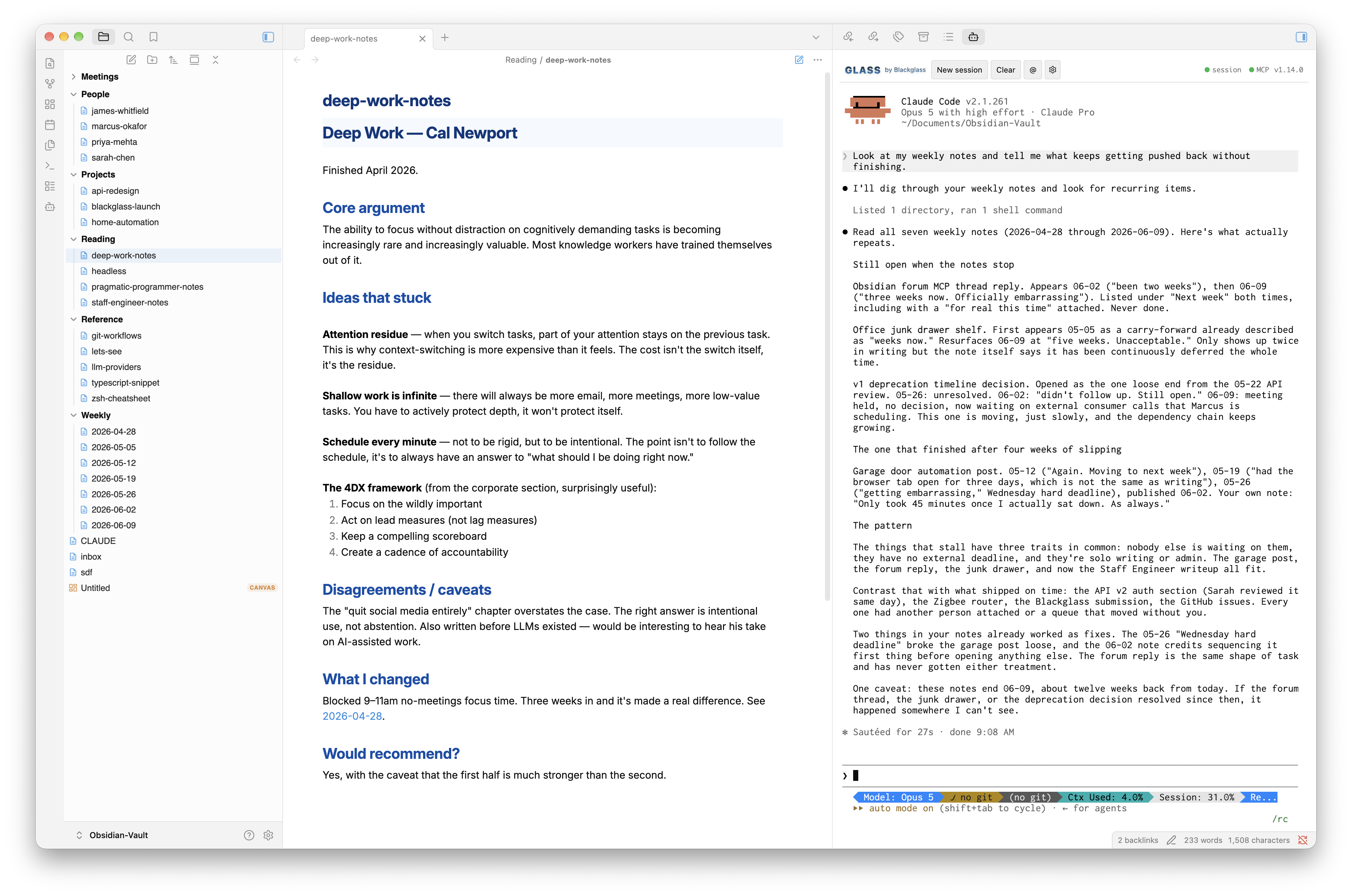 |
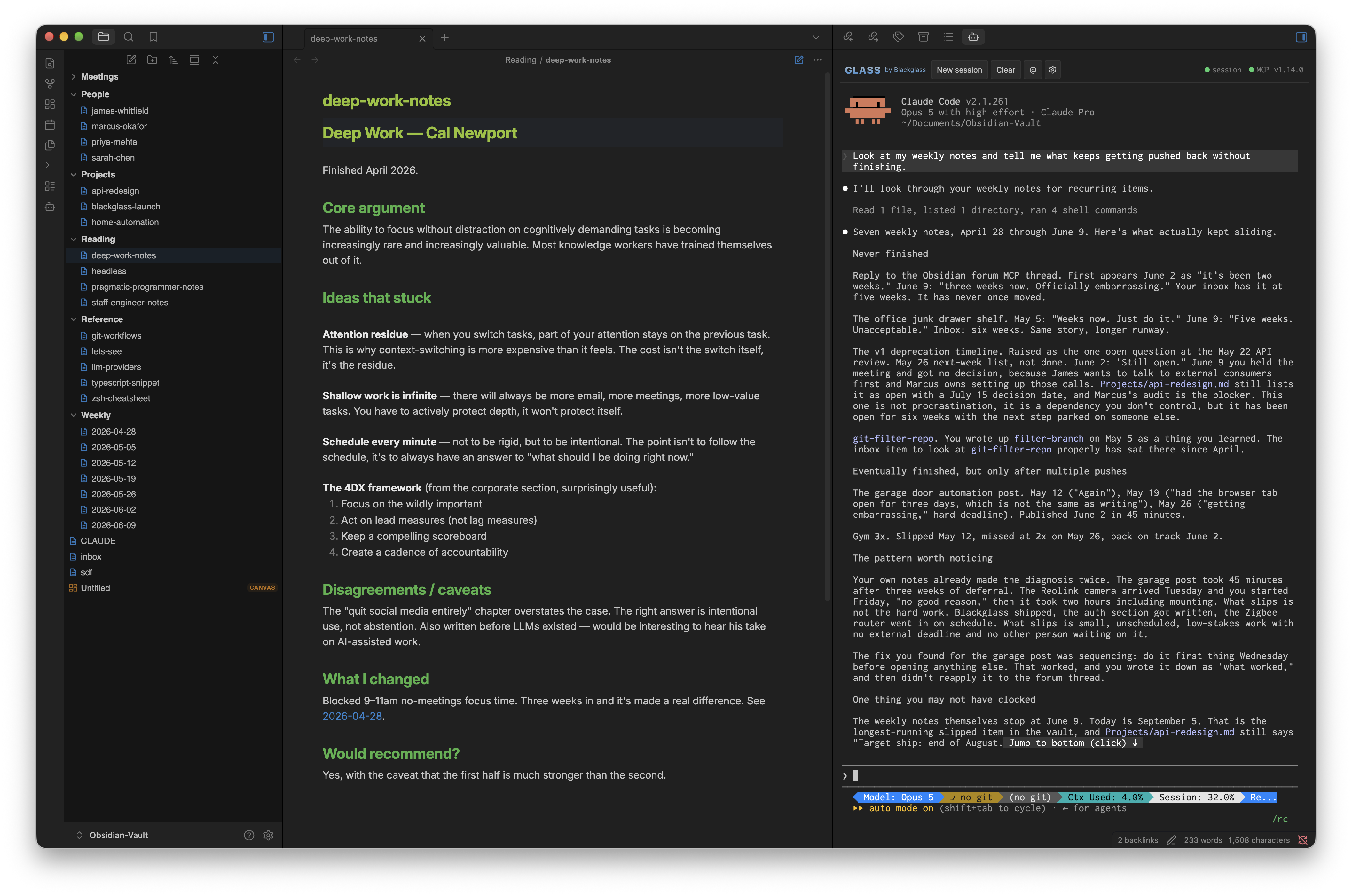 |
Note: This plugin was formerly called Blackglass. The name has been shortened to Glass; the plugin ID remains blackglass so existing installations update seamlessly.
What's new in 1.16.0
- Persistent tmux sessions: A new opt-in setting keeps your Claude Code terminal running in tmux, so the session survives when Obsidian closes or the view reloads.
- Haiku 5.5 in quick-ask: The quick-ask model list now offers Haiku 5.5 in place of Haiku 4.5.
- Windows PATH fix: On Windows systems where the environment variable is spelled "Path", the terminal now keeps your PATH instead of losing it.
1.16.1
- Claude no longer left running after quit (macOS and Linux): Quitting Obsidian could leave a Claude process running in the background for each vault with Glass open. It now shuts down properly.
- Tilde paths for the Claude binary: A custom Claude binary path that starts with
~now expands to your home directory, so it resolves correctly. - Version-manager support: Claude installed through mise, asdf or Volta is now found automatically, because their shim directories are added to the PATH.
- Retired quick-ask models: Quick-ask settings that still point to a retired model ID are now switched to its replacement automatically, instead of showing a blank model dropdown.
- GLASS_MODE environment variable: Claude sessions launched by Glass, including those inside tmux, now set
GLASS_MODE, so your scripts and status lines can tell when they're running inside the plugin.
1.16.2
- Vault tools stay connected: Claude keeps access to your vault tools when you reattach to a tmux session, and vaults that start at the same time no longer take each other's ports.
- Smarter vault tool use: Claude now gets guidance on when the vault tools work better than plain file reads, such as for links, open notes, tags, canvases, and actions in Obsidian.
- Accurate update checks: Update checks now look in the correct Glass repository, and the vault server shows up as obsidian-glass with the real plugin version.
- Cleaner wording: The old plugin name is gone from all on-screen text, and the /mcp reconnect tip now reads as a fallback in every supported language.

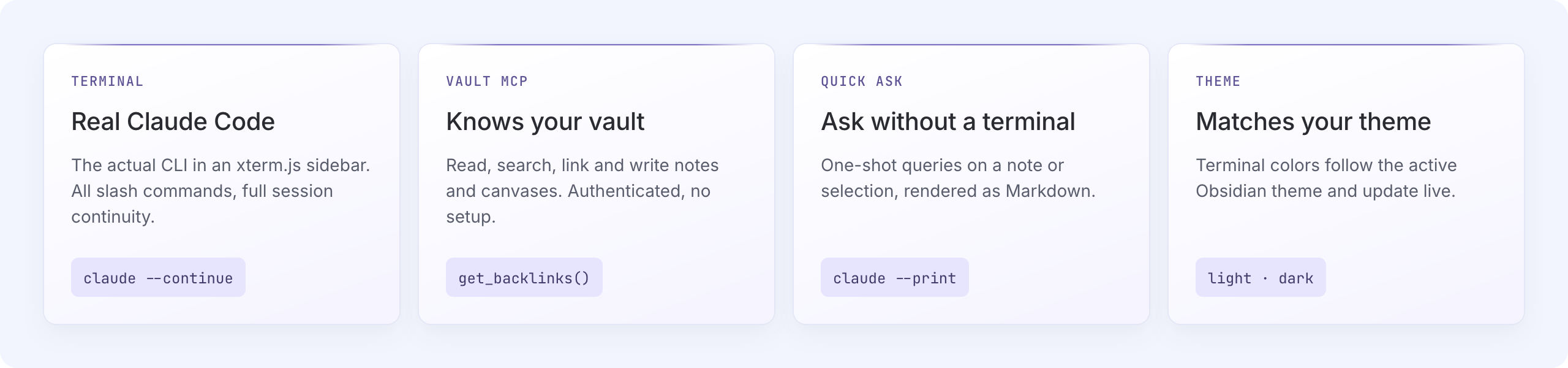
- Real Claude Code terminal: not a chat UI or a wrapper; the actual Claude Code CLI running in a full xterm.js terminal in your sidebar. All slash commands, all MCP tools, full session continuity.
- Built-in vault MCP server: gives Claude structured access to your vault the moment the plugin loads, with no configuration required. Claude can read, search, create, and update notes, and follow backlinks, outlinks, and tags (full tool list)
- Obsidian UI control: Claude can open notes, split panes, jump to a heading, list your open panes, and show notices, so requests like "open that in a split on the right" just work
- Canvas support: Claude can create, read, and update Obsidian Canvas files. Turn a note into a mind map, lay out a project as a board, or have Claude reason about an existing canvas. Input is validated, so a bad request fails with a clear error instead of writing a broken canvas
- Authenticated MCP server: auto-generated Bearer token written to
.mcp.jsonon every launch; any other local process is denied access - Read-only vault mode: optional setting that hides the vault-writing MCP tools, leaving Claude's vault tools read and search only (Claude's own shell and file tools can still write; see Security)
- Quick ask modal: one-shot queries using Claude Code's
--printmode; no terminal required; renders responses as Markdown - File explorer context menu: right-click any
.mdfile and choose "Ask Claude about this" to query Claude about it without opening it - Vault-aware quick ask: pre-fill the modal with the active note or selected text
- Per-query model selector: choose the model directly in the quick ask modal; overrides the default without changing your setting
- Session resume: picks up where you left off (
--continue) on every open - Persistent tmux sessions (opt-in, macOS and Linux): keep Claude running after you close the panel or quit Obsidian, then reattach from Glass or from any terminal with
tmux attach - CLAUDE.md vault context: offers once, on first install, to generate a CLAUDE.md summarizing your vault's structure and tags, which Claude Code loads automatically every session; regenerate anytime from Settings
- Theme-adaptive terminal: terminal colors derived from the active Obsidian theme; updates live when you switch themes
- Cross-platform: macOS, Linux, and Windows (Windows requires
pip install pywinpty) - Localized UI: follows Obsidian's configured display language, with machine-translated drafts available for German, Spanish, Dutch, and French (anything untranslated falls back to English; see
src/i18n/README.md)

- Obsidian desktop app (1.8.7+)
- Claude Code CLI installed and on your PATH (
claude --versionshould work in your terminal) - Python 3 (used by the terminal bridge; ships with macOS, available via your package manager on Linux; install from python.org on Windows)
Platform support: macOS and Linux work out of the box. Windows requires Python 3 and one extra step:
pip install pywinpty
pywinpty is a Python package that provides Windows PTY support, including terminal resize. The Quick Ask modal works on all platforms without it.
Agent SDK credits: The Quick Ask modal runs Claude Code in non-interactive (-p) mode. As of June 15, 2026, Anthropic bills this separately from interactive usage. Pro plans include $20/month of Agent SDK credits (details). The interactive terminal (available on all platforms) draws from your regular Claude subscription, not this pool.

Search for Glass in Settings → Community Plugins → Browse, then install and enable it.
Manual install: Download main.js, styles.css, and manifest.json from the latest release and copy them into <your-vault>/.obsidian/plugins/blackglass/.

All commands are available via the command palette (Cmd+P):
| Command | Description |
|---|---|
| Open Claude Code terminal | Opens the sidebar terminal panel |
| Ask Claude (quick) | Opens a quick-ask modal (print mode, no terminal needed) |
| Ask Claude about this note | Prefills the modal with the current note's content |
| Ask Claude about selection | Prefills the modal with the selected text |
| Start new Claude Code session | Kills the current session and starts a clean fresh one |
| Insert note reference into terminal | Opens a note picker and inserts @<path> into the terminal; assign a hotkey in Settings → Hotkeys |
A ribbon icon (bot) also opens the terminal panel directly. The terminal toolbar has a New session button that starts a completely fresh session, a Clear button that wipes the terminal output without ending the session, an @ button that opens a fuzzy note picker and writes the selected path as a @filename reference into the terminal (Claude Code reads the file itself, so the note's content isn't pasted in), a settings button (⚙) that opens Glass settings, and status dots for the session and MCP server (green = active, grey = inactive).
Right-clicking any .md file in the file explorer shows an Ask Claude about this option, which opens the quick ask modal prefilled with that note's content.

Settings → Glass:
| Setting | Default | Description |
|---|---|---|
| Claude binary path | claude |
Path to the claude CLI. Use full path if not on PATH; a leading ~ is expanded. If this points at a wrapper script, Glass sets GLASS_MODE=terminal for the interactive terminal and GLASS_MODE=print for quick-ask and CLAUDE.md generation. |
| Working directory | (vault root) | Directory Claude starts in. Defaults to vault root. |
| Quick ask model | Default | Model used by the quick ask modal. Can be overridden per-query in the modal itself. |
| Terminal font size | 14 |
Font size in pixels. Updates the running terminal immediately. |
| Terminal font family | monospace |
Font family for the terminal. Populated from your system fonts; falls back to a curated list if font enumeration is unavailable. Updates the running terminal immediately. |
| Terminal font weight | Normal |
Weight or style variant for the selected font. Options are derived from your system fonts (e.g. Light, Regular, SemiBold, Bold). Updates the running terminal immediately. |
| Terminal letter spacing | 0 |
Horizontal spacing between characters in pixels. Valid range: 0–3. Updates the running terminal immediately. |
| Terminal line height | 1.0 |
Vertical spacing multiplier for lines. Valid range: 1.0–1.4. Updates the running terminal immediately. |
| Terminal scrollback | 5000 |
Number of lines kept in scroll history. Takes effect on next terminal open. Valid range: 100–100,000. |
| Open panel on startup | off | Auto-open the terminal when Obsidian launches. |
| Resume last session | on | Passes --continue to resume the previous conversation. |
| Keep session running in tmux | off | macOS/Linux only; requires tmux. Runs Claude in a per-vault tmux session (glass-<vault name>) that survives closing the panel or quitting Obsidian. Reopening the panel reattaches, and tmux attach -t glass-<vault name> works from any terminal. New session ends the tmux session and starts fresh. The vault tools reconnect on their own after Obsidian restarts. If they ever stop responding, run /mcp in Claude and reconnect obsidian; the conversation is kept. |
| Enable vault MCP server | on | Starts the built-in MCP server. Disable to run without vault tool access. |
| MCP server port | 27123 |
Port the MCP server binds to. Increments automatically if the port is in use. Valid range: 1024-65535. |
| Read-only vault access | off | Hides create_note, update_note, create_canvas, and update_canvas from Claude. Claude can still read and search notes and canvases. |
| Skip permission prompts | off | Passes --dangerously-skip-permissions to Claude Code. Claude will execute tool calls without asking for confirmation. Only enable for trusted tasks. |

Glass includes a built-in MCP server that gives the embedded Claude Code session structured access to your vault. When enabled (on by default), the plugin:
- Starts a local HTTP server on
localhost:27123(or the next available port) - Generates a random Bearer token and writes it alongside the server address into
.mcp.jsonso Claude Code authenticates automatically - Removes the entry when the plugin unloads
The server requires a valid Authorization: Bearer <token> header on every request. The token is regenerated each time the plugin loads, so any other local process that previously had the token loses access after a restart.
Claude Code gains the following vault tools:
| Tool | Description |
|---|---|
read_note |
Read a note's full content by vault-relative path |
list_notes |
List notes and subfolders at a path (defaults to vault root) |
search_vault |
Find notes whose path or filename matches a query string |
search_note_content |
Full-text search across note content, returns matching lines with context |
get_backlinks |
Find all notes that link to a given note |
get_outlinks |
List the notes (and unresolved link targets) a given note links to |
list_tags |
List tags used across the vault (or a directory), sorted by how many notes use each one |
get_active_note |
Get the path and content of the currently open note |
create_note |
Create a new note at a vault-relative path |
update_note |
Replace the content of an existing note |
open_note |
Open a note in the workspace so you can see it, optionally in a new tab or a specific existing pane |
split_pane |
Split the active pane, optionally opening a note in the new split |
navigate_to_heading |
Open a note and scroll the editor to a specific heading |
show_notice |
Show a transient notice/toast message in the Obsidian UI |
list_panes |
List open panes in the main editor area (not sidebars), with each pane's id, note title, rough screen position, and whether it's active |
create_canvas |
Create a new Obsidian Canvas file (a spatial board of cards connected by arrows) |
update_canvas |
Replace the entire nodes/edges structure of an existing canvas |
read_canvas |
Read an existing canvas's full JSON structure |
search_note_content accepts an optional directory argument to limit the search to a subtree, and an optional max_results argument (default 10, max 50). Each result includes up to 3 matching lines with surrounding context so Claude can decide which notes to read in full.
open_note accepts an optional pane_id (from list_panes) to target a specific existing pane instead of just the active pane or a new tab. This is handy for multi-pane layouts where "put this in the top pane" needs to resolve to an actual pane. pane_id always replaces that pane's current tab; it can't be combined with new_leaf, since Obsidian's plugin API has no way to open a new tab inside a specific other pane, only to open a new tab in the active one.
create_canvas and update_canvas take a nodes array and an optional edges array following Obsidian's JSON Canvas format: each node is a card with a unique id, a type (text, file, link, or group), position (x/y), and size (width/height), plus a type-specific field (text, file, or url); each edge connects two node ids with fromNode/toNode. Both validate their input and fail with a specific error (missing field, unknown type, duplicate id, an edge pointing at a node that doesn't exist) rather than writing a malformed canvas.
To disable the MCP server, toggle it off in Settings - Glass - "Enable vault MCP server". To use a different port, change the "MCP server port" setting (valid range: 1024-65535). To hide the vault-writing MCP tools (create_note, update_note, create_canvas, update_canvas) from Claude, enable "Read-only vault access". See Security for why this doesn't actually prevent Claude from writing to your vault if it's asked to.
Note: .mcp.json in the vault root is managed by Glass. If you already have a .mcp.json with other servers, Glass will merge its mcpServers.obsidian entry rather than overwriting the whole file.

Claude Code automatically loads a CLAUDE.md file from its working directory at the start of every session. Glass can generate one for you, summarizing your vault's top-level folder structure, tag usage, and a sample of note paths.
On first install, Glass offers once to generate this file (skipped automatically if a CLAUDE.md already exists at your vault root, or if you dismiss the offer). You can generate or regenerate it anytime from Settings → Glass → "Generate CLAUDE.md". If one already exists, you'll be asked to confirm, and the current file is saved as CLAUDE.bak.md before being replaced. This is a single rolling backup: regenerating again overwrites CLAUDE.bak.md with whatever was just replaced, rather than accumulating timestamped copies.
The generated file lives at your vault root as a normal note, so you can open and edit it directly in Obsidian. It's a starting point, not something Glass keeps in sync automatically, so edit it freely as your vault evolves.