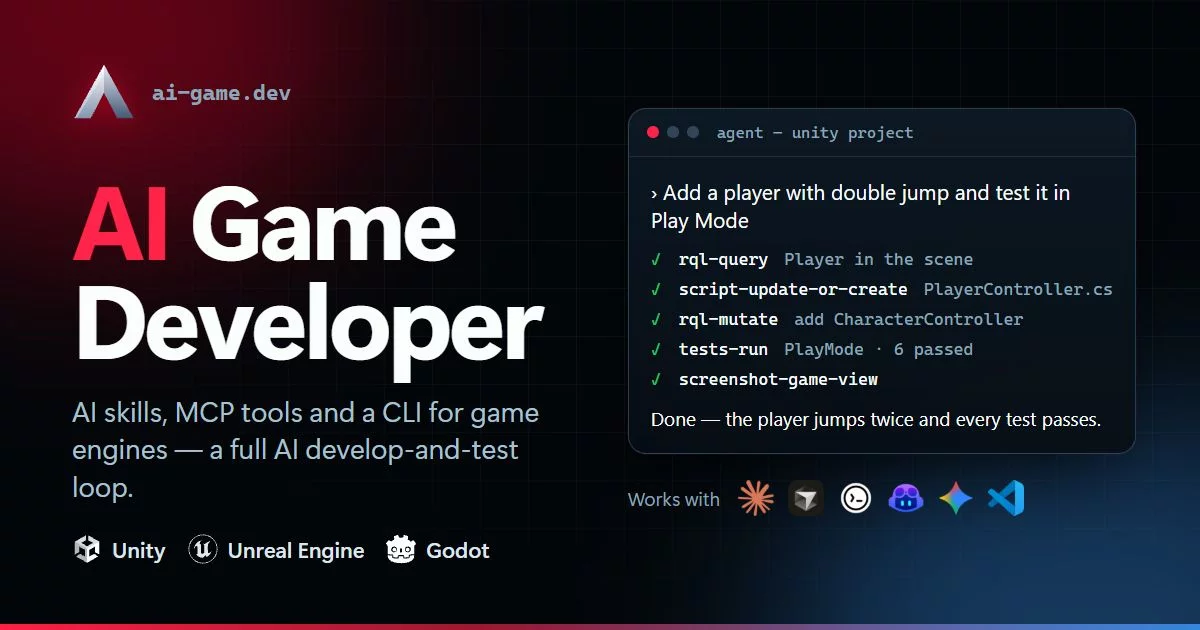





Godot MCP is an AI-powered game development assistant for the Godot Editor. Connect Claude, Cursor, Copilot, or any MCP-aware agent to Godot and let it inspect and drive your project — create nodes, edit scenes, manage resources and scripts, capture screenshots, and more.
Godot-MCP is the Godot counterpart of Unity-MCP: a C# editor addon that exposes Godot Editor operations as AI Tools and connects them to an MCP server through the same hosted cloud backend (ai-game.dev) that powers Unity-MCP — or your own self-hosted server. The MCP / reflection stack is not forked: it is shared with Unity-MCP and consumed from nuget.org as PackageReferences.
💬 Join our Discord Server — Ask questions, showcase your work, and connect with other developers!

- ✔️ AI agents — Use the best agents from Anthropic, OpenAI, Google, or any other provider with no vendor lock-in
- ✔️ 24 built-in Tools — MCP Tools across 9 families for operating the Godot Editor, led by RQL: one query language for the whole editor
- ✔️ C# & GDScript — Read, create, and update both
.csand.gdscripts, and attach them to nodes - ✔️ Scene & Node control — Query and edit the scene tree, Godot properties (GDScript variables included),
.tscnscenes and.tres/.resresources with RQL — bulk, all-or-nothing, undoable - ✔️ Visual feedback — Capture viewport, camera, and isolated-node screenshots the LLM can inspect
- ✔️ Call anything —
call CallMethod("name", [args])reaches any Godot method (GDScript ones too); in a running game, find and call C# methods via ReflectorNet - ✔️ Cloud or self-hosted — Connect to
ai-game.devout of the box, or point at your own server - ✔️ Natural conversation — Chat with AI like you would with a human

Quick Start
Get up and running from a terminal using the godot-cli (the Godot analog of unity-mcp-cli) — no manual file copying or csproj editing required:
# 1. Install godot-cli
npm install -g godot-cli

# 2. (Optional) Scaffold a fresh Godot C# project — skip if you already have one
godot-cli create-project --dotnet ./MyGodotProject

# 3. Install the godot_mcp addon: downloads addons/godot_mcp/ from the matching
#    GitHub release, adds the required NuGet packages + the extension-catalog
#    EmbeddedResource to your .csproj, and enables the plugin in project.godot —
#    all idempotently
godot-cli install-plugin ./MyGodotProject

# 4. Sign in to the ai-game.dev cloud — OAuth 2.1 device login (opens a browser,
#    saves a machine-wide credential the editor plugin auto-adopts; no token to copy)
godot-cli login

# 5. Pick an AI agent (Claude Code, Cursor, Copilot, …) and write its MCP config —
#    pinned to THIS project's cloud route by default (pass --no-pin for the bare URL)
godot-cli setup-mcp claude-code ./MyGodotProject

# 6. Open the Godot editor — builds the C# assembly first (so the addon loads on
#    the very first open) then auto-connects with the right GODOT_MCP_* env vars
godot-cli open ./MyGodotProject

# 7. Wait until the plugin answers the readiness probe
godot-cli wait-for-ready ./MyGodotProject
That's it. Ask your AI "Create 3 cubes in a circle with radius 2" and watch it happen. ✨
Offline / dev install:
install-plugin --source <path-to>/addons/godot_mcpcopies the addon from a local directory instead of downloading it. Prefer the matching release version withinstall-plugin --version <x.y.z>if you need a specific addon build. The manual route (copy the addon + add the NuGet packages yourself) is still documented under Installation Steps 1–2 for the Asset Library / hand-managed flows.
See the full CLI documentation for every command, editor-resolution order, and connection env vars.
Contents
- Quick Start
- Tools Reference
- Requirements
- Installation
- Connect
- Godot
MCP Serversetup - Customize Tools
- Runtime usage (in-game)
- How Godot MCP Architecture Works
- Building & contributing
- License
Tools Reference
Godot-MCP ships 24 built-in tools grouped into 9 families. The editor's data layer is
RQL (Reflection Query Language): rql-query, rql-mutate and rql-schema read and change scene
nodes, Godot properties, resources, files, scenes and editor state in one query instead of one tool per operation
(they replace the former node-*, scene-*, resource-*, filesystem-* and editor-* tools; in the editor also
console-* and reflection-*, which stay available in a running game). With the default toolFormat (Rql) the
other tools take RQL values as arguments and return compact text; Json keeps ReflectorNet's JSON schemas and results.
Screenshots return a PNG image. All editor tools are available immediately after the addon is enabled — no extra
configuration required. The runtime-errors, console and reflection families serve the running game
(the in-game runtime, see Runtime usage); runtime-errors is OFF by default — opt in with
builder.WithRuntimeErrorCapture() (see Capturing in-game runtime errors).
| Family | Tools | What it does |
|---|---|---|
| ping | ping |
Lightweight readiness probe — echoes a message back, or returns pong. Verifies the end-to-end MCP path (editor → SignalR → tool dispatch). System tool — reachable over the server's /api/system-tools/ HTTP surface, not advertised to AI agents in tools/list. |
| rql | rql-query, rql-mutate, rql-schema |
Query and change the live editor with RQL: nodes, root, selection, scenes, files, folders, classes, console, editor, project, settings, inputActions, autoloads, groups, layers, tools (every MCP tool, hidden ones included) sources; rql-schema "<extension>" prints an installed extension's guide; godot.find / godot.group / godot.resources / godot.resource / godot.callable; node calls AddChild / InstantiateScene / Duplicate / Reparent / MoveChild / Free / Connect / Disconnect / AddToGroup / RemoveFromGroup; project settings, input map, autoloads, layer names, TileSets, Themes, ShaderMaterial parameters and MeshLibraries; editor calls NewScene / OpenScene / SaveScene / CreateResource / MoveResource / DeleteResource / CreateFolder / DeleteFolder / Reimport. All-or-nothing and undoable. See docs/rql.md and the godot-rql skill. |
| script | script-read, script-create, script-update, script-delete, script-attach-to-node, script-validate, script-build, script-execute |
CRUD on C# (.cs) and GDScript (.gd) files, attaching a script to a node, validating GDScript, building the project's C# (the result arrives after Godot's assembly reload), and running C# in the editor (Code-Exec). |
| screenshot | screenshot-viewport, screenshot-camera, screenshot-isolated |
Capture the editor viewport, a specific camera, or an isolated node render, returned as a PNG image the LLM can inspect. |
| console | console-get-logs, console-clear-logs |
In a running game: read and clear the log collector (GD.Print/GD.PushWarning/GD.PushError). In the editor, the RQL console source. |
| reflection | reflection-method-find, reflection-method-call |
In a running game: find and call C# methods (static/instance, public/private) across every loaded assembly via ReflectorNet. In the editor, RQL call / CallMethod and rql-schema. |
| skills | godot-skill-create, godot-skill-generate |
Author a new MCP tool as a C# file in the project, and regenerate the SKILL.md files from the tools the editor currently has registered. System tools — reachable over the server's /api/system-tools/ HTTP surface (like ping), not advertised to AI agents in tools/list. |
| session | session-close |
Save and quit an editor started by godot-cli exec / open --headless (godot-cli close --owned-only). System tool, and only for that CLI session (its lease nonce). |
| runtime-errors | runtime-errors-get, runtime-errors-clear |
Poll errors raised inside the running game (NOT the editor) — GDScript runtime errors, push_error/push_warning, shader errors, and C# unhandled / unobserved-Task exceptions, with multi-frame GDScript backtraces on Godot 4.5+. OFF by default — opt in with builder.WithRuntimeErrorCapture(). |
ping
ping— Lightweight readiness probe; echoes a message back, or returnspong. A System tool: call it over/api/system-tools/ping(orgodot-cli run-system-tool ping); it is not listed intools/list.
rql (editor)
rql-query— Read-only RQL query, compact rows:nodes | where class == "OmniLight3D" | select name props["light_energy"].rql-mutate— RQL query ending withset/call:nodes | where name starts-with "Enemy" | set Visible = false,root | call AddChild("Node3D", "Props"),nodes | where name == "Button" | call Connect("pressed", godot.find("UI"), "_on_pressed"),project | call AddInputAction("jump", ["Key:Space"]),editor | call SaveScene(). All-or-nothing, undoable (Ctrl+Z),dry_runpreviews; scene edits mark the scene unsaved, edited resource files andproject.godotare saved.rql-schema— The sources, functions and node classes in the edited scene; with a type name its members, methods and Godot properties.
script
script-read— Read a.cs/.gdscript file.script-create— Create a new script file.script-update— Update an existing script file's contents.script-delete— Delete a script file.script-attach-to-node— Attach a script to a node.script-validate— Validate GDScript (.gd) files and return structured parse/compile diagnostics.script-build— Build the project's C# (dotnet build, Debug) so scripts written withscript-create/script-updateload. The build runs in the background; when it succeeds Godot reloads the C# assembly, the plugin reconnects and the result (the compiler warnings, or the compiler errors) is delivered after the reload through the request'srequestId. See C# assembly reloads.script-execute— Compile and run C# in the editor (Roslyn, via Code-Exec): plain statements with the last expression as the result (ownusings, local classes,await), or a class with a static method. The game's compiled types are visible;includeadds helper.csfiles from<project>/.ai-game-dev/snippets. Returns the value plus what the code printed (Console;GD.Print/ push_warning / push_error when the project builds with Godot.NET.Sdk 4.5+). From a terminal:godot-cli exec '1 + 2'.
screenshot
screenshot-viewport— Capture the editor viewport as a PNG.screenshot-camera— Capture from a specific camera.screenshot-isolated— Render a node in isolation from a chosen angle.
console (in-game runtime; in the editor use the RQL console source)
console-get-logs— Read the plugin's collected logs (with filtering). This includes the plugin's connection lifecycle diagnostics (connect/disconnect, drain-timeout, config save/load, skill-gen, dev-control, dispatcher, and runtime-capture warnings), which route through the same capture sink as its framework logs.console-clear-logs— Clear the collected log cache.
reflection (in-game runtime; in the editor use RQL call / CallMethod and rql-schema)
reflection-method-find— Find C# methods (including private) across every loaded assembly.reflection-method-call— Call any C# method with input parameters and get the result.
session (system tool — served on /api/system-tools/, not advertised to AI agents)
session-close— Save and quit an editor started bygodot-cli(exec,open --headless): open scenes that have a file and the resources they changed. Needs that session's nonce from.ai-game-dev/session.json, so it never closes a user's editor;godot-cli close --owned-onlycalls it.
runtime-errors (in-game; OFF by default — enable with builder.WithRuntimeErrorCapture())
runtime-errors-get— Read captured in-game runtime errors (oldest-first, newest-kept page); poll only new errors viasinceSequence. Returnsavailable:falsewhen capture was never enabled, so an empty list is never mistaken for health.runtime-errors-clear— Clear the captured in-game runtime-error buffer (a no-op when capture is not enabled); the monotonic sequence counter is preserved.
skills (system tools — served on /api/system-tools/, not advertised to AI agents)
godot-skill-create— Write a new C# (.cs) MCP tool file into the project. The tool becomes callable once the project is rebuilt (Godot builds C# out-of-band).godot-skill-generate— Regenerate everySKILL.mdfrom the tools currently registered in the editor, into the selected AI agent's skills folder.
Requirements
- Godot 4.3+ — the C# / .NET (mono) edition. The addon csproj pins
Godot.NET.Sdk/4.3.0as its minimum floor; newer 4.x editors (4.4, 4.5) work. - .NET 8 SDK (
net8.0).
Important
Godot-MCP requires the mono (C#/.NET) build of Godot — the standard (GDScript-only) build cannot compile the addon.
Note
C# scripts in a game run from the editor need
<EnableDynamicLoading>true</EnableDynamicLoading>. If a game started from the editor (Play) fails to create every C# script ("Cannot instantiate C# script because the associated class could not be found", after aTypeLoadException ... Could not resolve type '<an EditorPlugin class>'), the project's.csprojlacks that property: without it the build does not copy the NuGet package assemblies (Godot-MCP's packages, and the Debug configuration'sGodotSharpEditorreference) into.godot/mono/temp/bin/Debug/. Godot's own C# project template always has it, andgodot-cli install-plugin/create-projectset it. Add it to the project's<PropertyGroup>(next to<TargetFramework>) and rebuild.
Installation
There are two things to install: the addon (the plugin files) and the two NuGet packages the
addon's C# depends on. Godot compiles every .cs under your project into one assembly, so your
project's .csproj must declare the same NuGet references the addon needs — otherwise the addon's C# will
not compile.
Step 1: Add the addon
Pick one of the following ways to get the addons/godot_mcp/ f