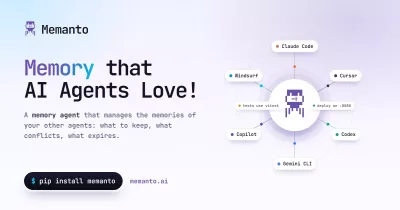
Shared, curated memory for a party of AI agents, stored as an Obsidian vault. What it holds (people, goals, repos, clients, courses…) is defined by notes in the vault itself, and presets shape it for people, software, business, study or a household. It started as a TTRPG campaign wiki, and keeps some of that vocabulary: canon and rumor, the party, the chronicle.
Agents don't dump memory and read it back. They submit episodes (raw memories) to an inbox. Hippocampus sleeps: it consolidates episodes into canon, links entities into a graph, and keeps facts honest with lane authority, rumor/canon status, and disputes for the human to rule on. It is episodic memory turned into semantic memory, like the real hippocampus.
Two repos: public tool, private memory
  this repo (PUBLIC)                         your vault (PRIVATE GitHub or GitLab repo, in Obsidian)
  ──────────────────                         ───────────────────────────────────────────────────────
  code · template · seeds · presets          HANDBOOK.md · goals/ · characters/ · chronicle/
  CLI on npm, hosted app on Cloudflare ──►   inbox/<agent>/*.md   ◄── agents, over MCP
                                             sleep: a curator agent (or `hippo sleep`) turns the inbox into canon
The vault uses the tool, and the tool never knows about any vault. Your memory never enters this repo.
Quick start
There are two ways in. Both keep your memory in a private GitHub or GitLab repo that you own.
The hosted app
A hosted Hippocampus runs the MCP server, the dashboard and the vault's single writer for you. You need a GitHub account.
- Sign in with GitHub on the instance's welcome page, and ask for access. An admin approves accounts by hand.
- Create an empty private repo on GitHub. The setup page opens GitHub's form for you, already filled in.
- Install the Hippocampus GitHub App on that one repo (or, where the instance offers it, connect GitLab and pick a project), then name your vault. A key for secret facts is made in your browser (only its public half goes to the vault), and the app sets the vault up in one commit.
- Connect your agents. Mint an agent key and paste the snippet into Claude Code, Cursor or any MCP client, or add the MCP URL to Claude.ai or ChatGPT as a custom connector.
- Set up a curator. Mint a curator key for your best agent and run sleep with it (the Claude Code plugin's
/hippocampus:sleep, on a schedule you pick), or turn on the GitHub Actions curator.
To run your own instance, see docs/USAGE.md §8.
The local CLI
Requires Node 24+ and git.
The easiest way in is the dashboard. Run it anywhere: with no vault yet, it opens Session Zero, a guided setup that creates the vault, the party, the secrets key, the curator model and the nightly schedule:
npx @mehrad77/hippocampus dashboard
Or set it up by hand. Create a vault (omit --seed for an empty one, or pass your own seed directory; hippo preset list shows the presets):
npx @mehrad77/hippocampus init ~/vaults/my-vault --seed example-relocation
npx @mehrad77/hippocampus init ~/vaults/my-memory --human sam --preset people developer
Create a key for secret facts:
npx @mehrad77/hippocampus -v ~/vaults/my-vault secrets keygen
Push the vault to a private GitHub repo, open it in Obsidian, and connect your agents with hippo serve. Then run the curator nightly (here with LM Studio; ollama, anthropic, and xai also work):
HIPPO_LLM_PROVIDER=lmstudio HIPPO_LLM_MODEL=google/gemma-4-26b-a4b-qat npx @mehrad77/hippocampus@0 -v ~/vaults/my-vault sleep
The full guide, docs/USAGE.md, covers connecting agents, the curator, scheduling, the daily review, disputes, upgrades, and vault CI. SECURITY.md explains what the hosted app can see.
The dashboard
hippo dashboard opens your memory as a campaign codex in the browser:
- Tavern: "previously on…", what needs your eye, goals in motion, overdue contacts, the party, and activity.
- Goals: tick objectives, move progress, set status, due dates and repeats.
- Council: rule on disputes, and accept or decline proposals and possible duplicates. Your ruling becomes canon at once.
- Satchel: episodes waiting for the next sleep.
- Codex, entity sheets, Map (the relation graph), Chronicle and Party.
- Guides on how Hippocampus works, ⌘K search, and "Scribe a memory".
It comes in two looks: Plain (the default) is built on IBM's Carbon design system and uses everyday names (Home, Goals, Disputes, Inbox), and Campaign codex is the tabletop look with its tabletop names. Switch under Setup & health → Personalization, where you can also choose light or dark colors and larger text. The page names above are the codex ones.
It reads a local vault (-v), a GitHub repo (--github), or any Hippocampus MCP server (--mcp <url>). It listens on 127.0.0.1 only, and opens through a one-time link printed in the terminal. Secret values are never shown. To look around without a vault of your own, try the fictional demo campaign:
npx @mehrad77/hippocampus dashboard --demo
The hosted app serves the same dashboard at /dashboard, behind GitHub sign-in. A person can keep up to five vaults there, plus vaults others share with them, and each request reaches only those. There it also walks you through setup, manages keys, shows the curator's runs, and lets you approve agents that introduced themselves.
MCP tools
The hosted app serves these at /mcp/<vault id> (the plain /mcp still works, and the key decides the vault). For local agents, hippo serve --agent <id> (stdio) or hippo serve --http <port> provides them:
| Tool | Purpose |
|---|---|
onboard |
Who you are (lane, authority, goals), plus the handbook |
introduce |
Ask to join the party; the human approves it on the dashboard |
remember |
Queue an episode of any of the vault's kinds, with typed data, a scope, or marked confidential (fast, never blocks on the LLM; at most 8 KB) |
recall |
Search entities, with graph neighbors and pending episodes |
get / neighbors |
Full entity note / graph walk |
ask_canon |
The canonical answer to a factual question, with status and disputes |
briefing |
"Previously on…": chronicle, changes, upcoming dates, overdue contacts, disputes; with about, a brief on one person before contacting them |
update_goal |
Objectives, status, progress, due date, owner, counterparty, repeat |
update_quest |
Alias: the old name of update_goal, kept for agents set up before goals |
sleep_start, sleep_answer, sleep_skip, sleep_status, sleep_abort |
Curator keys only: run sleep as the vault's curator, one question at a time |
How facts stay honest
- Every fact has a status:
canon/rumor/disputed/retconned. - An agent is authoritative for entities tagged with its
authoritydomains (party/<id>.md). There its word is canon immediately. Elsewhere it's a rumor until another agent corroborates it. - Precedence is human > lane authority > corroboration > recency. A source may correct its own earlier report.
- Contradictions between peers, or against the human, open
disputes/<…>.md. Rule in the dashboard's Council (canon at once), or setruling:in the note and the next sleep makes it canon. - Secret fields are age-encrypted to
secrets/<entity>/<field>.age. The note only holdssecret://…, and the curator can encrypt but never decrypt. - Every commit names its actor in a
Hippo-Actortrailer. The hosted app checks each change against what that actor may do before it commits, andhippo audit(run daily by the vault's CI) checks the history afterwards.
Contributing
pnpm install
pnpm test
pnpm typecheck
AGENTS.md has the project map, the commands and the conventions. Read CONTRIBUTING.md and docs/DEVELOPING.md (developing against your own private vault without leaking it). Architecture: DESIGN.md.