

Kazma
The self-hosted AI agent that asks before it acts.
One agent, bilingual in English and Arabic, that you reach from the browser, the terminal, Telegram, Discord or Slack. It works in your repository, researches, writes and posts, and runs your schedule; it pauses for your approval before anything risky, remembers what you tell it, and says so when it fails instead of inventing an answer.


Install · Documentation · Features · Security · العربية
| Codebase | Test suite | History | Talk to it from |
|---|---|---|---|
| ~731K LOC (582K Python code + 45K JS) | 18,155 tests (1,354 test files) | 4,415+ commits across 6 packages | Web · TUI · CLI · Telegram · Discord · Slack |
Quick start
You need: Python 3.11 to 3.14 (3.12 or 3.13 recommended), Git, and one model: an API key from a provider (OpenAI, Anthropic, Google, DeepSeek, OpenRouter and others) or a model running locally in Ollama or LM Studio.
1. Setup script (recommended)
Linux, macOS or WSL
git clone https://github.com/Mubder/kazma.git
cd kazma
./setup.sh
source .venv/bin/activate
kazma serve
Windows (PowerShell)
git clone https://github.com/Mubder/kazma.git
cd kazma
.\setup.ps1
.venv\Scripts\Activate.ps1
kazma serve
Open http://127.0.0.1:9090. On the first visit the chat page asks for a provider, its key and a model; after that, Kazma is ready to talk.
The script installs uv if it is missing,
creates .venv with the rag, dev and tui extras, copies .env.example
to .env, and checks the core imports.
2. Docker Compose
git clone https://github.com/Mubder/kazma.git
cd kazma
cp .env.example .env    # set KAZMA_SECRET (openssl rand -hex 32) and a provider key
docker compose up -d --build
Kazma answers on http://localhost:9090 (set HOST_PORT to use another
port). Production notes, Postgres and Kubernetes: Deployment.
3. Manual install (uv or pip)
# uv
uv venv --python 3.13
uv sync --extra rag --extra dev --extra tui     # or: uv sync --all-extras

# pip — Linux / macOS / WSL
python3 -m venv .venv && source .venv/bin/activate
pip install -e ".[rag,dev,tui]"

# pip — Windows PowerShell
py -3.13 -m venv .venv
.venv\Scripts\Activate.ps1
pip install -e ".[rag,dev,tui]"
A plain pip install -e . already has the agent, the web UI, the TUI, the
chat-app gateways and the swarm; the rag extra adds vector memory. There is
no [cli] extra: kazma-cli ships in the package. Kazma installs from this
repository; the Kazma names on PyPI are reserved placeholders with no code.
Other ways in
kazma ask "What files define the supervisor graph?"   # one answer, streamed to the terminal
kazma-tui                                              # the terminal UI
| Page | Address |
|---|---|
| Chat | http://127.0.0.1:9090/ |
| Dashboard | http://127.0.0.1:9090/dashboard |
| Web IDE | http://127.0.0.1:9090/ide |
| Memory | http://127.0.0.1:9090/memory |
| Documents | http://127.0.0.1:9090/documents |
To reach Kazma from Telegram, Discord or Slack, add the bot's token in Settings → Adapters & Routes; its Test button says what works and what is missing. See Gateways and platforms.
Updating
From the install folder, with the virtual environment active:
python -m kazma_cli update
It pulls main, reinstalls the packages and, on a supervised install, stops
and restarts the server for you. On Windows, run it this way rather than
kazma update: a running kazma.exe cannot replace itself. See
Kazma update.
Running as a service (the guard)
On a host where the KazmaAgent guard supervises the server (a Windows
Scheduled Task, systemd or launchd), apply a git pull with one command
instead of killing python by hand, which the guard would fight:
.venv/bin/python scripts/service/kazma_guard.py --reload   # Windows: .venv\Scripts\python.exe
.venv/bin/python scripts/service/kazma_guard.py --status
With documents in the container profile (Settings → Documents), build the document worker image for the pulled code before the reload, so Kazma starts on it (otherwise it runs on the old image and raises a "worker image outdated" alert until you build):
git pull
.venv/bin/python scripts/document_worker_image.py build
.venv/bin/python scripts/service/kazma_guard.py --reload --when-idle
The guard is scripts/service/kazma_guard.py.
--reload waits for Kazma is up. build …; --status reports
supervision : active and server : healthy (ready). To install the guard:
python scripts/service/kazma_guard.py --install. On Windows, start Kazma
through kazma serve or the guard, never python -m uvicorn. What the guard
restarts for, and what it rides out: Deployment §6.
Step by step, with configuration and troubleshooting: Quickstart.
What you get
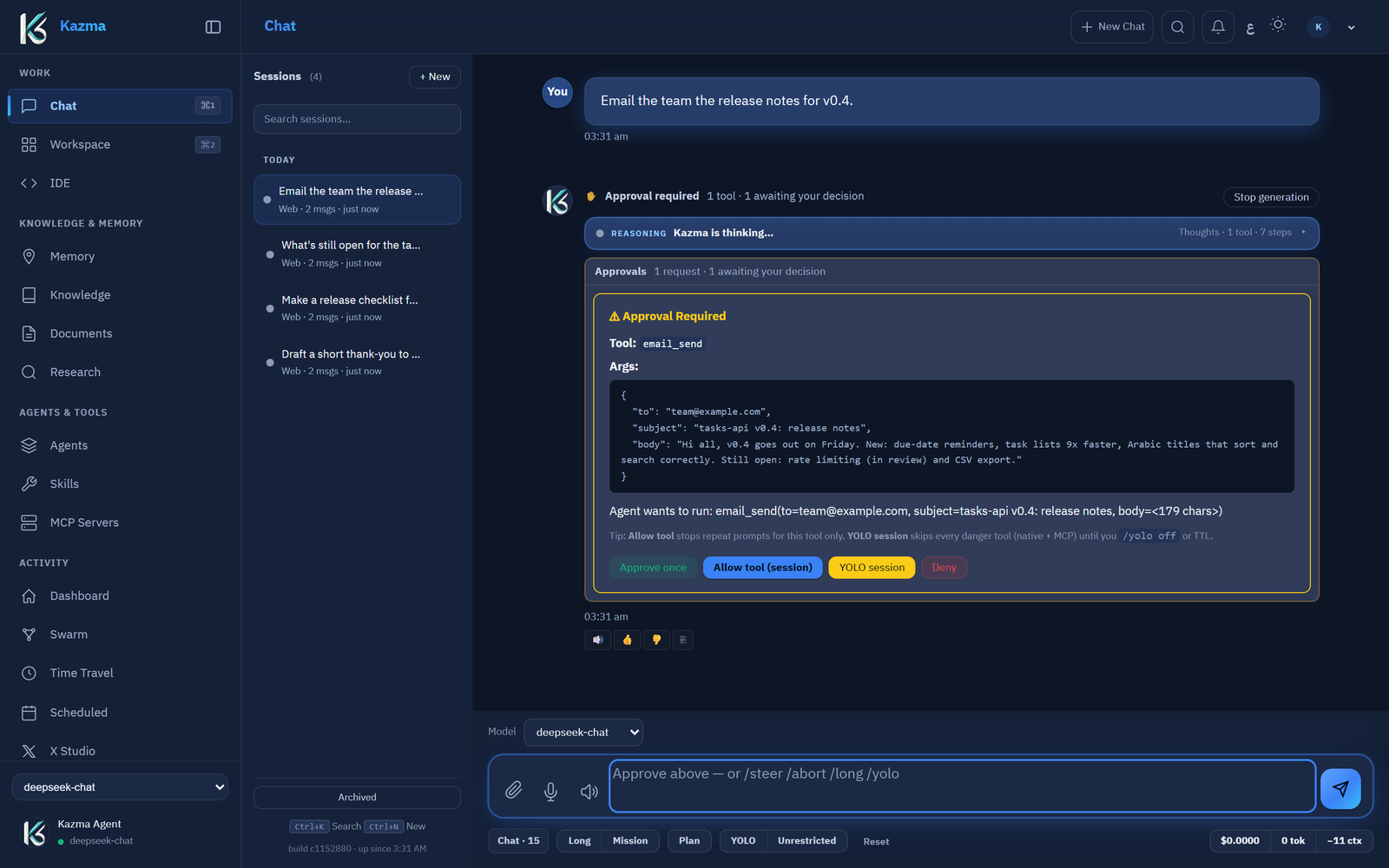
Approval before risky actions. Writing files, running commands, sending messages and posting wait for your yes, on every surface, from one approval registry, so an approval always names the question it answers. A tool nobody classified is gated by default. Before a durable effect such as a reminder or a config change, a commitment layer checks it against what you told Kazma, so the model cannot overwrite your words with a guess. → Security and safety
Memory you can see and correct. Facts keep both when they were said and when they held. A memory reaches the model only when it clears a measured threshold, and every answer shows the memory it used. Write an About me that every reply reads; forget a memory or a whole chat, keep a chat out of memory, export everything. Archiving moves a memory to cold storage and never erases it. → Memory
One agent, every channel. The web UI, the TUI, the kazma command,
Telegram, Discord and Slack all talk to the same agent. /sessions lists your
conversations from every channel, and /session picks one up wherever you
are. Each chat app has its own allowlist, and platform IDs stay out of the
agent's state.
→ Gateways and platforms
Your code, with a Web IDE. Workspace-scoped files, git, GitHub, a code
index and patch review with per-hunk rollback, all behind the same approval
gate. Steer a running task with /steer or stop it with /abort.
→ Skills, MCP and tools
Knowledge Base and Deep Research. Libraries of your own documents, pages and sites that the agent searches when a question needs them, or folds into every prompt for the libraries you choose. Deep Research runs a multi-source pipeline with saved sources and a written report. Acquisition defaults to local HTTP/extraction and optional local Chromium; hosted services need explicit consent. Durable jobs expose errors, usage and available credits, with persistent completion links, stall warnings and recovery notices. AI planning and writing use your configured model; local-only acquisition alone does not make them offline. → Knowledge Base · Deep Research
X Studio. Compose, schedule and manage X posts through the official API; a post the agent writes waits for your approval before it goes out. → X publisher
Swarm orchestration. Six dispatch patterns (dispatch, broadcast, pipeline with checkpoints, fan-out with voting, consult, conditional), workers spawned from templates on demand, the best model per task, and circuit breakers per worker. → Swarm orchestration
Documents. Quarantined intake, policy checks and optional ClamAV, parsing and OCR in resource-limited subprocesses, conversion, redaction, and indexing into knowledge libraries. Arabic and mixed-direction documents render correctly, block by block and table by table, in one house style (HTML converted to PDF included). → Document intelligence
Any model. Every OpenAI-compatible API, plus native Anthropic, Gemini, Azure OpenAI and AWS Bedrock, local Ollama and LM Studio, and tools from any MCP server. A fallback to another model is always announced. → Configuration
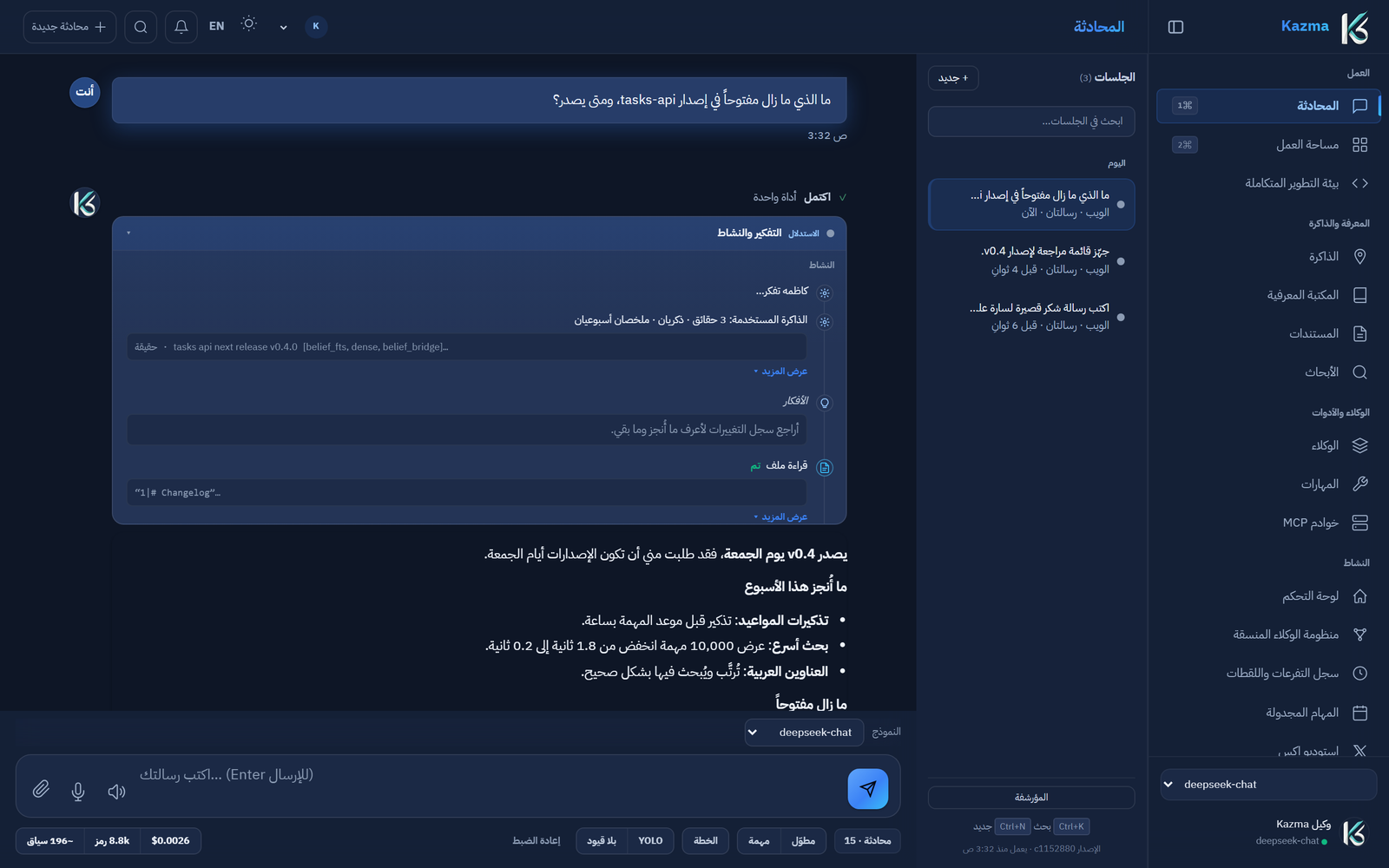
English and Arabic as equals. A full Arabic interface laid out right to left, text that follows its own language in either interface, Gulf and Kuwaiti dialect handling, Arabic OCR and Arabic voice. → Arabic features · Voice
Runs itself. A guard that restarts on real failure and rides out a database blip, encrypted offsite backups with a daily restore drill, a deep health check, and a weekly report of which recovery mechanisms actually fired. → Disaster recovery
Everything, in one list checked against the code: What Kazma does.
| English | العربية |
|---|---|
 |
 |
Swarm Orchestration in 30 seconds
kazma swarm dispatch auto "Review the codebase's security posture and write a report"

kazma swarm worker add researcher --role researcher
kazma swarm worker add coder --role coder
kazma swarm pipeline --workers researcher,coder "Research OAuth2 device flow, then implement a provider"
kazma swarm fanout --workers researcher,coder --aggregation vote "Pick the best index for this schema"
kazma swarm history
auto lets Kazma choose a worker, or spawn one from its templates, for the
task. A fan-out's results are combined by collect, first_valid,
merge_all, vote or synthesize. The web Swarm Panel (/swarm) shows
live dispatches, worker status and task history, and the TUI has a Swarm tab.
The engine is on in the shipped kazma.yaml:
swarm:
  enabled: true
How it works
flowchart LR
    U["Web UI · TUI · CLI<br/>Telegram · Discord · Slack"] --> S
    S["LangGraph supervisor<br/>plans, calls tools, answers"]
    S --> H{{"Approval gate<br/>you decide"}}
    S --> C["Commitment layer<br/>checks intent against memory"]
    S --> T["Tools · MCP servers · skills<br/>IDE, web, shell, vault"]
    S --> W["Swarm engine<br/>dispatch patterns, autoscaling"]
    S --> M[("Memory<br/>facts, conversations, graph")]
    S --> D["Document intelligence<br/>quarantine, OCR, redaction"]
    S --> P["Model providers<br/>OpenAI-compatible, Anthropic, Gemini,<br/>Azure, Bedrock, Ollama, LM Studio"]
Every surface runs the same supervisor graph. A dangerous tool call stops at the approval gate on all three of its paths: the chat's graph interrupt, the swarm bus and pipeline checkpoints. Untrusted text (web pages, search results, documents, recalled memory, MCP output) reaches the model inside a fence that marks it as data, not instructions.
Deep dives:
Engineering inside Kazma (the
mechanisms Kazma builds itself, each with its code and the test that holds it:
the approval registry, the commitment layer, action receipts, memory recall by
evidence, the measured prompt fence, run supervision, network and document
isolation, the guard) ·
How a turn works (one message
followed through the code) ·
How Kazma handles Arabic (direction,
shaping, search folding, Arabic memory, PDF and OCR reading) ·
Architecture ·
System map ·
Diagnosis map.
The same pages are in this repository under docs/docs/guide/.
Scaling out. Document jobs can run on several replicas (Postgres
SKIP LOCKED claims); document metadata and the SQLite stores are
single-replica. Kazma is built for one operator per install: whoever runs
it has full control and can switch any safeguard off, and the safeguards
protect you from the agent and the untrusted content it reads. See
who Kazma is for.
Measured, not asserted
Kazma publishes its safety measurements: the method, the numbers, and the results that do not flatter it.
Prompt injection on AgentDojo, a public benchmark by an independent group (Debenedetti et al., NeurIPS 2024), 996 runs per condition, each condition measured four times:
| Condition | Attack success | Acted on the payload |
|---|---|---|
| Undefended | 18.1% | 24.1% |
| Spotlighting (a 4-character delimiter, from the literature) | 11.6% | 18.6% |
| Kazma's fence (an ~800-character in-band banner) | 10.4% | 14.8% |
Fencing untrusted tool output works (p < 0.001 against undefended), and it cannot be told apart from a four-character delimiter (p = 0.39). Both are reported, because a reviewer needs the second. Every figure re-derives from the committed run logs without an API key.
| Prompt injection: the numbers | The full measurement, the payloads that still land, and a free offline reproduction |
| Threat model | What each boundary stops and what it does not. Approval is consent, not containment |
| Known gaps | Where things stand: open defects, owner decisions and accepted limits, dated, with the evidence |
Documentation
The full documentation is on kazma.ai/docs, in English and Arabic.
Repository layout
| Package | Path | What it holds |
|---|---|---|
kazma-core |
kazma-core/ |
Agent runner, model providers, swarm engine, memory, IDE backend, safety and document services |
kazma-gateway |
kazma-gateway/ |
Telegram, Discord and Slack adapters, slash commands, in-flight steering |
kazma-ui |
kazma-ui/ |
FastAPI web app: streaming chat, dashboard, Web IDE, memory console |
kazma-tui |
kazma-tui/ |
Textual terminal UI, editor and documents manager |
kazma-skills |
kazma-skills/ |
Native skills: document platform, vault, research, crawler, database and more |
kazma-cli |
kazma-cli/ |
The kazma command: serve, ask, swarm, migrate, update, docs, ACP |
Development
python scripts/fast_test.py        # the full suite, chunked and crash-tolerant (~10-20 min)
pytest tests/test_static_gates.py  # the class gates on their own
Unit, integration, security and browser (Playwright) tests run in CI on every
push; whether they pass is the CI badge,
not a number written here. Every fix lands with a test for the bug, a gate
for its class of bug, and proof that the gate fails on the old code; the
rules are in AGENTS.md. Counts of blind exception handlers may
only go down, and blocking calls are kept off the event loop by static gates.
Origin of the name
Kazma (كاظمة) was a coastal oasis in Kuwait, a network of freshwater wells on the trade routes between civilizations. In 633 CE it was the site of the Battle of Chains (ذات السلاسل), where an army that had chained its ranks into one rigid wall lost to adaptive, decentralized manoeuvre. Kazma borrows the image