
Linear Lens
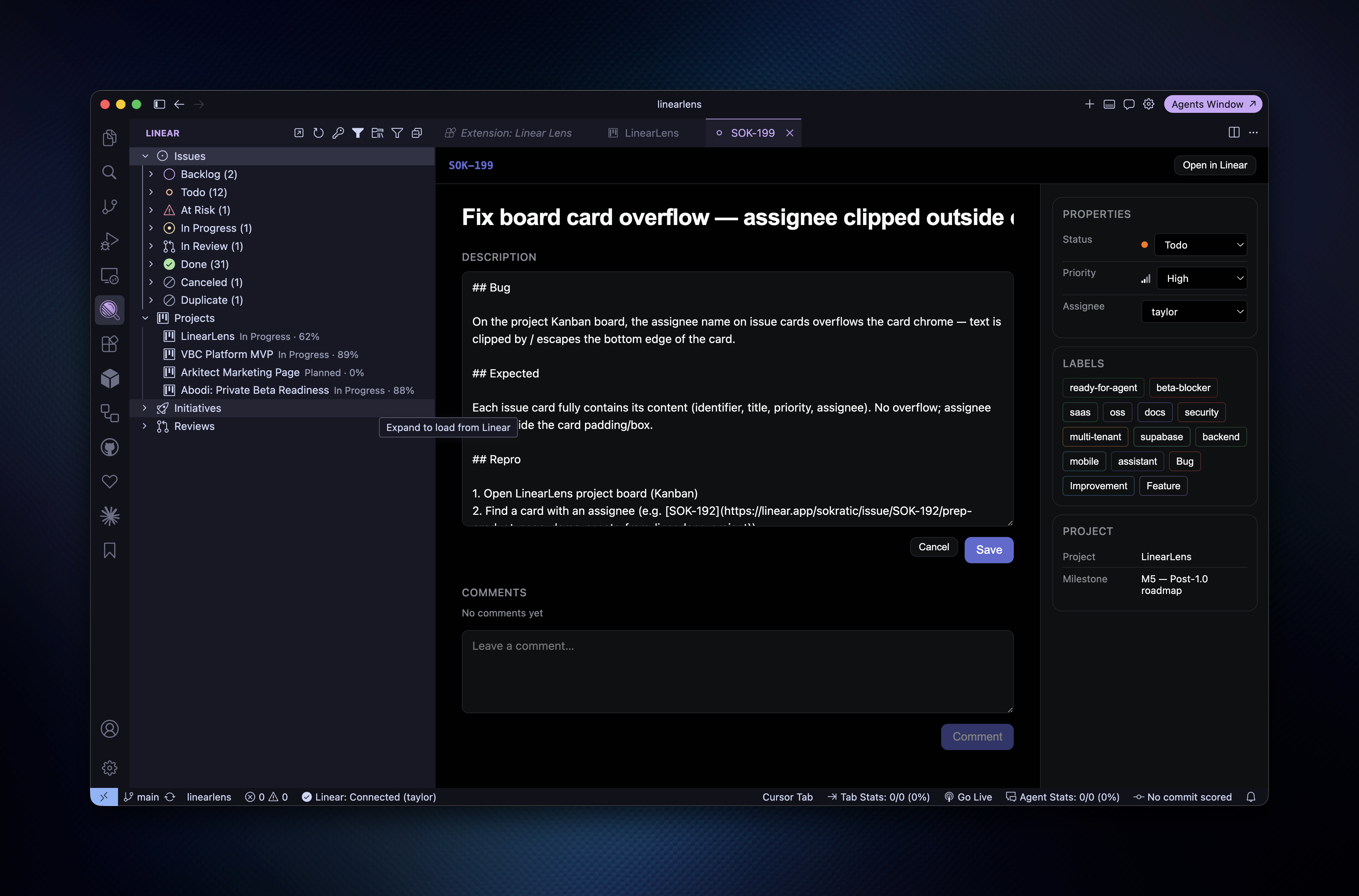
Linear in VS Code and Cursor. Browse Issues, Projects, Initiatives, and Reviews in the sidebar, then open Issue Detail, Project Detail, and Kanban/List boards without leaving the IDE.
Marketplace id: arkitect.linearlens
Features
- Sidebar: Issues (filterable), Projects, Initiatives, Reviews
- Issue Detail: edit title, description, status, priority, assignee, labels; comment; open sub-issues
- Project Detail: overview, milestones, recent issues, editable description
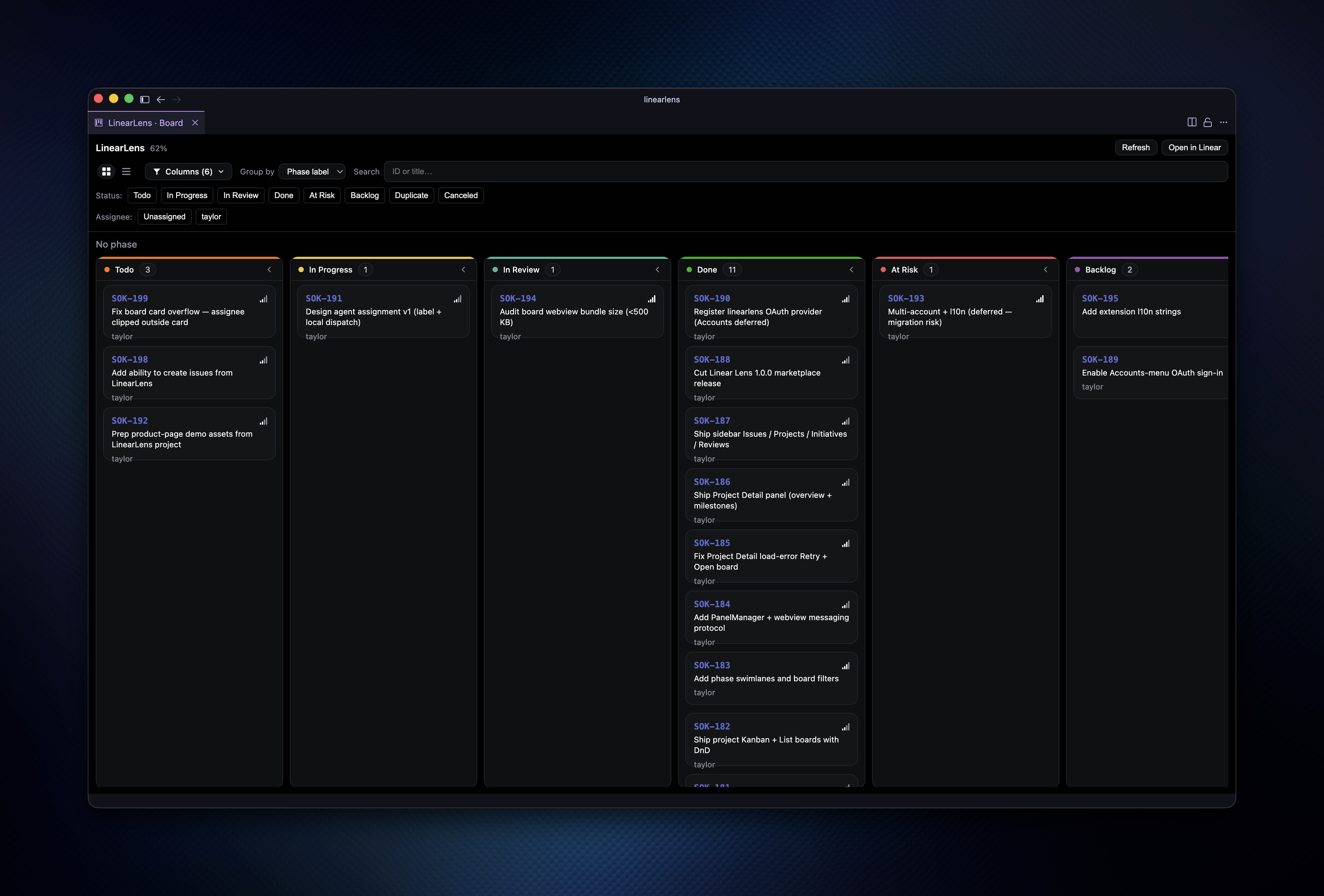
- Project boards: Kanban + List, drag-and-drop status, filters, phase swimlanes
- Auth: Personal API key for the sidebar and panels (required). OAuth provider id
linearlensis registered for a future Accounts-menu flow.
Requirements
- VS Code / Cursor with engine 1.96.0 or later
- A Linear Personal API key (Settings → Account → Security & Access)
Getting started
- Install Linear Lens from the marketplace (or a
.vsix). - Open the Linear activity bar icon.
- Run Linear: Set API Key and paste your key.
- Click an issue or project to open panels; use Linear: Open Project Board or the project context menu for Kanban/List.
OAuth (deferred)
Accounts-menu OAuth is not configured for 1.0.0. When added later:
- Provider id:
linearlens - Redirects:
vscode://arkitect.linearlens/callbackandcursor://arkitect.linearlens/callback - Requires your own Linear OAuth app +
OAUTH_CLIENT_IDinsrc/oauth/linearOAuth.ts
Safe to install alongside official linear.linear-connect; provider ids differ (linearlens vs linear).
Development
Agent / contributor context: see AGENTS.md.
yarn install
yarn build
| Command | Purpose |
|---|---|
yarn test |
Unit tests |
yarn typecheck |
TypeScript check |
yarn build |
Extension host + webview |
yarn package |
Build installable .vsix |
Press F5 (Run Extension) to open an Extension Development Host.
Publishing
- Ensure
publisherisarkitect,nameislinearlens, andversionis bumped. - Update CHANGELOG.md.
- Create a Personal Access Token with Marketplace publish rights for publisher
arkitect. - Package and publish:
yarn typecheck && yarn test && yarn package
npx @vscode/vsce publish
# Optional Open VSX (Cursor-friendly):
npx ovsx publish
License
MIT: see LICENSE.