Mixo Supports
Free resin 3D-print supports, made in your browser. Drop in a model, get print-ready SLA / MSLA / DLP supports in seconds, fine-tune them by hand, and export an STL for your slicer. Nothing to install and no account needed. Your files never leave your computer.
▶ Open Mixo Supports
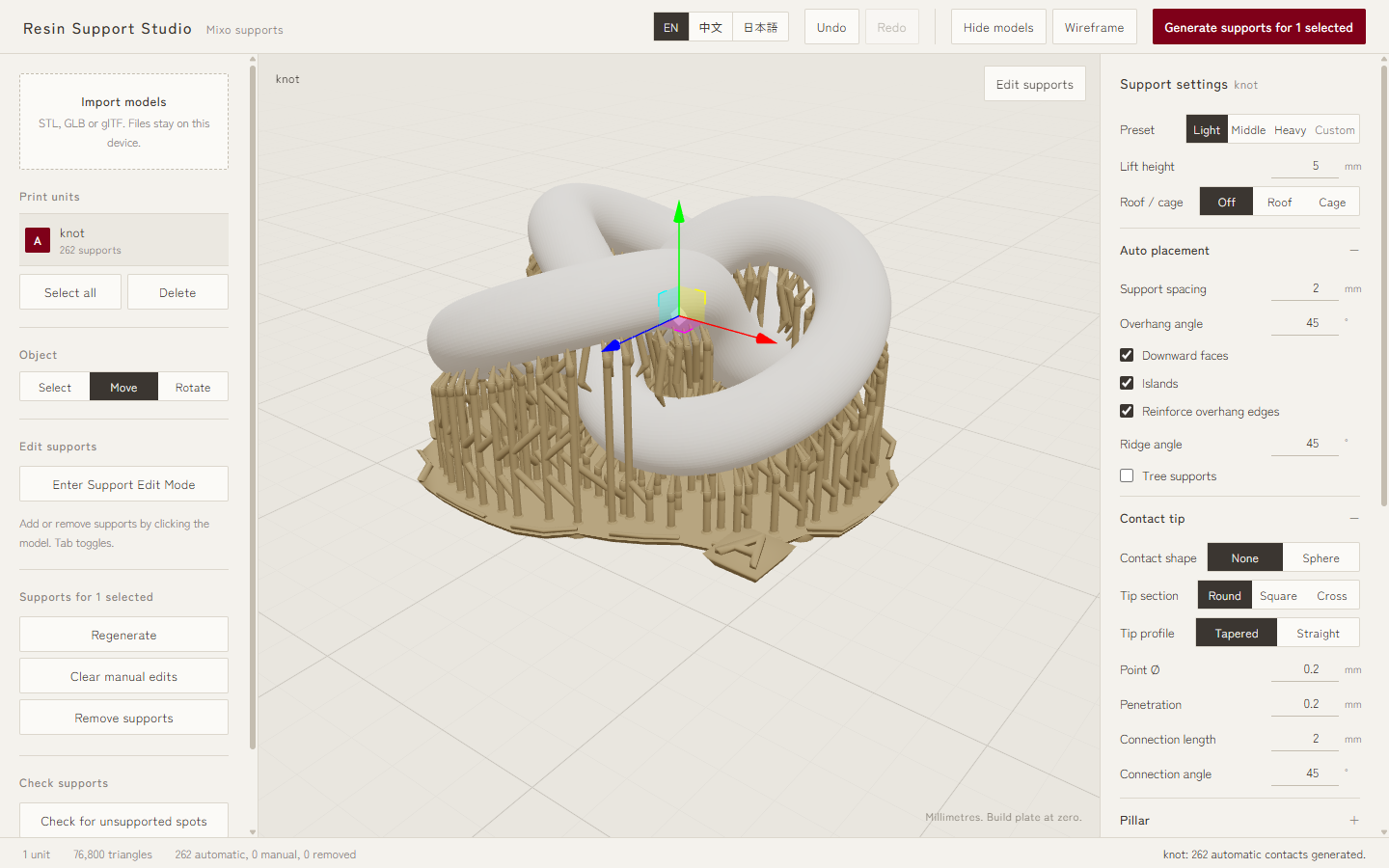
Why Mixo Supports
- Works anywhere. It runs in the browser on Windows, macOS, Linux, ChromeOS, tablets and phones. Open the link and start.
- Private by design. Models are read and processed on your device. Nothing is uploaded, and there is no sign-up and no analytics.
- Proven geometry. The support generator matches the Blender SLASG / Resin UV support system, and is checked against real Blender output down to the bit.
- Fast on big models. Heavy work runs in background workers, so the editor stays smooth, and every long task shows a progress bar.
- Free. No watermark and no paywalled features.
Features
Aligner supports (preview)
- Pick Aligner supports on the start screen, choose the aligner type, and drop the STL.
- The aligner is turned into print position by itself; a scan of tilts picks a print angle with no resin traps, no long gaps and no support crossing the aligner, and shows the stable range.
- Support tips are placed evenly along the trim edge and the central opening, on faces a support can reach from below. Paint, Erase, Add and Select adjust them (keys P, E, A, S).
- Step 3 builds straight columns with cross-braces and a raft, checks the finished supports against the aligner, and repairs or leaves out any that would cut through it.
- Not clinically validated: check every result before printing.
Automatic supports
- One click places supports on downward faces, islands (lowest points that would print in mid-air) and overhang edges.
- Light, Middle and Heavy presets, or full custom control of spacing, overhang angle (50° by default), ridge angle, lift height, pillar diameter and more.
- Tree supports that branch and merge to save resin and peel force.
- A raft that follows the model outline, with flared walls and an object letter. Roof and Cage modes are also available.
- Several models on one plate. Each model is its own object, with supports that move and rotate with it.
Contact tips that print well and snap off clean
- Cone point by default: a 0.2 mm tip that widens to the pillar, so contact marks stay small.
- Tip section can be Round, Square or Cross, and the profile Tapered or Straight. Contact shape is None or Sphere.
- Adjustable penetration, so tips sink into the model and fuse during the print instead of letting go.
Support Edit Mode
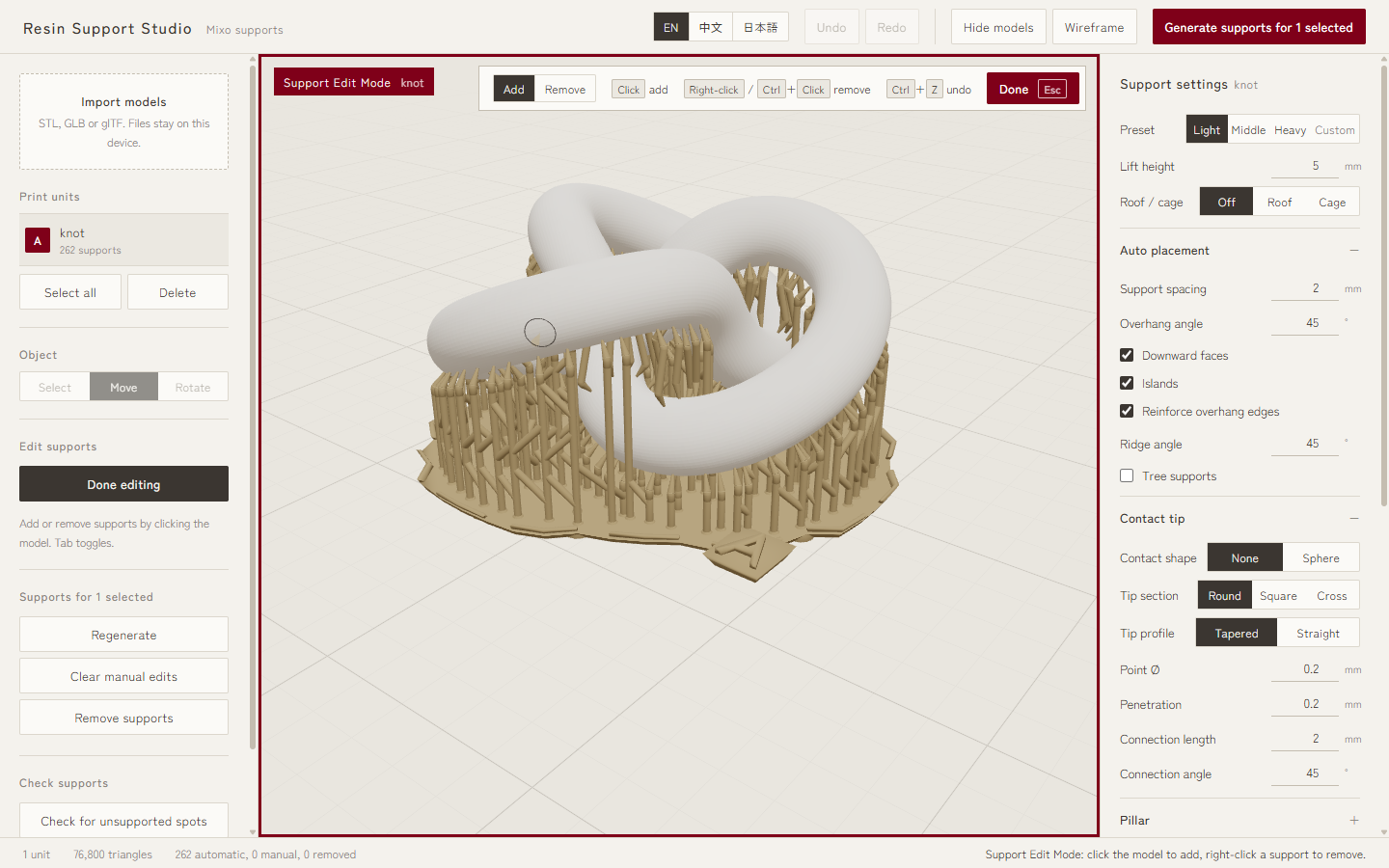
- Enter the mode, then click to add a support or right-click to remove one. A ghost preview shows what will happen before you click.
- A red frame and badge make it obvious you are editing. Press Done or Esc to leave, and Tab toggles the mode.
- Full undo / redo. Manual edits survive regeneration, and Clear manual edits puts everything back to automatic.
Check for unsupported spots
Scans the model for islands and overhangs that no support reaches and lists each one. Show flies the camera to the spot, and Fix opens Support Edit Mode there so you can add what is missing.
Import and export
- Import STL, GLB and glTF. STL is read Z-up, the same as your slicer.
- Export STL: the active object or each object, with or without the model, or the whole plate in one file.
- The exported file loads straight into common resin slicers.
Phone, tablet and three languages
| Phone | 日本語 |
|---|---|
 |
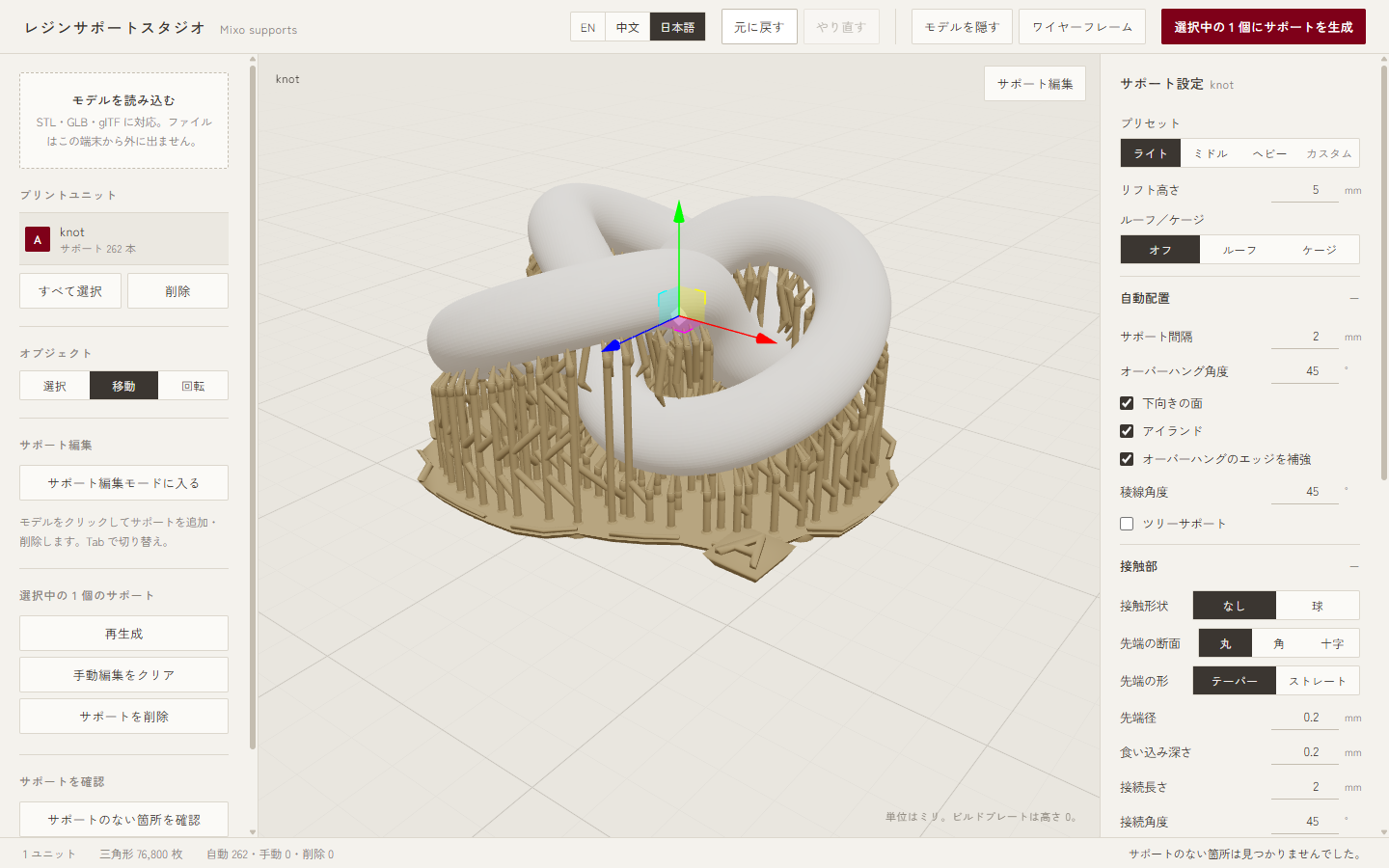 |
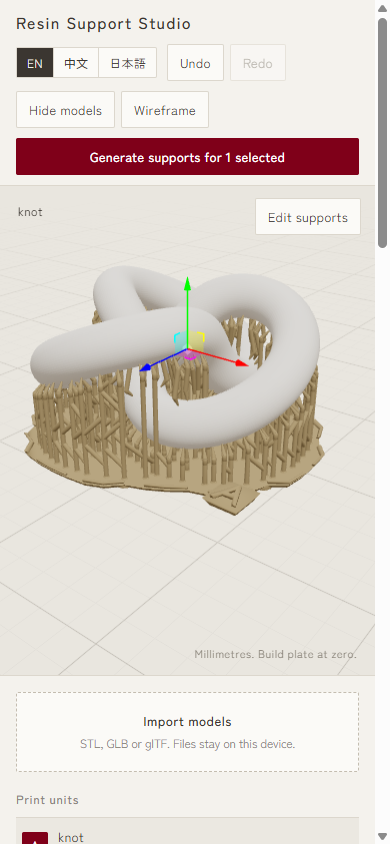
The interface picks up your browser language and remembers your choice. Switch between English, 繁體中文 and 日本語 at any time.
How to use it
- Open mixocreative.github.io/mixo-supports.
- Choose Aligner supports (and follow Steps 1 to 3), or Any model and drop your STL, GLB or glTF onto Import models.
- Move or rotate the model into print orientation.
- Press Generate supports, then pick a preset or tune the settings.
- Optional: run Check for unsupported spots, or fix things by hand in Support Edit Mode.
- Export an STL and slice it as usual.
For developers
React, Three.js (react-three-fiber), TypeScript, Vite and Web Workers, with three-mesh-bvh for picking.
npm install
npm run dev      # local editor at http://localhost:5173/mixo-supports/
npm test         # Vitest suite, including the Blender parity tests
npm run build    # type-check and production build into dist/
CI (.github/workflows/ci.yml) runs on every push and pull request: Rust tests, app tests, the production build and the browser walk. A push to main is deployed to GitHub Pages only after the tests and the walk pass. Dependabot (.github/dependabot.yml) opens one pull request a month when a CI action has a new version.
Browser walk
npm run walk # about 3.5 minutes, exit code 1 on any FAIL
scripts/walk.mjs starts Vite itself on a free port (from 5260, strict), drives headless Chromium with playwright-core through the editor on scripts/fixtures/knot.stl, prints one PASS or FAIL line per check with its numbers, and always stops Vite. No AI is involved. It needs a Chromium that Playwright installed; if it says none was found, run npx playwright-core install chromium once (the script never downloads anything).
It checks that: Generate gives the same automatic count and Drag over strokes give fixed selection counts (Delete and Undo included, and a stroke from Bottom view); a Drag over stroke skips supports hidden behind the model, and Hide models brings them back; a zone painted where columns land removes those supports from the count and from the drawn mesh together; the exported supports-only STL has as many triangles as the build on screen after a zone and a Delete; a right-click remove followed by an add at the same spot keeps the manual support through Undo and Redo; per-support Point Ø, a changed default, Reset and Undo behave; switching Select to Unselect mid-queue (CPU throttled) ends where the two steps one after the other do; Drag over pressed while the first build is still running says so; and the console stays free of errors and warnings.
The counts are baselines measured at 1440x900 with software GL (BASE in the script). Update them in the same commit as any change that moves the generator or the brush on purpose.
| Path | What lives there |
|---|---|
src/core/ |
Portable support core (no React/three/DOM): supports/ settings and presets, support mesh, tree topology, raft; analysis/ placement (downward faces, islands, edges), clean-room nearest-point, merge-by-distance and vertex-normal modules (Task 10), support check; shared vec3 and conventions. See src/core/README.md |
src/editing/ |
Portable editing rules (keys, view framing) |
src/supports/ |
App glue on top of the core: per-unit supports, selection commands, STL export |
src/workers/ |
Mesh (preview and export), analysis pool and import workers, each with a typed client |
src/components/ |
Viewport, settings panel, job activity list (background work with progress and Cancel), undo toast |
tools/blender-parity/ |
Headless Blender scripts that record the reference data the tests compare against |
docs/ |
Design notes: Blender parity, SLASG node logic, handoff |
License
Copyright © 2026 mixocreative. All rights reserved. The code is public to read, but copying, modifying, redistributing, hosting or any commercial use requires written permission. You are free to use the hosted app for your own prints, and the files you export are yours. See LICENSE.
Feedback
Found a model that supports badly, or want a feature? Open an issue and attach the file if you can. A ⭐ helps other resin printers find the project.
Keywords: resin 3D printing, SLA supports, MSLA, DLP, LCD resin printer, auto supports, tree supports, support generator, STL support editor, free resin slicer companion, browser 3D print prep, Elegoo, Anycubic, Phrozen, Formlabs, miniatures, tabletop, jewelry.