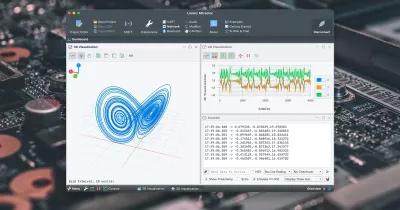
Free communication tools for testing field hardware on Windows. Each tool is a separate, small download; they share the same communication and decoding core.
| Tool | What it does |
|---|---|
| PortDock Serial | Serial (COM) terminal — RS-232/RS-485/USB serial, signal lines (DTR/RTS/CTS/DSR/RI/CD), auto-reconnect after a USB replug, framing, checksums (nine types plus custom CRC), Modbus RTU decoding and request builder, auto-reply, timestamped test logs; from 0.10.0 port sharing (COM ↔ TCP, raw or RFC 2217, TCP 7000 on 127.0.0.1 by default), a Modbus TCP ↔ RTU gateway (SCADA/HMI over Modbus TCP to RS-485 devices, TCP 502 on 127.0.0.1 by default, one request at a time, timeout → exception 0B, unit ID 0 answered with exception 0A unless you choose RTU broadcast — and, with an allowed-unit list, list 0 in it) and Modbus RTU listen-only sniffing (CRC framing, request/reply pairs, reply times) |
| PortDock Modbus Slave | Modbus slave simulator over serial RTU, Modbus TCP or RTU over TCP — coil and register tables (32-bit, float and string cells), value simulation (from 0.10.0 also noise — a slow random drift within limits), fault injection, built-in device profiles (from 0.10.0 «Emulate device…» with live values — run command → output frequency ramp, energy accumulation — read-only/write-only enforcement and exception 02 for addresses not in the map), CSV register maps, and the master's requests as they arrive. Modbus TCP listens on the address you choose (from 0.10.0 127.0.0.1 on first run — pick 0.0.0.0 or an adapter's address for a master on another PC) |
| PortDock TCP | TCP client, server and relay (monitor) — multiple peers, echo, auto-reconnect, Modbus TCP framing, relay capture saved as pcapng (open in Wireshark), Modbus TCP and MC request/reply pairs with response time and no-reply count |
| PortDock UDP | UDP sender/receiver — broadcast, multicast, echo |
| PortDock Simulator | Rule-based fake device over serial, TCP and UDP — "when this arrives, reply with that" |
| PortDock Net Scan | Find devices on an industrial network: ping/ARP sweep, MAC vendor, industrial ports (Modbus 502, MC, XGT …), long-term ping monitor, Wake-on-LAN; from 0.10.0 named baselines — compare a scan with a saved device list (new, missing, MAC changed, IP changed, open ports changed; CSV); from 0.10.0 exposure notes when an industrial protocol without authentication (Modbus, MC, EtherNet/IP, S7, OPC UA) or Telnet/HTTP is among the open ports — no extra scanning; from 0.11.0 broadcast discovery on request — EtherNet/IP ListIdentity (UDP 44818) and BACnet Who-Is (UDP 47808) to the selected adapter's broadcast address: vendor, device type, product name and revision / device instance, vendor ID and max APDU (serial numbers not shown) |
| PortDock Modbus Master | Modbus RTU/TCP master (poll tool): several poll tables, typed values (U16–F64, strings, byte orders, 40001 notation), writes 05/06/0F/10, slave ID and address range scan, built-in device profiles, decoded traffic, statistics, CSV value log, trends; from 0.10.0 line-settings search (unknown baud/parity/ID — a short read per combination, never ID 0), a «no response» possible-causes panel (no bytes, echo only, CRC errors, truncated frames, exceptions, other ID), device settings backup, compare and restore (JSON/CSV, preview and read-back check before/after writing) and value watch and alarms (low/high limits with hysteresis, stuck N s, communication lost N s; alarm list with acknowledge, optional sound, alarm CSV log — a monitoring aid, not a safety device) |
| PortDock SCPI | SCPI instrument terminal over LAN socket (5025) or RS-232, no VISA: query/write/read with response times, *IDN? identification, error queue draining, *OPC? waits, repeated numeric measurements (table, trend, CSV), block data (#…) with HEX preview and file save |
| PortDock Plot | Live plotter for numbers from serial, TCP or UDP: comma/space/tab/semicolon text (auto-detected), Arduino-style name:value, header names, binary frames (start bytes, u8–f64, endianness, checksum); up to 32 channels on left/right axes, pause, cursor, two-point Δt/Δvalue, zoom; statistics, CSV recording while receiving, CSV/PNG export; from 0.10.0 per-channel watch and alarms (limits, stuck, data lost) |
| PortDock Port Inspector | Read-only COM port inspector, no administrator rights: device and driver (provider, version, date, INF), Device Manager problem code with its meaning and what to try, USB chip from VID/PID (FTDI, Prolific, WCH, Silicon Labs …), device settings such as the FTDI latency timer, USB power saving, plug and driver history from the event logs, COM number reservations (orphan and duplicate numbers); TX–RX loopback test per baud rate (lost/changed bytes, round-trip ms) and 2-wire RS-485 echo check; from 0.10.0 a two-port test (two adapters wired to each other, both directions), patterns (0x00–0xFF, 0x55/0xAA) and a text wiring diagram — also in Serial «Check connection…»; from 0.10.0 «Compare with last time» (save the check and later see only what changed: COM number, driver version/date, USB location, adapter and PC settings, new blue screens — no serial numbers stored). Also tabs for this PC's network adapters (link speed, duplex, jumbo frames and power saving, with a GigE camera mode), equipment-PC Windows settings (fast startup, sleep, update restarts, time sync, unexpected shutdowns; from 0.10.0 blue screens and sudden shutdowns — stop codes, Kernel-Power 41, EventLog 6008, Minidump files only counted —, NVMe storage health, what woke the PC from sleep, battery capacity and a field PC exposure check — Remote Desktop/NLA, SMBv1, firewall profiles, ports listening on all addresses, automatic sign-in, USB AutoPlay) and wireless (Wi-Fi adapter power saving and disconnect history, Bluetooth adapter, services and hands-free audio). Text/JSON export. It never changes settings |
| PortDock PLC Simulator | MC protocol (SLMP) server simulator, implemented from Mitsubishi Electric's public manuals (not affiliated; behaviour may differ from a real PLC) — 3E/4E frames, binary/ASCII, TCP server or UDP, batch and random read/write and loopback, 18 devices (D, W, R, ZR, M, X, Y, B, L, SM, SD …) with hex numbering for X/Y/B/W/ZR, end-code error replies, fault injection, value simulation, JSON save/load. From 0.10.0 it can also answer the LS ELECTRIC XGT dedicated protocol (FEnet, TCP 2004 / UDP 2005 — individual and continuous read/write of %MW·%MX·%DB… variables, from LS ELECTRIC's public manuals, not affiliated). Listens on 127.0.0.1 by default; «Allow other PCs to connect (0.0.0.0)» opens it to the network. |
| PortDock Hardware Tester | Wi-Fi, Bluetooth and USB recorder for Windows PCs, read-only and without administrator rights: only while recording, pings the gateway and one internet address side by side (latency, loss, jitter) with DNS response time and the Wi-Fi disconnect reasons Windows logs on one timeline, a «router side / beyond the router» summary that says where to look, CSV export; a log of when paired Bluetooth devices connect and disconnect (names shown on screen only), Bluetooth audio mode (stereo or hands-free) with left/right test tones, and on request the Wi-Fi signal, link speed, band and channel with nearby networks counted per channel (location permission on Windows 11 24H2 and later; network names never read); from 0.10.0 a USB connect/disconnect log (device notifications plus a list check every 3 s; name, VID:PID, hub port and speed; «suspected repeated drops» at 3 drops within 10 minutes, USB 3 devices running at USB 2.0 speed, «Earlier records» from the Kernel-PnP log — device serial numbers are never shown, copied or saved). For keyboard, mouse, monitor, speaker, microphone, webcam and gamepad tests, use the PC hardware tests on the website (browser, no install). |
| PortDock MCP | MCP server for AI clients (Claude Desktop, VS Code, Cursor …), no window, stdio: lets the AI read COM ports and the Port Inspector report, listen on a serial port (sends nothing), read Modbus (FC 01–04), MC protocol 3E (0401) and SCPI queries, ping, network adapters and the built-in device register maps. The two write tools accept only 127.0.0.1 (this PC), for practising with simulators; from 0.10.0 modbus_write_sim also writes only after the target's vendor name begins with «PortDock» (Read Device Identification, FC 2B/0E — as PortDock Modbus Slave does by default), so a forwarder to a real device such as PortDock Serial's Modbus TCP ↔ RTU gateway (127.0.0.1:502 by default) is refused. mc_write_sim is checked by address only (the Serial gateway passes Modbus only), so do not use it while a program on this PC forwards to another device (TCP relay, gateway, tunnel). Every call is kept in a local session log. Details: docs/mcp.md |
All twelve apps: the «AI» button in the header copies the current situation (connection settings, errors, recent traffic or check results) to the clipboard as text to paste into an AI chat. PortDock sends nothing (user folders, PC names, the last part of MAC addresses and public IPs are hidden).
Screen language: Korean and English, and from 0.11.0 Japanese. The first start follows the Windows display language (any other language starts in English); change it in the header or Settings. Help stays in English on the Japanese screen.
Website: https://portdock.dev
Download
Get the latest version from GitHub Releases. File names never change, so these links always point to the newest release:
Windows 10/11, x64.
MCP server for AI clients: PortDock-MCP.mcpb (open in Claude Desktop to install) or PortDock-MCP.zip (portdock-mcp.exe — point your client's command at it). Setup: portdock.dev/en/guides/portdock-mcp/.
With Scoop (portable edition): scoop bucket add portdock https://github.com/portdock/scoop-bucket → scoop install portdock/portdock-serial (MCP server: portdock/portdock-mcp; app names: scoop-bucket).
Installer or portable?
- Installer (
-setup.exe) — installs for the current user only, so no administrator rights are needed. Adds a Start menu entry under PortDock and an uninstaller. - Portable (
-portable.zip) — unzip anywhere (a USB stick, a shared folder) and run the exe. Nothing is installed; settings stay in theportdock-datafolder next to the exe. The folder must be writable.
"Windows protected your PC"
The builds are not code-signed yet, so Microsoft Defender SmartScreen may warn on first run. Click More info → Run anyway. Before you do, you can check that the file is the one we published:
Get-FileHash .\PortDock-Serial-setup.exe -Algorithm SHA256
Compare the result with the line for the same file name in SHA256SUMS.txt attached to the same release (the 64 characters before the file name must match; case does not matter). Each release notes also include the Microsoft Defender scan result.
WebView2
PortDock uses Microsoft Edge WebView2 to draw its window. It is built into Windows 11 and is normally present on up-to-date Windows 10.
- The installer downloads WebView2 automatically if it is missing (this needs internet).
- Offline PCs: use
PortDock-<App>-setup-offline.exe, which bundles the WebView2 runtime (about 220 MB in total, against about 4 MB for the regular installer and about 3 MB for the portable zip). Alternatively install the Evergreen Standalone Installer from https://developer.microsoft.com/microsoft-edge/webview2/ (download it on another PC and copy it over), then install or run PortDock. The portable edition never installs WebView2 by itself.
Where data is kept
| Settings, command lists, rules (WebView2 data) | Error reports | |
|---|---|---|
| Installed | %LOCALAPPDATA%\dev.portdock.<tool> (e.g. dev.portdock.serial) |
%LOCALAPPDATA%\dev.portdock.<tool>\reports |
| Portable | portdock-data\ next to the exe |
portdock-data\reports\<tool> next to the exe (if that folder is not writable: same as installed) |
Settings → Export settings saves everything to one JSON file you can move to another PC. Log files go wherever you choose.
Checks
Every push and pull request is checked on Windows (ci.yml): frontend build and type check of all twelve apps, 346 Node tests (shared/, apps, tools), the device register map check (77 devices, 2987 registers), cargo clippy with warnings as errors, 467 Rust tests (459 run, 8 ignored), third-party notice and installer text checks, and the website check, tests and build followed by a check of the built pages (titles, links, structured data, sitemap). How the code is organised: docs/ARCHITECTURE.md · how to contribute: CONTRIBUTING.md.
Build from source
Requirements: Windows 10/11, Node.js 22+, Rust (stable, MSVC), Visual Studio Build Tools with "Desktop development with C++", WebView2.
git clone https://github.com/portdock/PortDock
cd PortDock
npm install

npm run serial            # run in development mode (also: modbus-slave, tcp, udp, simulator, netscan, modbus-master, scpi, plot, port-inspector, plc-simulator, hw-tester)
npm run build:serial      # installer → target\release\bundle\nsis\
cargo test --workspace    # tests

# portable build (data next to the exe)
npm run tauri -w portdock-serial -- build --no-bundle --config "$PWD\tools\portable.conf.json"
Layout: apps/<tool> (each tool's window and Tauri shell), crates/core (shared Rust: checksums, HEX/ASCII, framing, Modbus, auto-reply, sessions), crates/mcp (PortDock MCP — docs/mcp.md), shared/ (shared UI), site/ (portdock.dev). Release procedure: docs/release.md.
Code signing policy
Status: not signed at the moment. Current releases are not signed. We plan to apply again to an open-source signing program (such as SignPath Foundation); the scope and roles below will apply once signing starts.
- What is signed: only PortDock's own programs, built by GitHub Actions (release.yml) from this repository. Every release is approved manually before signing.
- Team roles — PortDock currently has a single maintainer who holds every role (the organisation's member list is not public):
- Committers and reviewers (Authors, Reviewers): the maintainer — pull requests from others are reviewed before merging
- Approvers: the maintainer
- Privacy: This program will not transfer any information to other networked systems unless specifically requested by the user or the person installing or operating it. Device traffic goes only where you point it. Servers listen only when you start them: Serial port sharing (TCP 7000 by default), the Modbus TCP ↔ RTU gateway (TCP 502 by default) and PLC Simulator (MC on TCP 5000, XGT on TCP 2004 / UDP 2005) listen on 127.0.0.1 only unless you turn on «Allow other PCs to connect»; Modbus Slave TCP, TCP server/relay and Simulator listen on the address in their address box (from 0.10.0 127.0.0.1 on first run — pick 0.0.0.0 or an adapter's address for other PCs; saved settings are kept), and UDP on 0.0.0.0 by default (it has to receive device replies) — see SECURITY.md. Written only to this PC (app storage — which Export settings copies into its file — or files you choose; never sent): Net Scan baselines (IP, full MAC address, host name and open ports of each device), Port Inspector saved checks (up to 20, including network adapter IPs and gateway; serial numbers and PC name left out), Modbus Master device settings backups (JSON/CSV), alarm CSV logs in Modbus Master and Plot, and the Hardware Tester USB log (device names and VID: