

PurffleShorts — Free AI YouTube Shorts Generator, Faceless Video Maker & Opus Clip Alternative
English · 简体中文 · Español · Português · हिन्दी · 日本語
An open-source AI video generator for YouTube Shorts, TikTok and Instagram Reels. Give it a topic, a web page, a Reddit post or a long podcast, and it makes finished vertical videos (script, voiceover, footage, captions, sound effects), then uploads or schedules them on YouTube, TikTok and Instagram.
YouTube automation in Python that runs on your own computer. The AI model you choose writes the script (GPT, Claude, Gemini, Llama through Ollama, DeepSeek, Grok, Mistral or any OpenAI-compatible API), using the phrases people actually search for on YouTube, and a second AI pass grades and rewrites it. Free neural voices read it, and stock footage, AI images or your own gameplay video fill the screen. Captions appear word by word, with key words in colour and an emoji per scene. It makes Reddit story videos, fake text message videos and two-voice dialogues, and clips podcasts into Shorts with jump cuts and face tracking. Free, MIT-licensed, no watermark. It also works from Claude Desktop, Claude Code and Cursor through MCP.










Features · Quick start · Colab · Formats · Reddit & gameplay · Clip podcasts · SEO · AI models · Voices · Publishing · Studio · API · MCP · Compare · FAQ
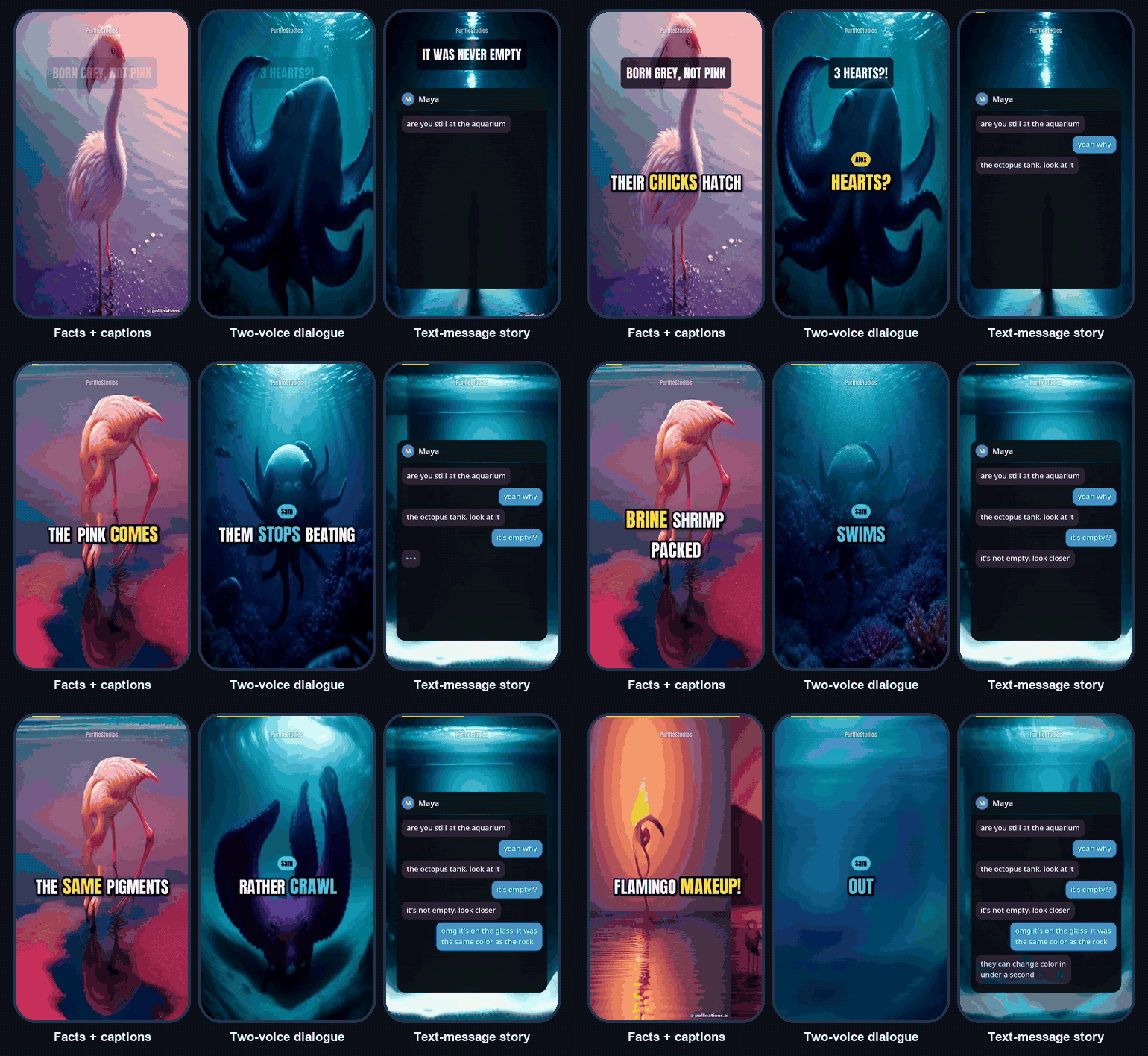
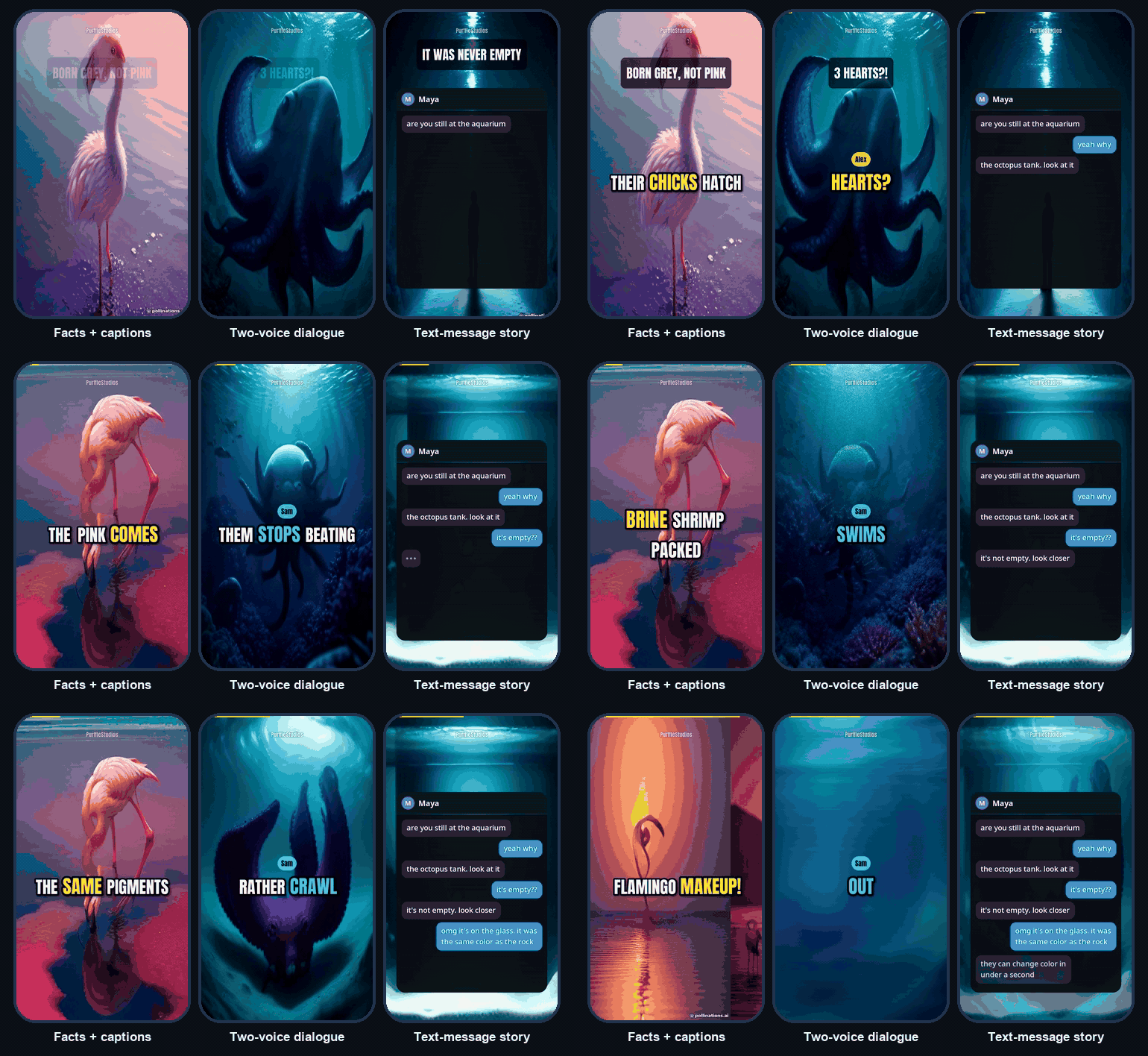
Real output, no editing: examples/flamingos.json, examples/dialogue.json and examples/chat-story.json rendered with make --script.
Free Microsoft neural voices, AI images from Pollinations (for the octopus videos they were downloaded one by one into a local folder first, because keyless Pollinations now allows about one image every few minutes). GIFs have no sound.
Try it with no API keys and no sign-up (needs uv):
uvx --from git+https://github.com/Chamanrajragu/purffle-shorts purffle-shorts demo --style chat
…or open it in Google Colab and make videos in your browser, with nothing to install.
⭐ If PurffleShorts saves you time, a star helps other creators find it. · 🌐 purffle.com/purffle-shorts
🤖 What is PurffleShorts?
PurffleShorts is a YouTube Shorts automation tool for faceless channels. Start it and it keeps going: fresh topic, retention-focused script that a second AI pass reviews and tightens, natural AI voiceover, relevant footage, captions synced to each spoken word, sound effects, a polished render, and an upload or scheduled release. It stays inside YouTube's daily API quota.
Beyond the autopilot, it is a small studio:
- Draft a script and edit any line before rendering.
- Make two-voice dialogues, text-message stories and Reddit-style stories, over stock footage or your own gameplay background.
- Turn an article or a Reddit post into a Short.
- Clip a podcast into Shorts, an Opus Clip-style workflow that runs on your computer, with jump cuts, punch-in zoom and face tracking.
- Publish the same video in several languages, and plan a week of ideas from what people search for on YouTube.
- Let the channel's own view counts steer new scripts.
It is made for content creators, faceless YouTube channels, educators and marketers who want short-form video at volume without editing by hand. It runs on your own computer (macOS, Windows, Linux), in Docker or in Google Colab. You pick every model, and the same video can go to TikTok and Instagram Reels as well as YouTube.
🎯 Use cases
- A faceless channel on autopilot. Pick a niche (space, history, animals, money tips), set three publish times a day and leave it running. Ideas come from real YouTube searches, Trends, Wikipedia, Reddit, RSS or your list, and are never reused. The AI is told to avoid your recent titles, and every script is reviewed before it is voiced.
- Reddit story videos over gameplay. The AI writes a first-person post, a narrator reads it over a post card, and your Minecraft parkour or other gameplay clip plays underneath: full screen, or split screen with footage on top. A real Reddit post link works as the source too.
- Fake text message videos for Shorts, TikTok and Reels: the AI writes a fictional chat, two voices read it, and the phone screen is animated with a pop as each message lands.
- Podcast, interview and stream clips.
clip episode.mp4 --count 5transcribes the video and lets the AI pick the moments that stand on their own (or the ones matching your brief, such as "the funniest bits"). You get captioned vertical clips with pauses and ums removed, the speaker kept in frame and a virality score each. There are no per-minute fees. - Articles, blog posts and notes into video.
make --url https://…or--from-file notes.mdturns your own writing into a Short. - One idea, many languages.
--also-lang es,hi,ptpublishes the same video with native voices in each language.LOCALIZE_METADATAtranslates the title and description of every upload. - Education and explainers. Quiz, myth-vs-fact, explainer and dialogue formats, in 9:16 for Shorts or 16:9 for regular YouTube.
- Automations and AI assistants. Drive it from n8n, Zapier or cron through the REST API, or ask Claude or Cursor to make, clip or upload videos through MCP.
✨ Features
AI scriptwriting
- One structured LLM call returns the whole Short: hook, scenes, a footage search, an image prompt, key words and an emoji per scene, title, description, hashtags, tags and YouTube category.
- Script Doctor: a second AI pass grades the draft on six points (hook, curiosity, pacing, specificity, payoff, accuracy), lists what is weak and rewrites it. The rewrite is graded again and only kept if it scores at least as well, so the 0–100 retention score always belongs to the script you actually get. Automatic checks (hook length, filler words, missing call to action, no concrete numbers) feed the review.
- Written for search: the phrases YouTube's own search box suggests for the topic are handed to the writer, so titles, descriptions and tags use the words people actually type.
- Strict JSON-schema replies on providers that support them (OpenAI, Gemini, OpenRouter, Ollama, LM Studio, Claude), with an automatic step down for the ones that don't.
- 12 providers: OpenAI, Anthropic Claude, Google Gemini, Groq, OpenRouter, DeepSeek, Mistral, Together AI, xAI Grok, Ollama, LM Studio, or any OpenAI-compatible URL. List backups in
LLM_FALLBACKSand they are tried in order if the main one fails. - 11 formats: facts, story, listicle, myth-busting, quiz, explainer, motivational, news, two-voice dialogue, text-message story and Reddit-style story (a post card while the title is read, then the story with captions).
- Draft first and edit any line in the Studio, or write a script yourself and render it with
--script, with no LLM call.
Sources
- Your niches, questions people search for on YouTube (
TOPIC_SOURCES=search), Google Trends, Wikipedia "On this day", Reddit TIL, RSS feeds, your own list, any web page or Reddit post (--url) or document (--from-file). - Content planner: the AI brainstorms a batch of specific, true, non-repeating ideas, guided by real YouTube searches, into a queue that the autopilot uses first.
Voiceover
- 320+ free Microsoft neural voices in 75 languages, with word-level timestamps. No key needed.
- Two speakers for dialogues and chat stories, each with their own voice, joined with natural pauses.
- One video, many languages:
--also-lang es,hiadds translated copies that reuse the same footage. - Also OpenAI TTS, ElevenLabs, Kokoro-82M, Coqui and the operating-system voice. Falls back to the free voice if a paid engine fails.
Footage & backgrounds
- A separate stock-footage search for every scene (Pexels, Pixabay). Each candidate is scored by how well its own description matches the scene, the search engine's ranking, shape and length; portrait clips preferred, never reused across videos.
- Gameplay and background videos (
BACKGROUND_VIDEO): one continuous stretch of your Minecraft parkour, Subway Surfers or "satisfying" clip plays under the whole story, either full screen or split screen with the scene footage on top. - Fast pacing: scenes longer than 4.5 s are cut into several shots with different footage, each cut placed on a natural pause between words.
- AI images per scene from OpenAI (gpt-image-1 / DALL·E 3) or Pollinations, or your own
media/folder. Ken Burns motion on photos, colour grades, transitions.
Captions, sound & editing
- Captions appear exactly when each word is spoken, with the current word highlighted. Key words and numbers get their own colour, and an emoji per scene pops up above them. 6 styles; Latin, Indic, Arabic, Thai and CJK scripts.
- Sound effects made in code (nothing to license): a whoosh on each scene change, a pop as each text message lands, a low hit under the hook. They are mixed 11 dB under the measured voice.
- Dialogues get speaker name tags and a colour per speaker; chat stories get an animated phone screen with typing indicators; Reddit-style stories open on a post card (community, poster, title, votes).
- 9:16, 16:9, 1:1 or 4:5 output (
--aspect), with captions and overlays sized for each shape. - Hook title, watermark, progress bar, end call-to-action, background music that ducks under the voice.
- Broadcast-grade audio: gentle voice clean-up (rumble cut, de-esser, compression), then two-pass loudness normalisation that measures the mix and applies one steady gain, landing on −14 LUFS without pumping.
- Voices without word timestamps get their phrase ends pinned to the real pauses in the audio, so captions stay in sync even without an aligner.
- The cover image is the sharpest, best-exposed frame of the opening seconds, never a frame mid-transition.
- Plain ffmpeg: each shot is prepared as a short segment, the soundtrack is mixed and normalised in its own pass, then one final encode joins them and adds everything above. No MoviePy, no ImageMagick, no GPU needed.
Clipping (a free Opus Clip alternative)
- Transcribes podcasts, interviews and streams locally with Whisper. The AI picks self-contained moments with a hook and a payoff, or only the ones that fit your brief (
--prompt "every tip about sleep"). - Each clip has a virality score with the reason. It is edited with jump cuts (long pauses shortened, "um" and "uh" removed, lips kept in sync) and punch-in zoom between sentences.
- Framing: face tracking (
--crop face), the centre, or the whole picture over a blurred copy. Word-by-word captions are added too.
Publishing & SEO
- Uploads to YouTube, or schedules each video into your next free time slot.
- TikTok, Instagram Reels and more (
PUBLISH_TO=youtube,tiktok,instagram): the same video goes out with a caption written for each network, at the same publish slot, through Upload-Post or Instagram's own API. Each network's result is saved, and a retry only re-sends what failed. - Localised titles and descriptions (
LOCALIZE_METADATA=es,pt,hi), so viewers see the video under a title in their own language, and optional caption-track upload (UPLOAD_CAPTIONS) so YouTube can index every word. - Quota-aware queue, AI-content disclosure, playlists, privacy, made-for-kids flag.
- Every video also gets a cover image, SRT subtitles and a metadata file for cross-posting.
Workflow
- Autopilot loop, one-off videos, bulk batches with parallel workers, several channels from separate settings files.
- Studio web app: create, draft and edit, and watch every stage live (pushed instantly, with a percentage and a time-left estimate learned from your machine). Cancel a running job, browse and play the library, plan ideas, clip videos and read channel stats.
STUDIO_PASSWORDprotects it when it runs on a server. - REST API for n8n, Zapier, cron or your own scripts (docs/api.md), a Google Colab notebook, and docker compose for servers.
- A live progress line in the terminal, and a voice cache so re-rendering an edited script only voices the lines that changed.
- MCP server: ask Claude Desktop, Claude Code or Cursor to make, clip or upload videos.
- Learns from your channel (opt-in): view counts of your uploads show the AI what works for your audience, and the format of each new video is chosen by Thompson sampling over your own results.
statstells you whether the retention score actually predicts your views (Spearman correlation) and which publish hours did best. - Discord / Slack / webhook notifications, a
doctorself-check, SQLite history, and CI that renders real videos on every pull request.
🆕 New since 3.0
| What you get | |
|---|---|
| Retention editing | Key words and numbers highlighted in captions, an emoji per scene, and sound effects (whoosh, pop, hit) placed 11 dB under the voice |
| Gameplay backgrounds | --background parkour.mp4: one video under the whole story, full screen or --layout split |
| Smarter clipping | Jump cuts (pauses and ums removed, lips in sync), punch-in zoom, face tracking, --prompt to steer the picks, and a virality score with the reason |
| Search-led SEO | Topics and keywords from real YouTube searches, titles and descriptions localised for other languages, optional caption-track upload |
| Better scripts | Script Doctor 2.0: a six-part rubric, automatic checks, and a rewrite kept only if it scores at least as well |
| Faster, live renders | About 40% faster on the same machine, a Studio that pushes progress with a time-left estimate, and cancel at any time |
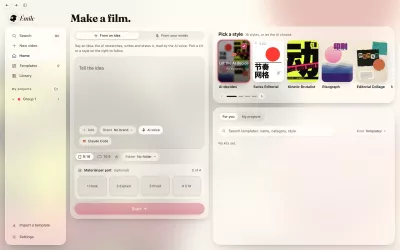
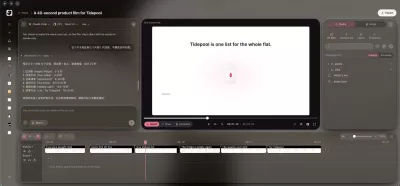
| A new Studio | Its own design in light and dark: a numbered brief, a program monitor, an edit timeline for every job, the library as a contact sheet, and a new logo |
| TikTok and Instagram | PUBLISH_TO=youtube,tiktok,instagram: one video to every network, scheduled together, each result tracked and retried on its own |
| Run it anywhere | Google Colab notebook, docker compose with the published image, REST API with an n8n recipe |
The changelog has the full list, with the measured before-and-after numbers.
⚖️ How it compares
Open-source Shorts tools each cover part of the job: some write videos from a topic, some clip long videos, some make Reddit stories. PurffleShorts does all three. It is the only one we found with text-message stories, two-voice dialogues, a script review pass, and an MCP server that covers writing, clipping and uploading.
| PurffleShorts | MoneyPrinterTurbo | ShortGPT | RedditVideoMakerBot | AI-Youtube-Shorts-Generator | OpenShorts | |
|---|---|---|---|---|---|---|
| Writes the video from a topic | ✅ | ✅ | ✅ | ❌ Reddit threads | ❌ clipper | ➖ paid APIs |
| Any LLM, including local Ollama | ✅ | ✅ | ➖ OpenAI, Gemini | ❌ no LLM | ➖ OpenAI, Gemini | ✅ |
| Free voices, no key | ✅ | ✅ | ✅ | ✅ | ❌ no voice | ➖ ElevenLabs |
| Word-by-word highlighted captions | ✅ key words + emoji | ➖ | ❔ | ❌ | ❌ | ✅ |
| Script review and rewrite pass | ✅ | ❌ | ❌ | ❌ | ❌ | ❌ |
| Text-message chat stories | ✅ | ❌ | ❌ | ❌ | ❌ | ❌ |
| Two-voice dialogues | ✅ | ❔ | ❔ | ❌ | ❌ | ❌ |
| Reddit-style stories | ✅ | ❌ | ✅ | ✅ | ❌ | ❌ |
| Gameplay background, split screen | ✅ | ❔ | ❔ | ✅ background library | ❌ | ❔ |
| Clip long videos into Shorts | ✅ face tracking | ❌ | ❌ | ❌ | ✅ | ✅ |
| Silence and filler removal in clips | ✅ | ❌ no clipping | ❌ no clipping | ❌ no clipping | ❔ | ❔ |
| Videos in other languages | ✅ | ✅ | ✅ | ✅ | ➖ | ✅ paid dubbing |
| YouTube upload and scheduling | ✅ official API | ➖ via Upload-Post, no scheduling | ❌ | ❌ by design | ❌ | ✅ via Upload-Post |
| TikTok / Instagram upload | ✅ via Upload-Post, or Instagram's API | ✅ via Upload-Post | ❌ | ❌ | ❌ | ✅ via Upload-Post |
| MCP server | ✅ | ❌ | ❌ | ❌ | ❌ | ✅ clipping |
| Web app | ✅ | ✅ | ✅ | ➖ settings only | ❌ | ✅ |
| Colab notebook | ✅ | ✅ | ✅ | ❔ | ❔ | ❔ |
| Tests and CI | ✅ | ✅ | ❌ | ➖ lint only | ❌ | ✅ |
| License | MIT | MIT | MIT | GPL-3.0 | MIT | MIT |
✅ yes · ➖ partly · ❌ no · ❔ not stated. Compiled on 29 September 2026 from each project's README and code; the gameplay, silence-removal and Colab rows were checked on 20 October 2026.