RoleFit
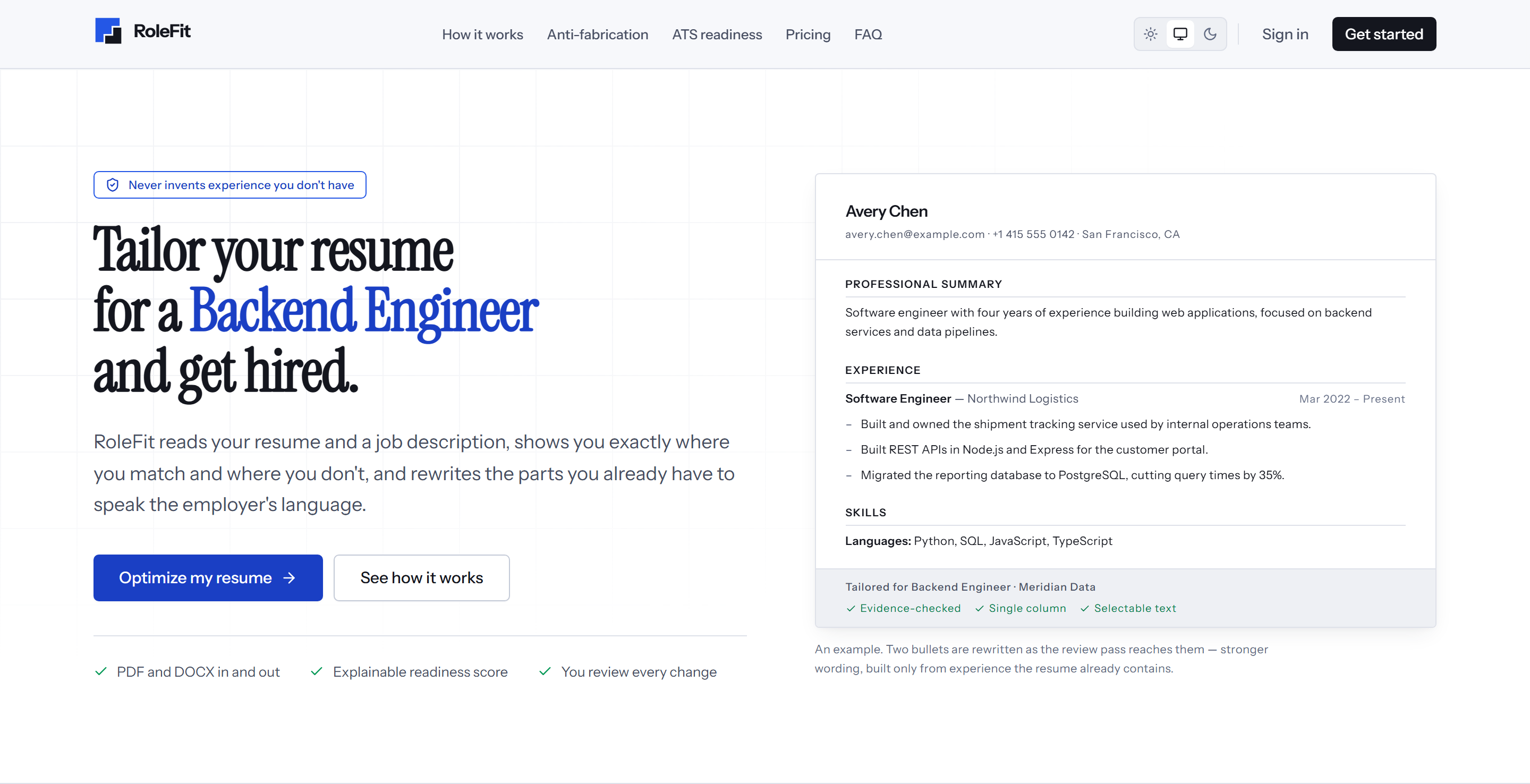
Tailor your resume. Match the role. Get hired.
RoleFit is an AI resume optimizer that refuses to lie for you.
It reads your resume and a job description, shows you exactly where you match and
where you don't, and rewrites only the experience you already have.
Live app → · Technical Documentation · Quickstart · Screenshots · Features · Built with
The problem it solves
Every AI resume tool will happily add AWS to your resume because the posting asked for AWS. You then get the interview, and you have to talk about AWS.
That is not a rough edge. It is the default behaviour of asking a language model to make a resume match a job, and it is why the output of these tools cannot be sent without reading every line first.
RoleFit takes the opposite position: your resume may only ever say things your resume already said. Rewrites sharpen your own wording. Anything the posting wants that you cannot evidence is reported to you as a gap, in a list, and never written in.
Who it is for
- Anyone applying to roles that screen with an ATS, who wants their real experience described in the employer's vocabulary
- People who have been burned by a generated resume that claimed something they could not defend in an interview
- Anyone who wants to know why a resume scores badly against a posting, rather than being handed a number
What makes it different
| It cannot invent experience | Every rewrite is checked against your source document before you see it. A new skill, employer, metric, date or degree — or a promotion from "helped migrate" to "led the migration" — is discarded automatically. |
| The score is arithmetic | Seven weighted dimensions, computed deterministically. No model decides the number, so it is reproducible and every point traces back to something you can change. |
| Gaps are shown, not filled | The requirements you do not meet are listed explicitly, so you know what the employer will notice. They are never quietly written into the document. |
| You approve every change | Each rewrite is presented with your original beside it and a reason. Nothing you have not accepted reaches the exported file, and every decision is reversible. |
| It works with no AI provider | The default engine is rule-based and runs locally — no network calls, no resume text leaving the machine. Configure a provider only if you want sentence-level rewriting. |
Quickstart
Requirements: Node.js 20+, npm, and Docker (for PostgreSQL).
git clone https://github.com/zain-ul-abideen-5036/RoleFit.git
cd RoleFit
npm install

cp .env.example .env.local
# Generate a secret and paste it into AUTH_SECRET:
node -e "console.log(require('crypto').randomBytes(48).toString('base64url'))"

npm run db:up        # PostgreSQL on localhost:5433
npm run db:migrate

npm run dev          # http://localhost:3000
Create an account at /signup and upload a PDF or DOCX resume. RoleFit runs
fully without an AI key — the rule-based engine aligns terminology, removes
filler and reorders for relevance, entirely on your machine. Full setup, every
environment variable and deployment:
Technical Documentation →
Inside the app
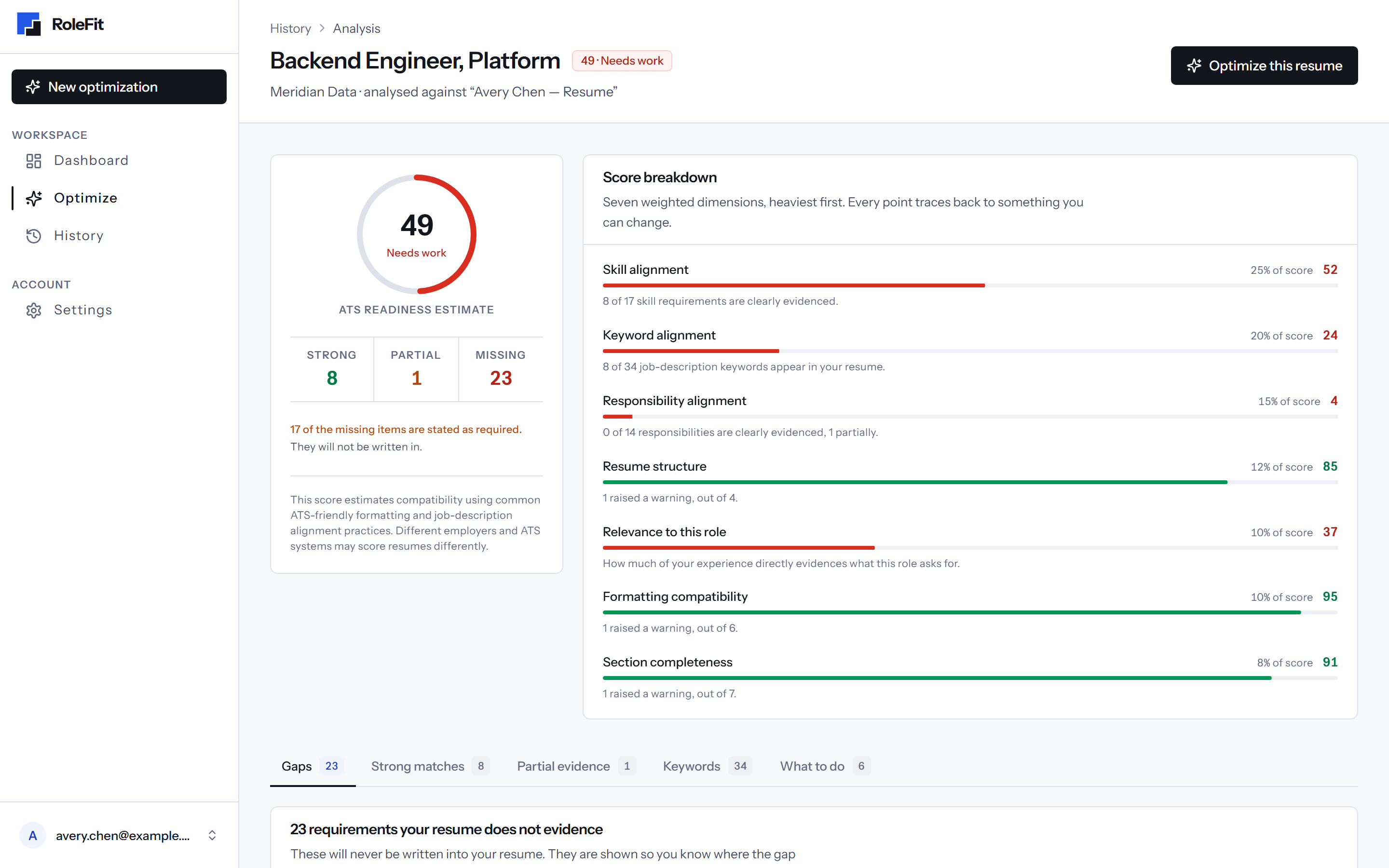
The score, and the arithmetic behind it
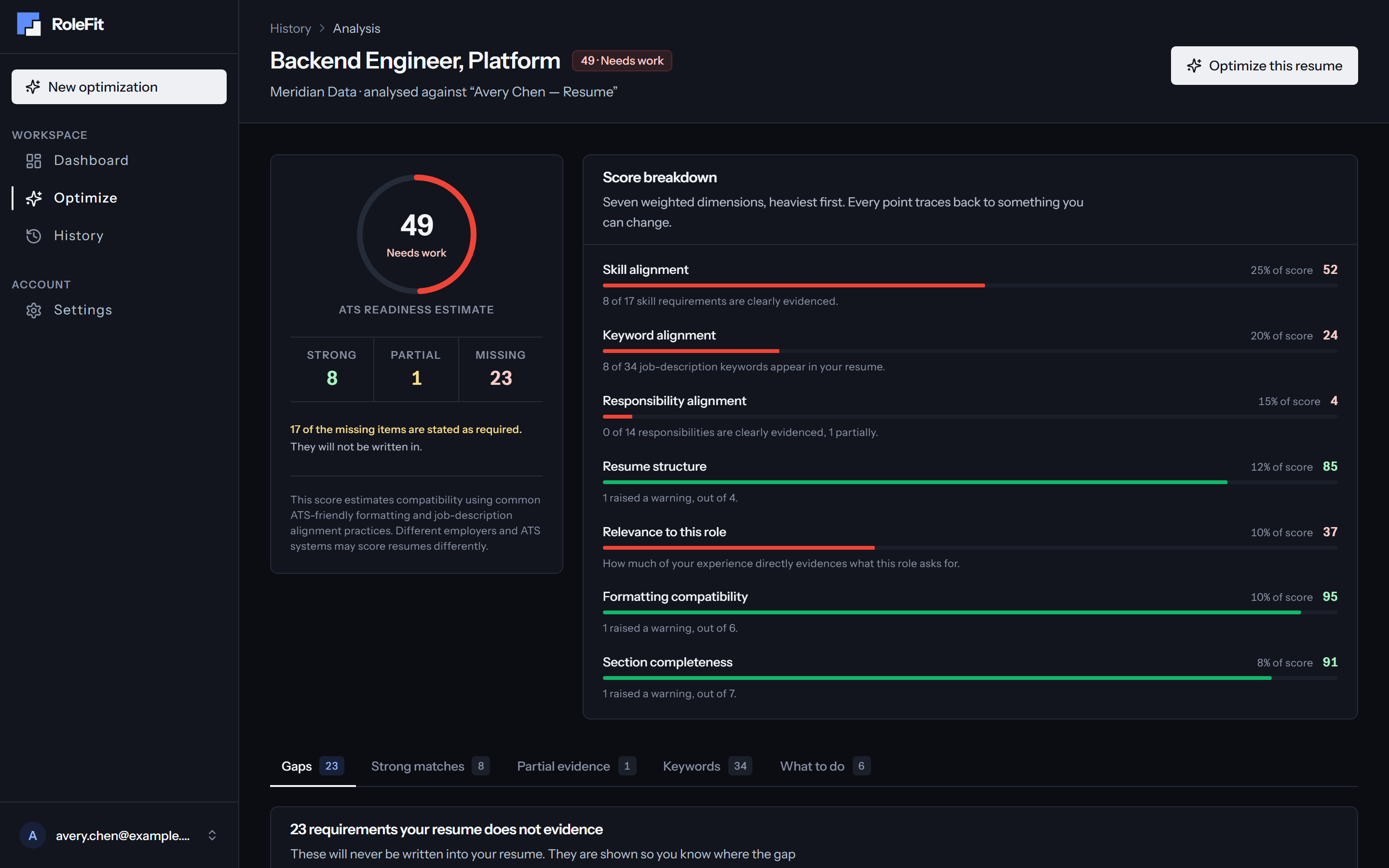
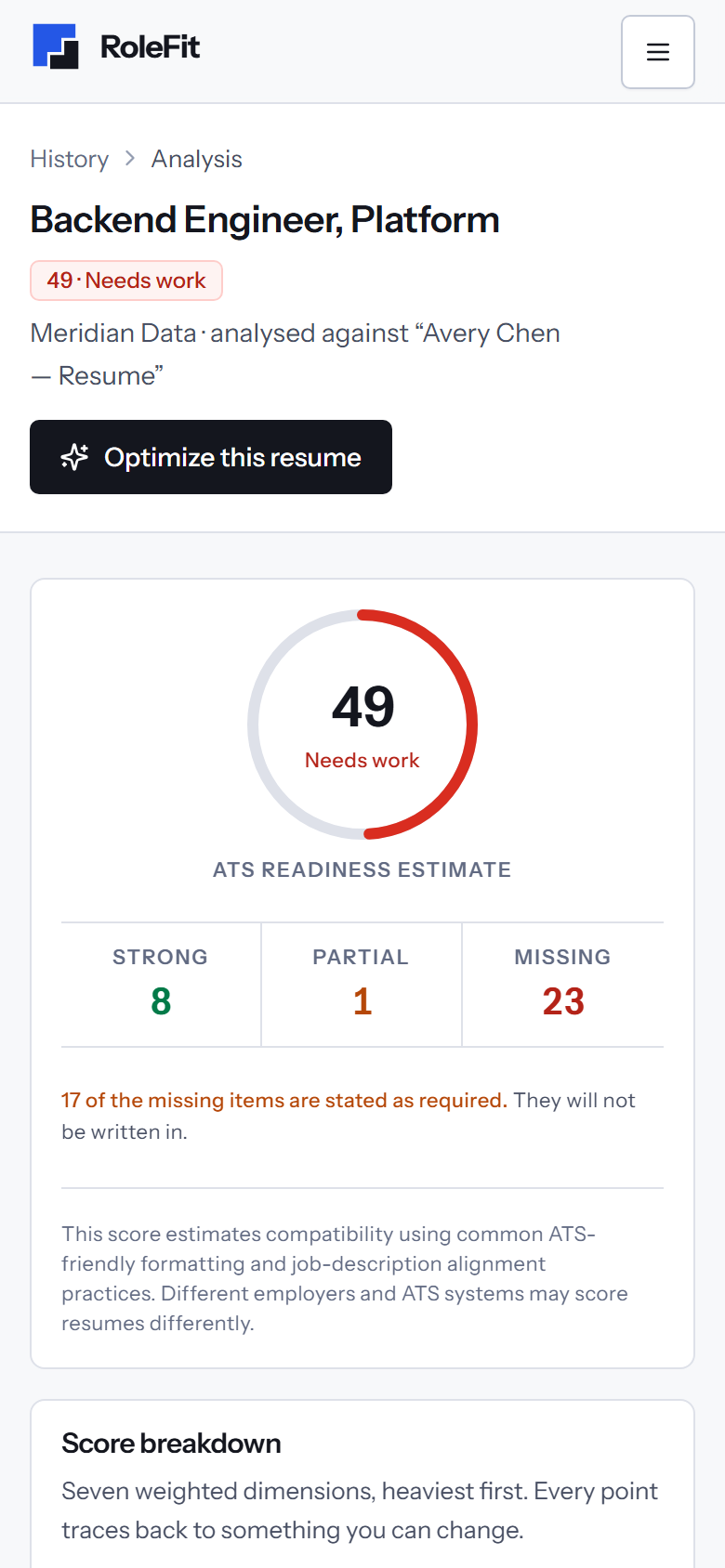
Seven weighted dimensions, each with the sentence that explains it. Nothing here is a model's opinion — every figure is computed from your resume and the posting, and every point is attributable to something you can change.
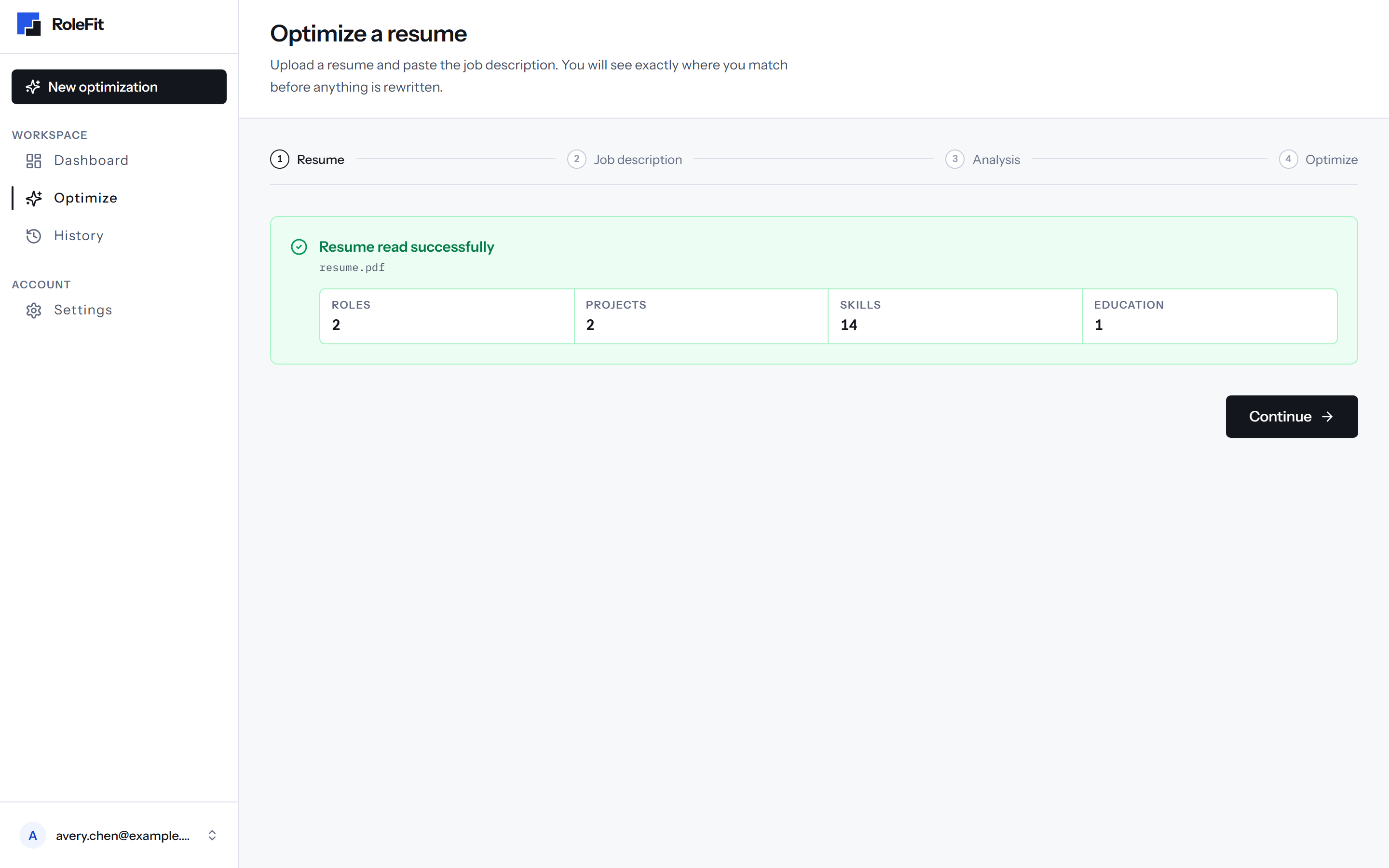
Upload a resume, add the posting
 |
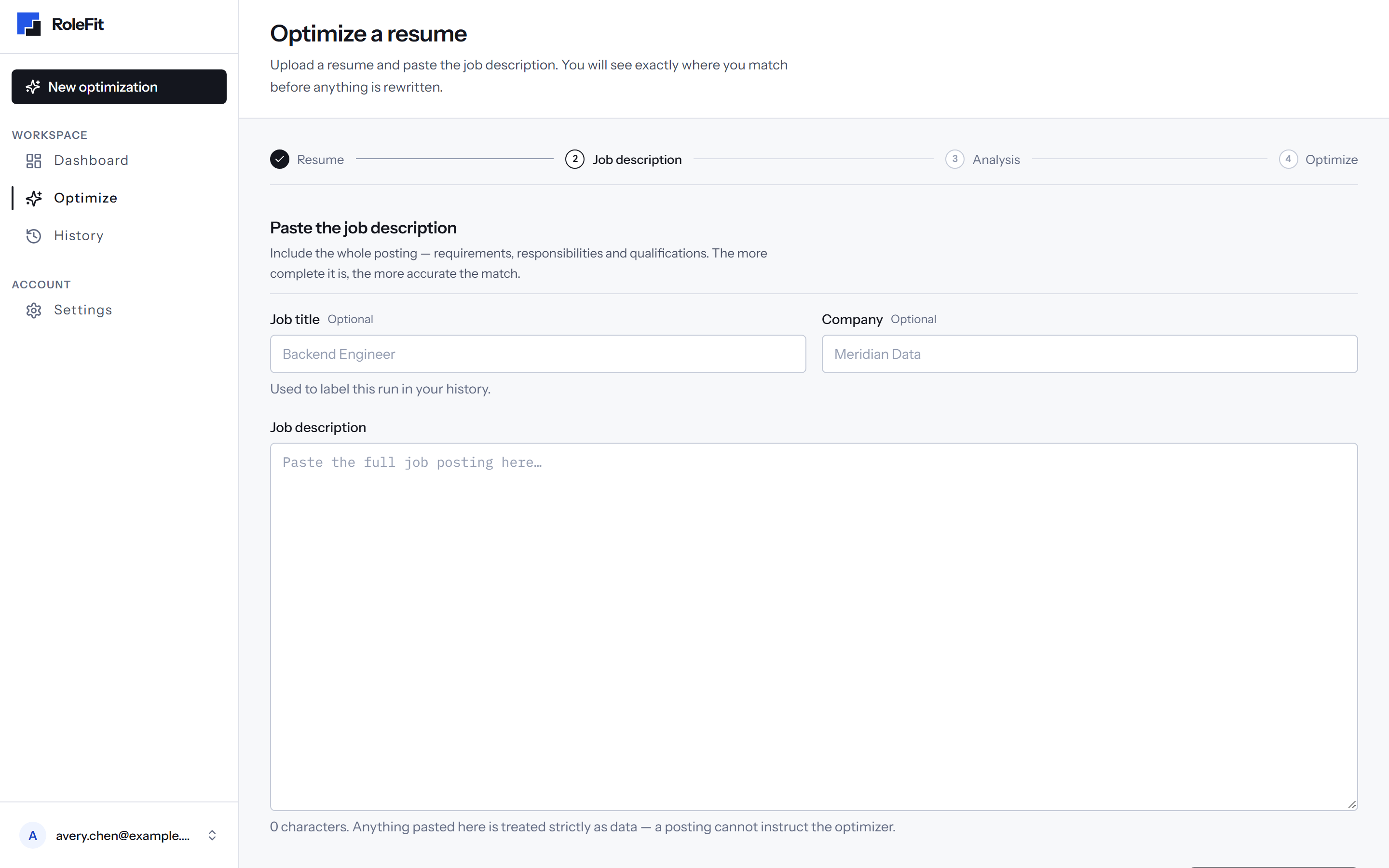 |
| Parsed, not flattened — roles, bullets, skills and dates, addressable individually | The posting — requirements separated from benefits and boilerplate |
Review every change, and the gaps it refused to close
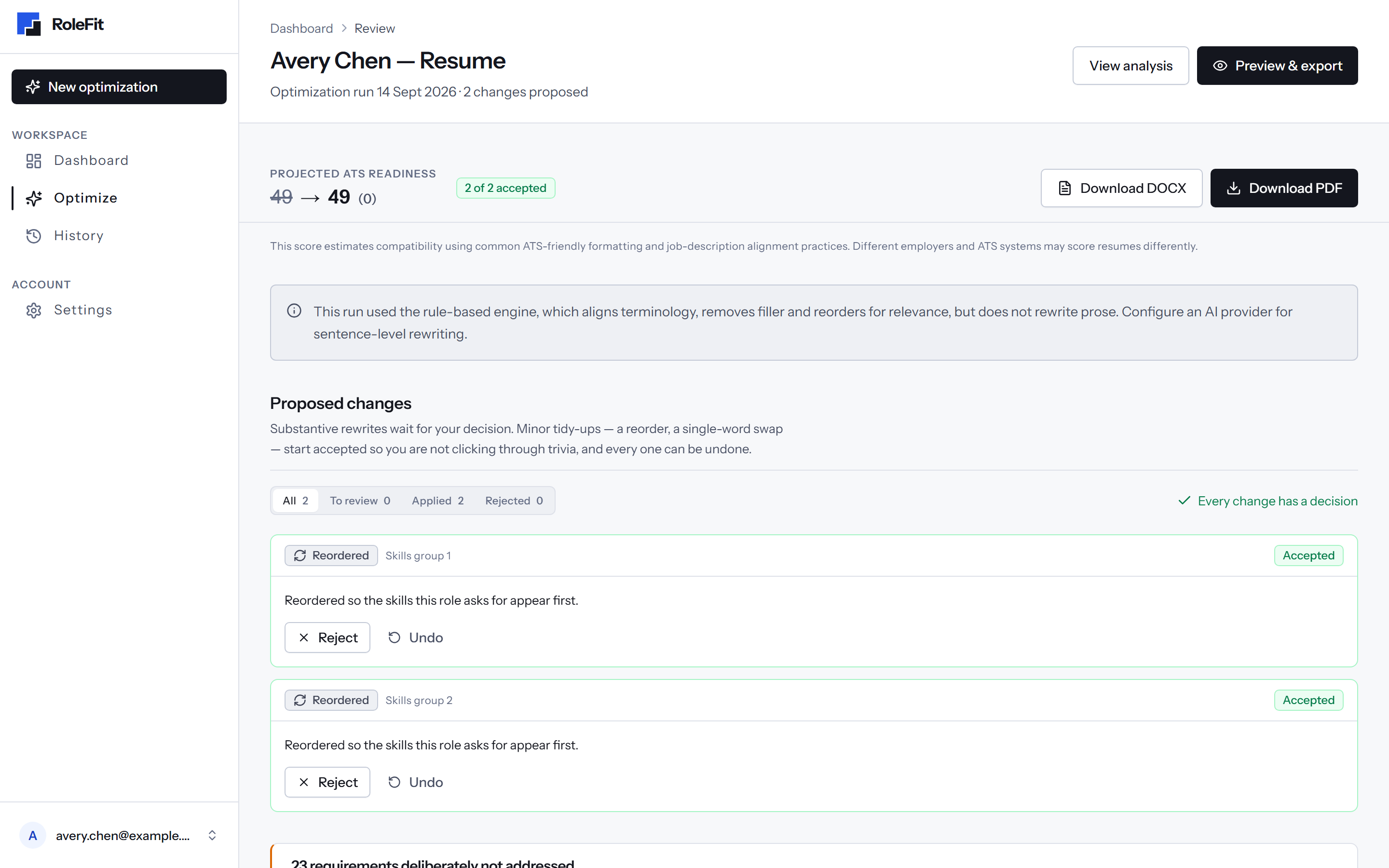
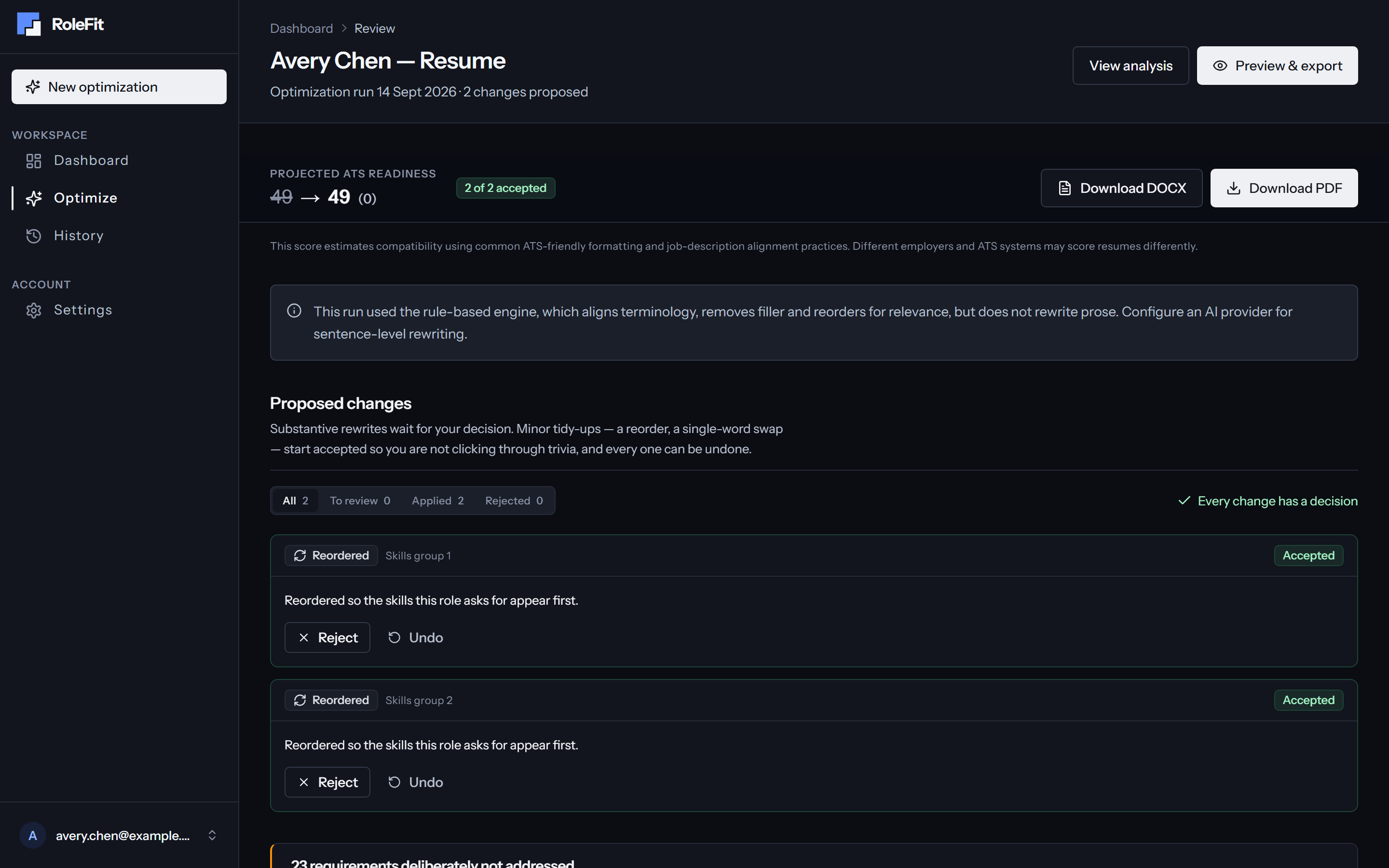
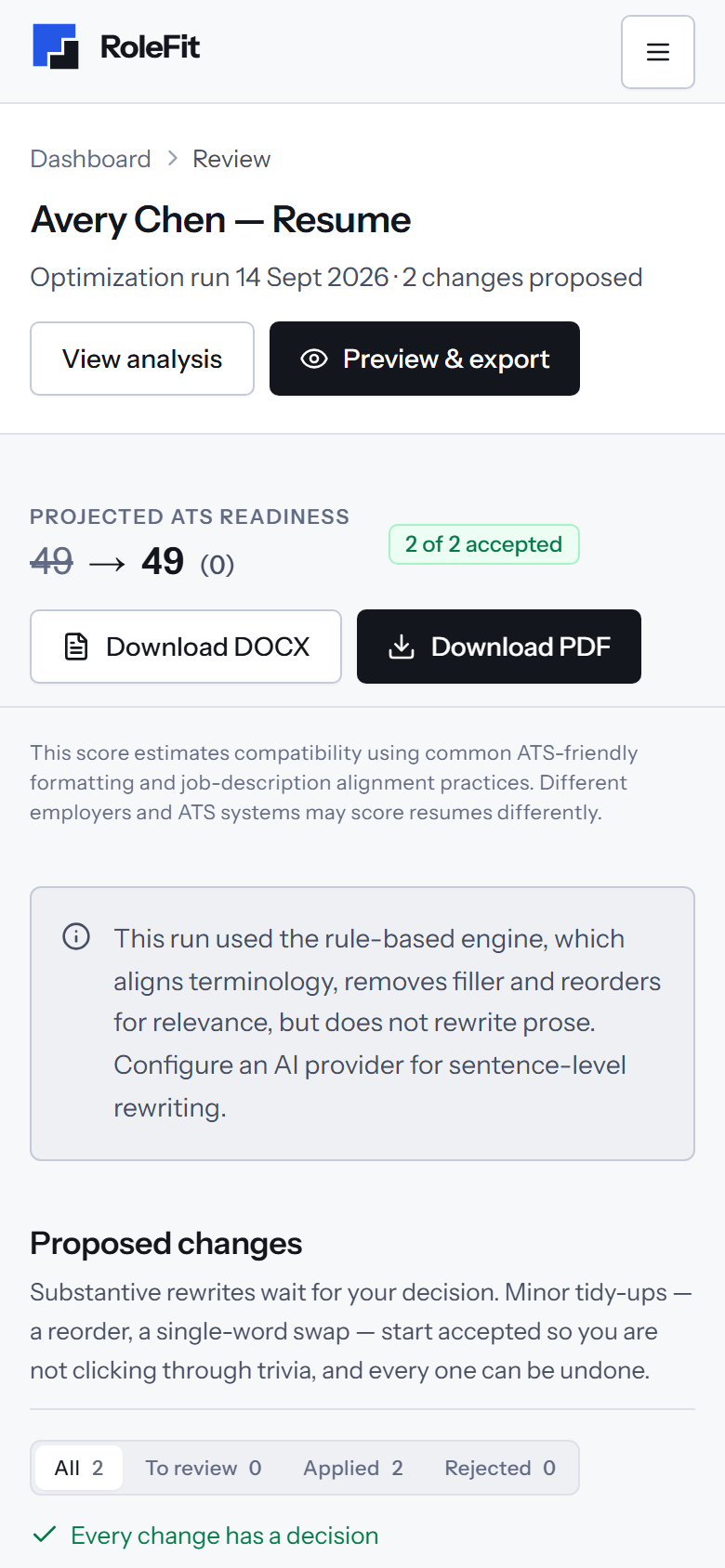
Rewrites wait for your decision, with the original beside them. Minor tidy-ups — a reorder, a single-word swap — start accepted so you are not clicking through trivia, and every one can be undone. Below the list, the requirements the run deliberately did not address are restated, so nothing is quietly dropped.
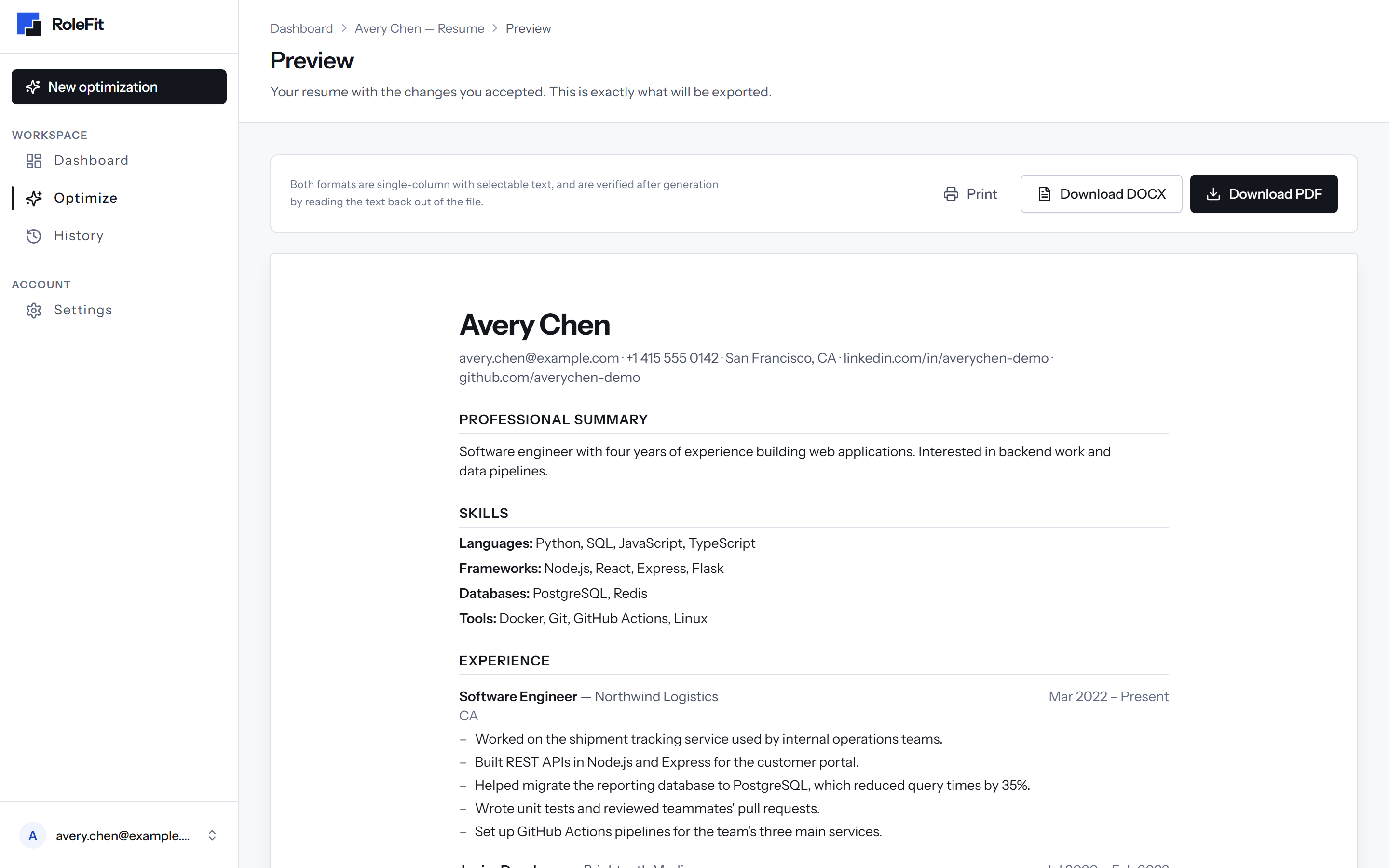
What comes out
 |
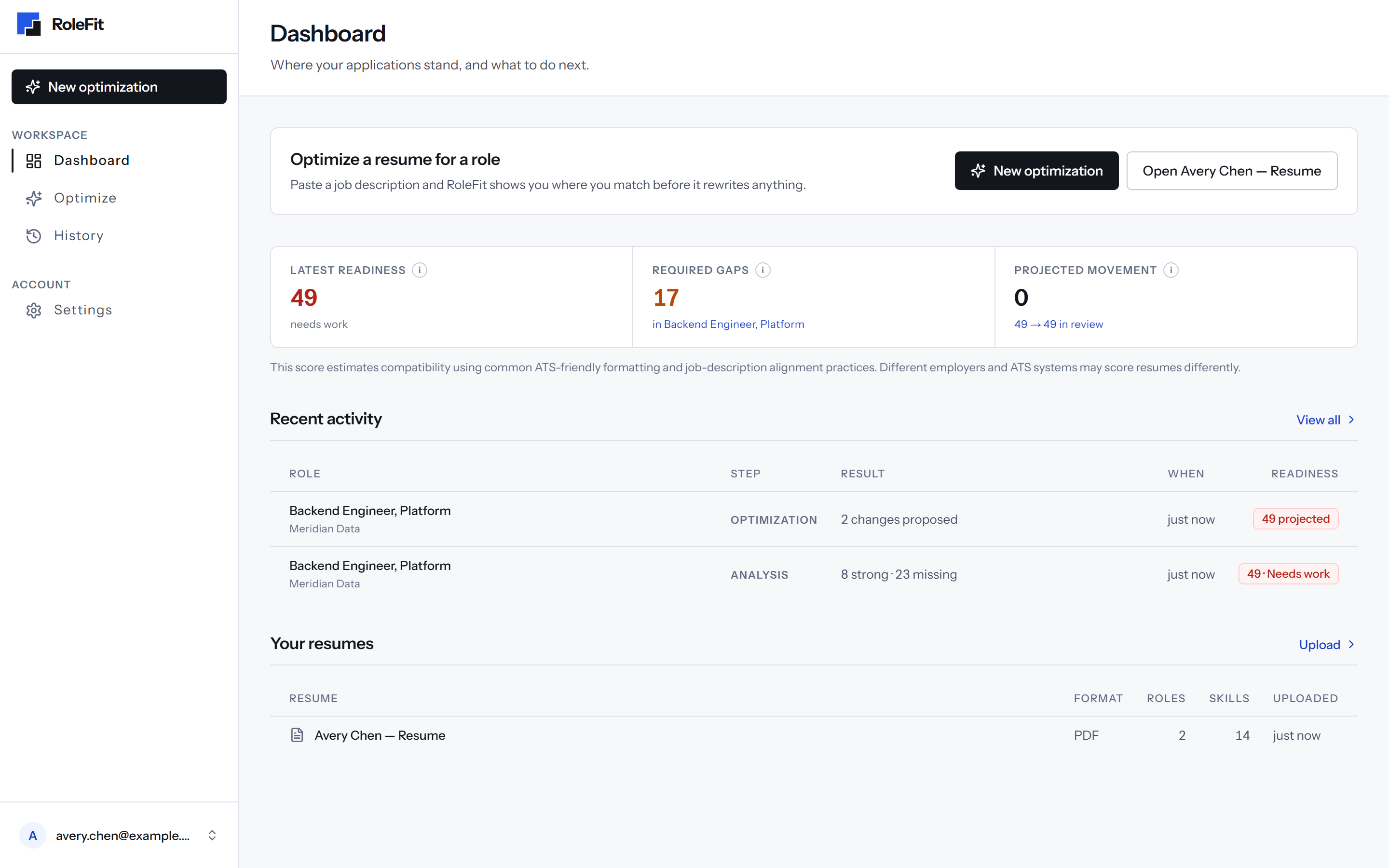 |
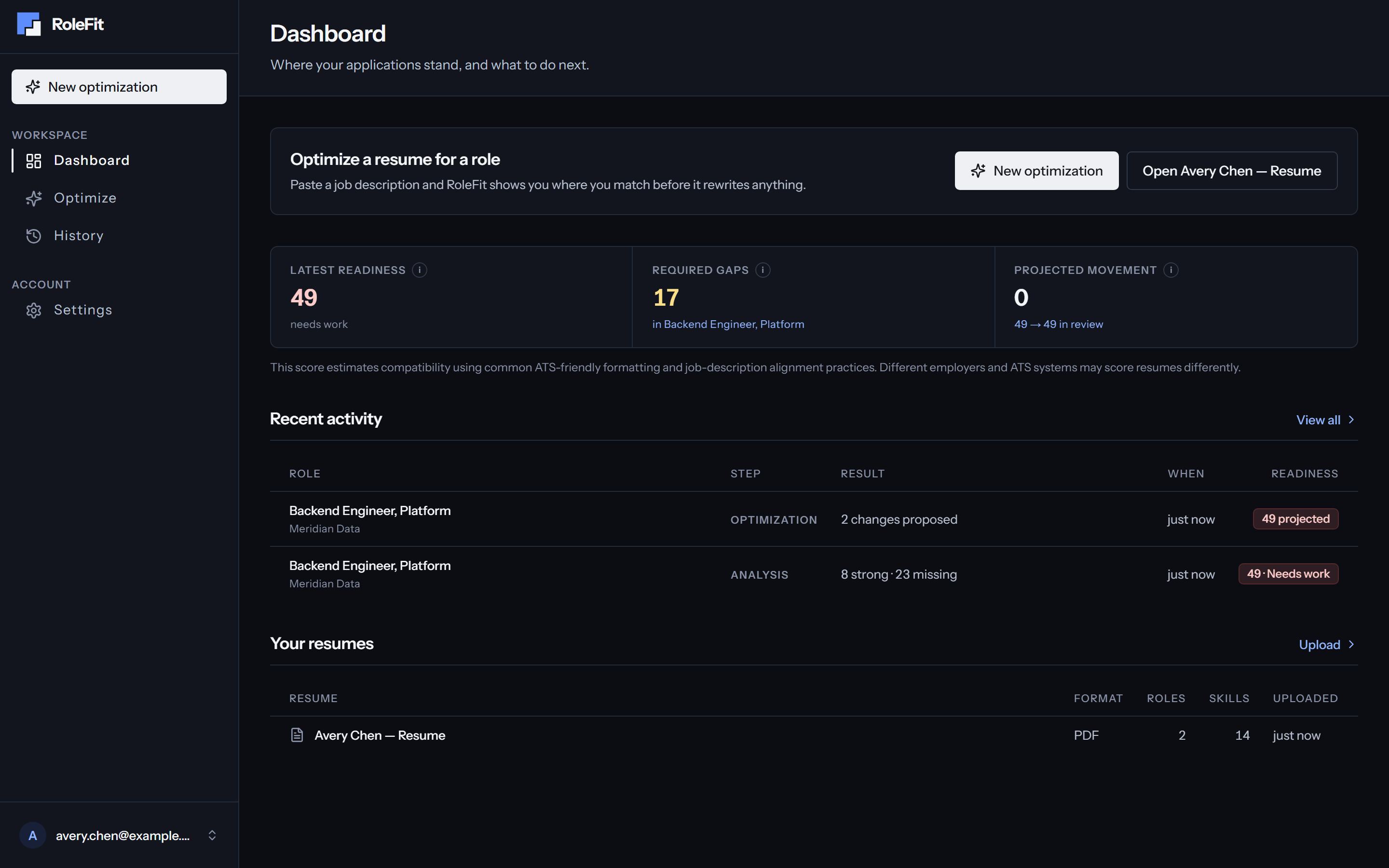
| Preview — single-column, selectable text, verified after generation | Dashboard — where each application stands, and what to do next |
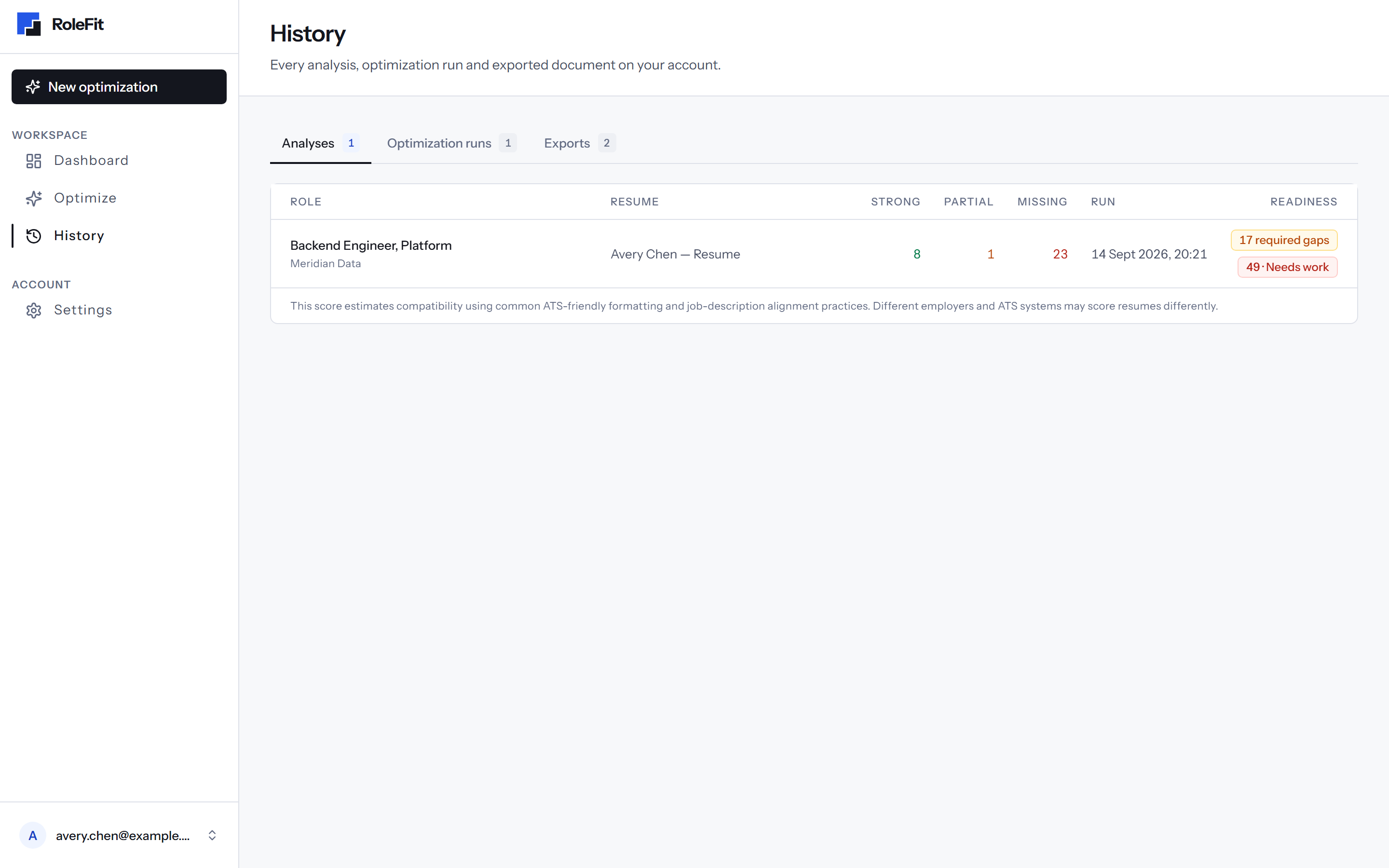
More of the product — history, settings, sign-in, the empty state and the full landing page
 |
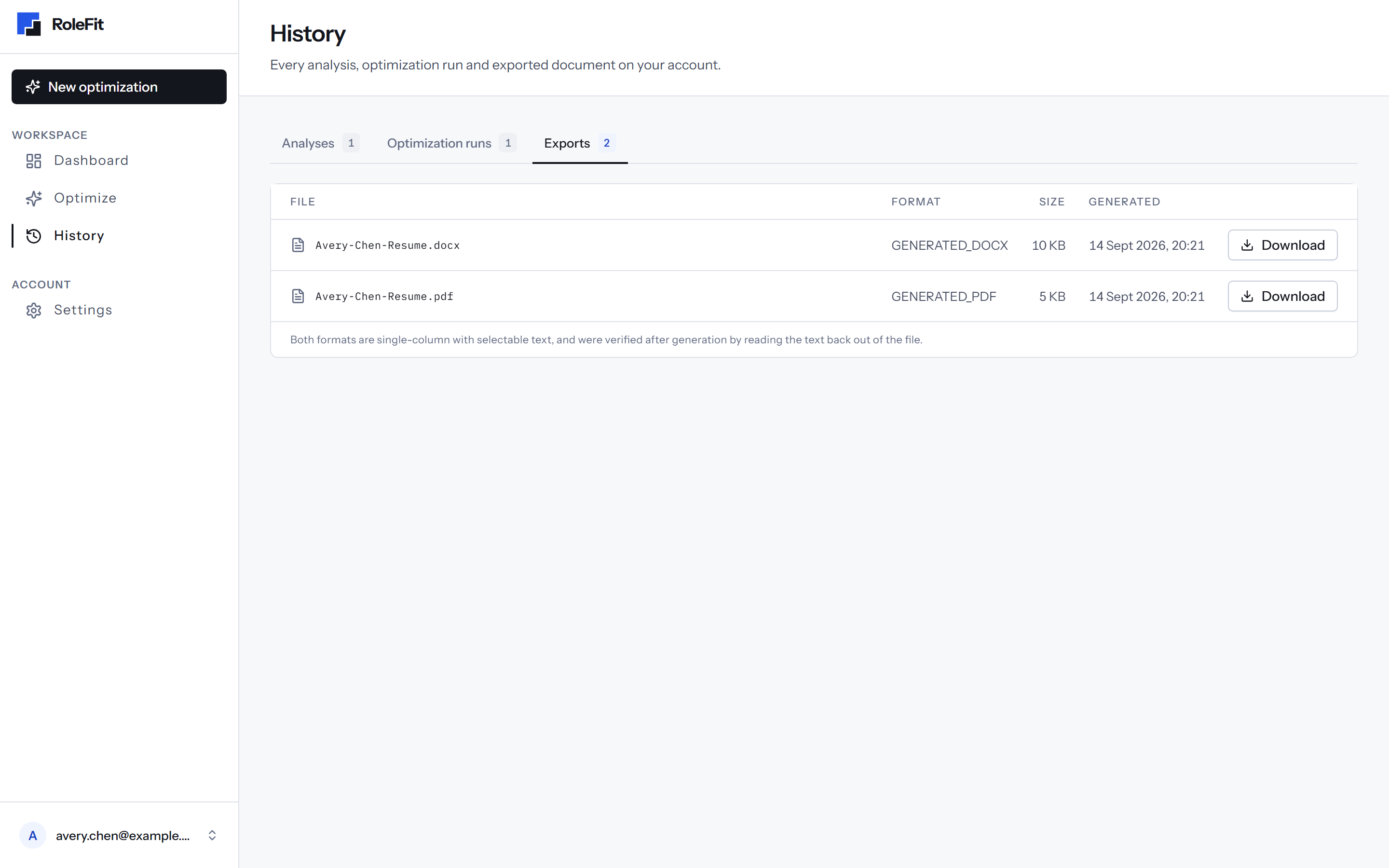 |
| History — every analysis, run and export on the account | Exports — the files that were generated, and when |
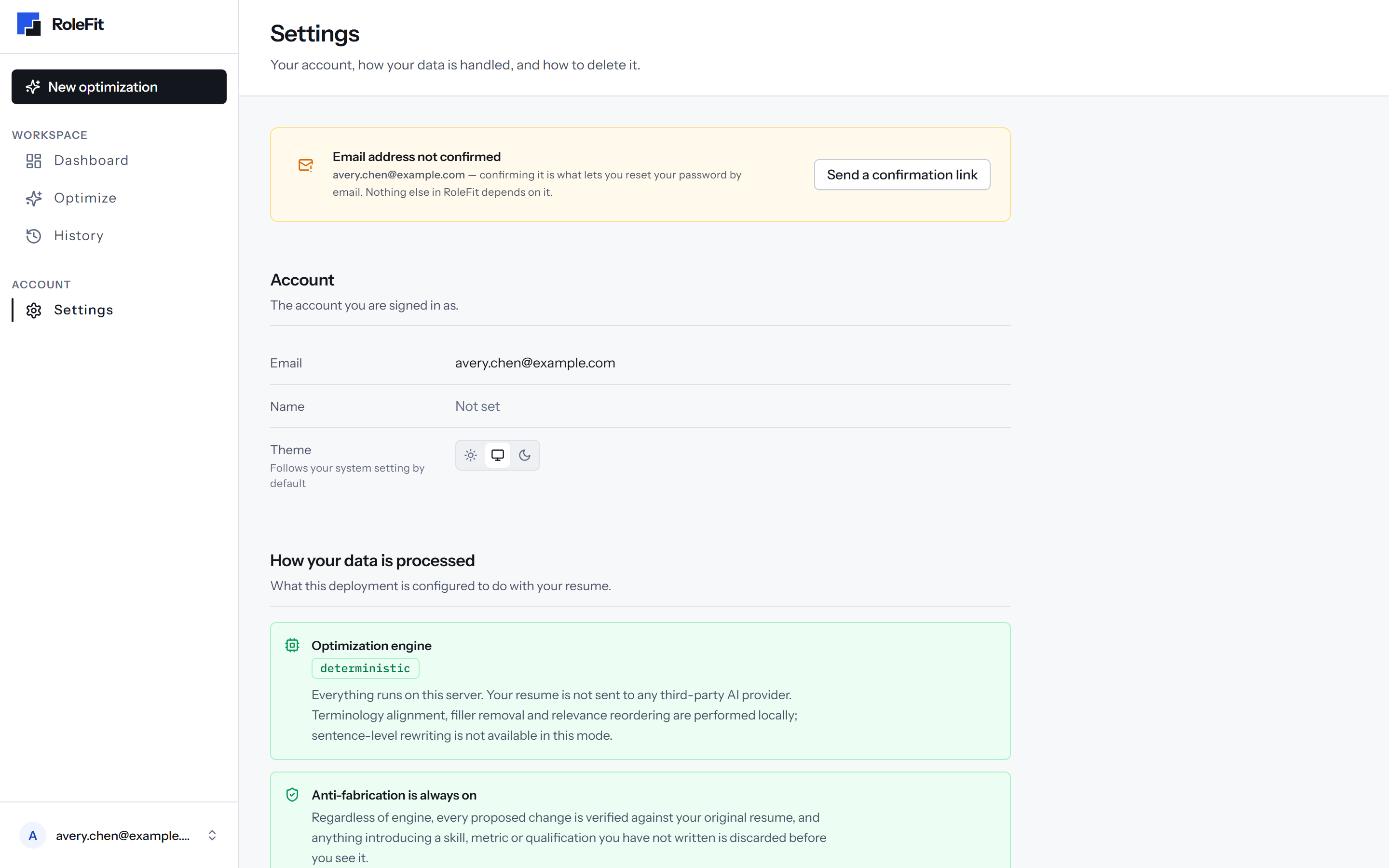 |
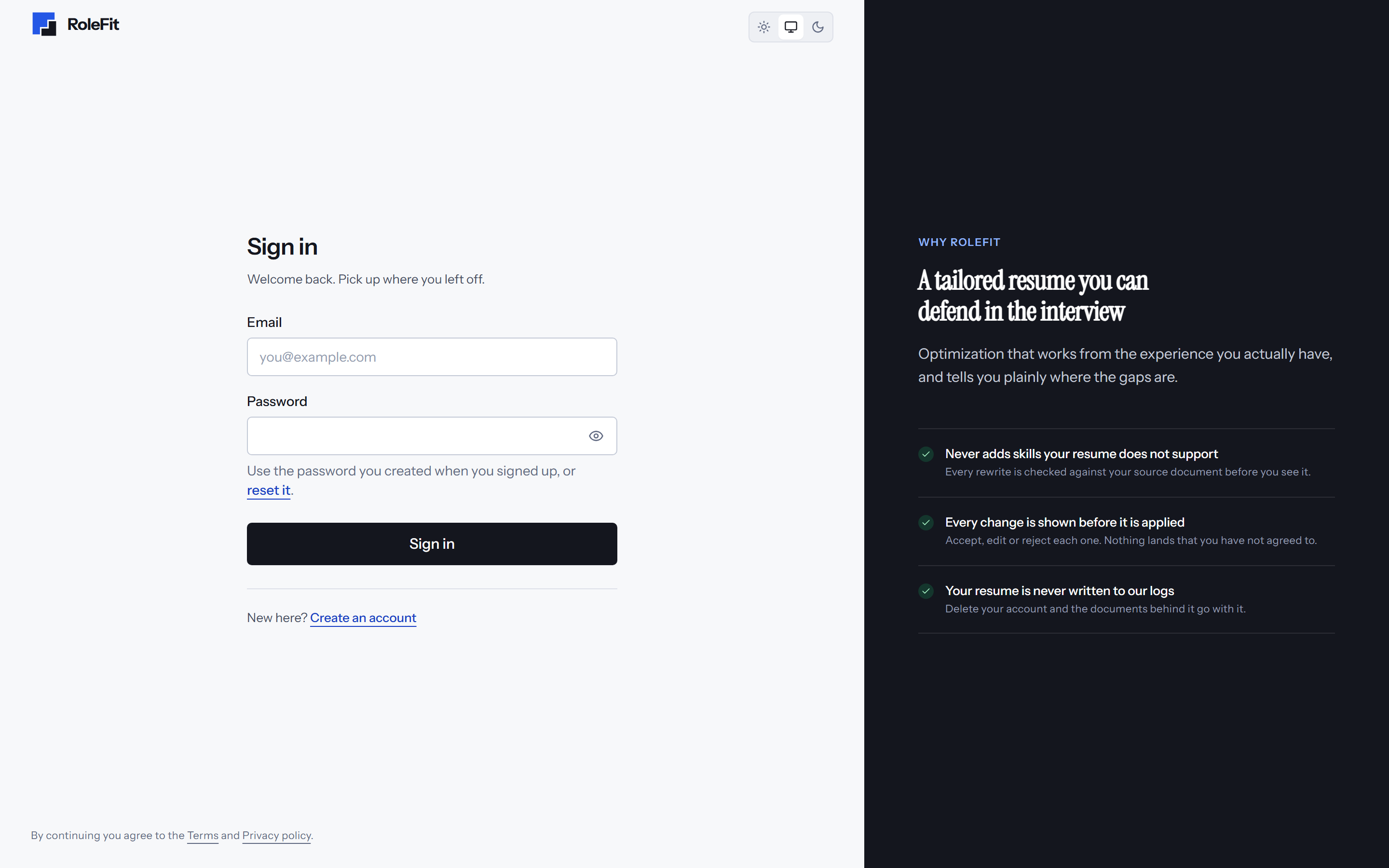 |
| Settings — account, theme, and what this deployment does with your resume | Sign in — email and password, no third-party identity provider |
The empty state, written rather than left blank.

The complete landing page, top to bottom.

Two themes, authored separately
Light and dark are written as two sets of tokens rather than one inverted into the other, so the score colours stay legible instead of being flipped into something muddy.
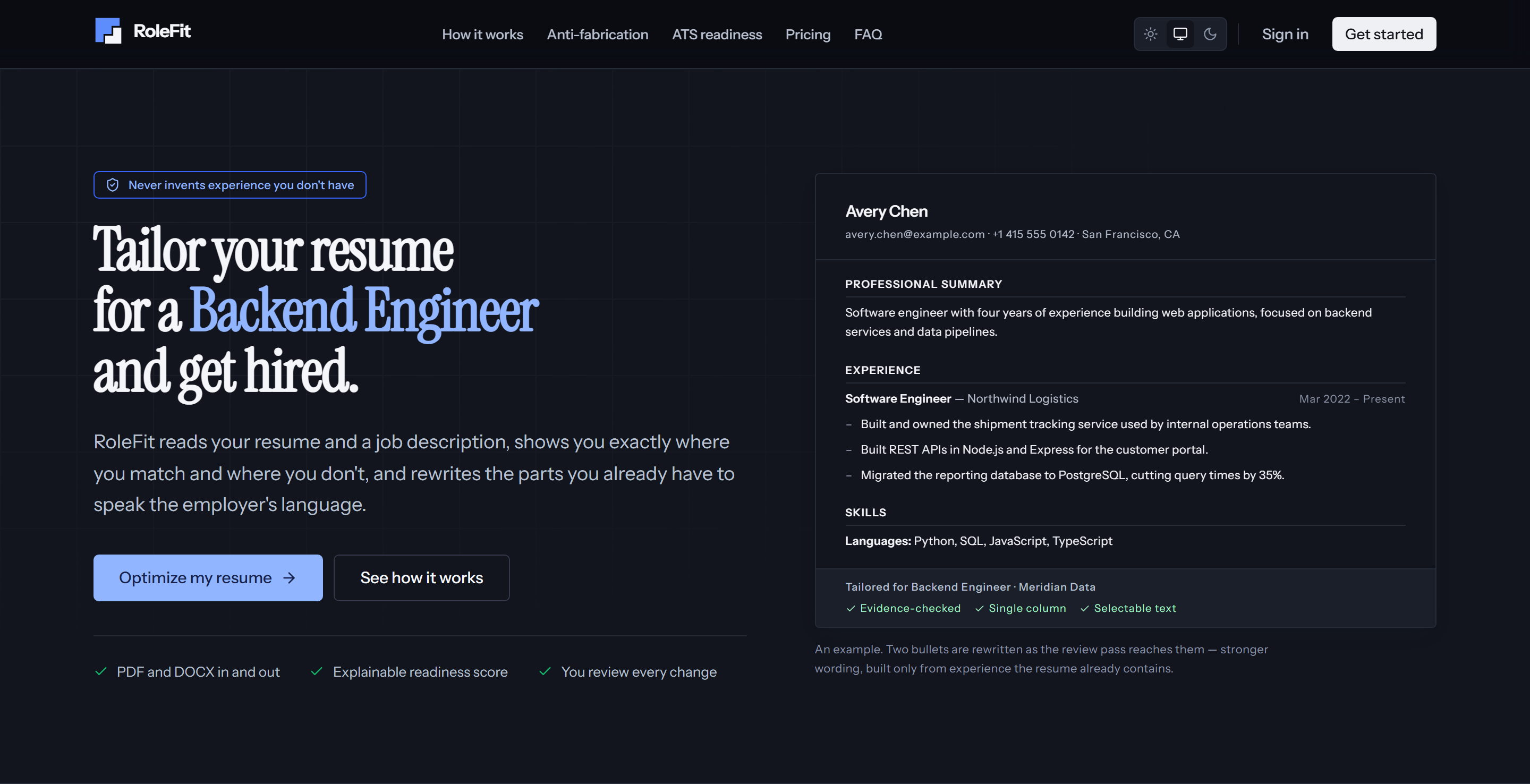 |
 |
 |
 |
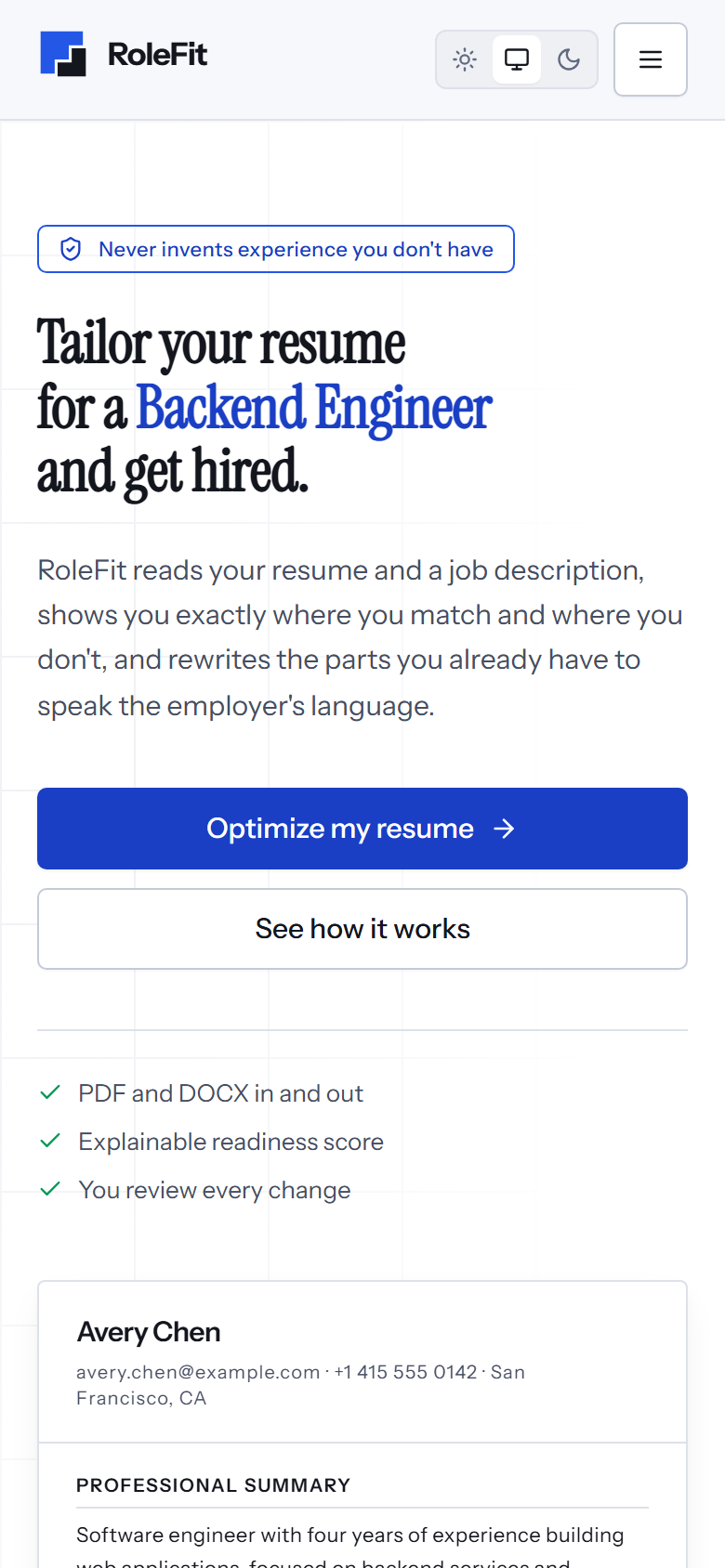
Built for a phone, not shrunk onto one
 |
 |
 |
What you can do
|
Parse a real resume PDF and DOCX, read for layout signals — columns, tables, text boxes, embedded images — that ATS checks depend on and that are lost the moment a document is flattened to plain text. |
Analyse the posting Requirements, responsibilities, qualifications, certifications, years of experience and keywords, with benefits and boilerplate excluded, and required separated from merely preferred. |
Match deterministically Token-boundary matching, so |
|
See where you don't match Every unmet requirement is listed, marked required or preferred. These are the lines the employer will notice, and the ones RoleFit will not write for you. |
Decide on every rewrite Accept, edit or reject each one, with your original alongside and the source text that justifies it. Nothing unaccepted reaches the document, and every decision is reversible. |
Export something sendable Single-column PDF and DOCX from one shared layout model, so the two exports and the on-screen preview cannot drift apart. Each file is verified after generation by reading its text back out. |
|
Keep your original Your upload is kept untouched as version 1. Every analysis, optimization run and exported file stays on the account, so you can see what you sent to whom. |
Run it without an AI key The default engine is rule-based and local: terminology alignment, filler removal, relevance reordering. The app always tells you which engine produced your result. |
Own your data Resume text is never written to application logs. Deleting your account removes every record and every stored file. AI keys, when configured, exist server-side only. |
How it works

The part that matters
Prompts ask a model to behave. They do not make it behave. So the rule that RoleFit will not invent experience is not written in a prompt — it is a validator that runs on the model's output, and it discards anything it cannot trace back to your source document.

| Check | What it rejects |
|---|---|
| Skills | A technology not evidenced anywhere in the source resume |
| Metrics | A figure absent from the text being rewritten — improved performance never becomes improved performance by 40% |
| Entities | An employer, product or tool that does not appear in the resume |
| Scope | helped migrate promoted to led the migration |
| Evidence | A quote the model cited that does not actually occur in the resume |
| Immutable sections | Any change to employers, titles, dates, education or certifications |
27 adversarial unit tests feed this validator the output a cooperative model
would never produce — fabricated employers, invented percentages, quietly
upgraded seniority — and assert that each one is discarded. The source is
lib/optimization/anti-fabrication.ts.
The score, and its limits

Seven weighted dimensions — skill alignment 25%, keyword alignment 20%, responsibility alignment 15%, resume structure 12%, relevance 10%, formatting compatibility 10%, section completeness 8%.
This score estimates compatibility using common ATS-friendly formatting and job-description alignment practices. Different employers and ATS systems may score resumes differently.
No ATS vendor publishes its algorithm. RoleFit does not claim to reproduce one, and never shows the score without that caveat — not on the analysis page, the dashboard, the review screen or in history.
Built with
Framework and language
 Next.js 15.5 |
 React 19 |
 TypeScript 5.9 strict |
 Node.js 20+ |
Interface
 Tailwind CSS 4.3 |
 Radix UI primitives |
 Framer Motion 13 |