
SmoothCut for DynamicLake
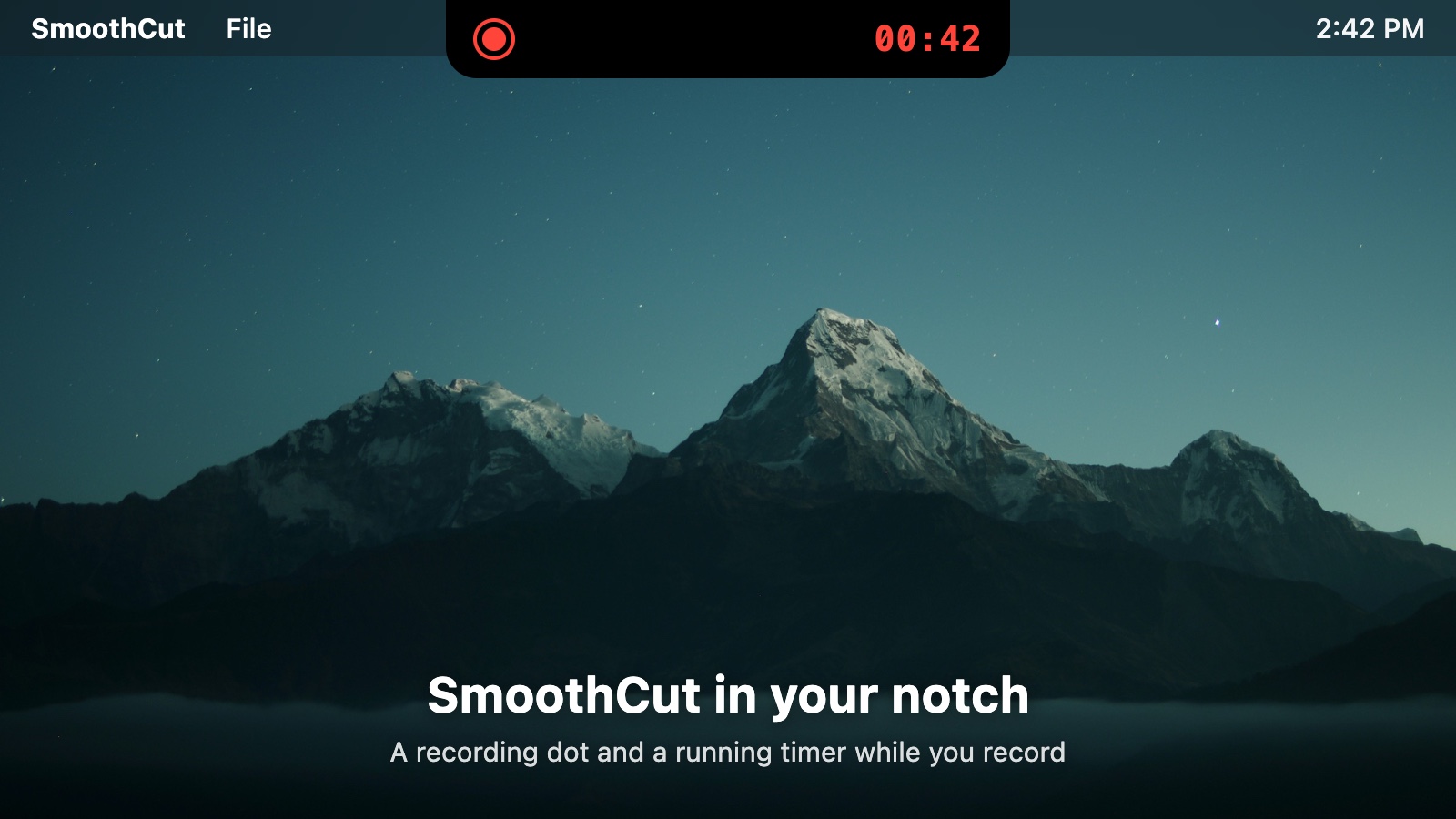
See what SmoothCut is doing without leaving what you're recording: your recording time and export progress live in the notch, and you can pause or stop a recording from there.
What it shows
| When | In the notch | Hover (sneak peek) |
|---|---|---|
| Recording | A red record dot and a running timer | Pause · Recording · Stop |
| Paused | An orange paused badge and the time so far | Resume · Paused · Stop |
| Exporting | A progress ring | Exporting · the percentage |
| Export done | A green tick, for a few seconds | Show in Finder · Export complete |
| Export failed | A red failure badge, for a few seconds | Export failed |
When SmoothCut isn't recording or exporting, nothing is shown.
Install
You need macOS with DynamicLake (Pro or Playground) and SmoothCut 1.18 or later. SmoothCut is free to download and use.
- In SmoothCut, open Settings → AI assistants → Notch and turn on Show SmoothCut in the DynamicLake notch.
- Click Add to DynamicLake. SmoothCut saves the plugin to your Downloads folder and shows it in
Finder. (Or download
SmoothCut-1.0.0.zipfrom Releases and unzip it.) - In DynamicLake, open Settings → Plugins → Install Local and choose
SmoothCut.dynamiclakeplugin.
Start a recording and it appears in the notch. If SmoothCut is closed, or the switch is off, the plugin waits quietly and shows nothing.
Privacy and safety
- It only relays. The plugin can't make SmoothCut do anything except what SmoothCut itself answers to: pause, resume, stop, and reveal the file you just exported.
- Local only. No network access. It talks to DynamicLake and to a socket in SmoothCut's own data folder that only your user account can open.
- Writes nothing. No temporary files, no settings, nothing inside the installed package.
How it works
smoothcut-dynamiclake.pl is a relay and nothing else. DynamicLake starts it with
DYNAMICLAKE_JSON_SOCKET. Once SmoothCut's local socket exists (only while the switch above is on),
the script connects to both, sends SmoothCut a one-line hello carrying
DYNAMICLAKE_PLUGIN_FEATURES, and copies bytes both ways. The framing and the JSON
(create / update / dismiss and action callbacks) come from SmoothCut. When SmoothCut quits,
the script closes its DynamicLake connection, which takes the activity down, and waits for
SmoothCut to come back.
DynamicLake only trusts messages from the process it launched, so the script holds both
connections itself rather than handing them to a helper. It's Perl because every Mac ships
/usr/bin/perl, which can do that with modules that come with macOS; there's no Python or Node
to rely on.
Package it yourself
The plugin package is these five files: plugin.json, smoothcut-dynamiclake.pl, icon.png,
README.md and LICENSE.
mkdir -p dist/SmoothCut.dynamiclakeplugin
cp plugin.json smoothcut-dynamiclake.pl icon.png README.md LICENSE dist/SmoothCut.dynamiclakeplugin/
chmod +x dist/SmoothCut.dynamiclakeplugin/smoothcut-dynamiclake.pl
cd dist && ditto -c -k --keepParent SmoothCut.dynamiclakeplugin SmoothCut-1.0.0.zip
shasum -a 256 SmoothCut-1.0.0.zip
Support
Questions or problems: hello@smoothcut.studio, or open an issue here.
Licence
Copyright (c) 2026 Charanjit Singh. GPL-3.0, see LICENSE: you may study, change and
share this plugin, and anything built from it must be released under the same licence, with this
notice kept.