Your personal AI assistant and coding-agent command center — in the MacBook notch, at the top of your Windows or Linux screen, and on your phone.
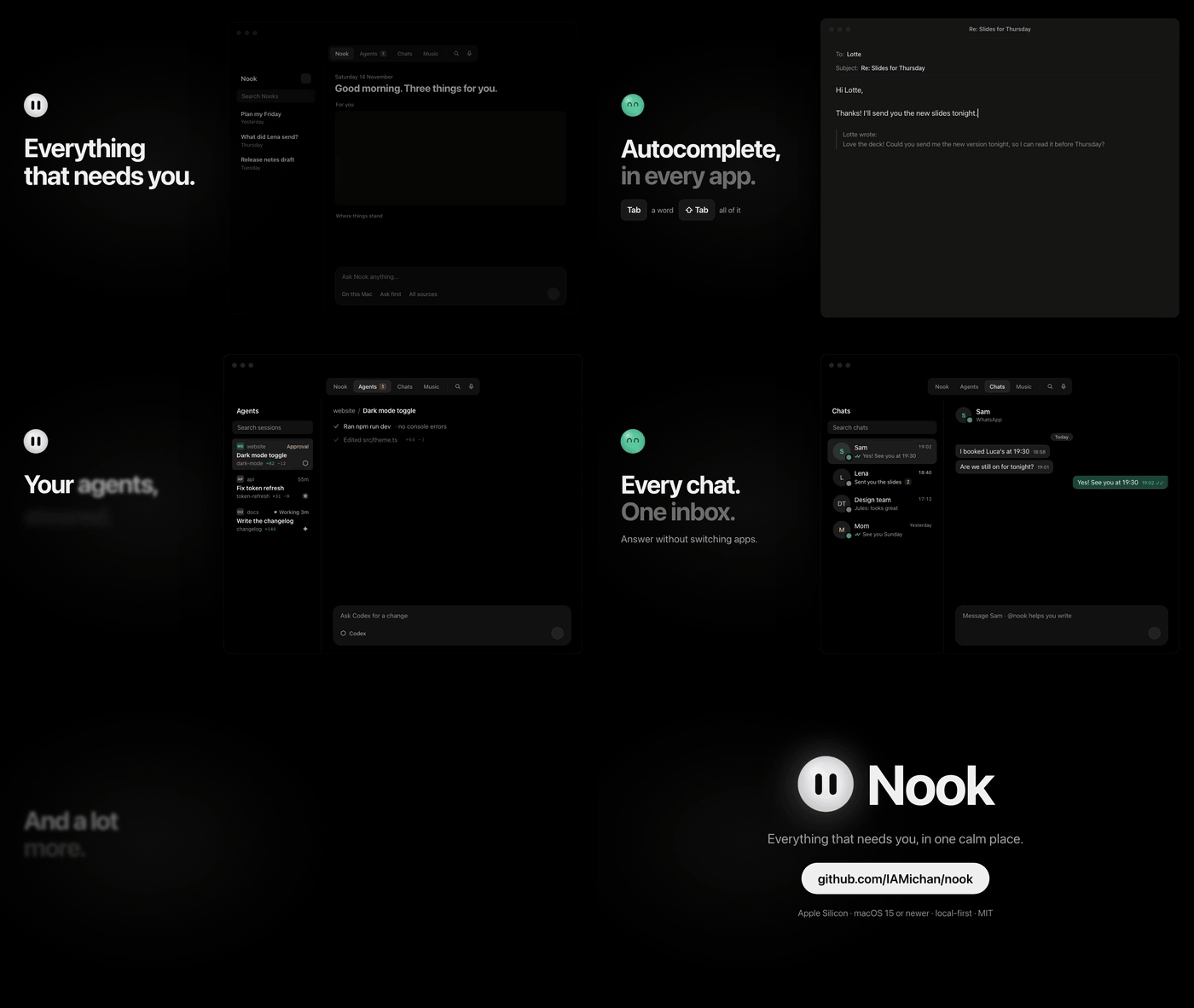
Nook lives quietly in the notch of your Mac, in a bar at the top of your screen on Windows and Linux (or floats anywhere on any display), and comes along on your iPhone and Android phone. It keeps the text of every window up to date locally via on-device OCR, so any question is answered immediately with what you are looking at—combined with your Calendar, Reminders, Mail, browser tabs, local files, and connected services (GitHub, Notion, Linear, Stripe, Vercel, Sentry, Cal.com, n8n, Resend, WhatsApp, custom APIs/webhooks, and MCP servers).
By default, Nook runs 100% locally on your own computer (on a Mac via built-in MLX models, Apple Foundation Models, Ollama, or LM Studio; on Windows and Linux via Ollama or LM Studio) at zero cost per query, or connects to external cloud models when you explicitly choose (Claude, OpenAI, Google Gemini, Grok / xAI, Mistral, Groq, OpenRouter, DeepSeek, Qwen, Moonshot, Claude Code). It also monitors and orchestrates your coding agents (Claude Code, Codex, Cursor, Gemini CLI, Antigravity, Copilot CLI, Muse, OpenCode, Amp, Hermes, or any custom agent), complete with live diffs, inline approvals, isolated Git worktrees, a built-in terminal and browser, system-wide inline autocomplete, push-to-talk dictation, call note-taking, and media controls.
Nothing runs, sends, or modifies files without your explicit approval.
Quick Start · Highlights · Documentation · Contributing · Report a bug · Security
Why Nook?
- Local-first and private. The default brain runs on your own computer. Cloud models are opt-in, per source, and never get data you marked Only on this Mac.
- Always has context. Live on-device OCR plus Calendar, Mail, Reminders, browser tabs, files, and your connected services, so you don't have to paste anything.
- All your chats in one inbox. WhatsApp, Telegram, Instagram, Messenger, Snapchat, Signal, Messages, Slack and more in one list, answered from the notch.
- One place for your coding agents. See what every agent is doing, review diffs, and approve tool calls from the notch instead of hunting through terminals.
- You stay in control. Every side effect goes through an approval card and is written to a local audit log.
- One Nook on every platform. A native macOS app, an iPhone companion, and one Tauri app for Windows, Linux, and Android that follows the Mac app's names and behavior.
- Open source (MIT). Built to be read, hacked on, and translated.
Note
Project Status (
v0.1): Early open-source release. The app compiles and its core test suite passes in CI, but expect rough edges as real-world testing expands.Languages: The interface defaults to English and supports Dutch, German, French, and Spanish (
Settings › General › App language).Platform status: macOS is the primary, most complete app and the specification the other apps follow. The iPhone companion and the Tauri app for Windows, Linux, and Android are in earlier stages; see Platforms.
Monorepo: The macOS app lives in
apps/macosand the iPhone companion app inapps/ios. Nook for Windows, Linux, and Android is a single Tauri app inapps/tauri(Rust core, Svelte UI). Shared protocol and core packages live inpackages/(seedocs/MONOREPO.md).
Table of Contents
- Platforms
- Highlights
- Requirements
- Quick Start
- Local Brain Quality & Evaluation
- Privacy & Security
- Documentation
- Architecture & Repository Layout
- Known Limitations
- Contributing
- Community & Support
- Acknowledgments & License
Platforms
| Platform | App | Where | Status |
|---|---|---|---|
| macOS 15+ | Native app (Swift, SwiftUI/AppKit) in the notch or floating | apps/macos |
Primary, most complete |
| iPhone | Nook Companion: follow and approve your coding agents | apps/ios |
Companion for Nook on Mac, Windows, or Linux |
| Windows | Tauri app: a bar at the top of the screen or floating, tray, global hotkeys | apps/tauri |
Early: compiles in CI, not yet run on a real Windows PC |
| Linux | Tauri app: a bar at the top of the screen or floating, tray, global hotkeys (X11) | apps/tauri |
Early: tested in the app |
| Android | Tauri app: Nooks, chat, settings, and the phone side of the Companion | apps/tauri |
Early: APK built in CI only |
What the Tauri app can do differs per platform:
| Windows | Linux | Android | |
|---|---|---|---|
| Bar at the top of the screen ("notch"), or floating | ✓ | ✓ | — (full screen) |
| Main window with Nooks, chat, and settings | ✓ | ✓ | ✓ |
| Tray and global hotkeys | ✓ | ✓ (X11; no global hotkeys on Wayland) | — |
| Secrets | Credential Manager | Secret Service (GNOME Keyring, KWallet) | Private app folder |
| Brains: Ollama, LM Studio, Claude, OpenAI, Gemini, Grok, Mistral, Groq, OpenRouter, DeepSeek, Qwen, Moonshot | ✓ | ✓ | ✓ (local via a server on your network) |
| Claude Code as a brain, coding agents, terminals, git | ✓ | ✓ | — (approve via the Companion) |
| GitHub, GitLab, calendars (ICS), Cal.com, Notion, Stripe, Vercel, n8n, Resend, MCP, WhatsApp | ✓ | ✓ | ✓ (no stdio MCP) |
| Screen reading, Look Along, Think Along | ✓ (UI Automation, OCR) | ✓ (AT-SPI, tesseract) | — |
| Music | ✓ (Windows media controls) | ✓ (MPRIS) | — |
| Talk and read aloud | ✓ | ✓ (whisper.cpp or a chosen service; espeak-ng) | — |
| "Hey Nook" | ✓ | — | — |
| Flow dictation and Call Notetaker | ✓ | ✓ (X11; system audio via PulseAudio/PipeWire) | — |
| Companion | Server for the iPhone app | Server for the iPhone app | Phone side |
Apple-only features (built-in MLX models, Apple Foundation Models, Apple Calendar, Reminders, Mail, and Notes) stay on the Mac. docs/TAURI.md tracks, part by part, what has been ported from the Mac so far. The Tauri app's interface is Dutch-only for now.
Highlights
The tables below describe the macOS app, which has every feature. See Platforms for what is available on Windows, Linux, Android, and iPhone.
Personal Assistant & Screen Context
| Feature | How It Works |
|---|---|
| Local-First Brain | Runs on your Mac by default (built-in MLX models sized to your Mac's unified memory, Apple Foundation Models, Ollama, or LM Studio). Nothing leaves your computer and queries cost nothing. A model chip next to the input bar shows the active brain and opens a dropdown to switch between models on your Mac and every cloud provider you set up (Claude with native web search, OpenAI, Gemini, Grok, Mistral, Groq, OpenRouter, DeepSeek, Qwen, Moonshot, Claude Code); add a provider's key in Settings › Brain. |
| Chat Anywhere | Press ⌥⌘Space from any app, use the input bar in the Nook tab, or open the full window (⌥⌘W). Supports multi-turn follow-ups, streaming Markdown responses (headings, lists, tables, code), and context-aware starter prompts tailored to your active app, next calendar event, waiting agents, or time of day. |
| Talk to Nook | Press ⌥Space (or click the mic button) for on-device speech recognition, or enable the local "Hey Nook" wake word and spoken answers in Settings › Dictation and voice. |
| Parallel Threads ("Nooks") | Every conversation is an independent Nook working on a single task. Start a new one with ⌘N while previous Nooks keep working in the background. A sidebar shows each Nook's status (working, waiting for approval, or done). If a Nook finishes while you are elsewhere, it notifies you in the notch. History is stored locally in nooks.json. |
| Live Multi-Display Screen Context | Continuously indexes window text across all connected displays using local OCR so answers are ready immediately. Say "schedule an appointment for this" or press ⌥⌘N (Look Along) to extract dates, times, locations, promises, or tasks from the frontmost window. Above each answer, Nook shows which windows and sources it consulted. |
| Images, Screen Regions & Attachments | Drag an image, screenshot, PDF, Word, RTF, or text file onto the chat/notch, or press ⌥⌘4 to select a screen region. Vision-capable brains receive the image directly; all brains receive the locally extracted OCR text. |
| Grounded Sources & Citations | Automatically selects relevant connectors per question. Above the response, you see which sources were searched, returned nothing, or failed; below the response, numbered citations ([1], [2]) open directly in Mail, Finder, or your browser. Restrict sources per query via the source picker or in natural language ("only my calendar and mail", "not my screen"). See docs/ASSISTANT.md. |
| Multi-Step Action Plans | Ask for compound tasks ("create reminders for open items and draft an email to Lisa") and Nook builds a single interactive plan. Inspect parameters, toggle individual steps on or off, or edit text inline before clicking Run. If a step fails midway, Nook shows exactly what succeeded and lets you resume without duplicating completed actions. |
| Inline Charts | Ask for a chart ("chart my meetings per day") and Nook renders native bar, line, area, pie, or scatter charts directly in chat from your calendar, services, or web data—automatically converting code, JSON, Mermaid, or Markdown tables into native charts if a smaller model outputs raw markup. |
| Built-In Memory | Zero setup required. Say "remember that Lisa is my wife" or "always keep answers short"—or "forget…" to remove it. Nook also learns automatically from your corrections, facts you share, preferred calendars/lists, and source usage. Everything stays in nook.sqlite on your Mac and can be inspected or deleted in Settings › Memory (including 1-click import from an MCP memory server). |
| Proactive "Think Along" | Optional (Settings › Assistant). When you focus on something for a while, Nook can quietly suggest help next to the notch ("Shall I add this to your calendar?"). Hover to Run, Dismiss, or Mute for this app. Missed suggestions stay available in Today. |
| Energy-Aware Background Work | Nook reads your screen, thinks along and looks for running agents in the background so answers are ready at once. One central policy (EnergyPolicy) slows that work down on battery and pauses it when the battery runs low, while your Mac is hot, busy, in Low Power Mode, asleep, or while you are away, and trims the GPU and CPU it uses (fewer and smaller window captures, one OCR pass at a time, a 30 fps app mirror, a slower idle animation); anything you ask for always runs at full speed. Pick Automatic, Saver or Full power in Settings › General › Energy, where a status line says what Nook is doing right now and why. |
| Follow-Ups & Open Loops | Suggests one-click next steps below answers ("Add to calendar", "Draft a reply") and tracks promises and open tasks locally in the Nook tab. |
Coding Agents & Workspace
| Feature | How It Works |
|---|---|
| Live Agent Hub in the Notch | Tracks Claude Code, Codex, Cursor, Gemini CLI, Antigravity, Copilot CLI, Muse, OpenCode, Amp, Hermes, and any custom tool using nook_agent (see docs/AGENTS.md). See who is working (with live +/− line diffs), who is waiting, and approve tool calls right from the notch (Allow, Always, Deny, or In Terminal). Answers in the terminal immediately clear the notch card. Even supports Claude Code multiple-choice questions (AskUserQuestion). |
| Full Agent Workspace | Open the Agents tab in the notch or the main window (⌥⌘W). Launch and supervise coding sessions (claude -p with stream-json and codex exec --json). Press ⌘N (New Session) to pick a folder or clone a repo, enter a prompt, choose the agent, account, model, Agent or Plan mode, permissions, and whether to run in-place or in an isolated Git worktree on its own branch. Stop (⌘.), resume, and retry sessions across app restarts. |
| Git, Diffs & Pull Requests | Inspect changed files, diffs, branches, and worktrees alongside each session. Commit, Push, and create Pull Requests (GitHub, GitLab, Gitea, Forgejo, Bitbucket) right from the notch or workspace window—always after your explicit click. Agents › Pull requests opens any GitHub pull request in full (description, checks, a full timeline of reviews, comments, commits and events, and every file's diff) and merges it (merge, squash, or rebase) after you confirm. Tick files as viewed (the mark lapses when a push changes the file), and let Claude Code or Codex write a review guide: the changes in reading order, what to look at closely, and the questions only a maintainer can answer. Commit messages follow the style you pick: Nook's own, Conventional Commits, the repository's, or your own instructions. |
| Built-In Terminal & Browser | Under Workspace, use Nook's integrated terminal (SwiftTerm) and ephemeral browser (WebKit, zero persistent storage). ⌘-click a path in the terminal or a file link in an agent's answer to open it in your editor at that line. Any command Nook proposes (run_command) is gated by CommandRisk, blocks destructive commands, and runs visibly in the terminal. |
| MCP Workspace for Agents | Coding agents can use Nook's terminal, browser, and PR flow through a local MCP server (~/.nook/nook-mcp): start dev servers (terminal_run, terminal_read), inspect pages with DOM text, console errors, and screenshots (browser_open, browser_read, browser_screenshot), and propose pull requests (pull_request_create). See docs/WORKSPACE-AGENTS.md. |
| Multiple Accounts & Quotas | Configure multiple accounts per agent (e.g., Claude Personal and Claude Work with isolated CLAUDE_CONFIG_DIR / CODEX_HOME directories) and per service (e.g., two GitHub accounts). Track live 5-hour and weekly subscription limits (Claude Pro/Max & Codex) plus token and cost breakdowns in Settings › Usage and the Monday Weekly Recap. |
| iPhone & Android Companion | apps/ios contains Nook Companion for iPhone (the Android app in apps/tauri has the same Companion tab): view active sessions needing attention, approve low-risk actions, answer questions, send prompts, or stop agents, and on iPhone also start new sessions, follow a session's conversation, and chat with Nook, over local Wi-Fi with end-to-end ChaCha20-Poly1305 encryption and direct, serverless APNs push notifications. See docs/COMPANION.md. |
Chats: Every Chat in One Inbox
The Chats tab in the notch and the main window shows all your conversations from every chat app in one list, so you can read and answer them without switching apps.
| Feature | Details |
|---|---|
| All Your Chats, One List | WhatsApp (through your linked phone), Telegram, Instagram, Messenger, Signal, Messages, Slack, Teams, Discord, LinkedIn, X, and any other chat app that shows notifications on your Mac. Every chat on a linked WhatsApp phone is listed, also the ones that have not sent anything since linking. |
| Grouped & Searchable | Chats are grouped by Unread, Today, Yesterday, This week, This month, and Earlier (click a group to fold it). Filter by app and search across all chats. From the chat, @chat Anna opens a chat from any app. |
| Full History | Messages, Slack, Telegram, and Teams load right away with their history: Messages from its database on your Mac, Slack with a user token, Telegram by logging in with your number (through Nook's chat helper after scripts/build-chatd.sh once, or TDLib after scripts/build-tdlib.sh), Teams by signing in with a code, and WhatsApp from the WhatsApp app on your Mac. Instagram, Messenger, Signal, LinkedIn, and X go through Nook's own chat helper (scripts/build-chatd.sh). Snapchat is read from Snapchat for Web after you sign in on it inside Nook. Other apps are collected from the notifications they show. |
| Answer in Place | Reply to WhatsApp, Telegram, and every app the chat helper links (Instagram, Messenger, Signal…) right in Nook, with more than text: photos, videos, GIFs, stickers, files (choose them with +, drop them on the chat, or paste them), a recorded voice message, a poll, a location, a contact card, and emoji. Copy an answer into any other app. |
| Read Receipts & Groups | See how far your own messages got (sent, delivered, read) in every chat an app reads directly, and in a group who is in it and who read your message. |
| Nook Helps | Type @nook and what you want in a chat's answer field to let Nook write the message for you to check and send, or ask Nook about your chats from the Nook tab (chat_inbox). |
| Setup | Everything is set up on its own page, Settings › Chats (or the + in the tab): switch each app on or off, add any other source in one line (a website such as linkedin.com/messaging, or a Mac app), and link WhatsApp. Collecting needs Full Disk Access, is off by default (one click in the empty tab turns it on), looks back two weeks at the first start, and stays on your Mac. |
| Moving from Beeper | **Settings › Chats › M |