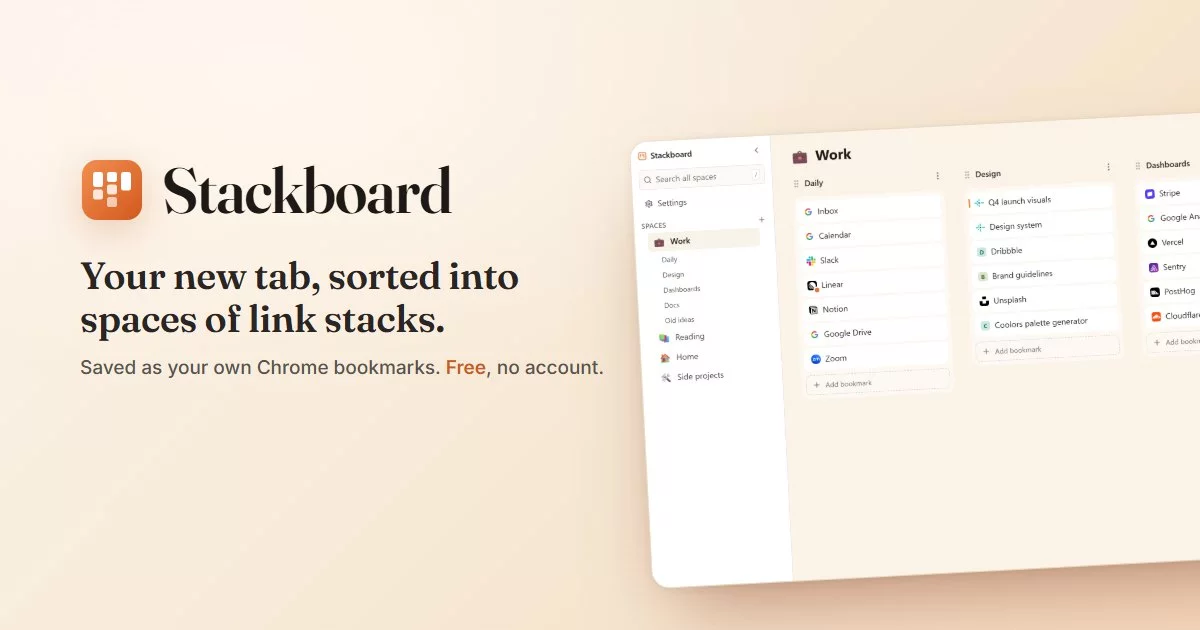
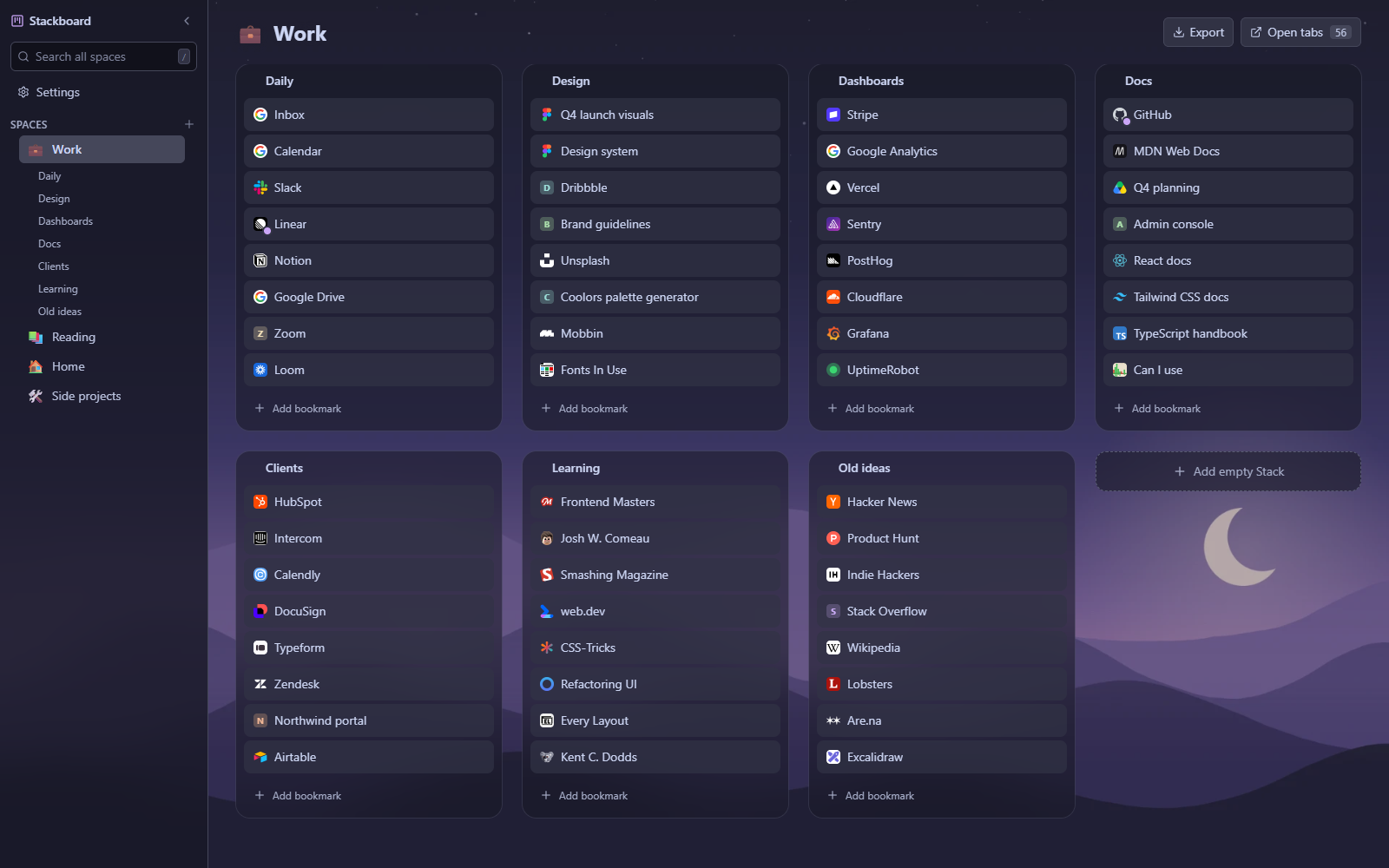
Your Chrome bookmarks as a board on the new tab page. Spaces down the side, stacks of links across, and you can drag anything anywhere.
Get it free on the Chrome Web Store Website and guides: getstackboard.com
What it does
- Themes: Catppuccin (Latte and Mocha), Gruvbox (light and dark), Nord, Tokyo Night (Night and Day), Rosé Pine (main and Dawn), Dracula, and the cream default with a dark version, all in their official colors, plus a true black for OLED screens. Light, dark or follow your system, plus gradients or your own wallpaper with dim and blur. Compact density for big boards, and keys 1 to 9 switch spaces.
- First run: copies your bookmarks bar and its folders into a board, one stack per folder. Your originals stay where they are. No bookmarks yet? Pick a starter pack.
- Drag everything: spaces, stacks and links, within and across stacks.
- Undo every delete with the toast or Ctrl+Z. Chrome has no trash for bookmarks, so this matters.
- Cards are real links: Ctrl+click, middle-click and the right-click menu work the way your browser already does. A dot marks links that are already open, and clicking one jumps to that tab.
- Search every space from the sidebar (press
/). - Stash this window (Alt+Shift+S or the toolbar popup): saves every open tab as a stack, one per tab group, and can close them. Open the stack later and they come back as a tab group.
- Tab bankruptcy (toolbar popup, under Stash this window): stashes every tab in every window, closes them all and gives you a certificate you can save as an image.
- To-do lists: pick To-do list when you add a stack and it sits on the board with your links. Enter adds an item, checked items sink to the bottom, and Clear done tidies up.
- Save selected tabs: Ctrl or Shift+click a few tabs in the tab strip, open the toolbar popup, and one tap on a stack saves them all.
- Nothing fails silently: if a bookmark write fails, a message says what went wrong.
Where your data lives
Everything is plain Chrome bookmarks under Other bookmarks → Stackboard (space folders, then stack folders, then bookmarks). So it syncs through Chrome sync, works offline, and if you uninstall the extension your bookmarks stay put.
Coming from another tool? See Stackboard as a OneTab alternative or as a Toby alternative, and the Catppuccin, Gruvbox and Nord themes.
To-do items are the one exception: they live in Chrome's extension sync storage, so they sync through Chrome with your extension settings, and uninstalling Stackboard deletes them. Each list keeps one bookmark in its stack folder so every device knows which list goes where.
No account, no server, no analytics. A few preferences (last space opened, your theme, whether you've answered the one-time rating ask) stay in local storage on your device, and a wallpaper you pick stays in the browser's local database on that device. Privacy policy
Free bookmark tools
Moving tabs out of another app, or cleaning up the bookmarks you already have? These run in your browser at getstackboard.com/tools, and your files never leave your computer:
- OneTab export to bookmarks: paste OneTab's export and get a bookmarks file, a CSV or a Stackboard backup.
- Bookmarks to CSV or Excel: folder, title, URL and date added for every bookmark.
- Duplicate bookmark finder: find pages you saved twice and download a clean file.
Permissions
| Permission | Why |
|---|---|
bookmarks |
Read and write the Stackboard folder; read your other folders only when you choose to copy them in |
tabs, tabGroups |
The "already open" dot, saving the current tab, stashing a window and reopening it as a group |
storage |
A few local flags (first-run hints), your appearance settings and your to-do items |
favicon |
Site icons from Chrome's own favicon cache |
Build it yourself
npm install
npm run build
Then open chrome://extensions, turn on Developer mode, click Load unpacked and pick the dist folder. npm run dev gives you hot reload while you work.
Tests
-
Unit (pure logic: titles, icons, import and stash planning, the rating rule, and contrast checks for every palette):
npx esbuild tests/unit.test.ts --bundle --platform=node --format=esm --loader:.css=text --outfile=unit.mjs && node unit.mjs -
End to end in a real browser: Chrome for Testing plus puppeteer-core, because branded Chrome ignores
--load-extensionsince Chrome 137. Setup and run instructions are in the header of tests/e2e.mjs.
Stack
Manifest V3, React 18, TypeScript, Vite with the crxjs plugin, Tailwind 4, Zustand and dnd-kit. Built with Claude Code.
Thanks
tokyo51 tracked down why Stackboard froze in Brave (a background tab holding the root-folder lock forever, with failed writes showing nothing) and sent the fix that shipped in 0.5.2.