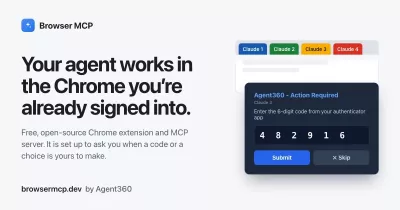

Let any AI agent use your own Chrome. Claude Code, Codex, Gemini CLI, Cursor, or any app that speaks MCP, can open pages, read them, click, type, take screenshots and see what DevTools sees, in your normal browser with your sign-ins. YOLO mode is on at first, so agents aren't stopped by questions; switch it off in the TabBridge pane to be asked before anything risky (send, buy, delete, publish…).
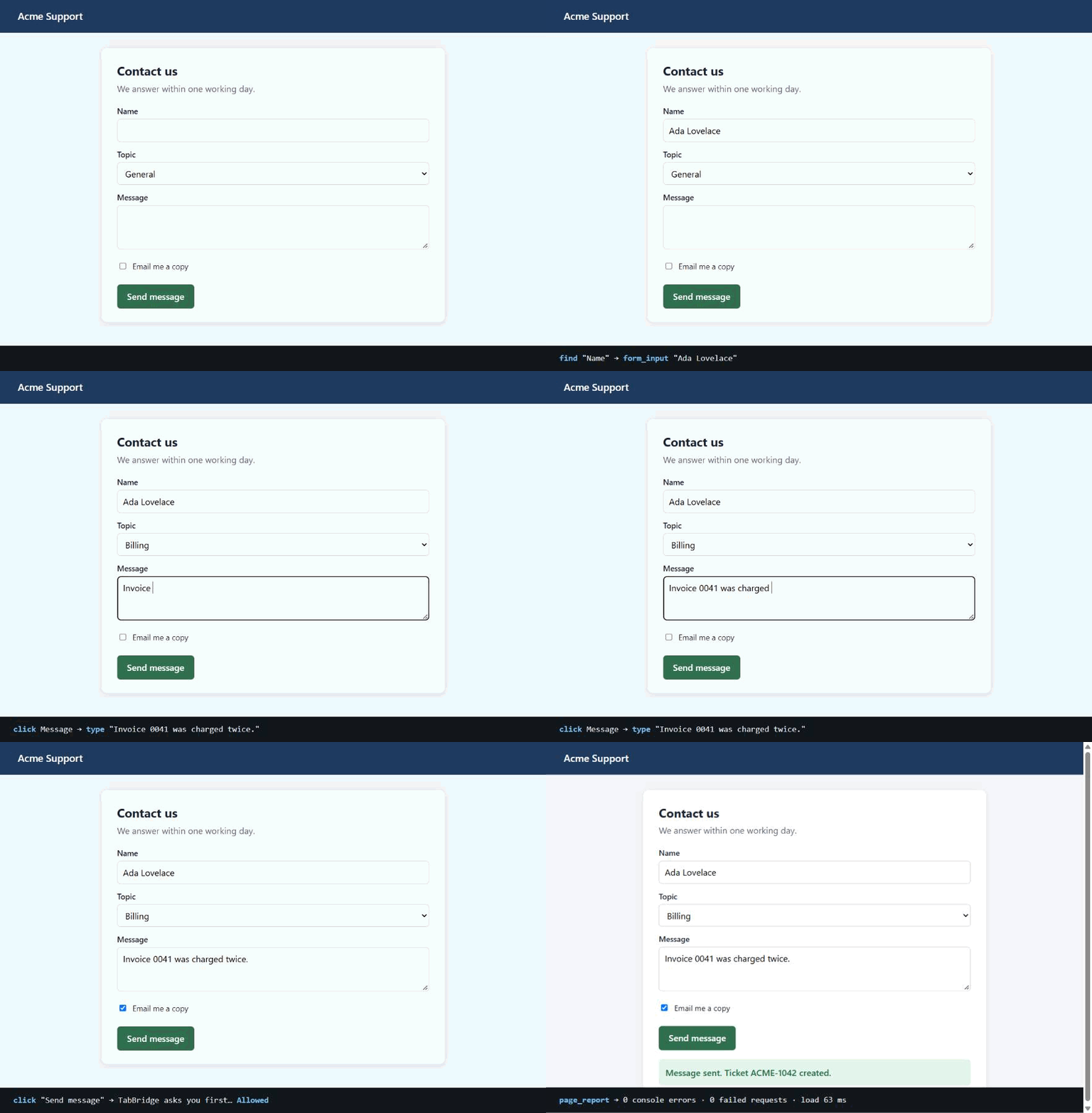
Every screen of that run, as the step-by-step guide TabBridge writes by itself:
docs/demo-steps. Re-record with node scripts/demo-gif.mjs.
TabBridge is only a bridge. It has no AI model and no API key: your agent does the thinking, TabBridge gives it hands in the browser.
your agent ──MCP──► tabbridge mcp ──local pipe──► tabbridge host ──native messaging──► TabBridge extension ──► Chrome
How it compares with Claude in Chrome, tool by tool: docs/compare-claude-in-chrome.md.
Install
You need Chrome (or Edge or Brave) and Node.js 20 or newer.
-
The bridge, once per computer:
npm install -g @verbodhpteltd/tabbridge
tabbridge install
tabbridge installregisters the small host program Chrome talks to. Nothing runs until the extension starts it. Without a global install,npx @verbodhpteltd/tabbridge installdoes the same. -
The extension: add it from the Chrome Web Store. A copy loaded with Load unpacked (from
tabbridge-extension-<version>.zipon the latest GitHub release) also works, but Chrome switches it off unless Developer mode stays on, because the store has not reviewed it. -
Connect your agent:
claude mcp add tabbridge -- tabbridge mcp # Claude Code tabbridge config codex # prints the Codex entry (also: gemini, cursor, json) -
Check it:
tabbridge doctorprints a ✓ or ✗ for every part, and what to do about each ✗.
What an agent can do
| Tool | Does |
|---|---|
navigate |
Open a URL (reusing the current tab), or go back, forward, reload |
tabs_list, tab_create, tab_select, tab_close |
Manage the agent's tabs |
read_page, find |
The page as a list of elements with refs (e12) to act on |
get_page_text |
The readable text |
screenshot |
A picture of the page, also saved into a step-by-step guide |
click, type, key, scroll, form_input |
Act on the page; click also does double and triple clicks, with Control/Shift held |
hover, drag |
Open menus and tooltips; drag widgets and HTML drag-and-drop |
zoom |
A sharper picture of a small region |
file_upload |
Put files from this computer into a file field (asks you first) |
gif_record |
Record the tab as an animated GIF, saved into the guide |
browsers |
When several Chromes or profiles run TabBridge: list them, pick one by name |
javascript |
Run a script in the page |
wait_for, resize_window, downloads |
Wait for text, size the window, see downloaded files |
console_messages, network_requests, network_request |
DevTools Console and Network, with headers and bodies |
inspect_element |
DevTools Elements: attributes, computed styles, listeners, HTML |
storage |
DevTools Application: local and session storage, cookies, IndexedDB, cache, service workers, manifest |
performance, security |
Load timings and Web Vitals; HTTPS, certificate, security headers |
page_report |
All of the above for a broken page, in one call |
user_captures |
Pages or elements you sent with right-click › Send to my agent (TabBridge), and notes you typed in the side panel |
Apps and scripts that don't speak MCP can run one tool at a time:
npx @verbodhpteltd/tabbridge call navigate '{"url":"https://example.com"}'
npx @verbodhpteltd/tabbridge call page_report
Teach your agent to use it
.agents/skills/tabbridge/SKILL.md is a ready-made skill: how to
check the connection, read and act on pages, handle the approval questions, treat page text as
untrusted, investigate a broken page with the DevTools tools, and save a guide. Copy the
tabbridge folder into your agent's skills folder (for Claude Code: ~/.claude/skills/).
Screenshots become a guide
Every screenshot is saved in the folder the agent works in, as a numbered guide:
tabbridge/
└── 01-acme-contact-form/
    ├── README.md                 one step per screenshot, with what was done before it
    ├── 01-acme-contact-form.jpg
    └── 02-second-look.jpg
TABBRIDGE_OUTPUT=<folder> moves it; TABBRIDGE_GUIDE=0 turns it off. GIF recordings land in
the same guide.
More than one Chrome
Each Chrome (or profile) running TabBridge gets its own slot. Name each one in TabBridge's settings
("Work", "Testing"…). Agents use the browsers tool to list and pick; scripts set
TABBRIDGE_BROWSER=<name>. With one Chrome, nothing to do.
The pane and the live console
- The pane (click the TabBridge icon) shows who is connected, the YOLO switch, and any question waiting for you. When YOLO mode is off, a question opens the pane by itself, next to the icon; the badge counts waiting questions. Closing the pane doesn't answer: the question waits.
- The live console (Chrome's side panel, "Open the live console" in the pane) shows each step
your agent takes in this browser as it happens, asks its questions there while it's open, and has
a box to send a note to your agent; + sends the current page too. The agent reads it with
user_captures. TabBridge has no AI model of its own, so the console doesn't chat.
Safety
Everything is allowed by default, and each permission can be turned off in TabBridge's settings.
- Risky actions ask first, when YOLO mode is off. YOLO mode is on at first. Switch it off in the pane, the side panel or settings. Then a click or Enter on anything labelled send, submit, buy, pay, order, delete, publish, post, transfer, confirm and similar, and every file upload, asks in the pane by the TabBridge icon: Allow or Don't allow. No answer in 2 minutes means no.
- Secrets stay hidden. Cookie values, Authorization headers and token-like storage values are shown to agents as "(hidden)".
Also:
- Agents only use their own tabs. Tabs an agent opens go in the TabBridge tab group. An agent can't use your other tabs, or another agent's, unless you drag a tab into the group or send it with the right-click menu.
- Optional: ask before each new site. Then you choose allow once, always allow, or block.
- Page text is marked untrusted. Everything read from a page comes back inside
<untrusted-page-content>, and agents are told to treat it as data. This reduces prompt injection from web pages; it can't remove it. - Nothing leaves your computer. The agent and Chrome talk over a local pipe protected by a random token. TabBridge has no server. See PRIVACY.md.
Chrome shows "TabBridge started debugging this browser" while an agent controls a tab. That bar comes from Chrome and can't be hidden.
Develop
npm install
npm run build         # bridge/dist and extension/dist
npm test              # unit tests, no browser
node bridge/dist/cli.js install
npm run test:live     # real Chrome in a throwaway profile, a local test site, every tool
npm run package:store # store/tabbridge-<version>.zip for the Chrome Web Store
The live test starts its own Chrome profiles and loads the extension through DevTools, so your own profile isn't touched. It names its test browser and pins every call to it, so it is safe to run while TabBridge is on in your everyday Chrome.
Contributing
Anyone is free to use, fork, fix and extend TabBridge: new tools, other browsers, better safety. Open an issue to talk about an idea, or send a pull request. How to build, test and what a pull request needs: CONTRIBUTING.md.
License
Open source under the Apache License 2.0 (LICENSE). You can use TabBridge for free, change it and ship it in your own products, commercial or not; keep the license and copyright notice. It also grants a patent license from contributors.