
Website: hey-tattle.com
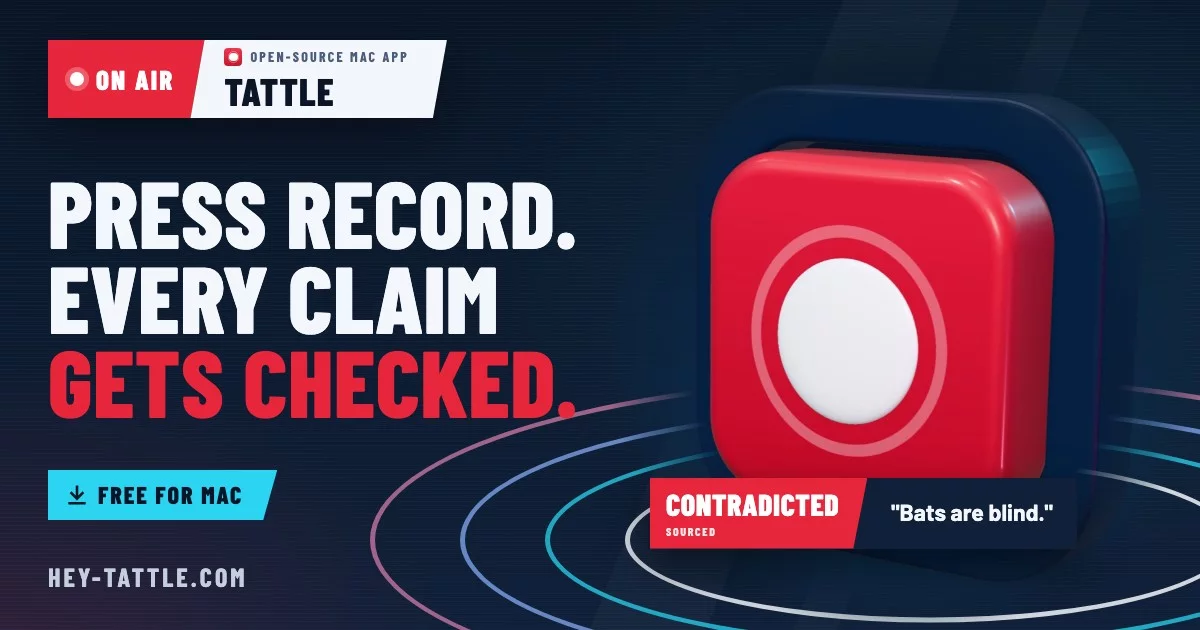
An open-source Mac app that transcribes live conversations (your microphone and the call your Mac plays), maps them on a timeline, and fact-checks claims as they're said. On macOS 26 or later it transcribes on the Mac itself, for free, and a transcript-only show sends nothing anywhere.
Download for Mac · Apple Silicon, macOS 14.2 or later · signed and notarized by Apple · updates itself · free and open source (BSD 3-Clause)
It was built for a podcast recorded over Riverside: the host's microphone plus the Mac's system audio, transcribed live, labelled on a timeline with Jev, and fact-checked with a System 1 / System 2 loop. It exists to demonstrate, live on air, that software should call a decision model like Jev for bounded judgments, with a slower LLM as System 2 that improves it. Start with the Mission, then Architecture, Jev, and System 1 and System 2.
Table of Contents
- Install
- Privacy: what leaves your Mac
- Responsible use
- Develop
- Scripts
- Using it
- Documentation
- Design decisions
- Built with Claude Code
- Website
- Releasing
- Security
- License
- Versioning
Install
For anyone, no terminal needed. It needs a Mac with Apple Silicon and macOS 14.2 or later.
- macOS 26 or later: no API account. Transcription runs on the Mac with Apple Speech, free.
- macOS 14.2 to 25: an OpenAI account with prepaid credit, for transcription (the app walks through it).
- Optional, any macOS: an OpenRouter account, for fact-checking, labels, and Chat. The app asks for its key when you first turn one of them on.
- Download
Tattle-<version>-arm64.dmgfrom the project's latest GitHub Release. - Open it and drag Tattle into Applications.
- Open it from Applications. macOS asks once whether to open an app downloaded from the internet.
- On macOS 26 or later, the app opens straight away and prepares on-device speech recognition in the background. On older macOS, paste an OpenAI API key: the app explains how to get it (create the account, add prepaid credit, create the key) and checks it before saving it.
- Click Allow when macOS asks for Microphone and System Audio Recording. The app asks for both on its first launch, so they never interrupt a show.
Coming from Conversation Assistant? It is the same app, renamed, and it updates itself to Tattle: after Restart Now, open Tattle from Applications (that one update does not reopen the app by itself). Your keys and recordings carry over. If you install the DMG instead, delete Conversation Assistant.app.
It updates itself from GitHub Releases, never during a show. Recordings are kept in ~/Library/Application Support/Tattle/sessions (File → Show Recordings in Finder), next to the saved keys. See The Mac app.
Privacy: what leaves your Mac
Tattle has no server of its own and collects nothing: no account, no analytics, no telemetry. What leaves your Mac, and where it goes:
| What | Sent to | When |
|---|---|---|
| The conversation's audio, in short clips and a live stream | OpenAI, with your key, for transcription, only with the OpenAI engine (Settings → Transcription). With Apple Speech, the default on macOS 26+, audio is transcribed on the Mac and never leaves it | During a session (never while paused), and again for a replay |
| Transcript lines and the conversation so far | OpenRouter, with your key, for Jev (labels, fact-check flags) and GPT-6 Luna (fact-check research, audits) | During a session with those features on |
| Your chat questions with the transcript | OpenRouter, with your key, to the model you pick | When you ask |
| The first 10 minutes of a recording's transcript | OpenRouter, with your key, for Jev | When you Try on a recording a label set |
| Your description of the show and the draft label set | OpenRouter, with your key, for GPT-6 Luna | When you use Create with AI (Labels) |
| A check for a new version | GitHub | At launch and every 4 hours, never during a show |
| A 32-byte fingerprint (SHA-256) of a recording's seal, and of an exported transcript; never its words or audio | DigiCert, GlobalSign, and FreeTSA, which sign the time they saw it, only with trusted timestamps on (Export → Transcript only; off by default) | When a recording ends, and when its transcript is exported |
OpenRouter calls ask providers not to keep or train on the data (data_collection: "deny"); what OpenAI and OpenRouter do with it is governed by your agreements with them. Recordings, transcripts, and keys stay on your Mac (~/Library/Application Support/Tattle/), and nothing reaches the project's authors. An exported recording goes wherever you send it.
Responsible use
Tattle records and transcribes everyone on a call, including the people you are talking to. Many places require the consent of everyone recorded, and some require it to be explicit: tell the people on the call, and get their consent, before you record. You are responsible for how you use the app and its recordings. The fact-checker's verdicts are produced by AI models and can be wrong; treat them as leads to check, not as facts.
Develop
Requires Node 24, macOS on Apple Silicon, and the Xcode command-line tools (for the Swift helpers; tattle-transcribe needs the macOS 26 SDK).
npm install
npm run models                           # Silero VAD + WeSpeaker speaker-embedding models into models/
npm run fixtures                         # a scripted ~78 s test conversation into fixtures/conversation/
npm run build:capture                    # the tattle-capture Swift helper
npm run build:transcribe                 # the tattle-transcribe Swift helper (on-device transcription, macOS 26+)
npm run serve                            # then open http://127.0.0.1:4317
npm run app                              # or: the same, in the Mac app's window
On macOS 26+ with tattle-transcribe built, the page asks for no key: it transcribes with Apple Speech. Otherwise the first page asks for an OpenAI key and walks through getting it: create the account, add prepaid credit, create the key, paste it. The OpenRouter key is asked for when fact-checking, labels, or Chat first need it. Each key is checked before it is saved. Keys are saved in ~/Library/Application Support/Tattle/credentials.json, readable only by your macOS user and outside the project folder, and shared with the Mac app; the cog menu's API keys (in the Mac app also Tattle → Settings…, ⌘,) replaces them later. Developers can set OPENAI_API_KEY and OPENROUTER_API_KEY in .env (see .env.example) instead, which wins over the saved file. See Setup and API keys.
Scripts
| Script | Does |
|---|---|
npm test / npm run typecheck |
Offline tests (no network) and type checks |
npm run test:coverage |
The same tests with coverage; fails below the thresholds in vitest.config.ts (see Testing) |
npm run test:e2e |
End-to-end tests of the web page and the Mac app with Playwright (offline) |
npm run test:swift |
The capture helper's Swift tests, with a coverage gate on its clock |
npm run test:all |
Everything: type checks, coverage, the Swift tests, and the end-to-end tests |
npm run models |
Downloads the local models |
npm run fixtures |
Builds fixtures/conversation/{host,remote}.wav and script.json with macOS say |
npm run smoke |
Live checks of transcription, Jev, and System 2 (measured at about $0.05); streaming text is not checked |
npm run replay -- --host <wav> --remote <wav> --speed max|1 [--engine apple|openai] [--no-factcheck] [--no-labels] [--export <file>] |
Runs WAV files through the pipeline into sessions/<id>/ (the saved engine unless --engine; free with --engine apple --no-factcheck --no-labels) |
npm run serve [-- --replay <dir> --speed 1|max] |
The web page and HTTP + SSE API on http://127.0.0.1:4317 |
npm run app |
The Mac app from the project folder, in development (see The Mac app) |
npm run dist:mac |
Builds the Mac app into out/: the DMG, and the files updates download (signed with the Developer ID in the keychain, else ad hoc for this Mac only) |
npm run build:capture |
Builds the tattle-capture Swift helper (microphone + system audio) |
npm run capture:test |
Checks the helper and the macOS permissions on this Mac (interactive) |
npm run build:transcribe |
Builds the tattle-transcribe Swift helper (on-device transcription with Apple Speech, macOS 26+) |
npm run transcribe:test |
Checks it on this Mac: availability, live text, a clip, and word times (needs npm run fixtures) |
npm run build:web |
Compiles the web page (npm run serve and npm run app do it first) |
npm run build:desktop |
Bundles the Mac app's main process and the engine into dist/desktop/main.mjs |
npm run preflight |
Pre-show checks (see docs/rehearsal.md) |
npm run calibrate:boundary -- <labelled.jsonl> |
Precision / recall / F1 of the boundary threshold (offline) |
npm run calibrate:speakers -- --host <wav> --remote <wav> |
Speaker count per similarity threshold |
macOS asks once for Microphone and once for System Audio Recording. With npm run serve or npm run app, both are granted to the terminal app that starts it; the packaged Mac app gets its own (System Settings → Privacy & Security). A denied permission delivers silence, which capture:test and preflight detect.
Using it
Open Tattle (or, developing, npm run serve and http://127.0.0.1:4317) and press Start live (earbuds in), which first asks for the microphone, how many people are on the call, whether to fact-check, which label set the timeline uses (or Off), and tonight's stories. With both off it is a plain recording with a transcript, and Jev is never called: free with Apple Speech (Settings → Transcription → On this Mac, the default on macOS 26+), about $1.23 an hour with OpenAI. The switches start off until an OpenRouter key is set; turning one on asks for it. The window shows both stream meters, a transcript that streams as people speak, the timeline, fact-check cards, and the verdict tally; the header's Chat button (or ⌘K) opens a large chat window that answers questions about the transcript with any of 14 OpenRouter models (GPT-6 Luna by default), live on air or on a recording; the cog at the top right opens Recordings, Insights (the show's stats, how the fact-checker did, and the error log), Speakers, Labels (your label sets: what the timeline asks Jev about each stretch of the show, up to 2 categories, 2 scores, and 8 markers; clone the built-in one, edit, share as a .tattle-labels file, import, try a draft on a recording, or let GPT-6 Luna draft one with Create with AI), and Transcription (Apple Speech on this Mac, or OpenAI). Every session is saved as a folder (both audio streams included: in the app's Application Support folder, or sessions/ in development); Recordings lists, names, searches, opens, and deletes them; Export saves the recording on screen as one .tattle file (about 30 MB an hour, into Downloads) to send over WhatsApp or email, or as a signed transcript (.txt, with times, speakers, and the recording's seal, which proves its files unchanged since it ended and, with trusted timestamps, when they existed: see Recordings), and Import (or dropping the file on the window) adds one someone shared; and an opened recording can be played back from the timeline at up to 4×. Each recording has its own URL (/recordings/<id>, with ?t= for the playback position), so a reload, or a bookmark in a browser, lands on the same view. Choose how many people are on the call next to the microphone; the Speakers window can suggest merges for duplicate speakers.
Expect about $1.60 per hour of show with OpenAI transcription: roughly $1.00 streaming text, $0.23 final transcripts, $0.04 Jev, and up to $0.35 fact-checking. With Apple Speech the transcript is free, so a show costs up to about $0.40, or nothing with fact-checking and labels off. The app sets no spending limit of its own: the header shows what a session spends as it goes, and the credit limit you give your OpenRouter key (the setup screen suggests one) is what stops it. Chat is extra, pay-as-you-ask (a question about a two-hour episode is about $0.004 on GPT-6 Luna, more on larger models). OpenRouter calls send provider: { data_collection: "deny" }.
Documentation
- Architecture — The end-to-end architecture — native capture and the on-device transcription helper, the Node engine's pipeline from audio to utterances, transcripts, segments, labels, and fact-checks, the event bus and HTTP/SSE API, the web front end, storage, and budgets.
- Chat — The chat window — questions about the transcript of the session on screen, live or recorded, to any curated OpenRouter model — how a live chat keeps up with the transcript, storage, cost, the API, and the page.
- The Mac app — The Mac app — Electron running the engine in-process with no server port, the window on the app:// scheme, the menu bar (Settings, Check for Updates, Licenses and Acknowledgements) and its bridge to the page, where the app keeps its files, macOS permissions, quitting and updating around a show, and how the app is built, signed, notarized, and published.
- Gotchas — Verified traps in this project — macOS capture permissions, Apple Speech (SpeechAnalyzer) on-device transcription, sherpa-onnx, OpenAI and OpenRouter behaviour, the Electron Mac app, the website on Cloudflare, Jev question wording, testing (fake timers, real user data, happy-dom, end-to-end isolation), and test-fixture voices — each with its fix.
- Jev — What Jev is, how its Decisions API works (question types, answers, confidence, limits, price), and every place this project asks it a question — per utterance, per segment, in the replay gate — with the client's retry and budget rules.
- Mission — Why Tattle exists — a live, on-air demonstration that software should call a decision model like Jev for bounded judgments, with a slower LLM as System 2 — and the principles and non-goals that follow from it.
- Recordings — Where every session is stored, what each file holds, and how the recordings library lists, names, searches, reopens, plays back, replays, exports, imports, and deletes past sessions — plus the seal that proves a recording unchanged (signature and trusted timestamps) and the signed transcript export.
- Rehearsal kit — The pre-show checklist, the planted lines to say on air, how to keep a fallback recording, and how to calibrate thresholds on an old episode.
- Setup and API keys — The two API keys (OpenAI and OpenRouter), both optional — which one the transcription engine requires, the first-run setup screen (OpenAI only, on Macs that transcribe with OpenAI), the prompts that ask for the OpenRouter key when fact-checking, labels, or Chat need it, where keys are stored on the Mac, how each key is checked before it is saved, the setup routes and their gate, and how the command-line tools find the keys.
- Speakers — How each utterance gets a speaker from local voice embeddings, voices tied to a stream with a per-stream limit, the 0.65 threshold, merge suggestions with confidence, and how to rename, merge, and calibrate.
- System 1 and System 2 — The fact-checker's System 1 / System 2 architecture — Jev flags claims on every utterance, GPT-6 Luna researches them and audits for misses, and verdicts drive memory questions and gated rewrites that improve System 1 — with every rule, threshold, prompt, and schema.
- Testing — How Tattle is tested, test-first — the TDD loop, the test layers and where each test goes, the commands, the shared fakes, DOM tests under happy-dom, the coverage thresholds and their exclusions, and the rules every test follows (offline, no real user data, no spend).
- Transcription — How speech becomes text, with two engines — Apple Speech on this Mac (the default on macOS 26+, free, nothing leaves the Mac), with one clip per utterance and live text from stream analyzers, or OpenAI's gpt-transcribe and gpt-live-transcribe — how the engine is chosen and saved, the tattle-transcribe helper, costs, and configuration.
- Website — Tattle's website, hey-tattle.com — what the landing page and the /docs manual contain, their search and link-preview metadata (Open Graph image, icons, robots.txt, sitemap, JSON-LD), how it is hosted on Cloudflare as a static Worker, how pushes to master redeploy it, the domain and redirect, the security headers, and how to preview, deploy, and change it safely.
Design decisions
The Mac app — decided 27 September 2026. For people who never open a terminal, the project ships as a Mac app: a DMG downloaded from GitHub Releases, signed with a Developer ID and notarized, which updates itself. It is Electron, with the engine running in Electron's main process and the window loading the same web page from a private app:// scheme, answered in-process: no server and no port (see The Mac app).
Why:
- A server on a fixed port can find the port taken (4317 is also OpenTelemetry's default), and any program or website on the Mac can reach it. In-process there is nothing to collide with or reach.
- The engine is written for Node, and Electron is the only shell where it runs in-process unchanged. A Swift or Tauri shell would keep Node as a separate process behind a bridge; a Swift rewrite of the engine (about 7,900 lines) was not worth it.
- Chromium is the browser the page was built and tested in. A system web view (WebKit) would have needed a compatibility pass on the page's dialogs, popovers, and downloads.
- A real app gets macOS's Microphone and System Audio Recording permissions under its own name, instead of the terminal's.
- Not th