

teip
Tape labels for everything with a drawer.
Design a label for a bin, box or drawer in your browser and print it on a Brother TZe label printer.
Important
teip only works with Brother P-touch label printers that take TZe tape (the PT-… models, e.g. PT-E560BT, PT-P710BT, PT-P910BT). It talks to the printer directly in Brother's own raster protocol, so it does not work with:
- Brother QL printers (paper/DK rolls), or any other Brother printer that isn't a TZe tape printer
- Dymo, Zebra, Niimbot, Phomemo, Epson LabelWorks or other brands
- ordinary office/home printers (inkjet, laser), or printing a PDF of the labels
No Brother TZe printer? You can still design labels in the browser, but there is nothing to print them on. The full list is in which printers.
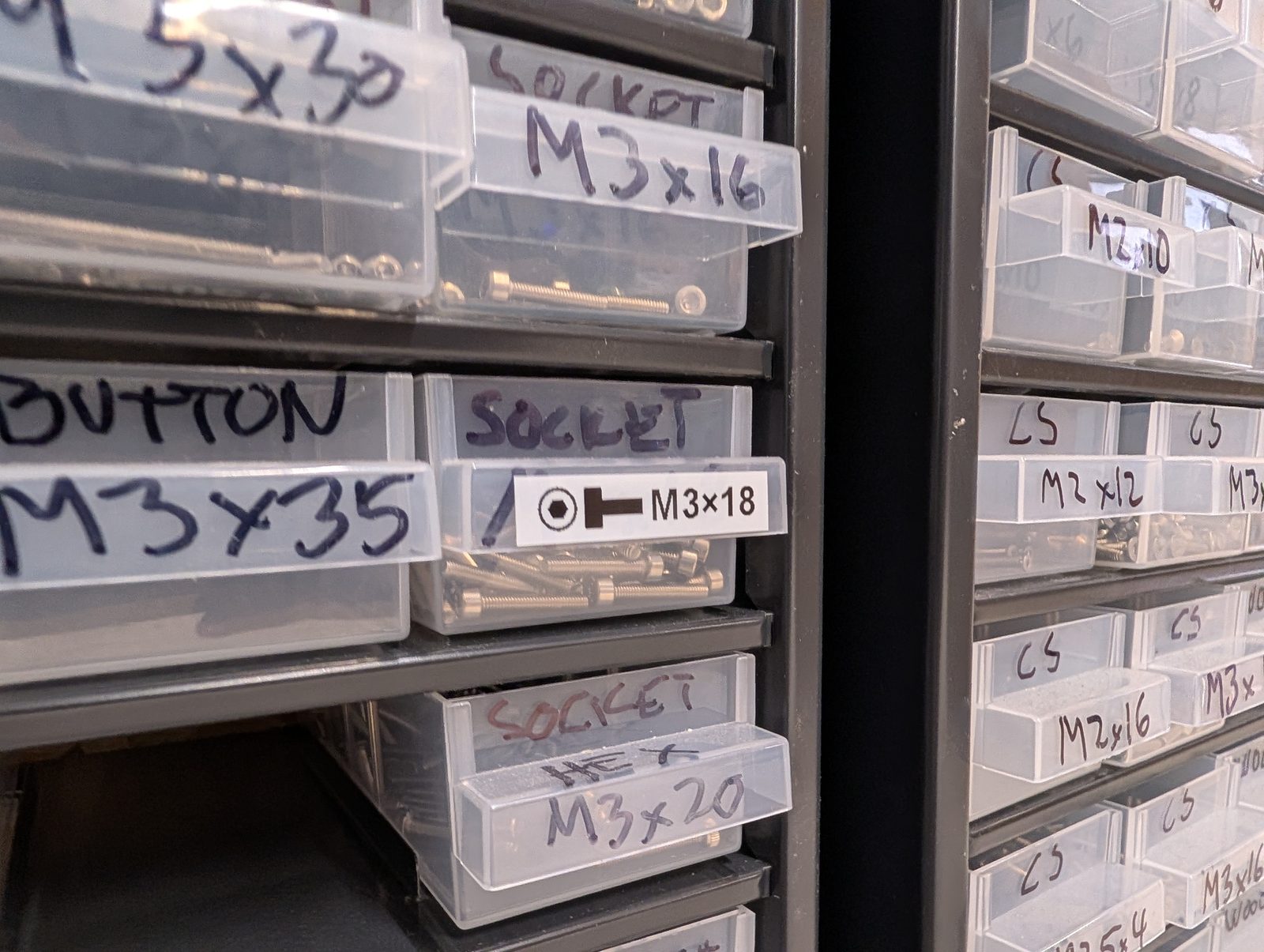
Before and after: Sharpie on the drawers around it, teip in the middle.
What it is
A small web app for labelling bins, assortment boxes, drawers and shelves. Pick what's inside, type the size, and print:
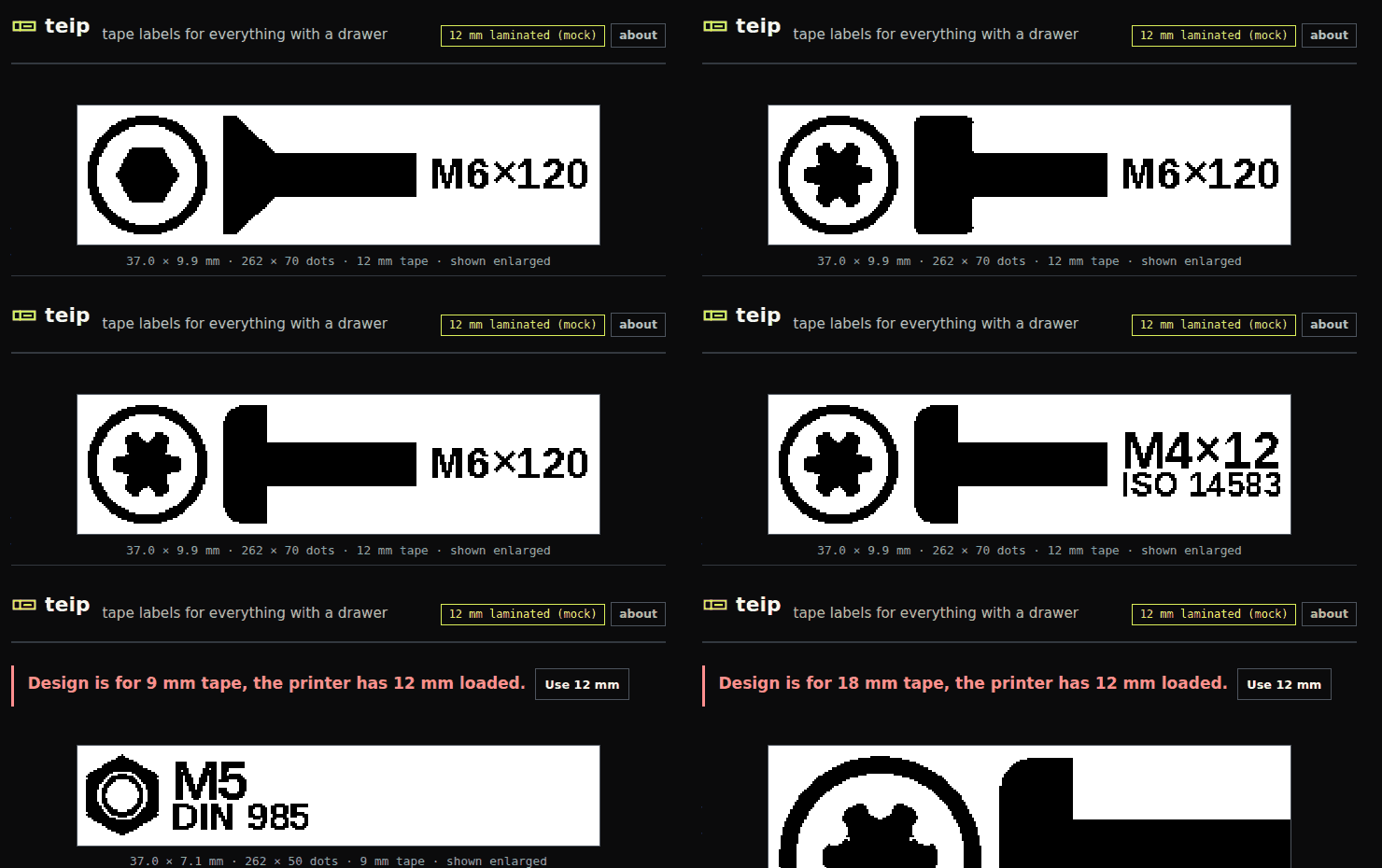
- Labels you can read at a glance. Screw drive and head, nuts, washers, rivets, inserts, T-nuts and brackets for aluminium profile, or your own icons, next to one or two lines of text.
- A whole drawer at once. Queue labels and print one strip with half cuts between them, so they peel off one by one and you waste tape once, not once per label.
- Sized for the box. Fit to the text, a length in mm, or Gridfinity grid units.
- Runs where you want. Straight from Chrome or Edge with the printer plugged into your computer, or on a Raspberry Pi next to the printer so any phone on the network can print.

Warning
Early days, and mostly untested. teip has printed real labels on one printer, a PT-E560BT over USB, both through the teip server and straight from Chrome. Other printers, Bluetooth and the Raspberry Pi installer are written but not yet tried on hardware. See which printers.
Get started
- Try it in the browser: open petrepa.com/teip in Chrome or Edge, plug in the printer (USB or Bluetooth) and press Connect. Nothing to install; design works in any browser, printing needs Chrome or Edge.
- Raspberry Pi:
git clone https://github.com/petrepa/teip && cd teip && ./deploy/linux/install.sh --hostname teip, then open http://teip.local/ - Windows, or more detail: docs/install.md
More: using teip · printers · protocol and HTTP API
Contributing
Contributions are very welcome. Tried teip on your printer? A printer report helps most, working or not. New icons, standards, bug reports and pull requests are all welcome too; see CONTRIBUTING.md.
Credits
- The layout and workflow follow the ModuBOX label generator, teip's main inspiration.
- Icons by Joe Jankowiak (CC BY 4.0) via halagen (MIT); see icons/ATTRIBUTION.md. Printer protocol from Brother's raster references and ptouch-print.
- teip is Norwegian for tape: "strimmel eller band med lim på", a strip or band with glue on it.
teip is not affiliated with Brother. P-touch and TZe are Brother's trademarks. MIT licensed; the icons and the bundled font keep their own licenses.