
Waka Personal
Your own WakaTime backend and coding dashboard, on your own server.
Keep the WakaTime plugins you already use, but send every heartbeat to a database you control. No subscription, no third-party account, no data leaving your machine.
Website · Quick start · Self-hosting guide · ภาษาไทย
⭐ If this saves you a WakaTime subscription, star the repo — it helps other developers find it.
Why
- Own your coding history. Every heartbeat lands in your PostgreSQL database, not someone else's.
- Zero client changes. Any WakaTime plugin works; change
api_urland keep coding. - Self-hosting is one command. Two settings in
.env, thendocker compose up -d. - Keep WakaTime too if you like.
wakatime-clican send to Waka Personal and wakatime.com at the same time.
Features
| Feature | What you get | |
|---|---|---|
| 🔌 | WakaTime-compatible API | Heartbeats, bulk ingest, durations, summaries, stats, status bar and file experts. |
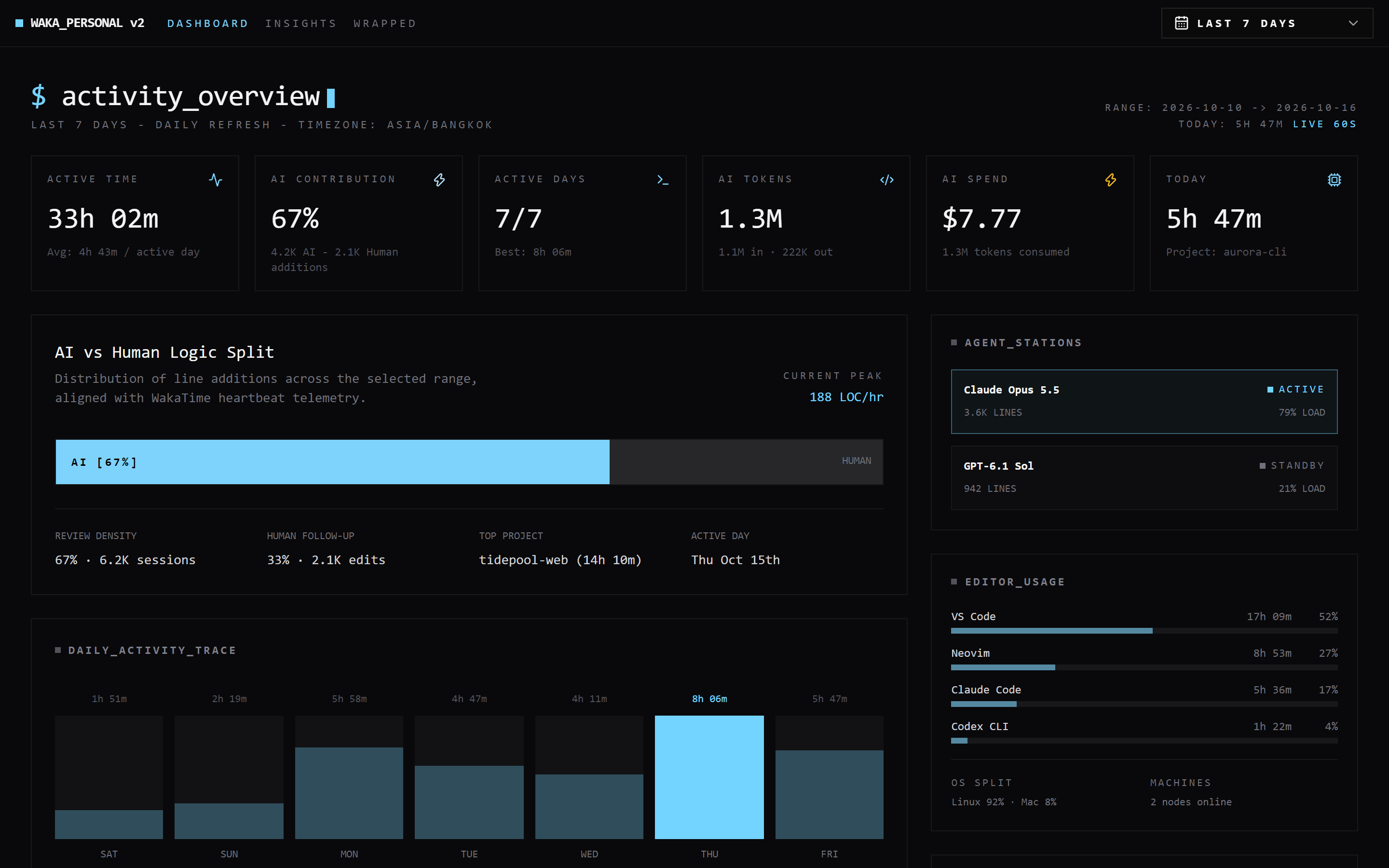
| 📊 | Built-in dashboard | Daily totals, languages, projects, editors and a live view that refreshes every 60 seconds. |
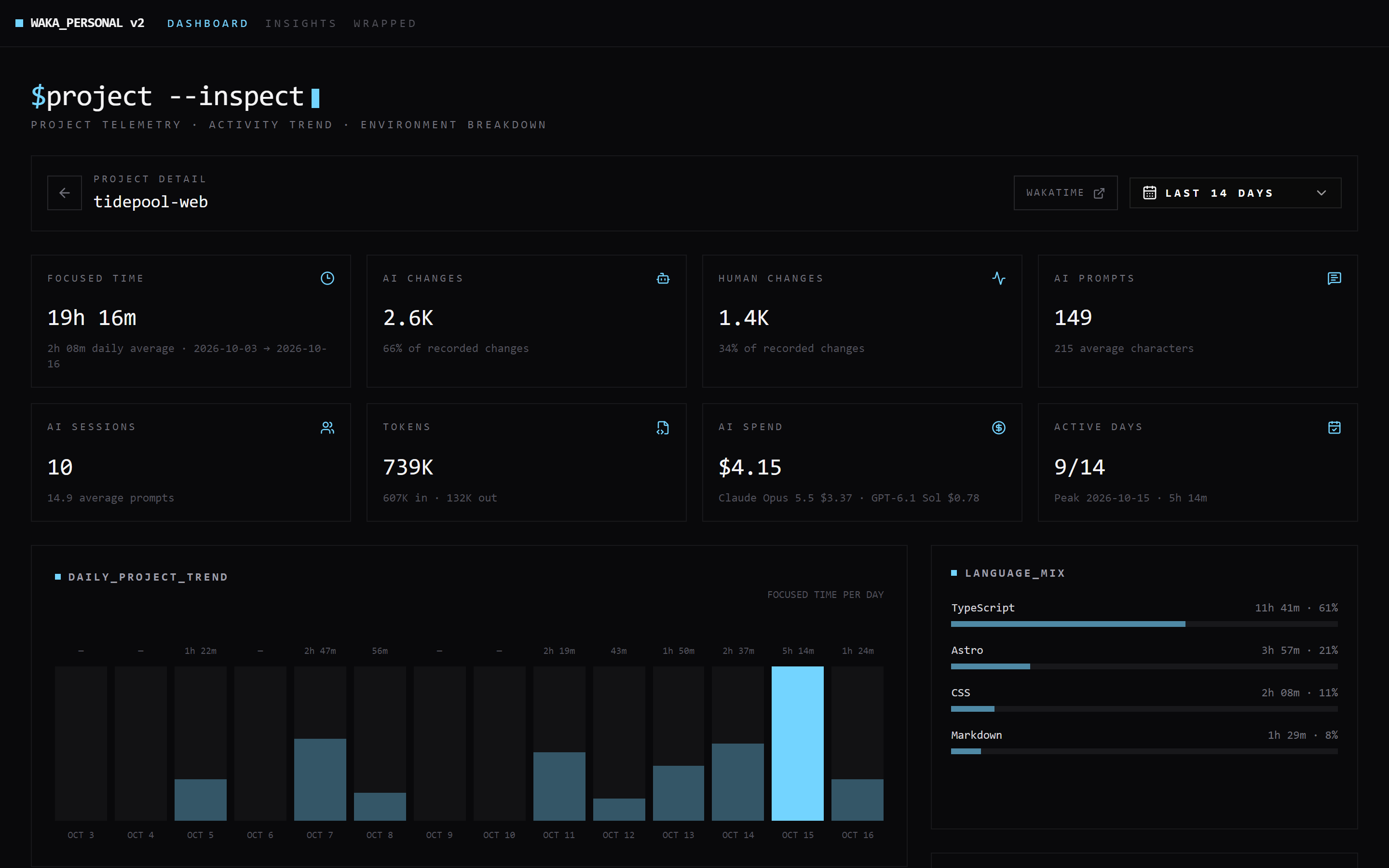
| 📁 | Project detail | Drill into one project: files, branches, languages and time per day. |
| 💡 | Insights | Active days, daily focus, AI leverage and spend for the last week. |
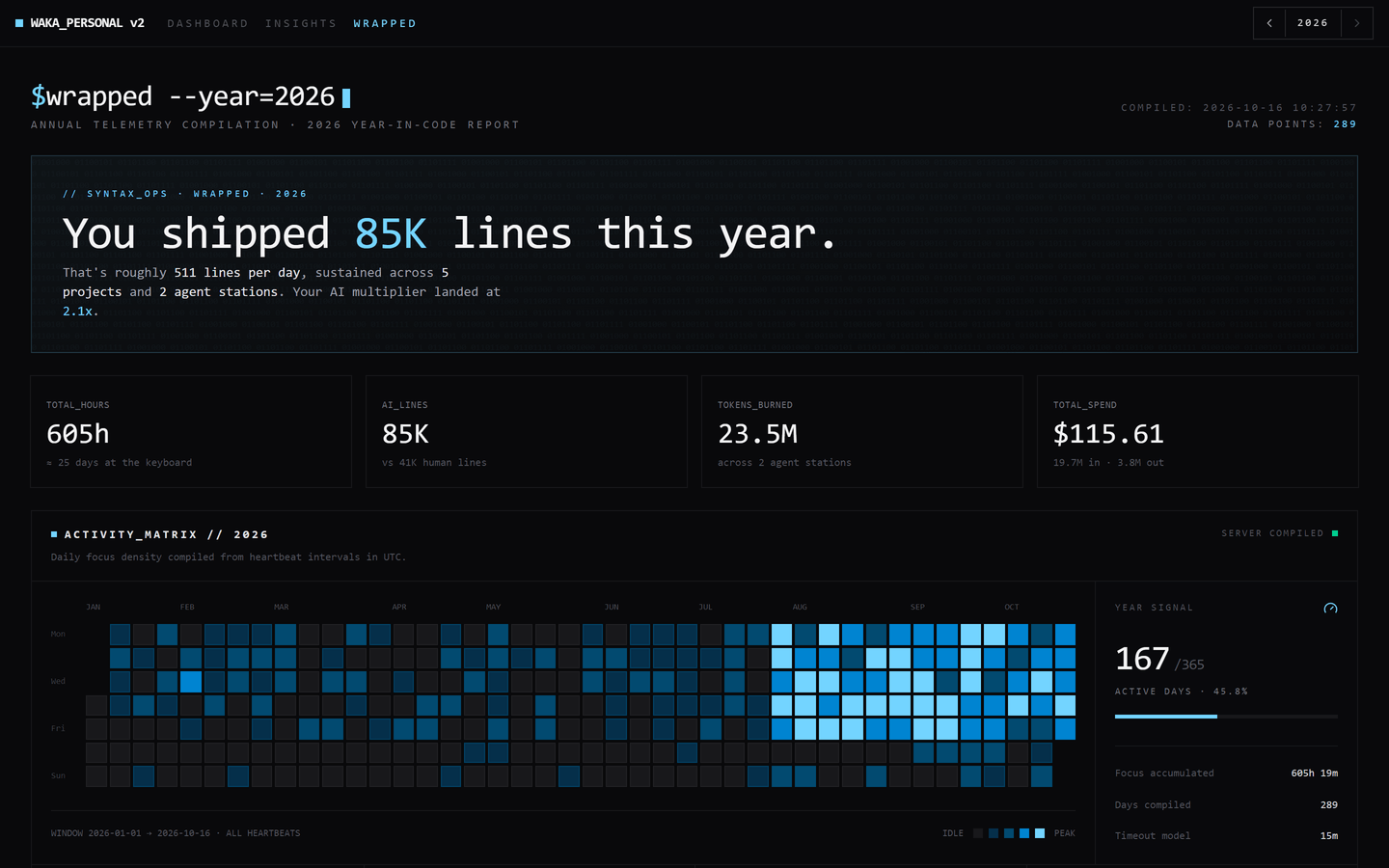
| 🎁 | Wrapped | An annual recap with an activity matrix, peak day, streaks and AI coding stats. |
| 🤖 | AI coding telemetry | AI sessions and token usage, plus a model pricing table for cost estimates. |
| 📦 | Backup importer | Import WakaTime .json and .json.gz exports from source; re-runs do not create duplicates. |
| 🔐 | Single-user auth | One API key for the WakaTime API. The dashboard itself has no login: keep it private (see self-hosting). |
| 🛡️ | Production defaults | Rate limiting, security headers, health probes and a non-root container. |
| 🐳 | Multi-arch image | linux/amd64 and linux/arm64 on GitHub Container Registry. |
More screenshots
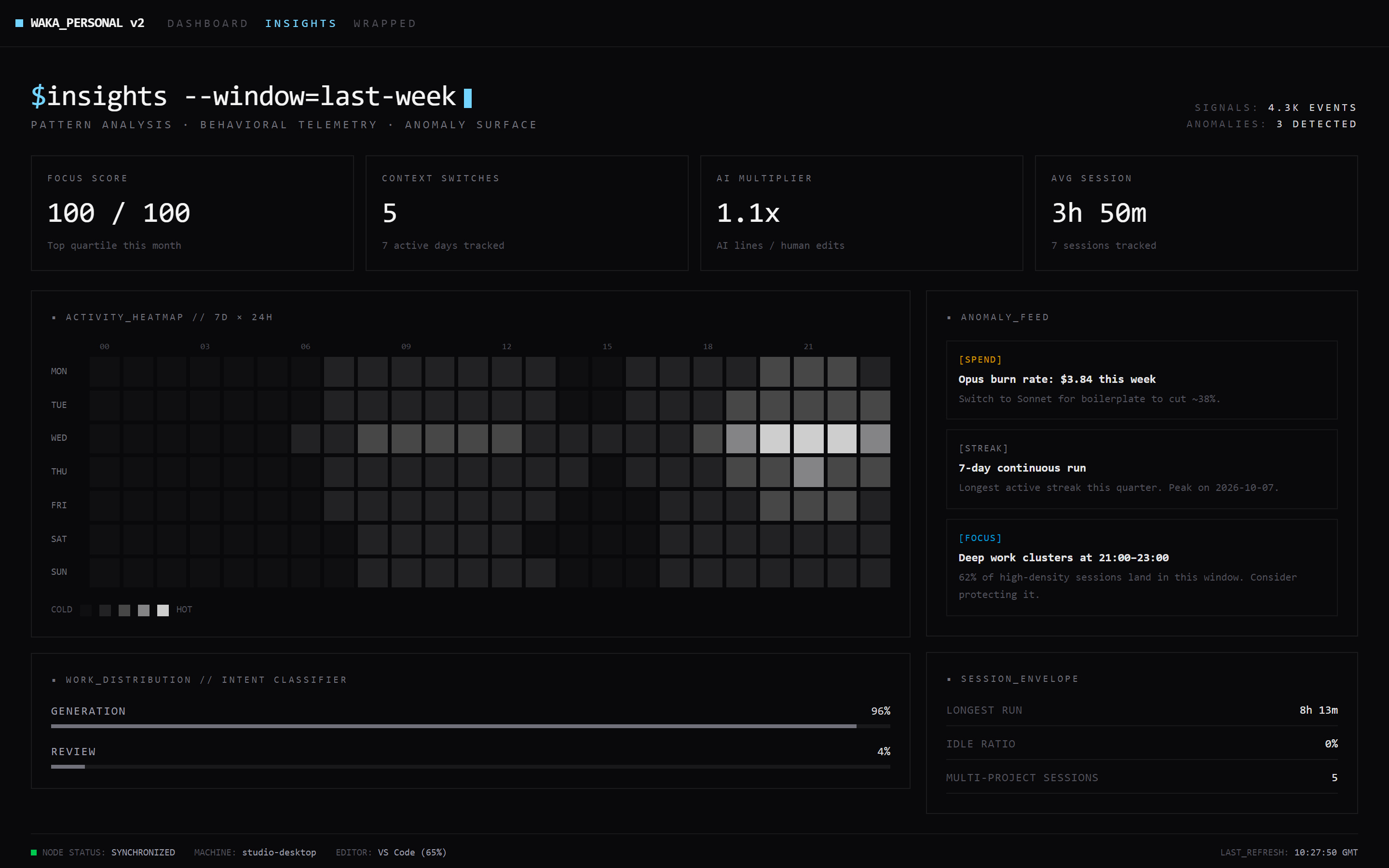
Screenshots use generated demo data.
Deploy in 5 minutes
You need Docker with the Compose plugin on any Linux, macOS or Windows host.
-
Download the compose file and the environment template:
mkdir waka-personal && cd waka-personal curl -fsSLO https://raw.githubusercontent.com/dvgamerr-app/waka-personal/main/docker-compose.yml curl -fsSL https://raw.githubusercontent.com/dvgamerr-app/waka-personal/main/.env.example -o .env -
Edit
.envand replace the twoREPLACE_MEvalues:APP_API_KEY=REPLACE_ME # openssl rand -hex 24 POSTGRES_PASSWORD=REPLACE_ME -
Start it:
docker compose up -d -
Open
http://YOUR_HOST:8080for the dashboard, then point your editor at it:# ~/.wakatime.cfg [settings] api_url = http://YOUR_HOST:8080/api/v1 api_key = REPLACE_ME
The database schema is created on first start. For HTTPS, backups, upgrades and importing old data, read the self-hosting guide.
Use it
The API speaks the WakaTime protocol, so plugins just work. You can also call it directly:
curl -u "REPLACE_ME:" http://YOUR_HOST:8080/api/v1/users/current/statusbar/today
WakaTime plugins send the API key as the Basic-auth username, which is why the password is empty.
Architecture
 Editor plugins ──► wakatime-cli ──► /api/v1  ┐
                                              ├─► Go API (Fiber) ──► PostgreSQL
 Browser ─────────► dashboard ────► /api/v2  ┘        │
                                                      └─ serves the Astro dashboard
One Go binary (Fiber, pgx, goose, zerolog) serves both the API and a static Astro + React dashboard from the same origin, backed by PostgreSQL.
Documentation
- Self-hosting guide: configuration, HTTPS, backups, upgrades, troubleshooting
- Development guide: run from source, full endpoint list, client config, importer, migrations
- Activity metrics: how durations, streaks and AI token totals are calculated
Develop
docker compose up -d postgres
bun install --frozen-lockfile
bun run build:dist
go run ./cmd/migrate up
go run ./cmd
go test ./...
bun run check
Support the project
- ⭐ Star the repository so others can find it
- 🐛 Report a bug or request a feature
- 💖 Sponsor the maintainer
Waka Personal is an independent project and is not affiliated with WakaTime.