New
Apps 6,419Makers 6,403This week 7
Promote your app−30%
Just Dashboard screenshot 1
7views in
the last 30 days

Just Dashboard

Your whole Linux server in one private control panel

Built with Claude Code

by justdashboard · Unclaimed · added Oct 29, 2026
no ratings0 comments

Just Dashboard

Just Dashboard

Your whole Linux server, in one private control panel.

Deploy apps, run Docker, manage databases, shape the network, open a real shell and keep it all backed up — behind one login that lives on your private network.

Version 0.8.1 · Go backend · Next.js frontend · one docker compose stack

Licence Go Next.js Docker Compose

just-dashboard.com · Install · Features · Tour · Admin scripts · Security · Configuration · Support
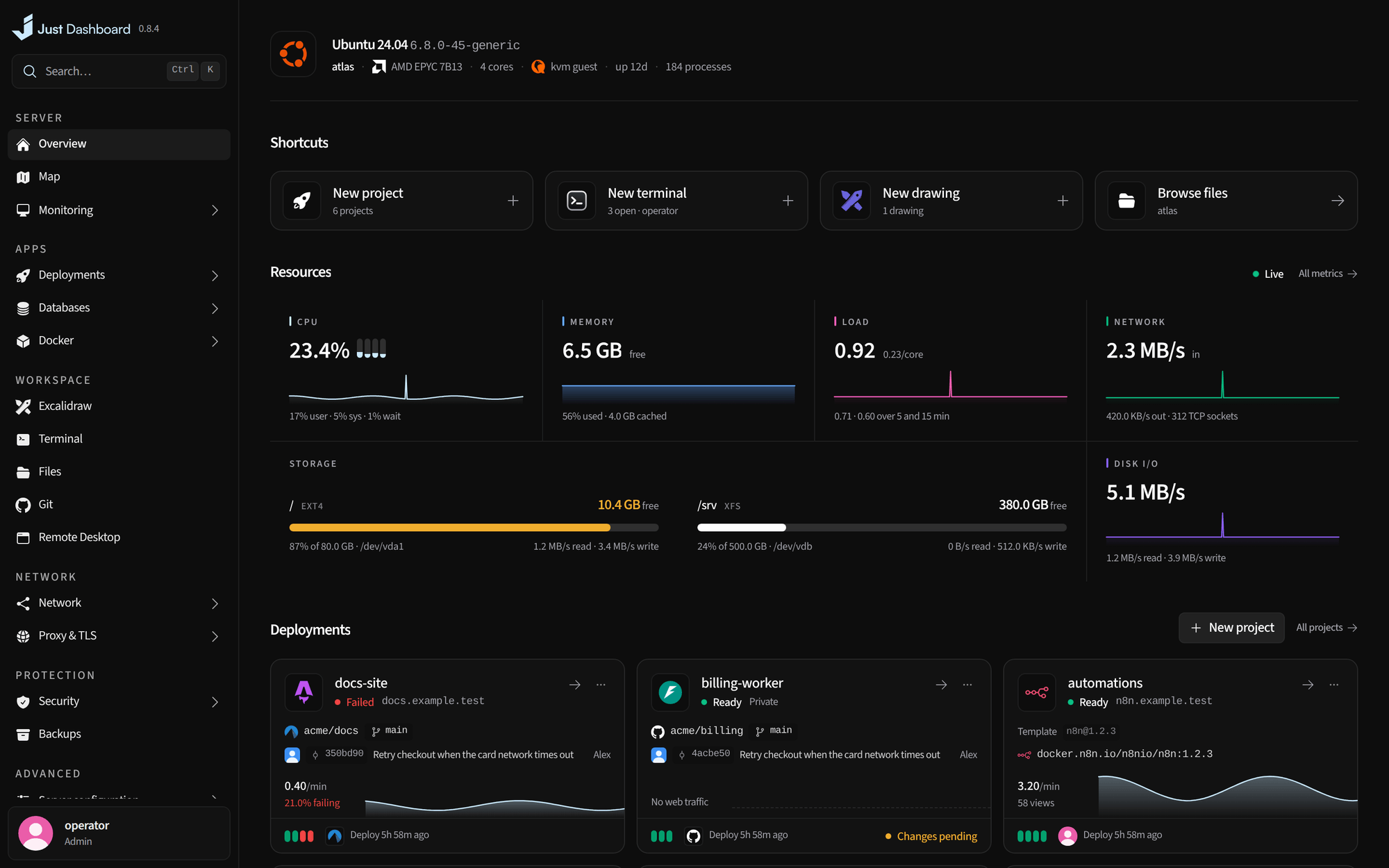

The server overview: the machine drawn as itself, live resources with their last hour, storage and the deployed projects

Screenshots show version 0.7.5 with example data.


Why Just Dashboard

Readings and controls

See what the server is doing through live readings, recorded events and logs. Open the owning controls to review and apply a change.

Private by design

Root-equivalent power belongs behind Tailscale or an SSH tunnel. The allowlist runs before the login, two-factor is per account, and every change is audited.

One server, done properly

No fleet, no cloud account, no AI model or API key. One docker compose stack that knows the machine it runs on, end to end.

Free, every feature

Self-hosted and AGPL-3.0. Nothing is held back for a paid tier — every feature is free and stays free.

Features

🖥️ Overview & monitoring

  • A live overview of the machine: CPU, memory, load, network, storage and disk I/O
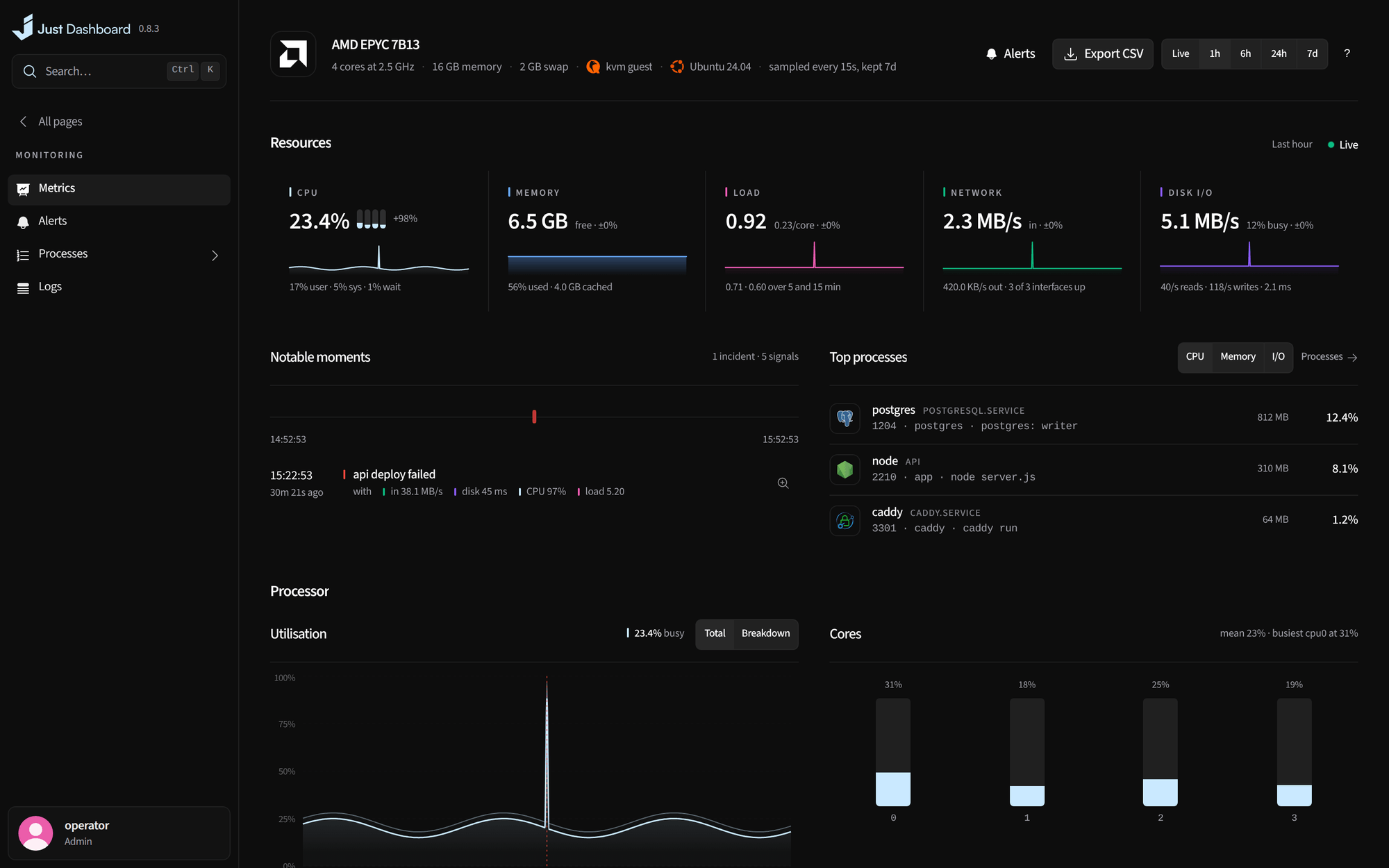
  • Metrics with seven days of history the backend records itself, and CSV export
  • Notable moments, top processes and the day's activity at a glance
  • Processes, PM2 apps, systemd services and scheduled jobs, each with its verbs
  • One log viewer for files, containers, stacks, PM2 and the journal, with insights
  • Every service shows its own logs on its own page

🚀 Deployments

  • Deploy from a repository, an image, a Compose stack or 57 reviewed templates
  • Detects Node, Bun, Deno, Python, PHP, Go, Rust, Java, .NET, Ruby, Elixir and more
  • Push to deploy, plus pull-request previews only your tailnet can reach
  • Immutable releases, one-click rollback and health-gated cutover
  • Build logs, runtime, console, request logs and traffic alerts per project
  • Request insights that count real visitors apart from bots, with their devices and pages
  • Notifications to Discord, Slack, Telegram, e-mail, webhooks and GitHub

🐳 Docker

  • Overview of what every container uses and what just happened to it
  • Containers, stacks, images, volumes, networks and events, each a page
  • Create from a template, a pasted docker run or a form
  • Docker state, health checks and recorded lifecycle events
  • Reviewed container configuration and live resource limits
  • Browse a volume's or a container's files in place

🗄️ Databases

  • A control center for every database on the server — even unconnected ones
  • PostgreSQL, MySQL, MariaDB, SQLite, SQL Server, ClickHouse, Oracle, MongoDB, Redis
  • Table editor with staged, reviewed edits and a SQL editor with plans and stored programs (DELIMITER, GO and PL/SQL scripts)
  • An optional SQL assistant on your own Anthropic key or local model, told the schema and never the rows
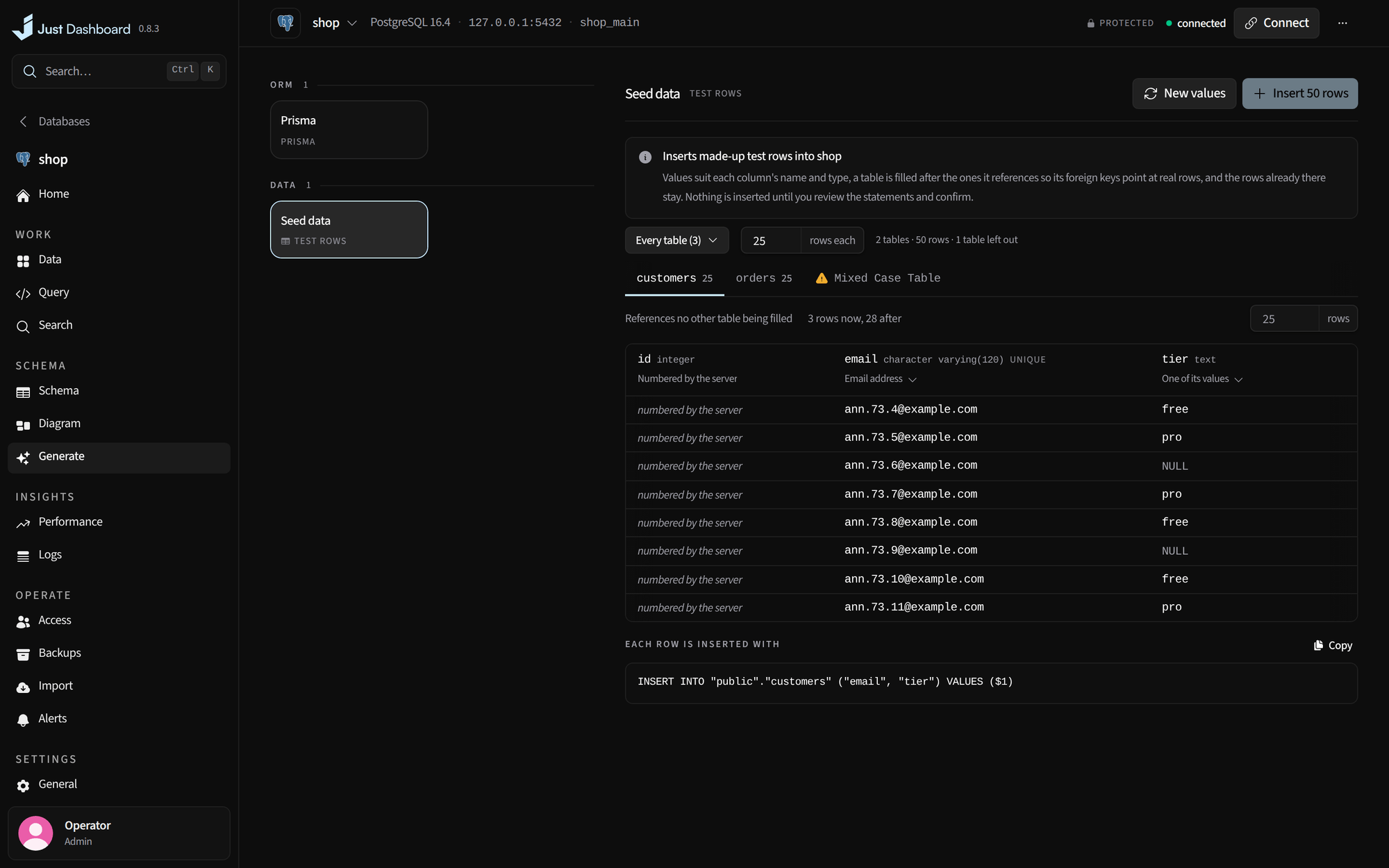
  • Schema browser, diagram, code generation, mock seed data written parents first, performance
  • Key browser and console for Redis, documents and pipelines for MongoDB
  • Protected connections, dump backups, PostgreSQL major-version upgrades with a way back, accounts, grants and a live map
  • Import from another server, kept current by logical replication on PostgreSQL until you cut over
  • Point-in-time recovery for PostgreSQL: the write-ahead log archived with WAL-G, recovered to any second
  • Alerts when a database goes down, fills its disk, runs low on connections, lags or misses a backup
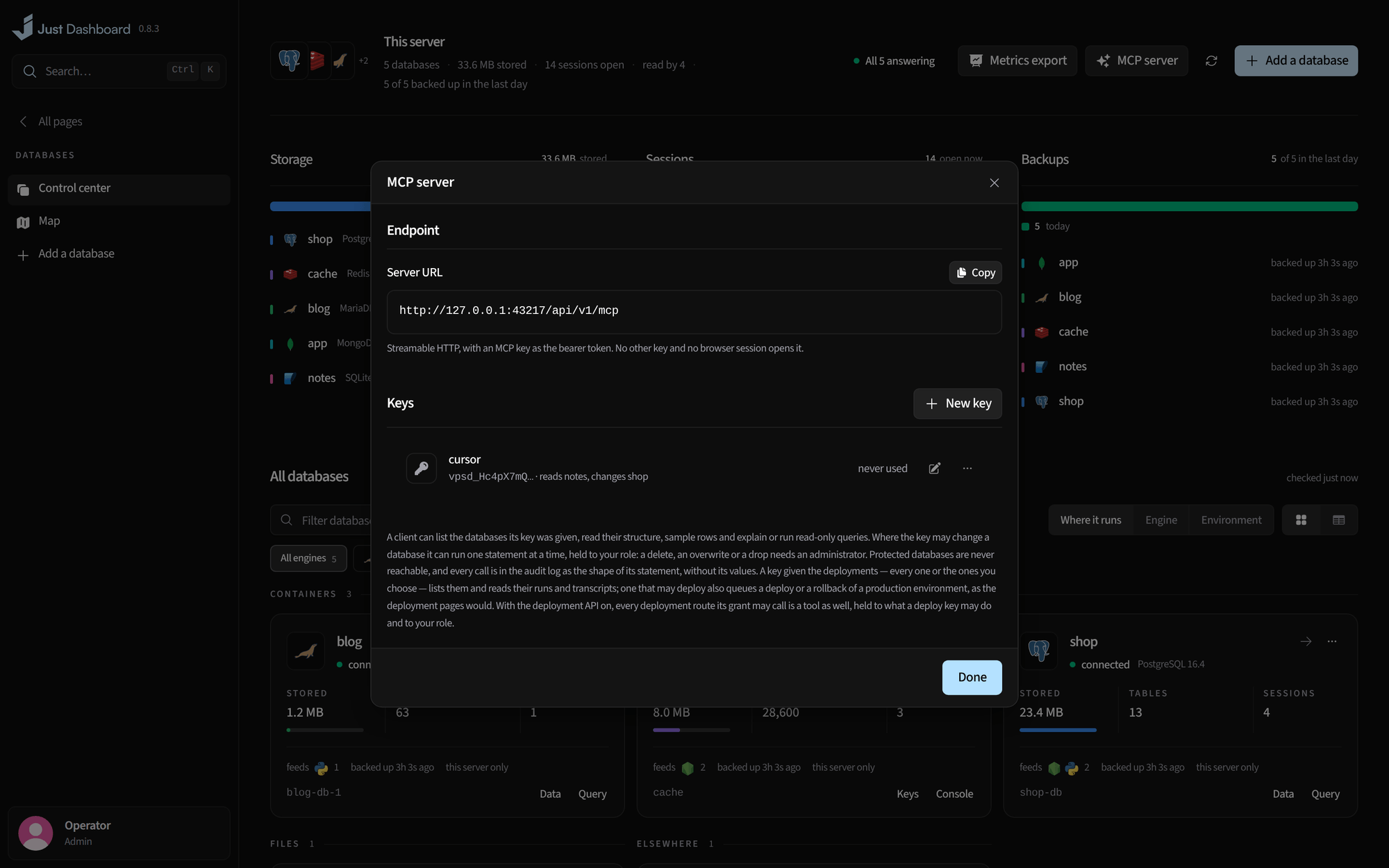
  • An MCP server for AI clients such as Claude Code, Cursor and VS Code: keys that reach only the databases you choose, read-only unless you allow changes, never a protected one, every call audited

🧰 Workspace

  • A real terminal whose sessions survive the tab closing and dashboard restarts
  • Split panes, drag-and-drop docking and one-click Codex and Claude launchers
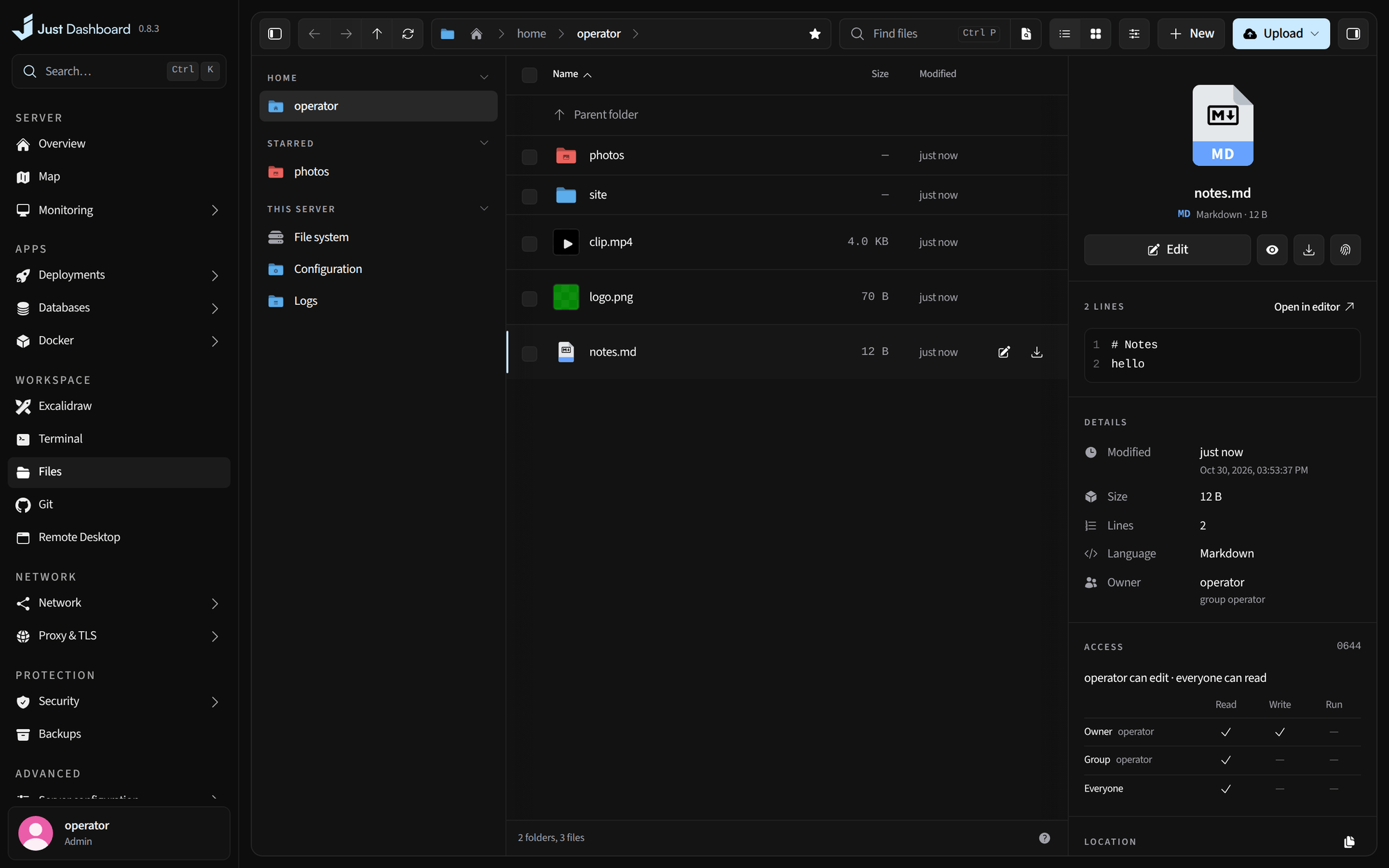
  • A file manager with search, previews, Monaco and image editors
  • A full Git workspace: staging by line, history, branches, conflicts, PR reviews
  • GitHub, GitLab and Gitea pull requests and Actions logs
  • Excalidraw: drawings you edit together live, with live cards for the host, projects and databases, a shared shape library from libraries.excalidraw.com, diagrams written from a description, and each drawing listed as a thumbnail of itself
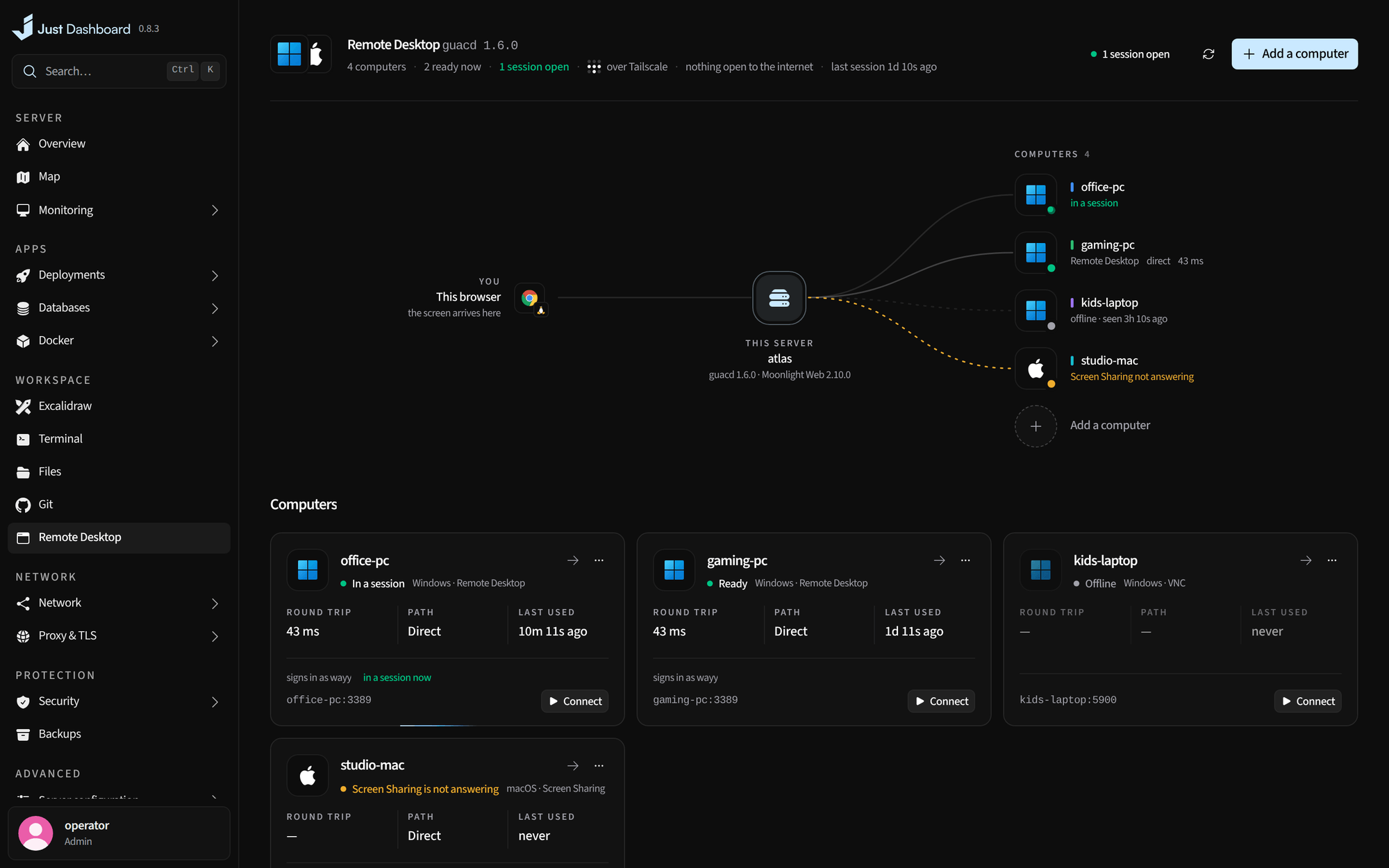
  • Remote Desktop: your Windows PCs, Macs and Linux desktops in a browser tab over Tailscale, unattended, with clipboard and file transfer, and a Stream mode that plays the screen as 60 fps video from Sunshine

🌐 Network

  • A live topology of devices, tunnels and Docker networks
  • Interfaces, bridges, VLANs, namespaces, routing and policy rules
  • Firewall, port forwarding, NAT, rate limits and blocklists
  • WireGuard and Tailscale, DNS and ad-blocking, egress groups with failover
  • Traffic per device, program and container, plus speed limits and SQM
  • 26 diagnostics, packet captures, connection paths, drift and saved runs

🔒 Proxy & TLS

  • Every domain drawn through nginx or Caddy to the application it reaches
  • Sites written as ordinary config, with a builder for auth and access rules
  • Certificates through certbot, including DNS wildcards, with runway at a glance
  • A live TLS report, streams, ports and per-site traffic
  • Alerts on renewals and certificate drift

🛡️ Security & backups

  • A verdict on the host: exposure, SSH, logins and who is attacking
  • fail2ban, CrowdSec and Suricata where they run
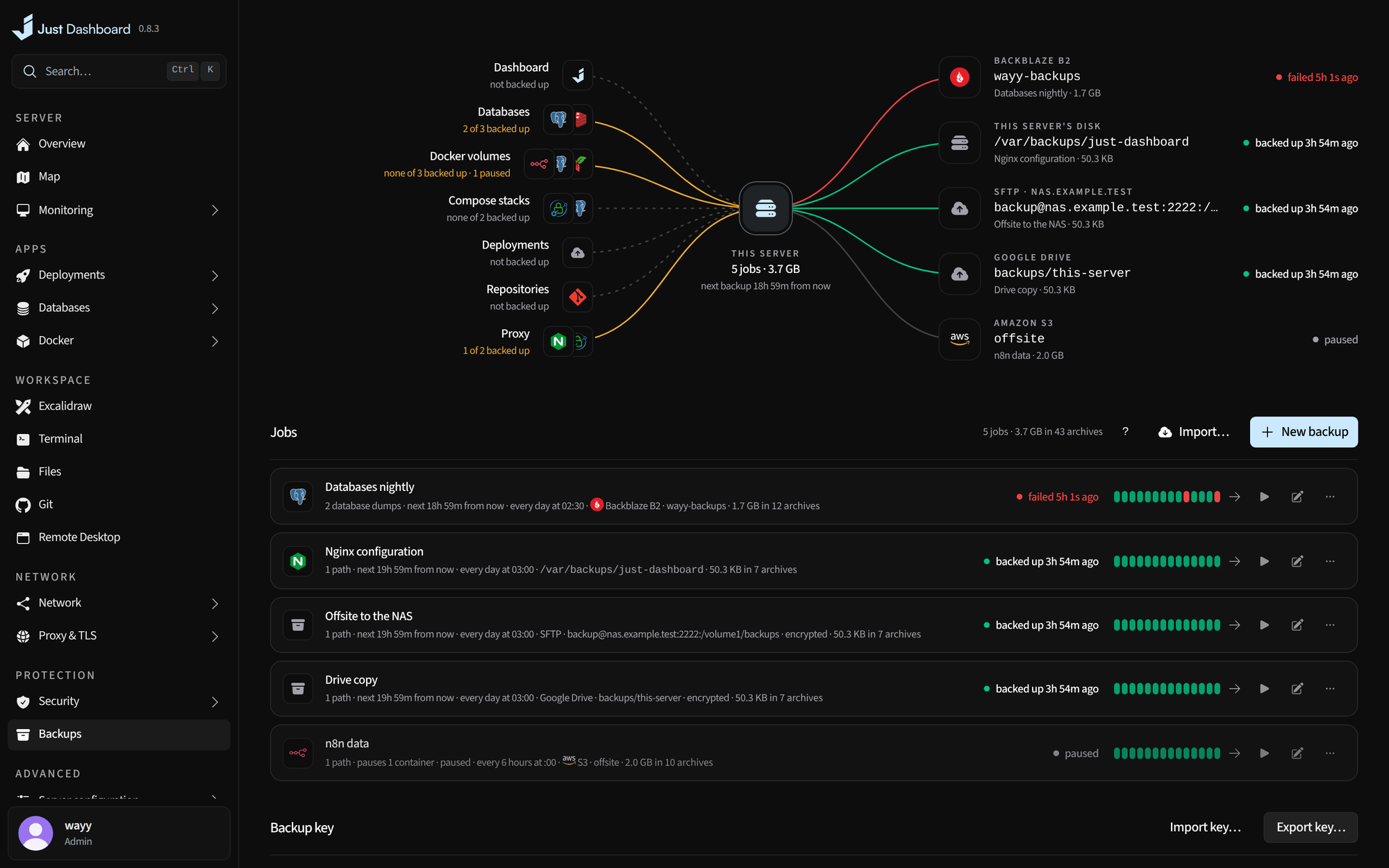
  • Scheduled backups to disk, S3 or Backblaze B2, encrypted on the way out, and native database dumps
  • A coverage map of everything that is not backed up yet
  • Single-file and in-place restore

⚙️ Server & accounts

  • Host package updates on apt, dnf, yum, zypper, pacman or apk
  • System users, an audit log of every change and the panel's own settings
  • Address, certificate, allowlist and ports applied with automatic rollback
  • Roles, two-factor, sessions and API keys for every account
  • Search and replace API keys, with explicit revocation and inactive-record cleanup
  • A first-run question that keeps the sections you don't use out of your sidebar
  • One-click self-update, with the release notes compiled in

⌨️ Everywhere

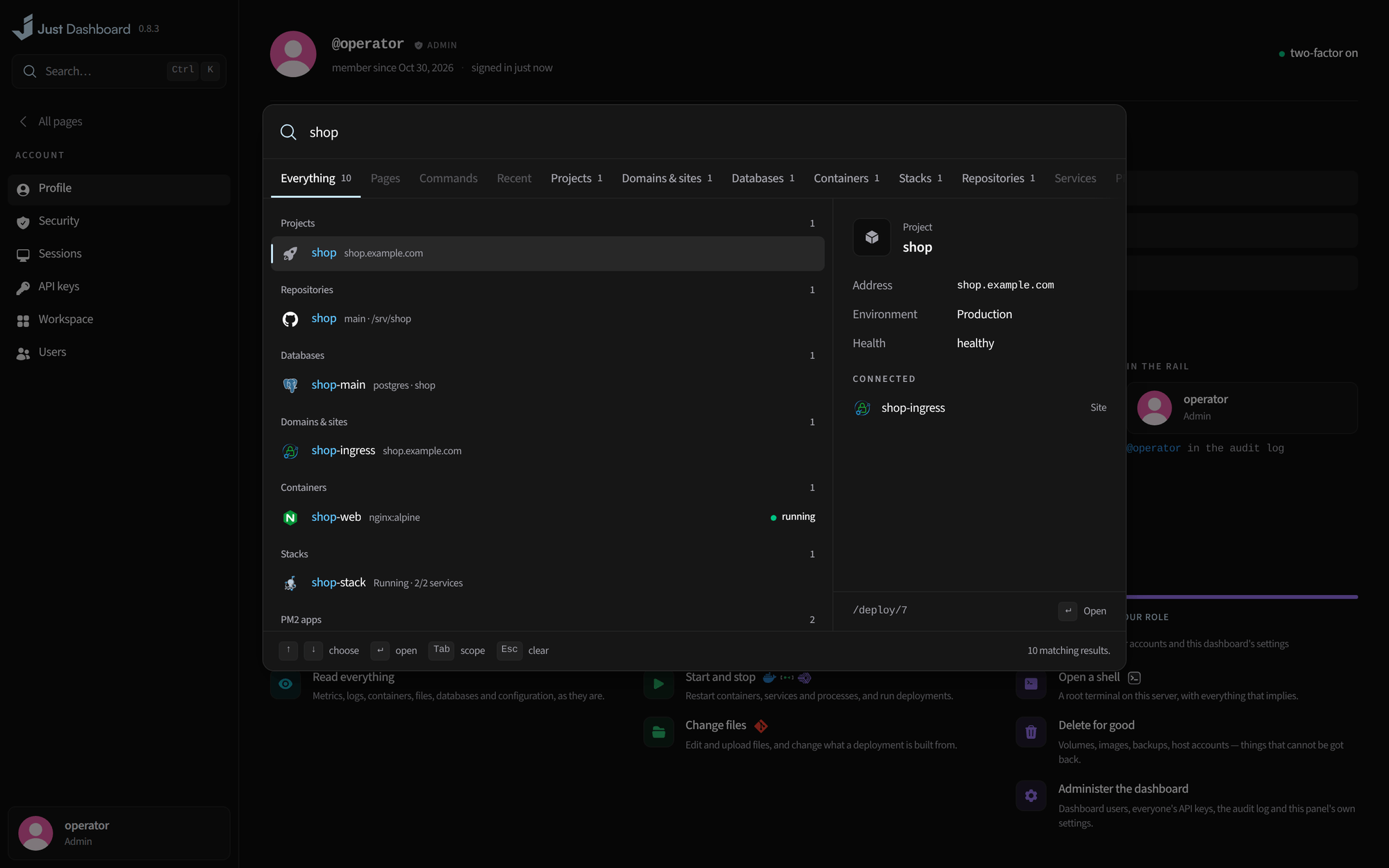
  • Ctrl/⌘K searches projects, sites, containers, databases, repos and pages
  • Previews each result with what it is connected to
  • Keyboard shortcuts on every page — press ? to see them
  • Every page remembers where you left it
  • A consistent, dark design built around readings rather than tiles

A quick tour

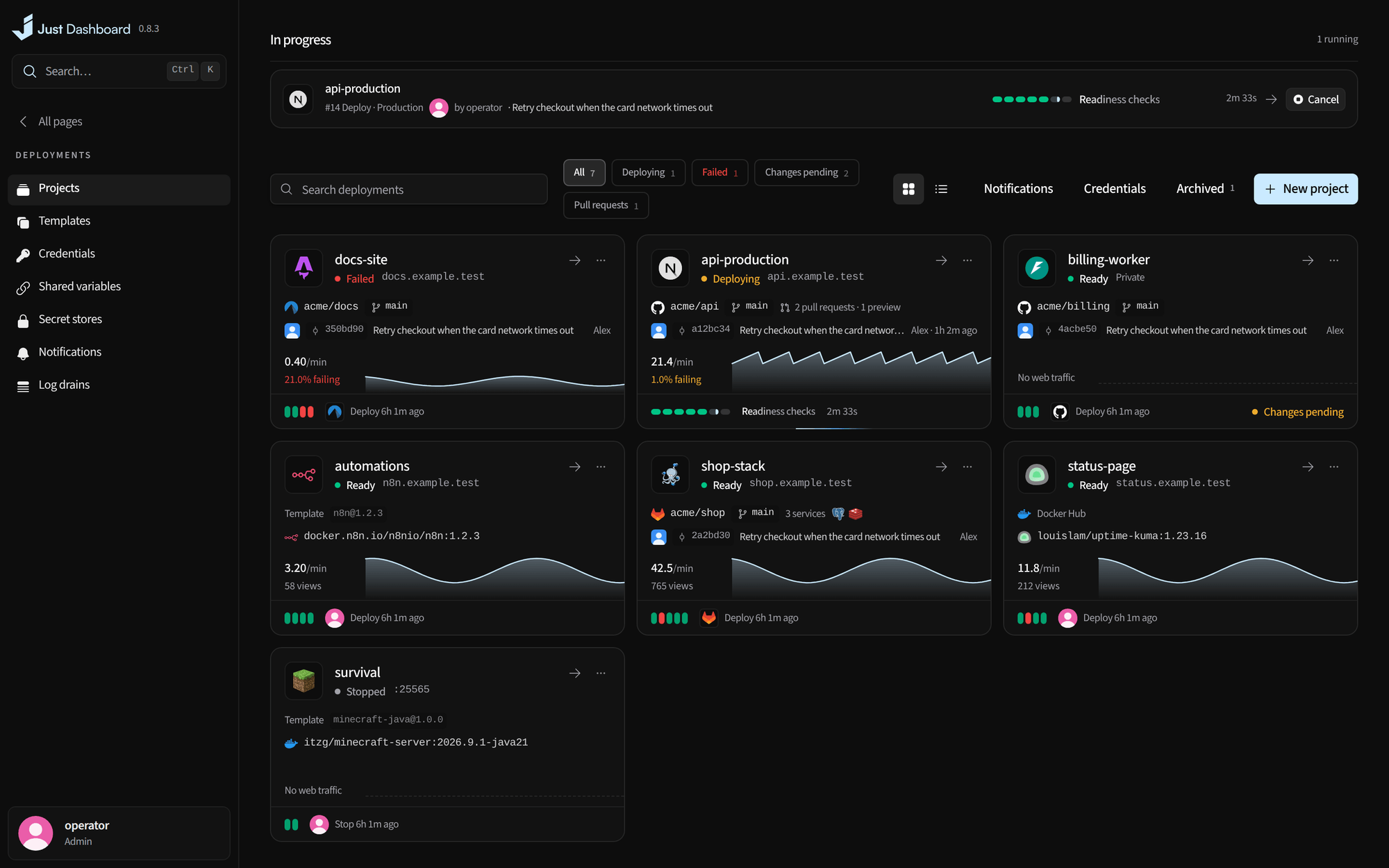
Deployment projects as cards with their state, source, traffic and recent runs

Deployments — every project, its traffic and its runs

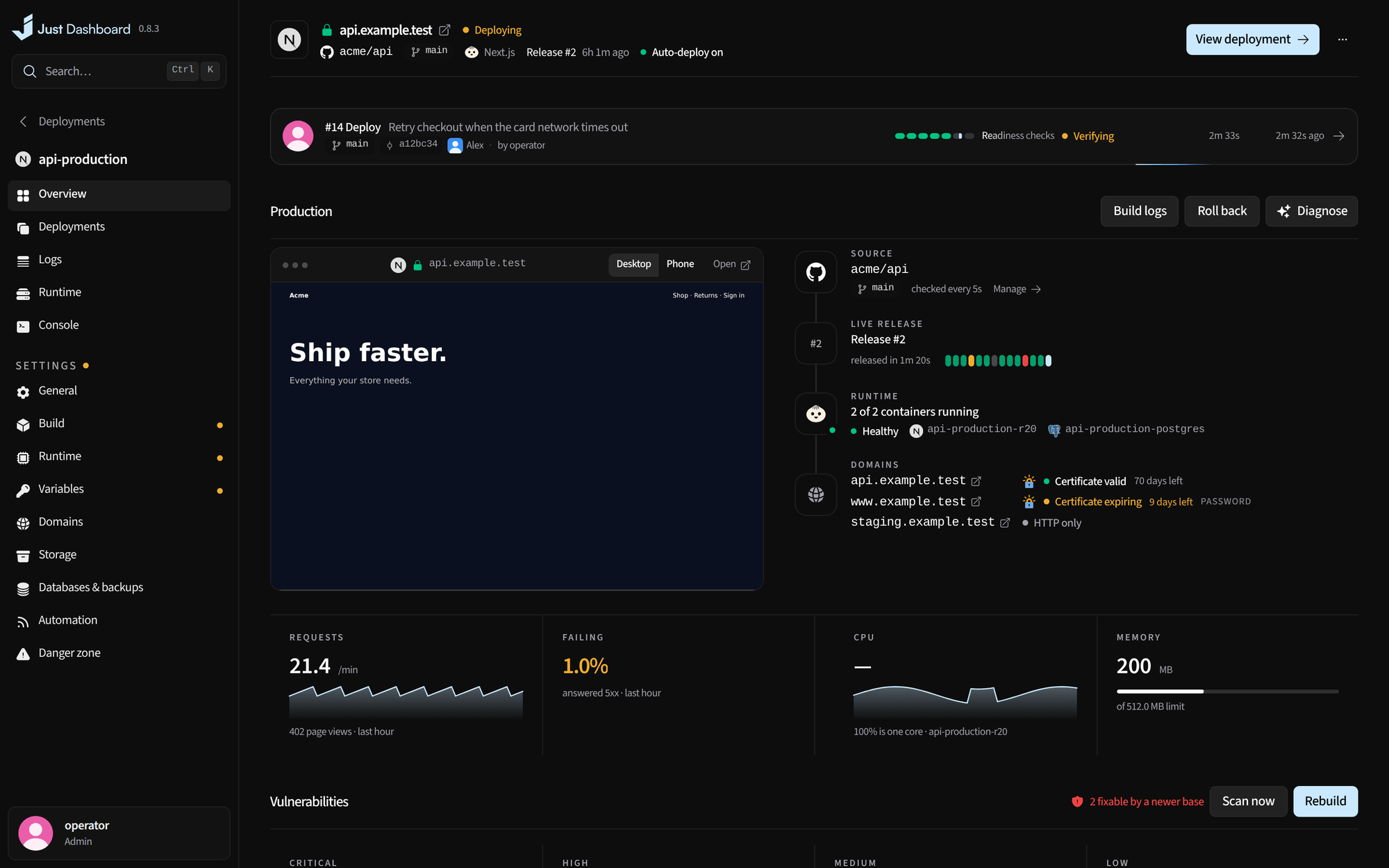
A project's overview with a live website preview, its source, release, runtime and domains

A project — live preview, release, runtime and domains

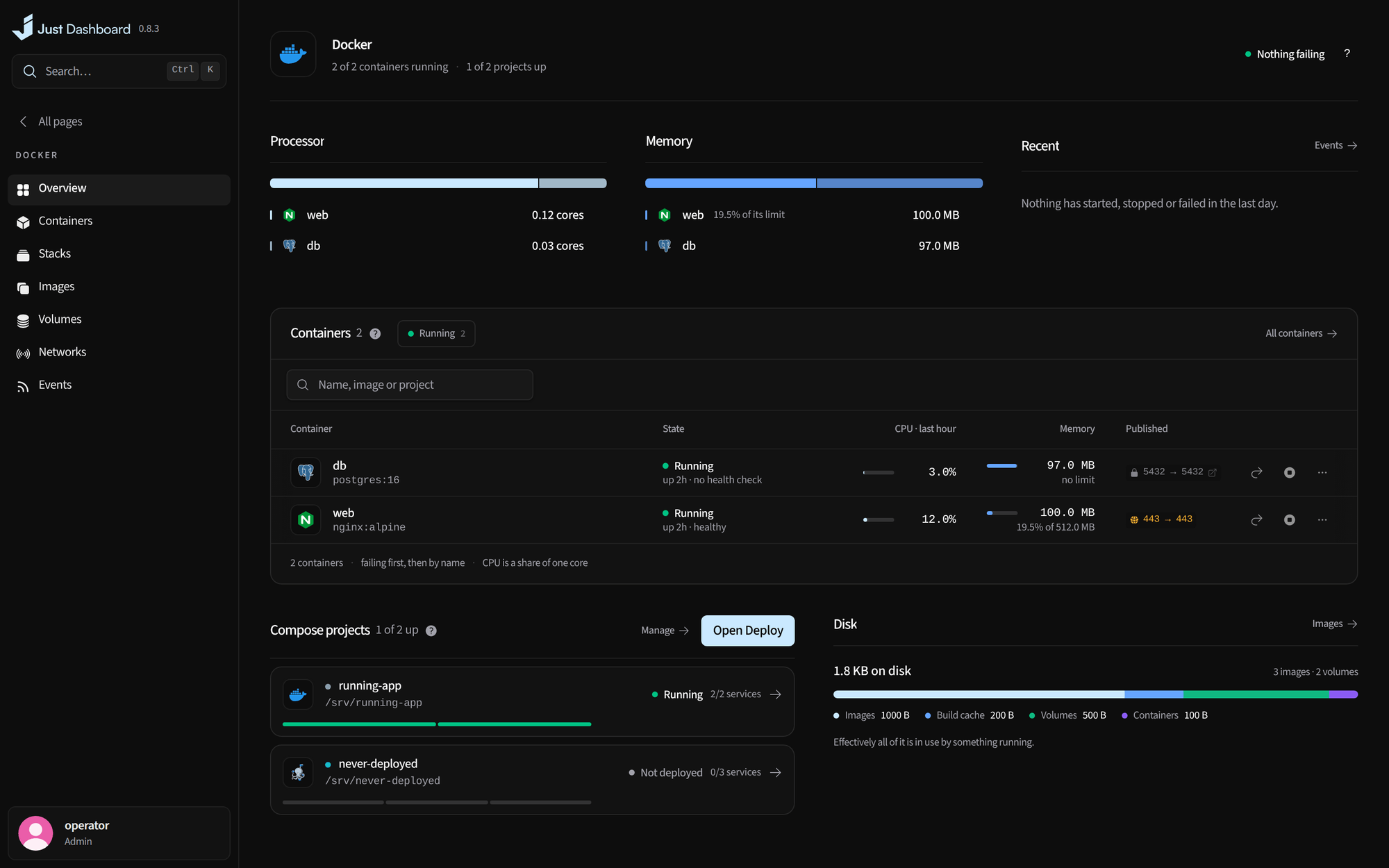
The Docker overview: processor and memory by container, recent events and every container's live readings

Docker — who uses what, and what just happened

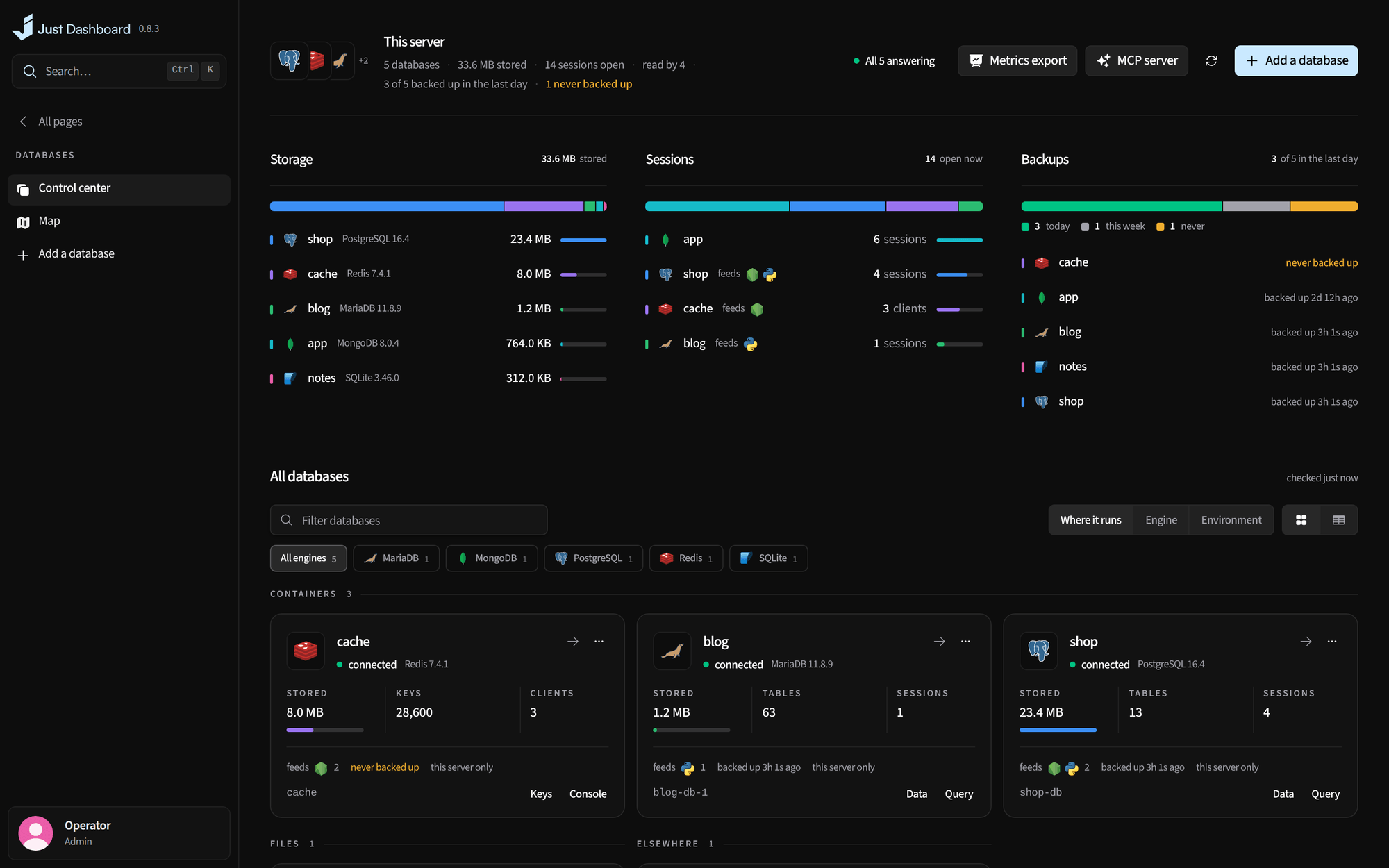
The database control center with every database as a card

Databases — every engine on the server, each as itself

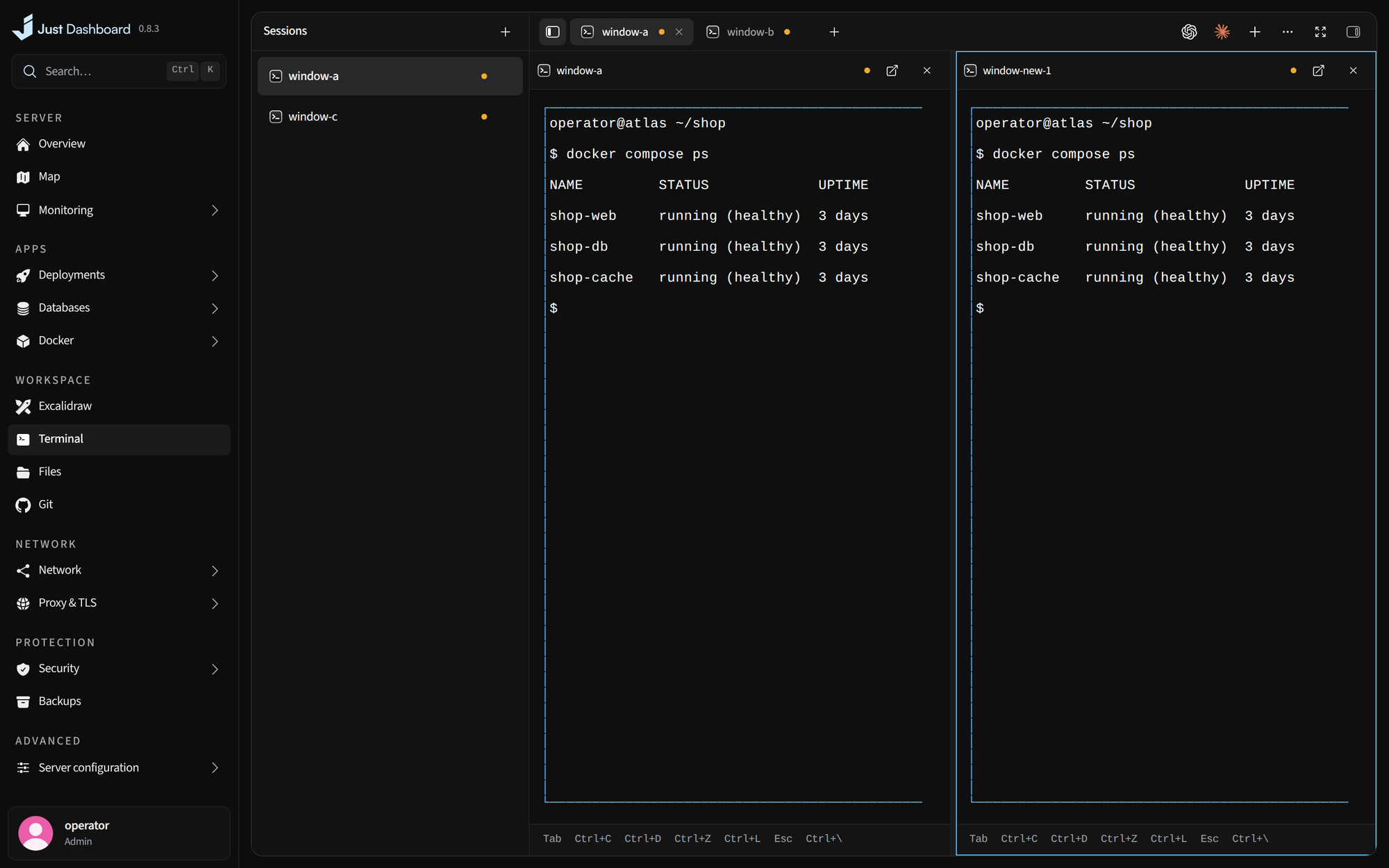
Two terminal panes side by side running tests and htop

Terminal — persistent sessions and split panes

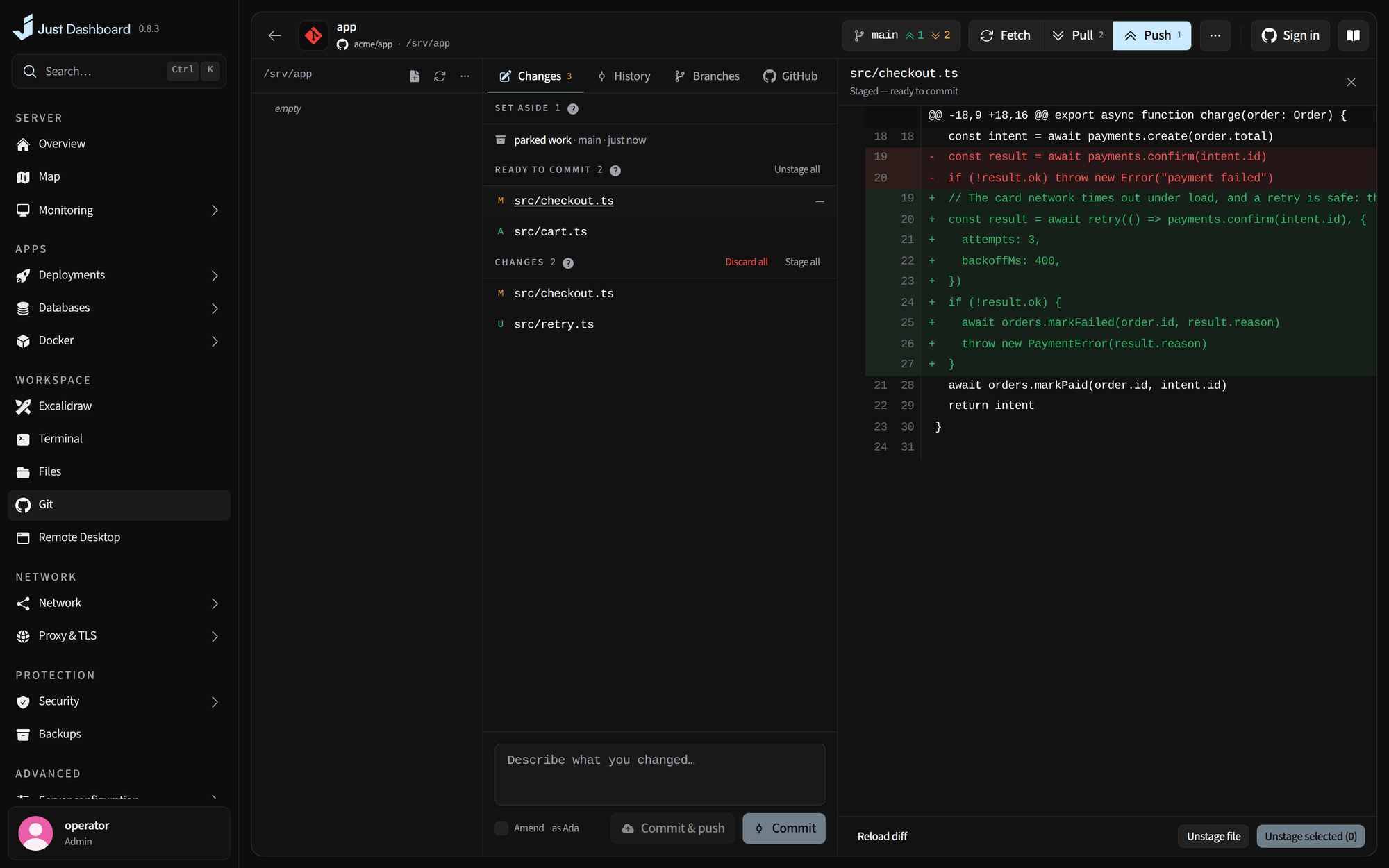
The Git workspace with staged changes and a diff

Git — stage, review and ship from the browser

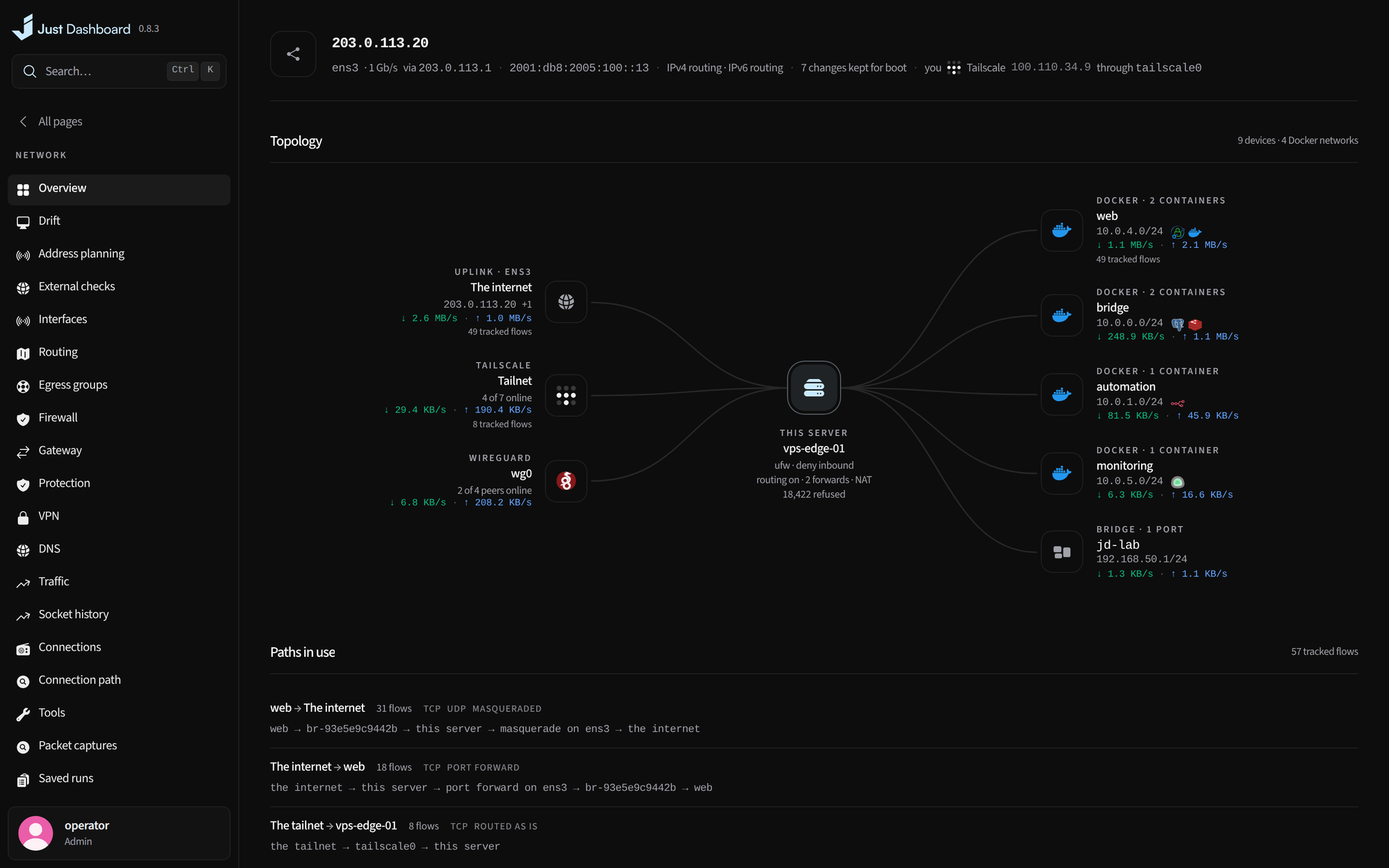
The network topology from the uplink and tunnels through the server to its Docker networks

Network — the server as a router, drawn live

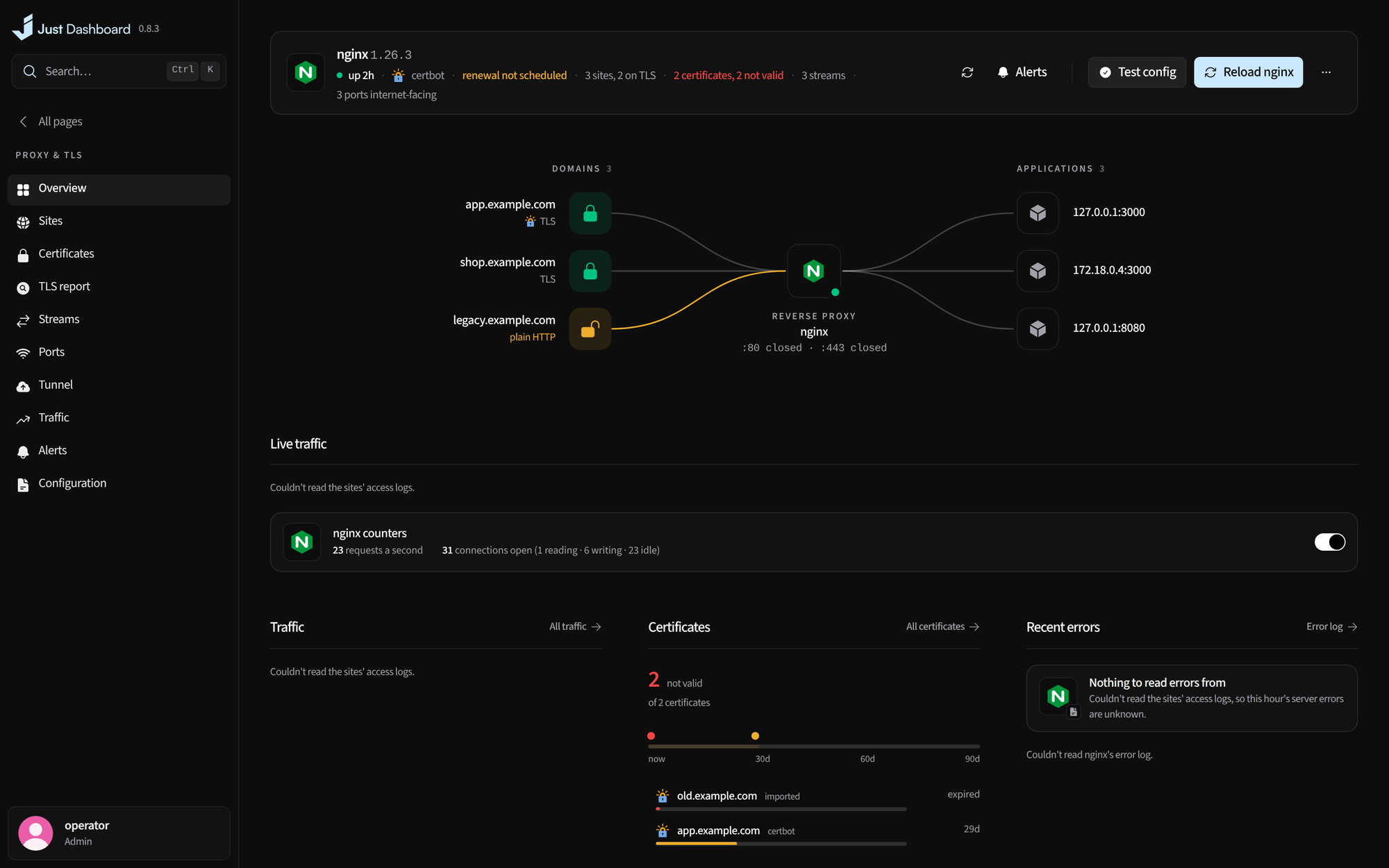
The proxy overview drawing domains through nginx to their applications

Proxy & TLS — domains, applications and certificates

The file manager with a Compose file previewed beside the listing

Files — browse, preview and edit anywhere you allow

Backups drawn as what is covered flowing to each destination

Backups — what is covered, and what is not

Metrics with live readings, notable moments and top processes

Metrics — a week of history, recorded by the server

The command palette searching for shop across projects, repositories, databases and containers

Ctrl/⌘K — everything one keystroke away

New in 0.7.5

The Remote Desktop overview drawing this browser, the server and four computers, one of them in a session

Remote Desktop — your own PCs and Macs in a tab, over Tailscale

The SQL editor with the assistant beside it, answering two questions with statements to insert or open

SQL assistant — ask for a statement, an error or a plan explained

A new MCP key with the command that connects Claude Code to the dashboard's databases

MCP server — the databases you choose, for your AI clients

A measured PostgreSQL plan with a hash join and a sequential scan flagged as misjudged by four thousand times

Measured plans — where the time went, and what the planner misjudged

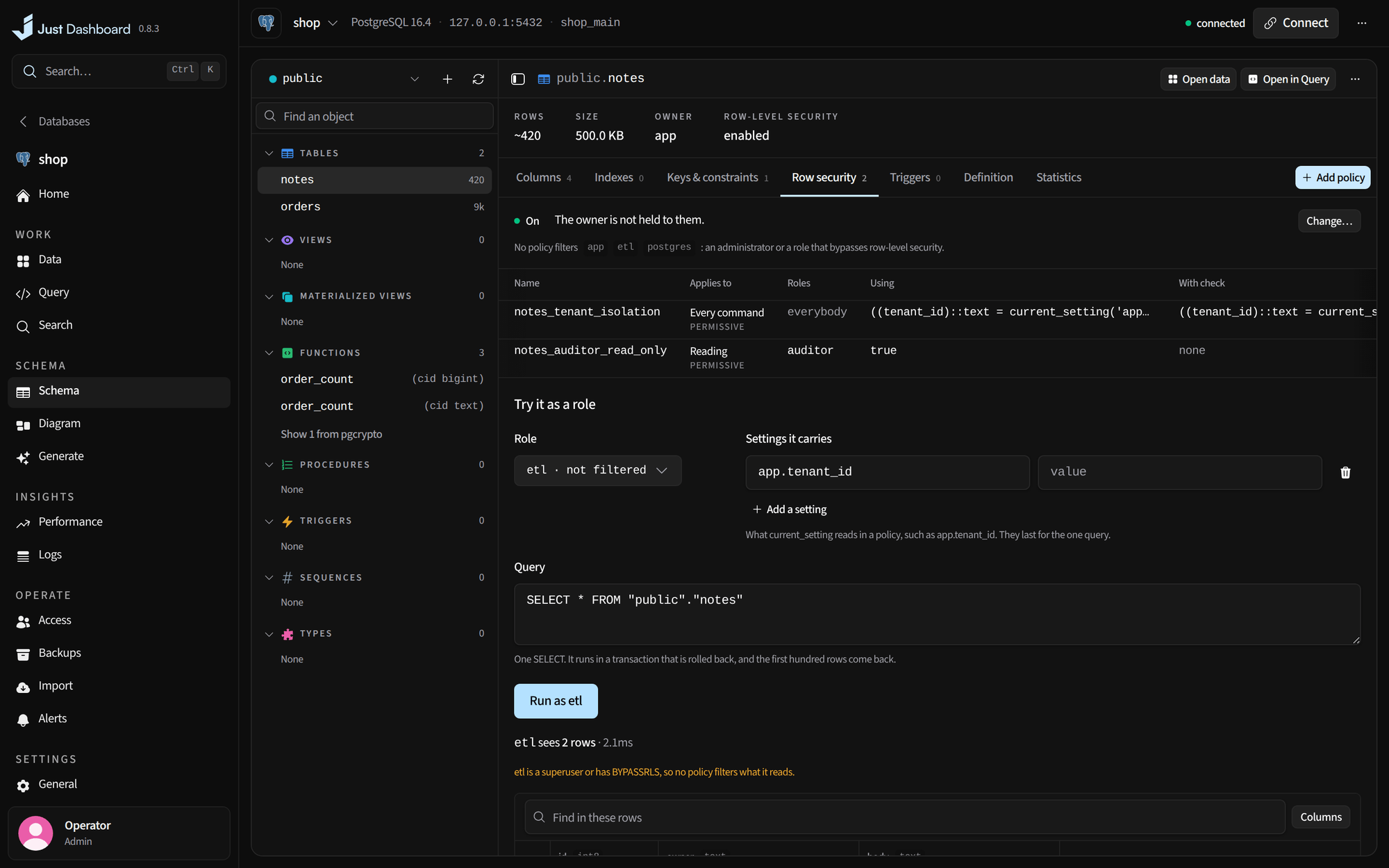
A PostgreSQL table's row-level security policies, tried as a role that sees two rows

Row-level security — write the policies, then try them as a role

The Generate page filling tables with believable mock rows, parents first

Seed data — believable rows, written parents first

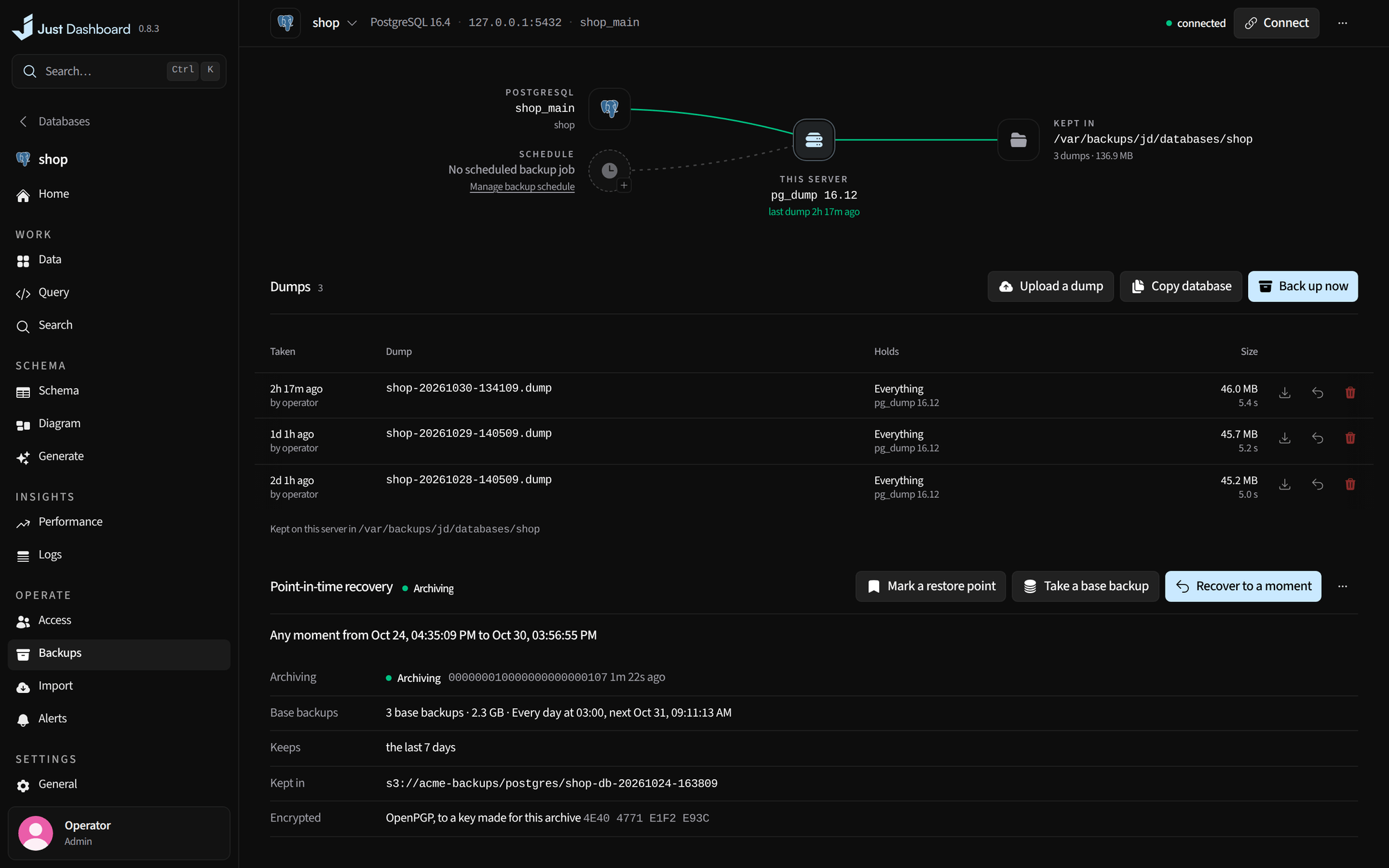
Point-in-time recovery for PostgreSQL: the recoverable window, base backups, a restore point and a recovered copy

Point-in-time recovery — any second, not only the last dump

Install

git clone https://github.com/JustDashboard/Just-Dashboard.git
cd Just-Dashboard && sudo ./install.sh

The installer asks one question that matters — how you will reach the dashboard — then does the rest in four labelled stages:

  • Tailscale (default): the machine stays invisible to the internet and the dashboard answers at https://your-box.tailnet-name.ts.net:8443 with a real certificate.
  • SSH tunnel (fallback): the dashboard is served on loopback only.
  • It generates the master key and a first password, builds the stack and prints how to get in.
  • It installs the host tools the terminal and pages rely on — gh, git-lfs, whois, traceroute — where they are missing.

Use ./install.sh --help to preview the steps, or sudo NO_COLOR=1 ./install.sh for plain output. Everything it asked is editable afterwards under Settings → Configuration.

First sign-in: every new account is asked once what it will use the server for — shipping apps, running databases, containers, the network, security, or working on the box — and its sidebar, Overview and search's empty list keep only those sections. Hiding a section is about the sidebar, not access: links from other pages still open it, search still finds it, and the role decides what the account may do. Account → Workspace changes the answer or asks the question again. Accounts that existed before 0.7.3 are not asked and keep every section.

Upgrading: use Update now in the dashboard, run sudo ./install.sh again, or git pull followed by docker compose up -d --build. All three keep your .env, database, accounts and sessions.

API keys: under Account → API keys, search by name, prefix, role or owner and filter keys that have never been used, have been unused for 30 days, expire soon or have no expiry. Replace key creates a new credential for your account; copy it into your tool and check it works before choosing Revoke previous key. Revocation immediately stops access and keeps the record in the folded Revoked or expired history. An administrator can use Delete record there to remove inactive metadata; the audit trail is kept. A key's secret is shown only once.

Terminal admin scripts

Run these on the server from your checkout. They manage dashboard accounts (not Linux users) and use the built backend image, so neither Go nor a browser login is needed — account commands work even while the backend is stopped.

Script What it does
sudo ./scripts/reset-password.sh admin Recover an account by setting a new password
sudo ./scripts/create-user.sh alice limited Create an account (readonly, limited or admin)
sudo ./scripts/manage.sh users List accounts, roles and two-factor status
sudo ./scripts/manage.sh revoke-sessions alice Sign out every browser session for an account
sudo ./scripts/manage.sh status Show the containers and their health
sudo ./scripts/manage.sh logs [backend|frontend|proxy] Follow logs (Ctrl+C exits)
sudo ./scripts/manage.sh restart Recreate the stack to apply .env edits
./scripts/manage.sh --help Usage, no sudo needed
How passwords and resets behave

Passwords are entered twice with hidden input and must meet the dashboard's strength rules. The password a script sets is the one the account signs in with — the dashboard does not ask for another at sign-in. An account an admin creates from Account → Users, and a bootstrap password the backend generated, are the ones replaced on first sign-in, after any required two-factor step. A reset clears failed-login lockout and revokes that account's sessions and API tokens, while keeping two-factor enrolment, recovery codes, role and disabled state. Account changes are audited as local root; revoke-sessions leaves API tokens unchanged.

For automation, append --password-stdin to either password command and pipe one password line from a trusted source — never put passwords in arguments or shell history. The scripts find the checkout from their own path and let Compose read .env without executing it. Run restart from SSH, since it disconnects the web terminal; it recreates containers with current settings, which docker compose restart alone does not.

Security first

This dashboard is root-equivalent. Anyone who reaches it with a valid session has root on the machine, so it is built to sit behind a VPN or an SSH tunnel — and that is enforced:

  • The backend refuses to start on a non-loopback address without a JD_ALLOWED_CIDRS allowlist, and the allowlist is checked before authentication.
  • Two-factor is enforced for every account that has enrolled; JD_REQUIRE_2FA decides whether an account must enrol.
  • Capabilities are checked on every backend route, never in the UI alone.
  • Destructive actions are confirmed and audited; deleting a project, database, stack or Git checkout, and uninstalling with a wipe, asks for a typed phrase checked on the server.
  • Every state-changing request lands in the audit log.

Roles

readonly limited admin
View ever

Description taken from the repository README.

Ratings

–
0 ratings
5 0
4 0
3 0
2 0
1 0

Rate this app

Sign in to rate

Comments 0

Sign in to comment

No comments yet.

Related apps

#server · #dashboard · #self-hosted