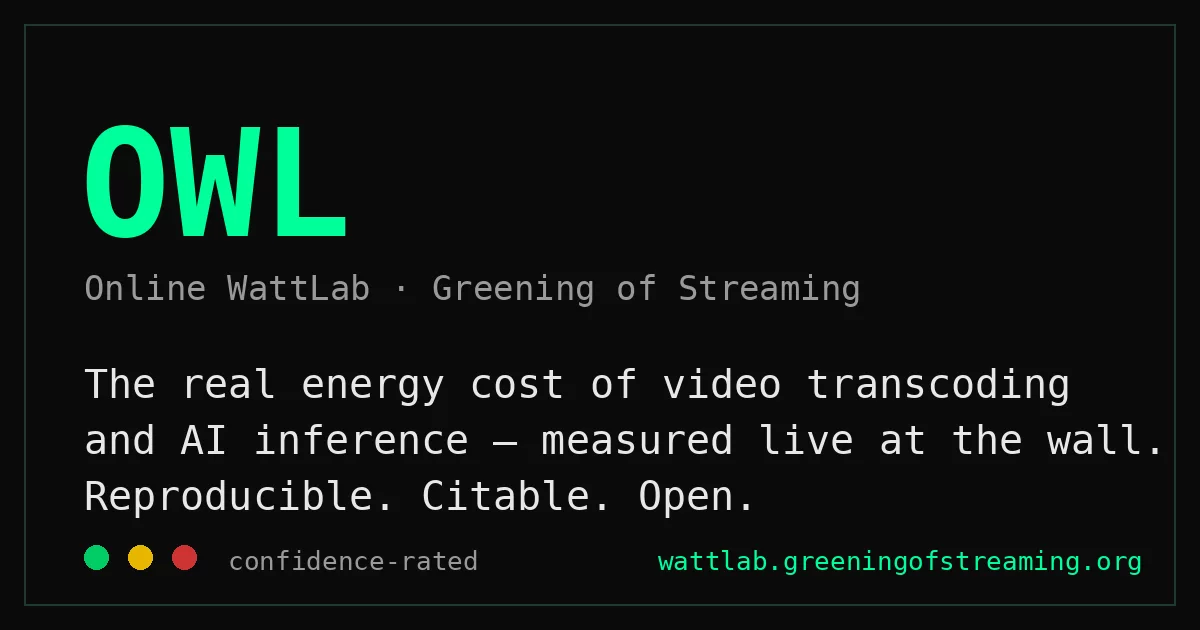

WattLab measures the real device-side energy cost of video transcoding and AI inference on physical hardware — using a calibrated smart plug, not estimates or models.
Built by Greening of Streaming, a French NGO working on the environmental impact of streaming infrastructure.
Live instance: wattlab.greeningofstreaming.org
Current release: v1.0.0 · the running build stamps its exact commit (e.g. OWL v1.0.0 · <sha> · <date>, auto-derived from git describe) · Report an issue or feature request
Sister projects (GoS energy-measurement toolkit): LEM — Local Energy Measurement: measures one or more smart plugs over the LAN (no TP-Link cloud) and can stream into REM · REM — Remote Energy Measurement: fleet-wide collection + exploration in TimescaleDB.
What it measures
| Test | What you get |
|---|---|
| Video transcode | Energy (Wh) and time for CPU vs GPU — H.264, H.265, AV1 at matched ABR bitrates. "Compare all codecs" runs all six presets in one go. |
| LLM inference | mWh per output token, tokens/sec — a dynamic model ladder ~1B–20B (CR-050): ollama pull <name> + tick in /settings; live panel on /llm. |
| Image generation | Wh per image — distilled diffusion panel ~0.6B–3.5B (live panel on /image). "Compare Models" fixes prompt + seed so the model is the only variable. |
| RAG energy test | Energy cost of retrieval-augmented generation vs plain LLM — baseline / rag / rag_large compared side-by-side |
All figures are delta above idle baseline, sampled at 1-second intervals via a Tapo P110 smart plug on the mains supply.
Scope: device layer only. Network, CDN, and CPE are explicitly excluded. No amortised training cost in LLM measurements. (One extension: since 2026-07 the findings catalog also carries client-device decode panels measured on a separate rig under the same protocol — each states its own device scope.)
What it does not measure
- Network energy (transit, CDN, last-mile)
- Embodied carbon or manufacturing impact
- LLM training cost
- Cloud or multi-node workloads
These exclusions are deliberate. Scope statements appear on every result.
Hardware
GoS1 — lab server in France
| Component | Spec |
|---|---|
| CPU | AMD Ryzen 9 7900, 24 cores |
| GPU | NVIDIA RTX 5080, 16 GB VRAM (NVENC / CUDA) |
| RAM | 61 GB |
| OS | Ubuntu 24, kernel 6.17 |
| Power meter | Tapo P110 smart plug (mains, 1s polling) |
| Idle draw | ~79 W (display-blanked) |
GPU swapped from an AMD Radeon RX 7800 XT in May 2026; AMD-era baselines and measurements are preserved in docs/gpu_swap_amd_baseline.md.
Key findings so far
Published findings live at /findings — a catalog of citable energy measurements, each one backed by a stored result file. Examples currently published:
- AV1 hardware vs software ⭐ — same 1500 kbps target: hw uses ~55% less energy but loses ~2 VMAF and produces ~40% larger files. (finding)
- ABR all-codecs — H.264 / H.265 / AV1 at typical streaming bitrates, CPU vs GPU; GPU wins on time and energy across all three. (finding)
- Hardware decoder worth ~4× on the client (lab-reviewed 2026-08-09) — same board, same file: hw H.264 decode +0.41 W vs software +1.50 W (3.7× realtime, 4.6× saturated); a device that drops the silicon (Pi 5) pays ~4×. (finding)
- LLM cold inference 🟡 — per-token energy across the size ladder (pre-S30 panel; refresh pending).
- RAG faithfulness 🟡 — retrieval works at small scale, but smaller models still hallucinate against correctly-retrieved chunks.
- Client decode: content moves the number more than codec (DRAFT, 2026-08-17) — on hardware-decode boxes H.264/HEVC/AV1 differ by ≤0.1 W while content moves the box 2× (bright animation ~0.6 W vs quiet drama ~0.3 W). (finding)
- GPU boost on fixed-function NVENC — pinning the SM clock saves ~9 % at negligible time cost; positioned against prior art. (finding)
- VP9 vs H.264/HEVC/AV1 (report, not a finding — under public discussion): the operating point decides which software encoder is dearest; on hardware clients VP9 decodes at the same cost as the trio; in software it is the cheapest. (report)
Ship-of-Theseus honesty: when methodology changes (full GPU pipeline, ABR rate control, VMAF measurement), older findings are versioned via supersedes: in the finding file — citable URLs stay stable; the new reading lives alongside, marked as the current one.
Access
Three tiers, one URL — https://wattlab.greeningofstreaming.org. The same page renders different controls depending on who's looking:
| Tier | Who | How | What's unlocked |
|---|---|---|---|
| Anonymous | Public visitors | Just open the URL — Anonymous tier resolves automatically | Curated workloads, full guided tour at /demo, prev-result panels populated from curated demo runs |
| Member | GoS members on the allowlist | Sign in via the magic-link form on /auth/sign-in (email-based) |
Custom prompts / ffmpeg commands, all-codecs sweeps, RAG corpus uploads, video uploads ≤ 1 GB, CSV/JSON bulk export |
| Lab | Operators on GoS1 | LAN address (192.168.x.x) or SSH tunnel |
Full settings, variance calibration, thermal-recovery probe, all jobs unscoped |
Anonymous quick-look: https://wattlab.greeningofstreaming.org/demo — the nine-step Guided Tour with predetermined demo jobs (H.265 CPU vs GPU, a representative LLM run, SD-Turbo, RAG comparison).
Lab via SSH tunnel:
ssh -p 2222 -L 8000:localhost:8000 user@gos1.duckdns.org
# then open http://localhost:8000
The capability matrix is product copy on /demo step 6, and lives in code at wattlab_service/capabilities.py (one row per capability). All routes gate on capabilities, not raw tier compares.
Running locally
Requires GoS1 or equivalent hardware (P110 plug, GPU optional — NVENC/CUDA or VAAPI/ROCm auto-detected).
pip install -r requirements.txt   # at repo root; see CLAUDE.md for full package list
cp .env.example .env              # add TAPO_EMAIL, TAPO_PASSWORD, TAPO_P110_IP
cd wattlab_service
uvicorn main:app --host 0.0.0.0 --port 8000
The service runs as a systemd unit on GoS1 (systemctl status wattlab).
Run the tests: cd wattlab_service && pytest tests/ — the current count is in TESTING.md (it drifts upward and is deliberately not quoted here; the suite must be run from wattlab_service/ — its conftest.py sets up the import path).
Documentation
ARCHITECTURE.md— module map and request/job flows (best orientation doc; start here)WATTLAB_SPEC.md— original v0.2 product spec (April 2026, mostly delivered; current architecture inCLAUDE.md)JOURNAL.md— session-by-session build log with findingsTESTING.md— three-tier testing strategy (pytest suite + manual checklist)STAGING.md— staging mode (swap onto a feature branch with a maintenance page)bin/README.md— operator-facing shell scripts (stage-on,stage-off,probe-thermal-recovery,owl-maintenance-watchdog)systemd/README.md— systemd unit files for OWL servicesCHANGE_REQUESTS.md— active design / change requestsCHANGE_REQUESTS_CLOSED.md— shipped CRs archivedocs/wattlab_traffic_light_confidence.md— Tania's statistical framework for the confidence flag (CR-028 Phase 2 spec)docs/wattlab_parameters_audit.md— every settings parameter classified and the path to principled valuesdocs/result_envelope.md— the mode → renderer contract for every persisted result typedecode_bench/README.md— the client decode rig (devices, plugs, protocol, origin)docs/vp9_oneoff_2026-08.md·docs/pi_decode_energy_2026-07.md·docs/encode_parity_calibration_2026-06.md— campaign reportsdocs/methodology_vs_code_2026-08-19.md— where /methodology and the implementation disagree (owner review list)GOS1_INFRA.md— the server: disks, network, backups, incident logCLAUDE.md— project context for Claude Code (AI assistant config)