
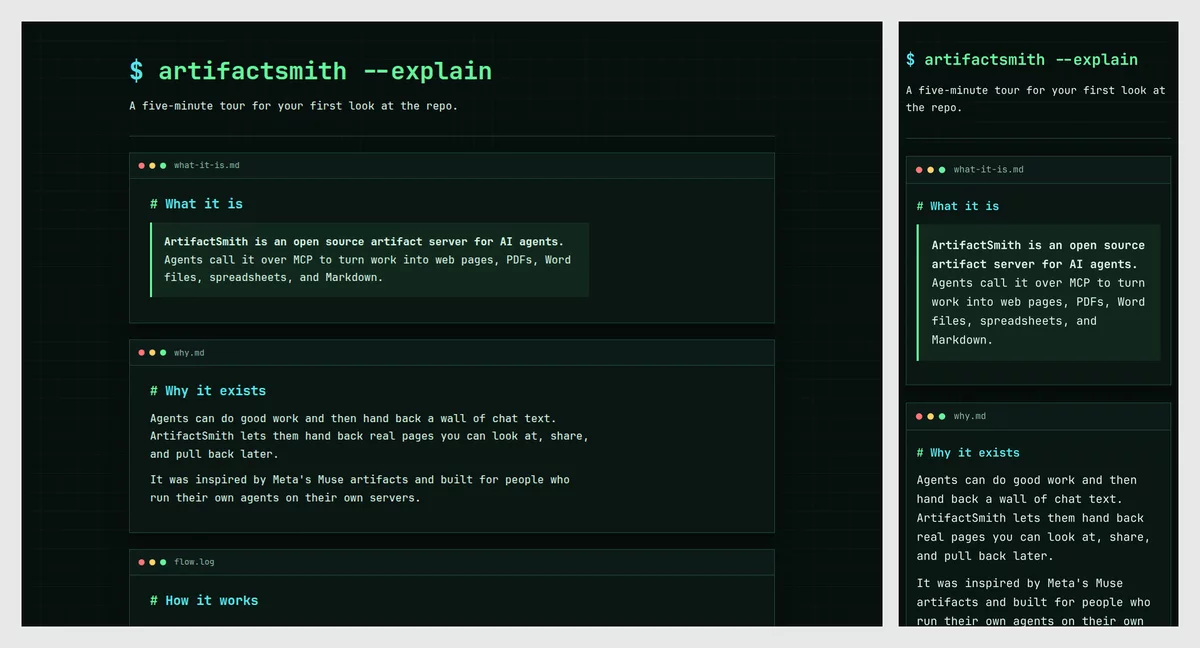
ArtifactSmith is an open source artifact server for AI agents.
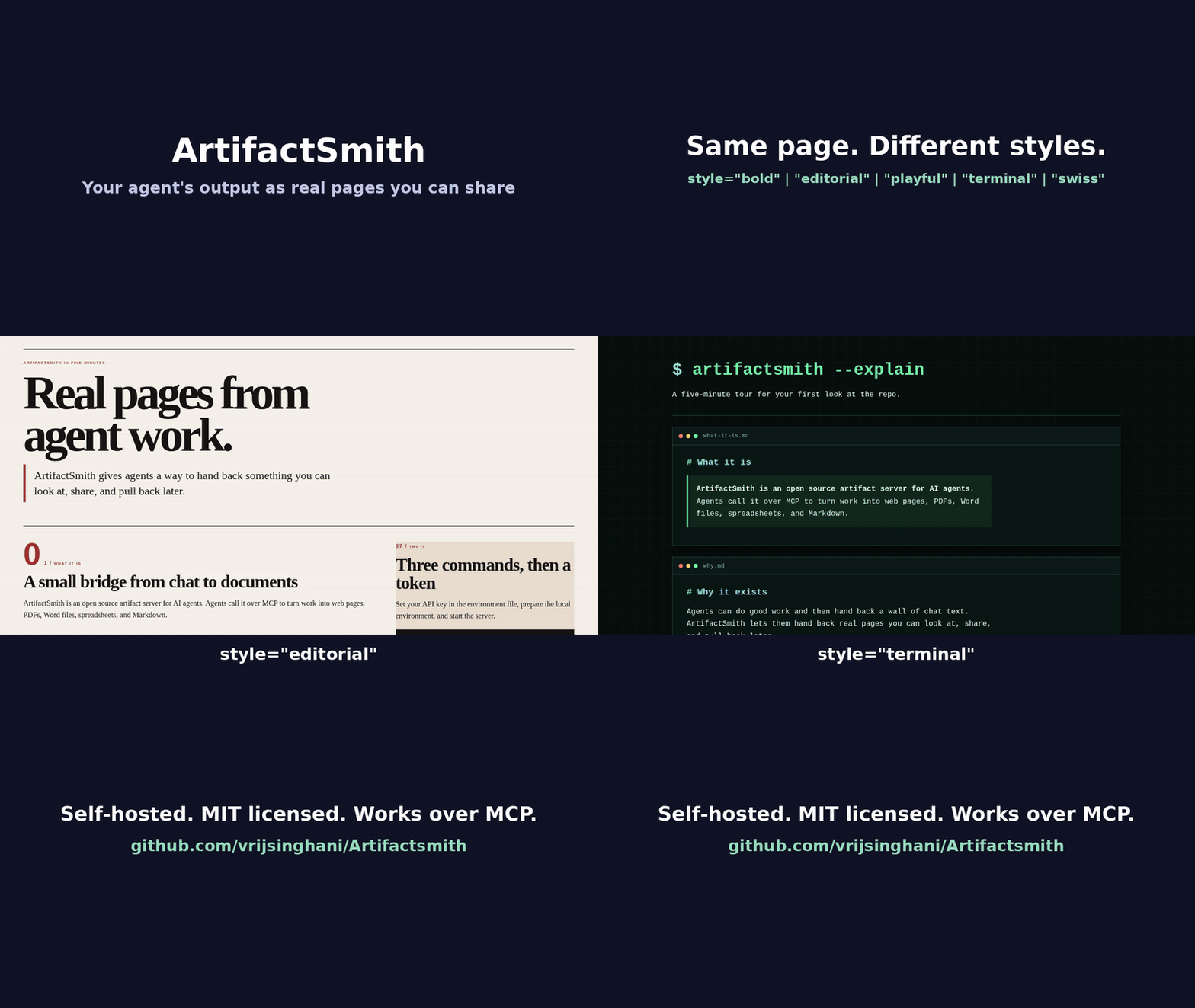
Examples
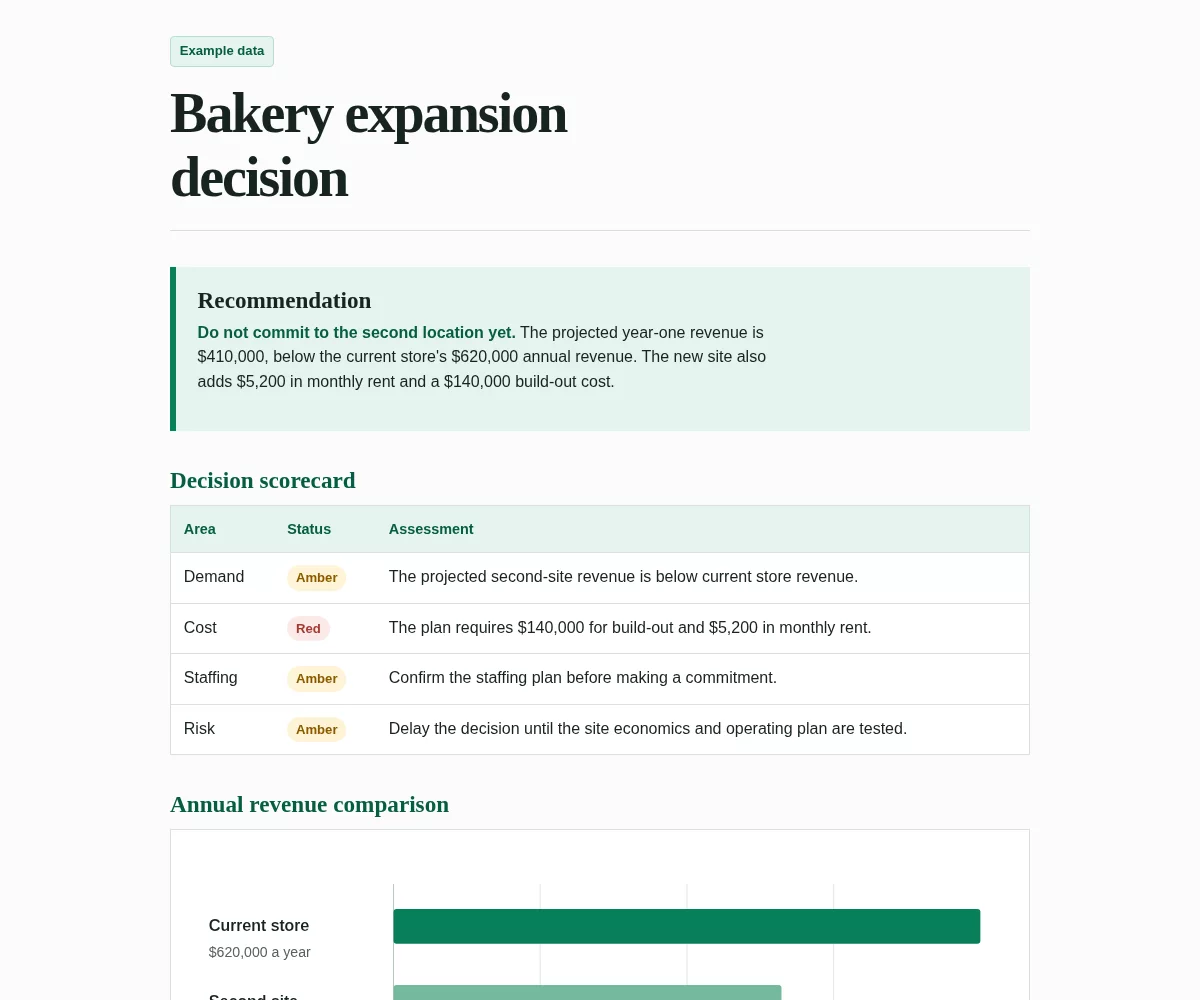
Built on the hosted copy from public sources (Ready.gov and the U.S. Bureau of Labor Statistics). The meeting notes are fictional. No sign-up needed to open them.
- Web page: Hurricane readiness checklist, from Ready.gov guidance.
- Chart report: U.S. jobs report in charts, unemployment and payrolls, January 2024 to September 2026, from BLS data.
- PDF: U.S. labor market brief, one page, September 2026, from BLS data.
- Word document: Kickoff meeting notes, for a fictional library website project. Downloads a .docx.
- Excel workbook: Unemployment and payrolls, 2024 to 2026, monthly figures with a sources sheet. Downloads a .xlsx.
Agents call it to turn their work into documents: web pages, PDFs, Word files, spreadsheets and Markdown. Each artifact is versioned and stays private until someone shares it, and a shared link can be revoked at any time.
It's for people who run their own agents and want artifacts like the ones in Muse on their own servers.
Try it before you install: https://artifactsmith.neuralami.ai/try. I run a copy you can point your MCP client at. Claude.ai, Claude Desktop, Claude Code and Cursor sign in with OAuth using your email; a pasted token also works. It is capped at 20 builds and runs on my server.
What it does
ArtifactSmith gives agents tools to create, edit, export (PDF, Word, Excel, Markdown), share, and revoke documents. It works with any OpenAI-compatible model endpoint. The idea comes from Meta's Muse artifacts.
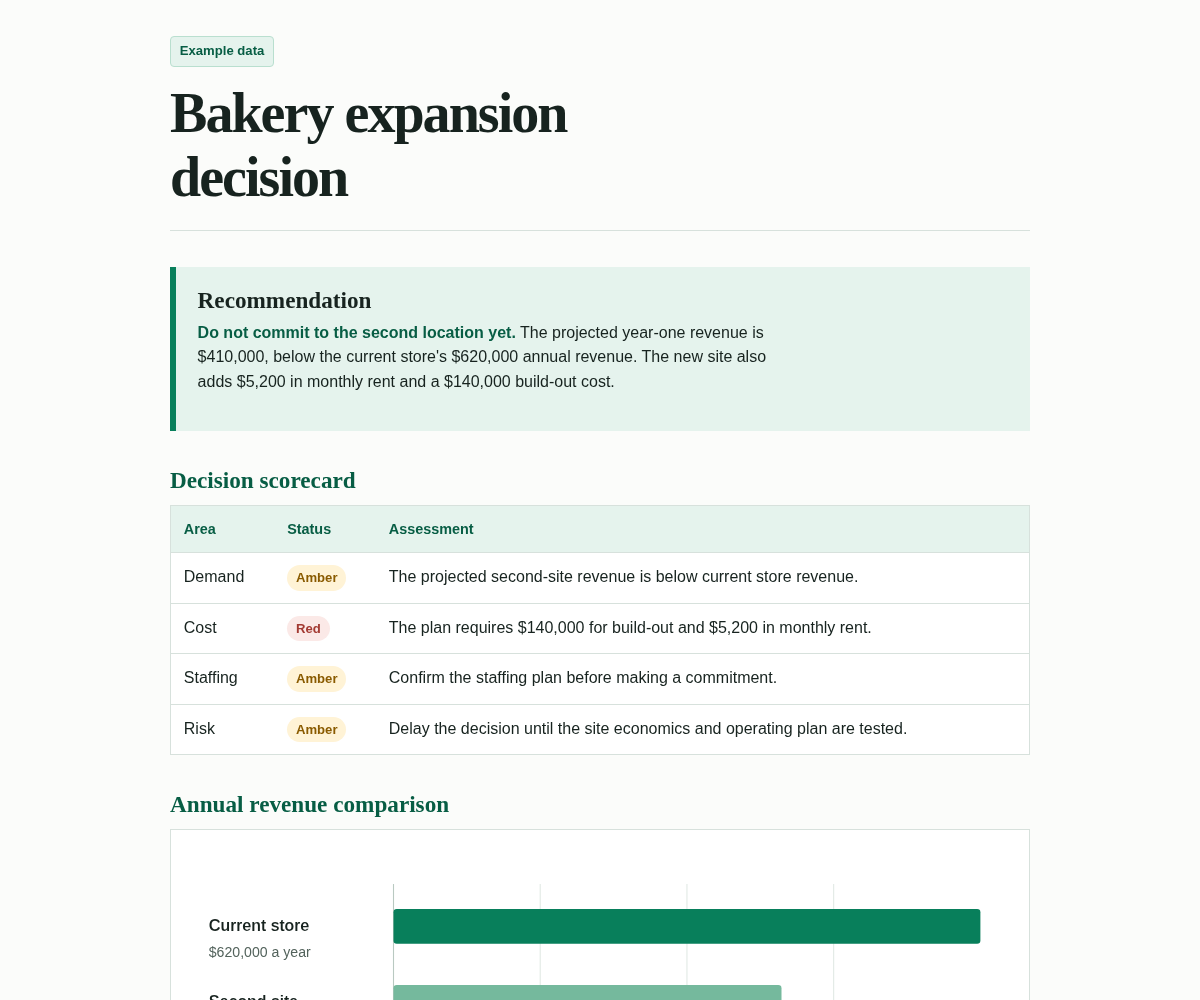
Requirements: Docker Engine with the Compose plugin. A model key (OpenAI-compatible API or local endpoint) is needed to build pages; publishing ready-made Markdown or HTML works without one.
Quickstart
Cline follows llms-install.md.
cp .env.example .env
# Set OPENAI_API_KEY (or AM_LLM_KEY). Change AM_LLM_BASE / AM_DEFAULT_MODEL
# only if you are not using the default OpenAI host and model.
# Object-store keys: leave them empty and run ./scripts/ensure-local-env.sh,
# or paste your own AM_STORE_KEY and AM_STORE_SECRET.
./scripts/ensure-local-env.sh
docker compose up -d --build

# Create a token (prints the raw value once; only its hash is stored).
# --workspace is a label that scopes every artifact the token can see
# (e.g. alpha, team-a). Tokens cannot cross workspaces.
docker compose exec server artifactsmith token add --name agent --workspace alpha
publish stores a page you already wrote and does not call the model, so the next step works when the key is empty. Paste the token printed above, then run this. It prints a share URL.
export AM_TOKEN='paste-the-token'
docker compose exec -T -e AM_TOKEN server python - <<'PY'
import asyncio
import json
import os
from datetime import timedelta

from mcp import ClientSession
from mcp.client.streamable_http import streamablehttp_client

URL = "http://127.0.0.1:8780/mcp"
PAGE = """# Pilot store brief

The pilot store code is HARBOR-17. It is the identifier used on inventory, support, and rollout reports.
"""

def parse(result):
    if result.structuredContent is not None:
        return result.structuredContent
    return json.loads(result.content[0].text)

async def main():
    headers = {"Authorization": "Bearer " + os.environ["AM_TOKEN"]}
    async with streamablehttp_client(URL, headers=headers) as (read, write, _session):
        async with ClientSession(read, write) as session:
            await session.initialize()
            created = parse(
                await session.call_tool(
                    "publish",
                    {"display_name": "Pilot store brief", "markdown": PAGE},
                    read_timeout_seconds=timedelta(seconds=120),
                )
            )
            done = parse(
                await session.call_tool(
                    "status",
                    {"job_id": created["job_id"], "wait": 90},
                    read_timeout_seconds=timedelta(seconds=120),
                )
            )
            if done.get("status") != "done":
                raise SystemExit(json.dumps(done))
            shared = parse(
                await session.call_tool(
                    "share",
                    {"artifact_id": created["artifact_id"]},
                    read_timeout_seconds=timedelta(seconds=120),
                )
            )
            print(shared["url"])

asyncio.run(main())
PY
The server reads AM_LLM_BASE, AM_LLM_KEY or OPENAI_API_KEY, and AM_DEFAULT_MODEL from .env. The default base is https://api.openai.com. A trailing /v1 on the base is fine; the client appends /v1/chat/completions itself. create needs a key or a local OpenAI-compatible endpoint. With an empty key, a failed create reports that OPENAI_API_KEY / AM_LLM_KEY is empty. Run docker compose up -d again so the change takes effect.
Host ports bind to 127.0.0.1:
http://127.0.0.1:8780/mcpis the MCP API (bearer token required)http://127.0.0.1:8780/app/is My pages (paste the same token; the browser gets a session cookie)http://127.0.0.1:8781/is the cookieless preview and share origin (/p/…,/s/…)
Use the published image
ghcr.io/vrijsinghani/artifactsmith:0.1.0 is published for linux/amd64 on each release. Building from source (the Compose steps above) stays the default.
Connect a client
Claude.ai: Customize → Connectors → + Add → Add custom connector. Paste https://artifactsmith.neuralami.ai/mcp, select Connect, and sign in with your email. The connector then works in the Claude desktop and phone apps too. Free plans allow one custom connector. On Team and Enterprise plans an owner adds it first.
github.com/vrijsinghani/Artifactsmith is the copy you run yourself. On the hosted copy, Claude Desktop, Claude Code, and Cursor sign in with OAuth at https://artifactsmith.neuralami.ai/mcp. On your own copy they use a token. The MCP endpoint on this machine is http://127.0.0.1:8780/mcp. Send the token from artifactsmith token add as Authorization: Bearer YOUR_TOKEN. The header value starts with Bearer .
ChatGPT Free, Go, and Plus cannot add a custom MCP server. Pro can add one with read and fetch access only, so it cannot build pages. A ChatGPT Business, Enterprise, or Edu admin can add it on the web; it signs in with OAuth.
ChatGPT users can use it from OpenAI's Codex CLI instead: run codex mcp add artifactsmith --url https://artifactsmith.neuralami.ai/mcp, then codex mcp login artifactsmith, and sign in with your email.
Claude Desktop stores the config in claude_desktop_config.json (Settings → Developer → Edit Config). The snippet runs npx and mcp-remote, which needs Node.js. Restart Claude Desktop after saving.
{
  "mcpServers": {
    "artifactsmith": {
      "command": "npx",
      "args": ["-y", "mcp-remote", "http://127.0.0.1:8780/mcp", "--header", "Authorization:${AUTH_HEADER}"],
      "env": { "AUTH_HEADER": "Bearer YOUR_TOKEN" }
    }
  }
}
Claude Code stores .mcp.json, or run:
claude mcp add --transport http artifactsmith http://127.0.0.1:8780/mcp --header "Authorization: Bearer YOUR_TOKEN"
{
  "mcpServers": {
    "artifactsmith": {
      "type": "http",
      "url": "http://127.0.0.1:8780/mcp",
      "headers": { "Authorization": "Bearer YOUR_TOKEN" }
    }
  }
}
Cursor stores ~/.cursor/mcp.json, or .cursor/mcp.json in the project.
{
  "mcpServers": {
    "artifactsmith": {
      "url": "http://127.0.0.1:8780/mcp",
      "headers": { "Authorization": "Bearer YOUR_TOKEN" }
    }
  }
}
Example prompt: Create a one-page brief named Pilot store brief. Pass this as source_content: The pilot store code is HARBOR-17. It is the identifier used on inventory, support, and rollout reports.
artifactsmith stdio can list tools on stdin and stdout and does not listen. It cannot use the object store or the model, so it cannot build or publish a page.
Serving on your network or behind a proxy
Compose publishes API (8780) and preview/share (8781) on AM_BIND_ADDRESS (default 127.0.0.1). Cards and links use AM_API_URL, AM_PREVIEW_URL, and AM_SHARE_URL (empty AM_SHARE_URL falls back to AM_PREVIEW_URL). Exposing the ports without TLS puts bearer tokens and artifact content on the wire in cleartext.
LAN access
Bind on all interfaces (or a specific NIC IP) and point the public URL variables at the address clients will open:
# .env  (192.0.2.10 is documentation-range; substitute your LAN IP)
AM_BIND_ADDRESS=0.0.0.0
AM_API_URL=http://192.0.2.10:8780
AM_PREVIEW_URL=http://192.0.2.10:8781
AM_SHARE_URL=http://192.0.2.10:8781
AM_ALLOWED_HOSTS=192.0.2.10:8780,127.0.0.1:8780,localhost:8780
Then docker compose up -d --build. Clients open http://192.0.2.10:8780/mcp and preview/share links use 192.0.2.10, not 127.0.0.1. Browser-based MCP clients also need AM_ALLOWED_ORIGINS set to the page origin.
Share and preview URLs are built from AM_SHARE_URL / AM_PREVIEW_URL when the server returns them. Links you copied before switching to LAN serving still use the old base host; call share again (or copy the URL from inspect / status) after changing those settings.
Reverse proxy with TLS
Keep the host bind on loopback and terminate TLS on nginx or Caddy. Set the public URLs and allow-lists to the external hostname:
# .env
AM_BIND_ADDRESS=127.0.0.1
AM_API_URL=https://artifacts.example.com
AM_PREVIEW_URL=https://preview.artifacts.example.com
AM_SHARE_URL=https://preview.artifacts.example.com
AM_ALLOWED_HOSTS=artifacts.example.com
AM_ALLOWED_ORIGINS=https://artifacts.example.com
Minimal Caddy example (API on 443, preview on a second hostname):
artifacts.example.com {
  reverse_proxy 127.0.0.1:8780
}
preview.artifacts.example.com {
  reverse_proxy 127.0.0.1:8781
}
Minimal nginx snippet for the API host:
server {
  listen 443 ssl;
  server_name artifacts.example.com;
  # ssl_certificate / ssl_certificate_key omitted
  location / {
    proxy_pass http://127.0.0.1:8780;
    proxy_set_header Host $host;
    proxy_set_header Authorization $http_authorization;
    # status wait can be up to 90s; nginx defaults cut at 60s.
    proxy_read_timeout 120s;
    proxy_send_timeout 120s;
  }
}
When AM_ALLOWED_HOSTS lists only the public hostname, a local curl http://127.0.0.1:8780/mcp gets HTTP 421 (DNS-rebinding protection). Point clients at the proxied hostname instead. Browser-based MCP clients send an Origin header; set AM_ALLOWED_ORIGINS to that origin or the request is rejected.
MCP client on another machine
Point the client at {AM_API_URL}/mcp and send the token as Authorization: Bearer <token> (the value printed once by artifactsmith token add). The header value starts with Bearer . artifactsmith stdio can list tools on stdin and stdout and does not listen. It cannot use the object store or the model, so it cannot build or publish a page. Example:
URL:    http://192.0.2.10:8780/mcp
Header: Authorization: Bearer asmb_…
How it works
Agents talk to ArtifactSmith over MCP. They pass the user's request as verbatim_request and any research as source_content or source_files. create starts a private build and does not publish a share link. Want a styled page? Pass Markdown to publish and it is styled automatically (omit format when you pass markdown and no html; house style by default, applied when the page is opened). You can still pass format=markdown. Or call create with source_content. Raw HTML in publish is only for a page you designed yourself, and it is shown exactly as given.
The server calls an OpenAI-compatible endpoint (up to two attempts when checks fail). The model writes content. A fixed renderer turns that into HTML, Markdown, PDF, DOCX, or XLSX. publish skips the model and runs the same checks and renderer. Call status (or wait up to 90 seconds) to get a private preview.
share creates a public link for one exact version. unshare makes that link return 404. Tokens belong to one workspace and carry a permission set.
Documents may cite public http(s) sources as clickable links. The server strips scripts, rejects private-link hosts and likely secrets, and keeps images, CSS, fonts, and iframes self-contained so a download opens offline and does not phone home. Size limits apply. The process does not send usage data anywhere.
Output formats
| Format | create(..., format=) |
Primary file | Renderer |
|---|---|---|---|
| HTML | html (default) |
index.html |
sanitize, then store |
| Markdown | markdown |
document.md |
UTF-8 text |
pdf |
document.pdf |
WeasyPrint (HTML/CSS to PDF) | |
| DOCX | docx |
document.docx |
python-docx |
| XLSX | xlsx |
document.xlsx |
openpyxl |
HTML uses a visual style (house by default) and stores a complete page. The other formats ask the model for Markdown, then a renderer converts it. publish accepts the finished HTML or Markdown and uses that same renderer. PDF, DOCX, and XLSX also store content.md so later edits have a text base.
PDF goes through WeasyPrint, which needs Pango and Cairo. The Docker image does not include Chromium. Details are in docs/formats.md.
Styles
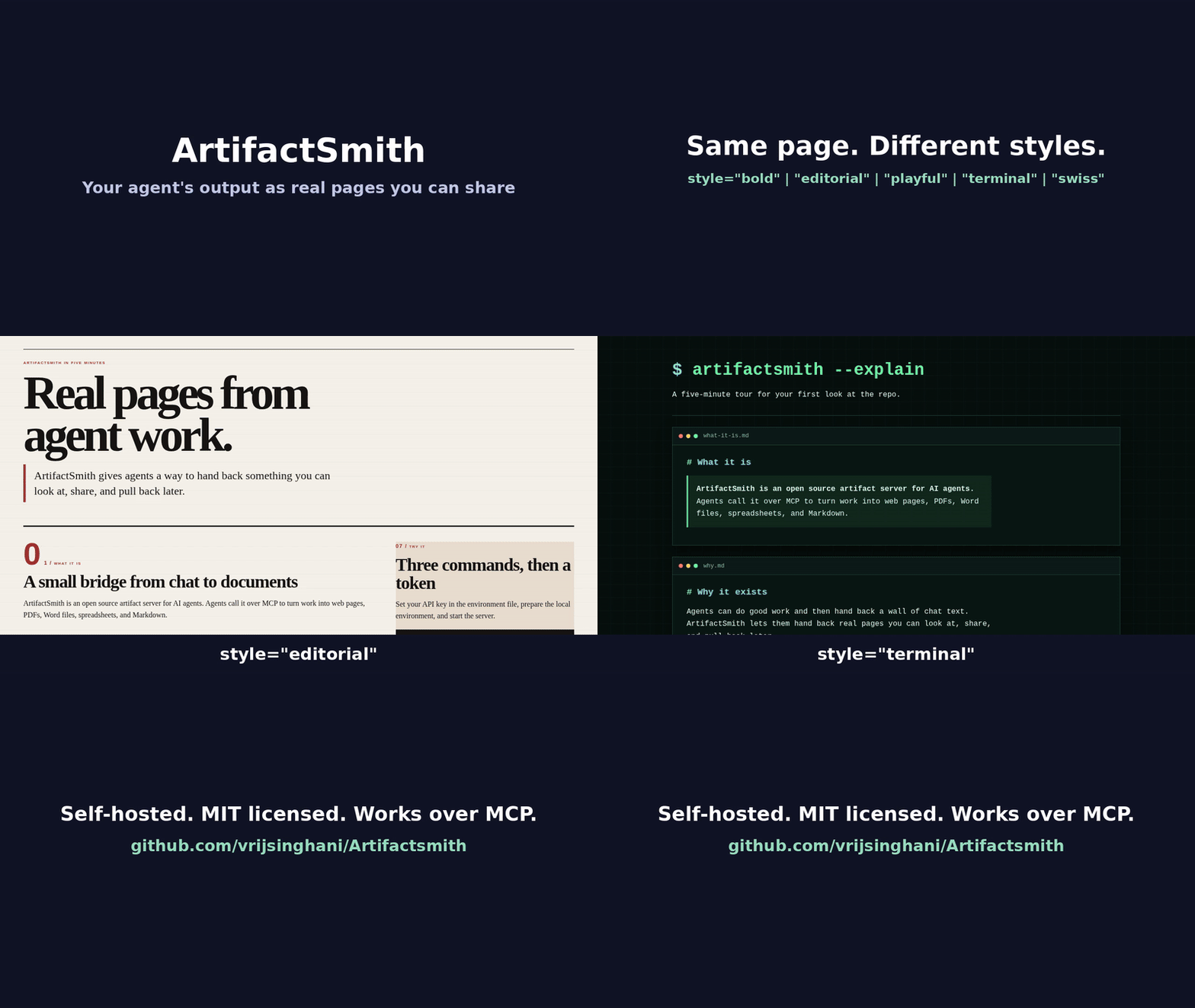
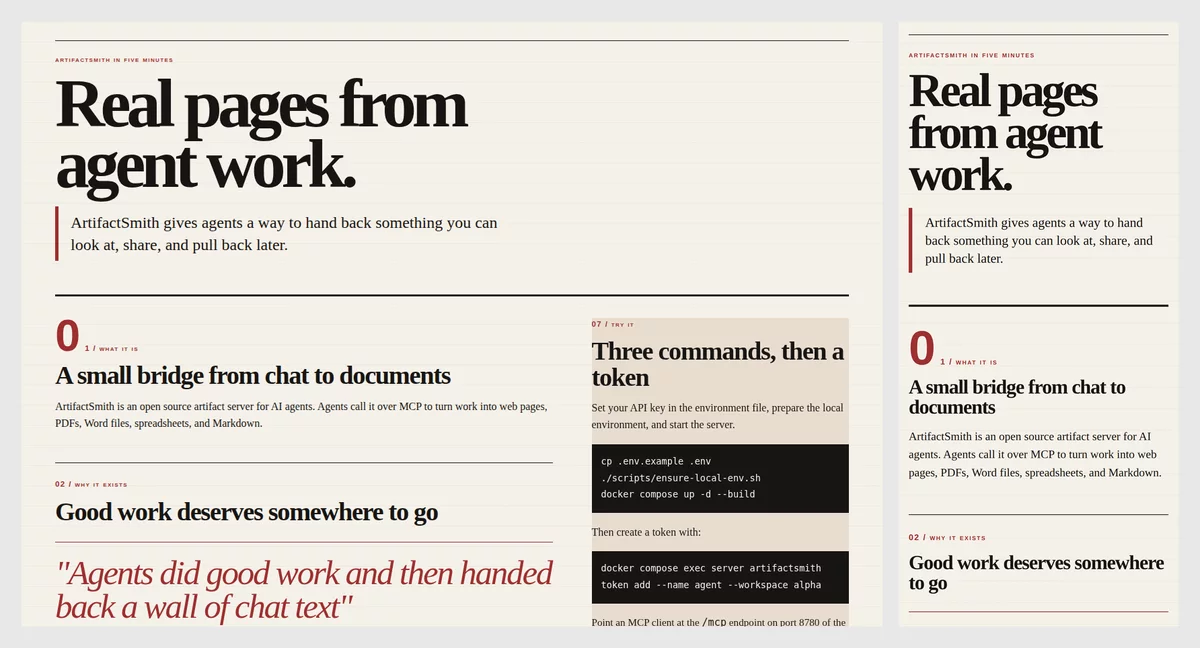
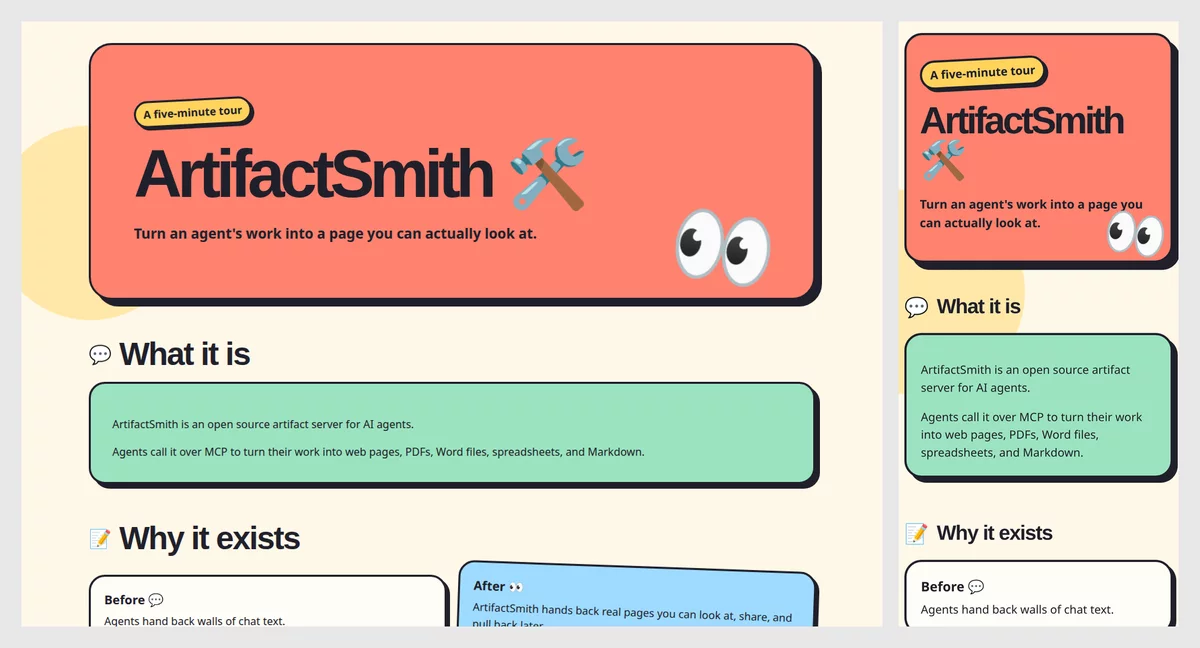
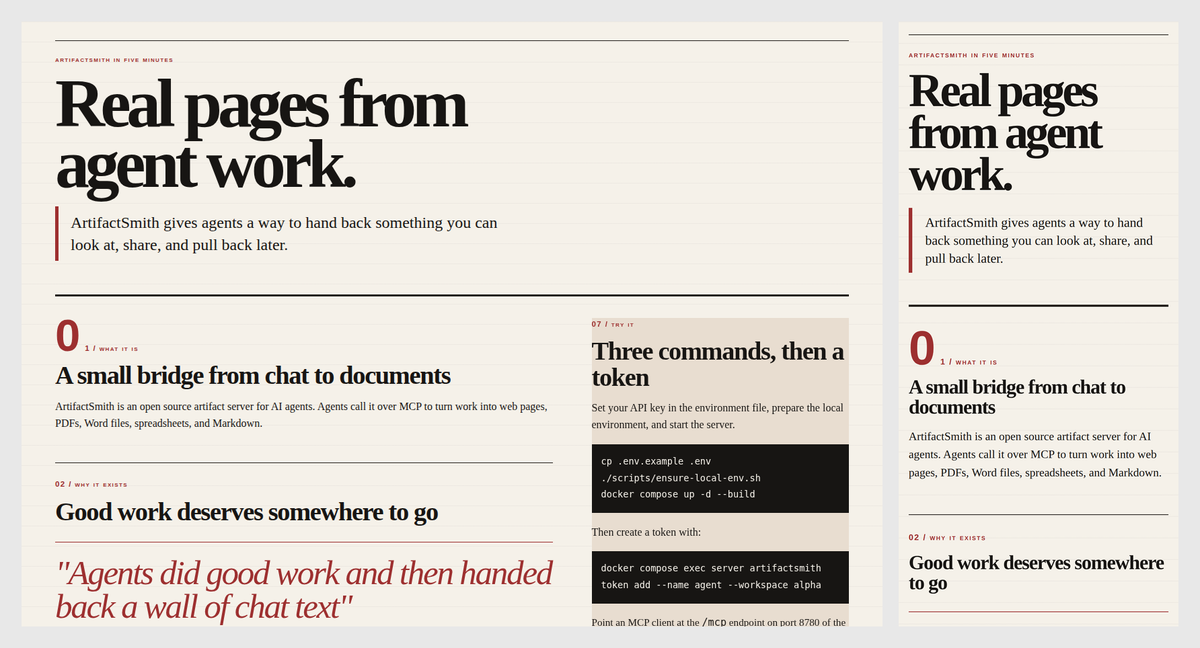
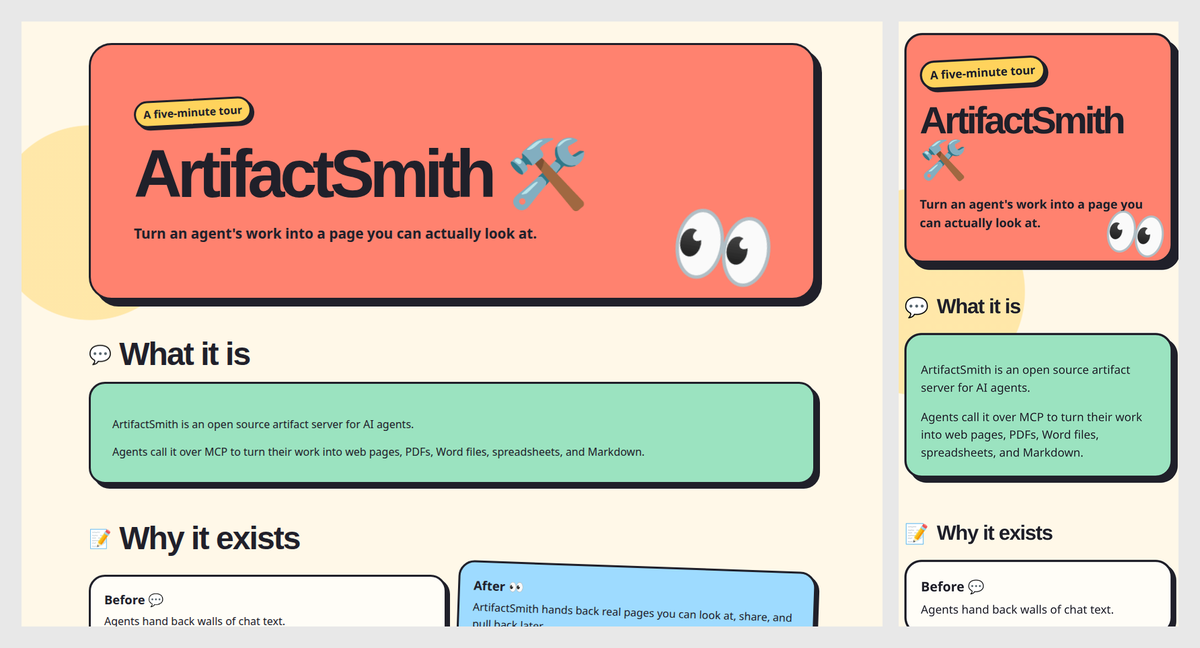
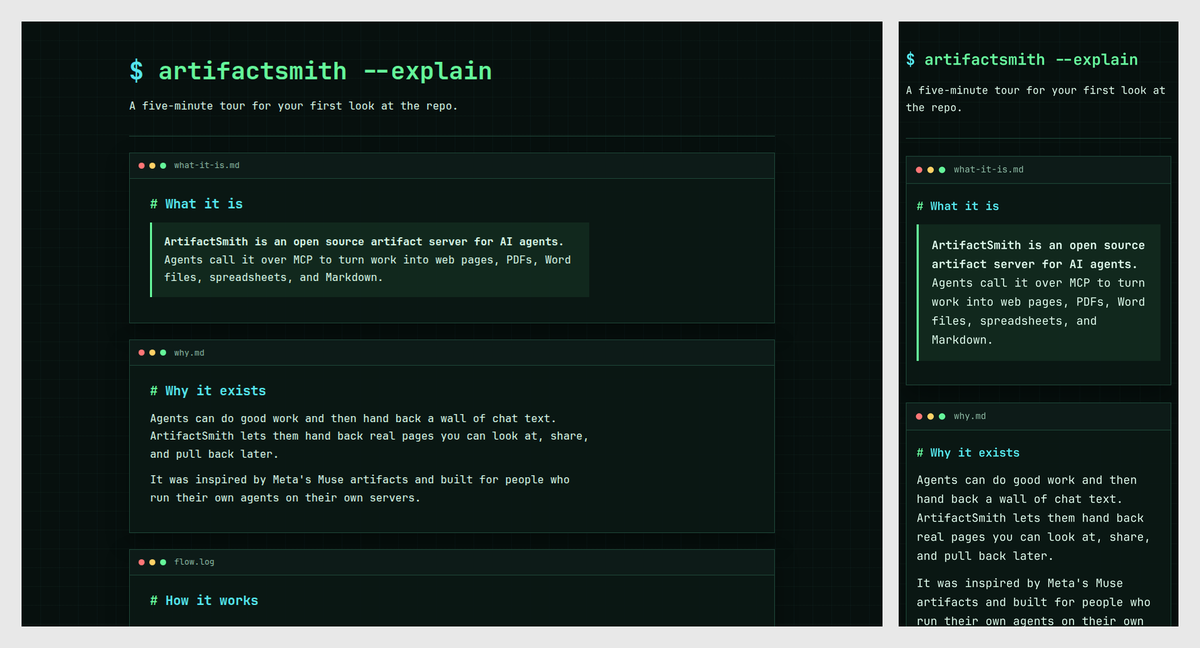
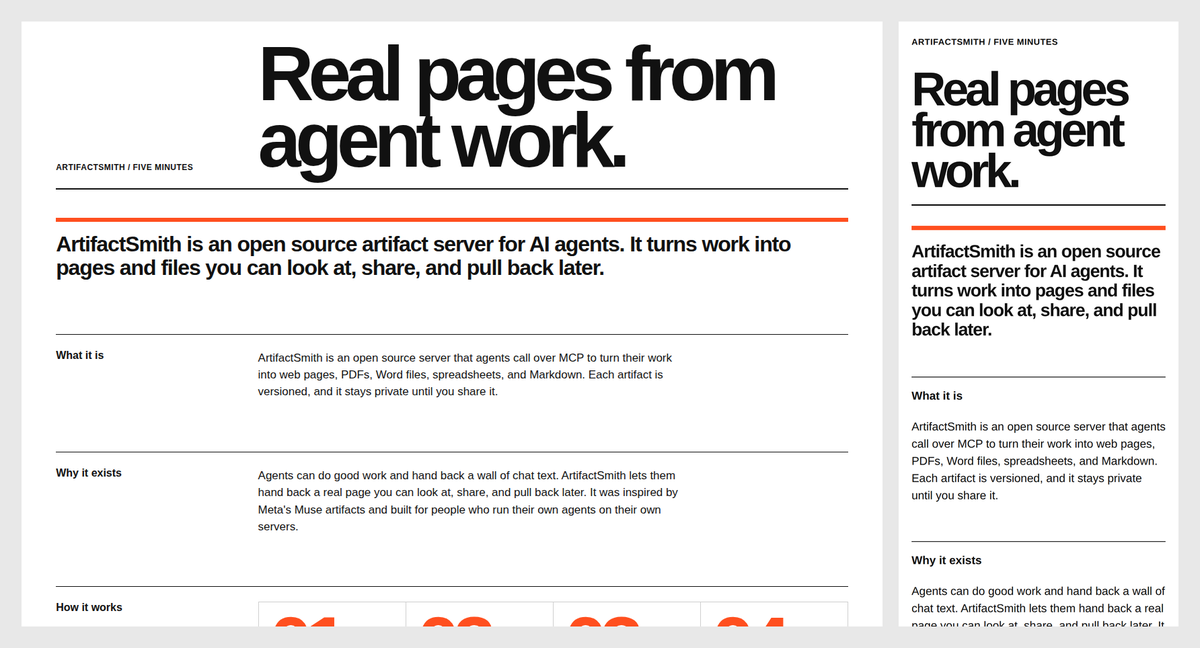
create and edit take an optional style for HTML: house, bold, editorial, playful, terminal, or swiss. The default is AM_DEFAULT_STYLE (usually house). On markdown, PDF, DOCX, and XLSX the model prompt does not use that visual style. A published markdown page is still shown in the recorded style when it is opened. Omit style on edit to keep the last style.
create also takes mode: full (default, AM_BUILD_MODE) has the model write HTML. fast has the model write Markdown and the server render that style. fast is a first HTML build only. Edits and other formats stay on the full path. AM_FAST_STYLES (empty by default) lists styles whose omitted mode is fast; an explicit mode still wins. A complete HTML document in the source, or a request to publish that HTML as-is, stays on full when mode is omitted. Mentioning HTML beside "unchanged" does not.
house: today's quiet page — white, one accent, boldness in one place.bold: dark navy-to-violet hero, huge white headline, saturated cards and chips.
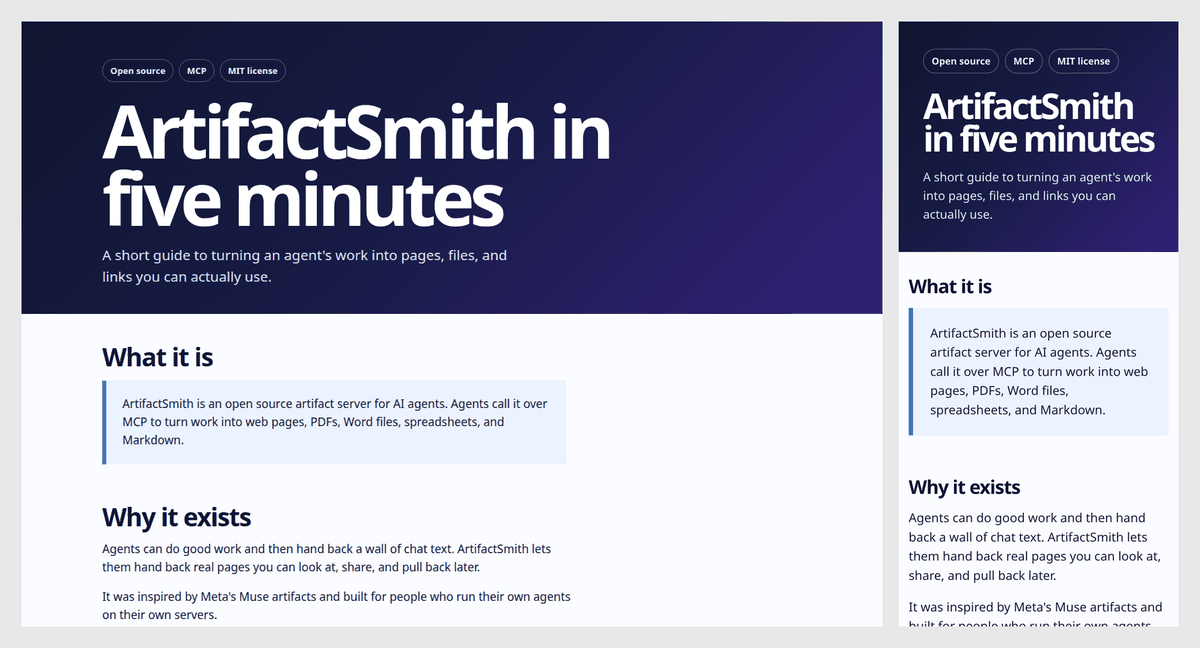
editorial: magazine feature — off-white paper, large serif headline, thin rules, one deep red accent.
playful: cream page, candy-colored rounded cards, thick outlines and offset shadows.
terminal: dark mode, monospace, neon green and cyan, sections as fake terminal windows.
swiss: white grid, huge black grotesque type, signal-orange only on numbers and rules.
MCP tools
| Tool | Permission | What it does |
|---|---|---|
create |
create |
Queue a private build. Optional format, style, and mode. Does not create a share link. |
publish |
publish |
Store Markdown to get a styled page, or store HTML you designed yourself. No model call. |
edit |
edit |
New version from the latest done version. Refuses a stale base_version. |
status |
read |
Poll, or wait (0 to 90 seconds), until done, failed, or needs_input. |
list_artifacts |
read |
Catalog for the token's workspace. |
inspect |
read |
Manifest, history, share state. Optional include_content returns the stored text of that version, capped at the publish character limit. |
export |
export |
Download link for the rendered file, valid 15 minutes. |
share |
share |
Public link for one exact version. |
unshare |
share |
Revoke the public link immediately. |
revoke_previews |
export |
Expire private /p/ preview links for an artifact (optional version). |
delete |
delete |
Two-step purge. First call returns a confirm token. |
create arguments
Required:
verbatim_request: the user's exact words. That is the whole scope.
Provide at least one of display_name or slug (the other is filled in):
display_name: human title shown on cards and in the catalog. Not required whenslugis set; if omitted, it defaults to the slug. Limit: 200 characters. Example:"Pilot store brief".slug: URL key, unique in the workspace. Not required whendisplay_nameis set; if omitted, it is derived from the title (lowercase, accents folded, other characters become hyphens). Limit: 2–63 characters ofa-z,0-9, and-, and it must start with a letter or digit. Example:"pilot-store-brief". A duplicate slug in the same workspace is rejected; useedit.
Optional:
kind: defaults toweb_static(the only kind in this release).format:html(default),markdown,pdf,docx, orxlsx.style:house(default),bold,editorial,playful,terminal, orswiss. HTML builds use it. A markdown page is shown in that style when opened. PDF, DOCX, and XLSX do not.mode:full(default) orfast.fastis a first HTML build: Markdown in, styled HTML out.source_content/source_files: researched facts, 200 KB total. The builder treats this as data.model,workspace,idempotency_key,capabilities.
Working example (title only; slug becomes pilot-store-brief). The source text must
support every fact the request asks for (including “why it matters”):
{
  "display_name": "Pilot store brief",
  "verbatim_request": "One page that states the pilot store code and why it matters.",
  "source_content": "The pilot store code is HARBOR-17. It matters because it is the single identifier used across inventory, support, and rollout reports for the pilot.",
  "format": "html"
}
If a needed fact is missing from the request and the source, the job ends as `needs_inpu