
CodeGraph
Already installed? Run codegraph upgrade
Supercharge Claude Code, Cursor, Codex, OpenCode, Hermes Agent, Gemini, Antigravity, Kiro, and GitHub Copilot CLI with Semantic Code Intelligence
The fastest complete code graph · surgical context · built for how agents actually work · 100% local












Contents
- Get Started
- CodeBrain VS Code Extension
- Language Support
- Why CodeGraph?
- Key Features
- Framework-aware Routes
- Mixed iOS / React Native / Expo bridging
- Quick Start
- How It Works
- CLI Reference
- MCP Tools
- Library Usage
- Configuration
- Telemetry
- Verified releases
- Supported Platforms
- Supported Agents
- Supported Languages
- Measured cross-file coverage
- Troubleshooting
- License
Get Started
1. Install the CLI
No Node.js required — one command grabs the right build for your OS:
# macOS / Linux
curl -fsSL https://raw.githubusercontent.com/sang2770/codegraph/main/install.sh | sh

# Windows (PowerShell)
irm https://raw.githubusercontent.com/sang2770/codegraph/main/install.ps1 | iex
Already have Node? Use npm instead (works on any version)
npm i -g @xuansang2770/codegraph
CodeGraph bundles its own runtime — nothing to compile, no native build, works the same everywhere. The installer puts codegraph on your PATH but doesn't change your current shell — open a new terminal before the next step so the command resolves.
Upgrade any time with codegraph upgrade — it detects how you installed (bundle, npm, or npx) and updates in place. Add --check to see if an update is available, or codegraph upgrade <version> to pin one.
2. Wire up your agent(s)
In a new terminal, run the installer to connect CodeGraph to the agents you use:
codegraph install
Detects and auto-configures Claude Code, Cursor, Codex CLI, opencode, Hermes Agent, Gemini CLI, Antigravity IDE, Kiro, and GitHub Copilot CLI — wiring the CodeGraph MCP server into each. This is the step that connects CodeGraph to your agent; installing the CLI in step 1 does not do it on its own. It only wires up your agent — it does not index any code; building each project's graph is the separate codegraph init in step 3. (Shortcut: npx @xuansang2770/codegraph downloads and runs this in one go.)
3. Initialize each project
cd your-project
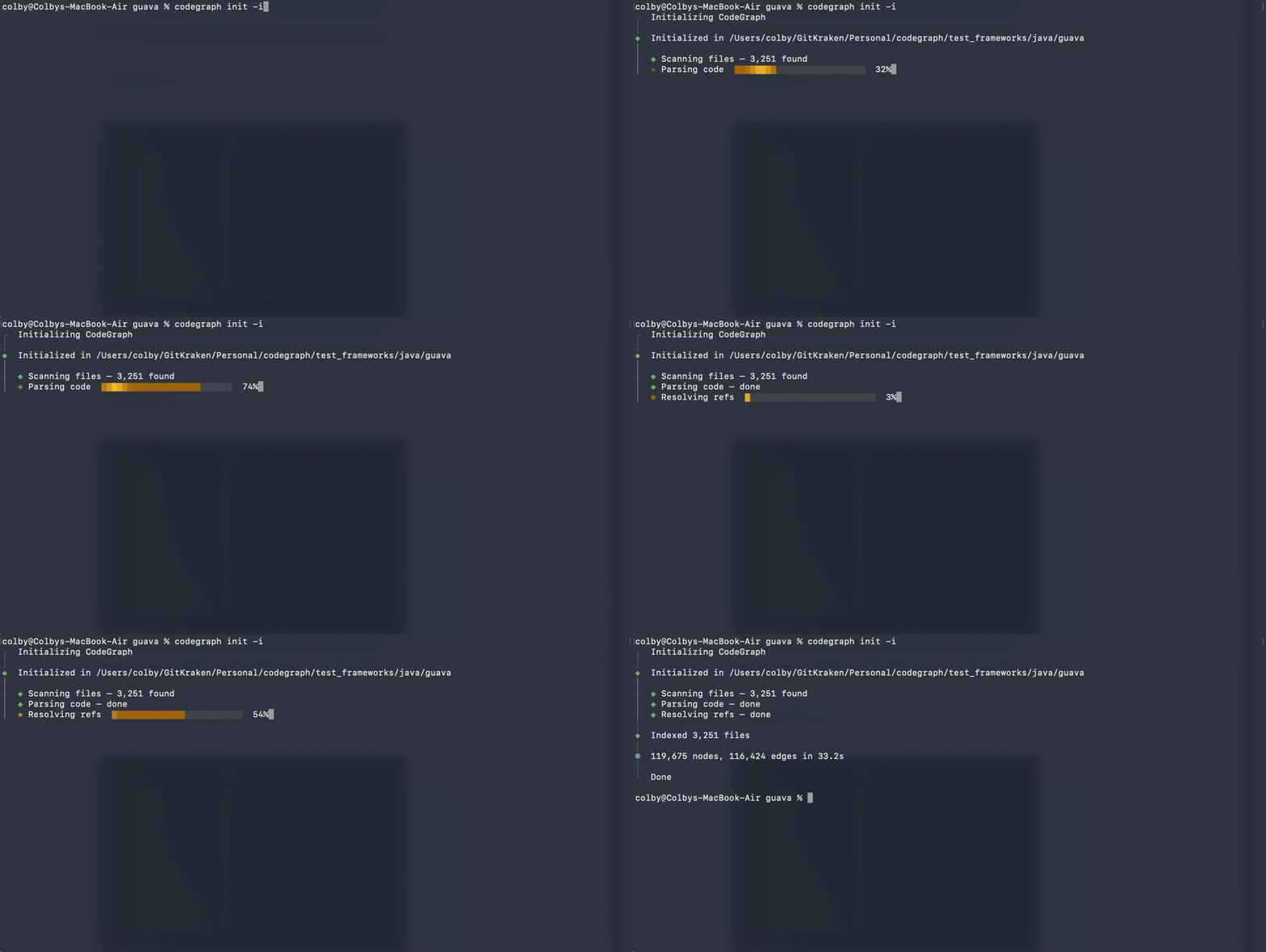
codegraph init
codegraph init creates the local .codegraph/ directory and builds the full graph in the same step — one command, done.
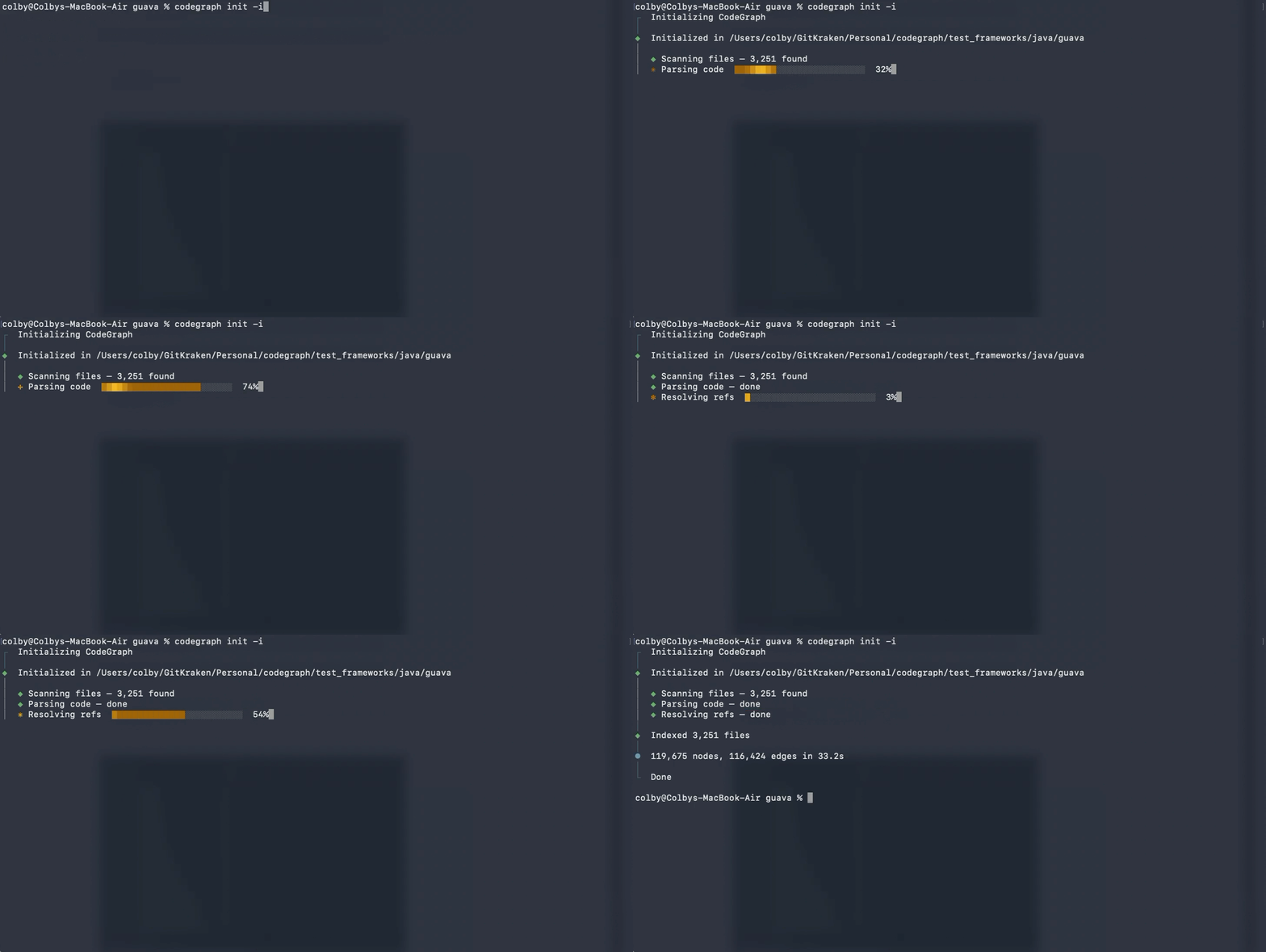
4. No more syncing!
Auto-sync is enabled by default. CodeGraph watches the project and updates the graph on every file change — while your agent edits code, or you add, modify, or delete files. The index is never stale, and there is nothing to re-run.
Uninstall
Changed your mind? One command removes CodeGraph from every agent it configured and the CLI itself — every install it finds (standalone bundle, npm global package, launcher link), shown to you before anything is deleted:
codegraph uninstall
Pass --keep-cli to remove only the agent configurations and keep the CLI installed.
Reverses the installer — strips CodeGraph's MCP server config, instructions, and permissions from each configured agent. Your project indexes (.codegraph/) are left untouched; remove those per-project with codegraph uninit. Use --target to remove from specific agents, or --yes to run non-interactively.
CodeBrain VS Code Extension
The repository includes the platform-specific CodeBrain VS Code extension, which packages the self-contained semantic runtime and automatically contributes:
- the
codegraph_exploreMCP server; - a CodeBrain Agent Skill;
- configurable native index auto-refresh;
- the
@codebrain /explainworkflow report with a temporary Markdown + Mermaid preview; - the
@codebrain /reviewdiff and blast-radius review; /impact, affected-test detection, a workflow graph, and a token-saving dashboard;- a bundled native Rust kernel with WASM fallback;
- a read-only reviewer agent and lightweight Markdown export.
Build the extension and the runtime for the current machine with:
cd vscode-extension
npm ci
npm run build:all
Package a platform-specific VSIX with npm run package.
Language Support
Every language below gets the same treatment — full structural extraction and cross-file resolution into one graph, no per-language setup:


Per-language details — extensions, frameworks, and what exactly gets extracted — in Supported Languages.
Why CodeGraph?
When an AI agent needs to understand code — to answer a question or make a change — it discovers structure the slow way: grep, glob, and Read, one file at a time, rebuilding call paths and dependencies by hand. That's a pile of tool calls and round-trips before it even starts the real work.
CodeGraph hands the agent the exact code it needs in one call. It's a pre-built knowledge graph of every symbol, call edge, and dependency in your codebase — so instead of crawling files, the agent asks one question and gets back the relevant source, the call paths between those symbols (including dynamic-dispatch hops grep can't follow), and the blast radius of a change. Surgical context, not a file-by-file search — which means fewer tool calls and faster answers on every codebase, large or small.
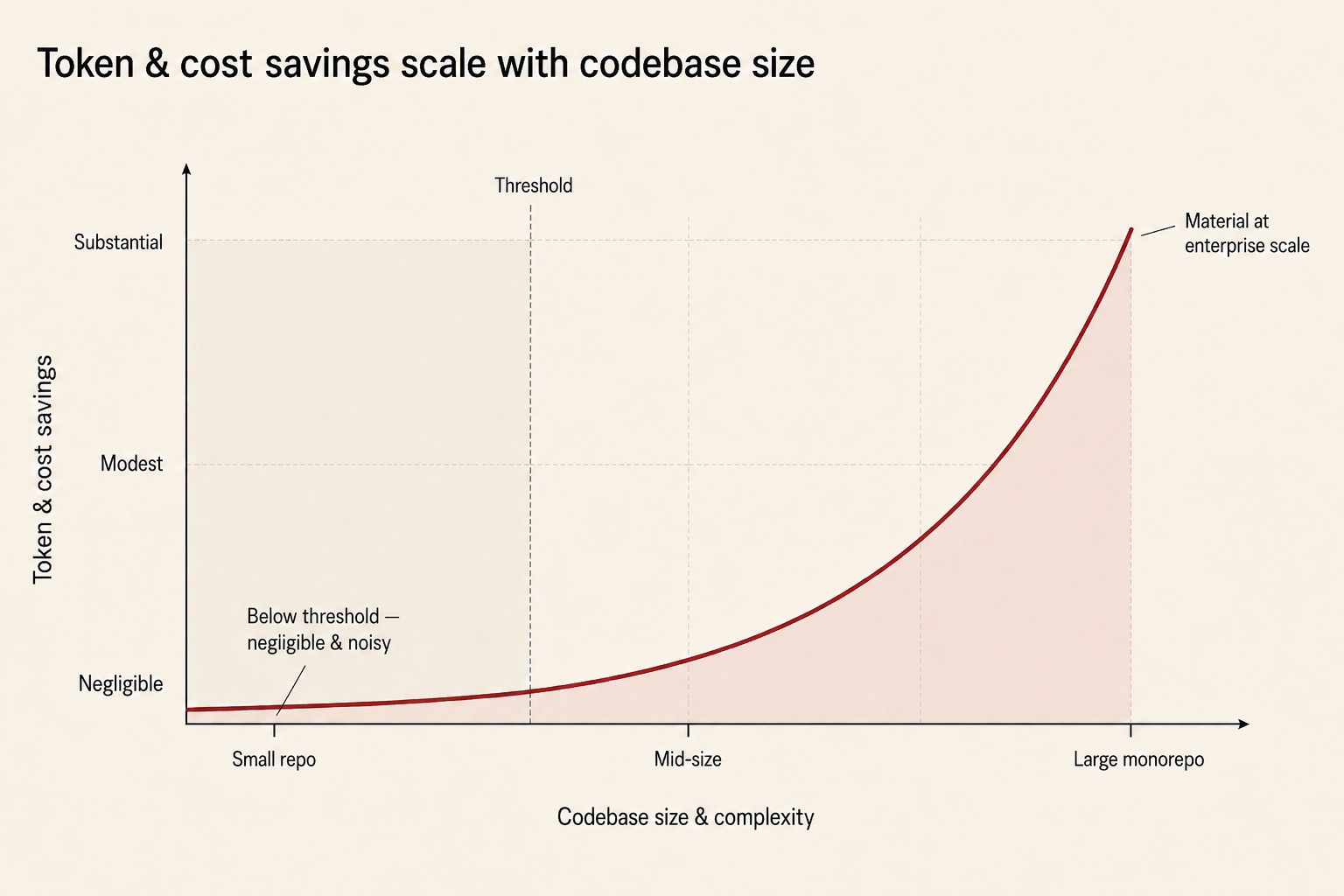
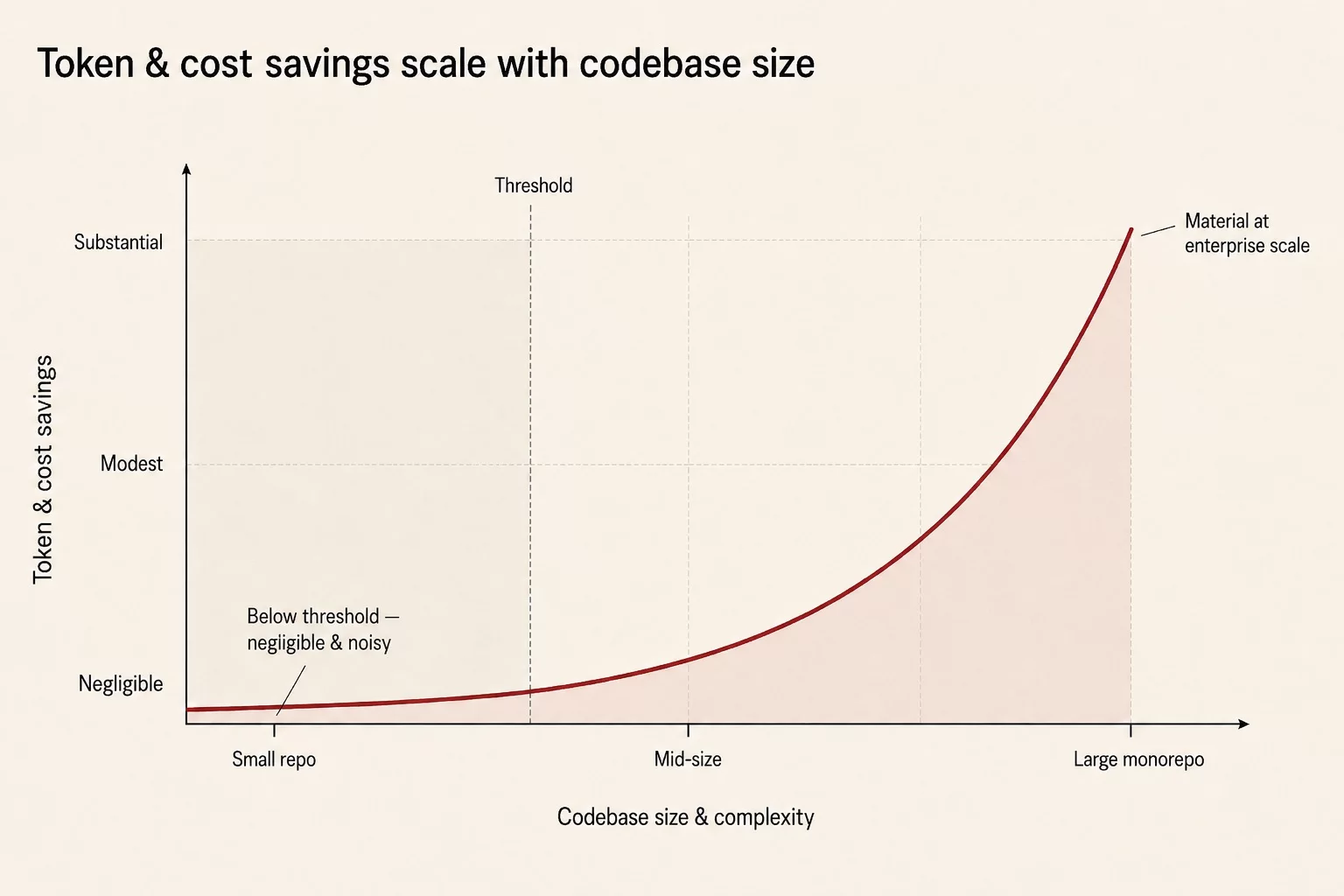
A note on cost: CodeGraph's win on every codebase is precision — the agent stops crawling files and answers from the graph. On current models that precision is also a large direct saving: the 2026-07 re-validation measured 60% lower cost and 69% fewer tokens on average across the seven benchmark repos, because a strong model without the graph burns millions of tokens re-deriving structure. The savings scale with repo size and tangle — dramatic on VS-Code-class trees, modest on a 100-file project — and compound across a team's daily agent usage.
Benchmark Results
Tested across 7 real-world open-source codebases spanning 7 languages, comparing an agent (Claude Code, headless) answering one architecture question with and without CodeGraph, at the median of 4 runs per arm. Re-validated 2026-07-21 on Claude Opus 4.8 against the current build — the Rust kernel plus this cycle's resolution overhaul.
The universal win — every repo, every size: 89% fewer tool calls · 60% cheaper · 69% fewer tokens · file reads cut to zero on all seven repos.
With the index available, the agent answers from a couple of codegraph_explore calls and stops. Without it, the agent burns its budget on discovery — up to 57 tool calls and 4.3M tokens re-deriving what the graph already knew. The Time column averages 20% faster but is the noisiest metric: on two small repos a strong model's raw grep loop finishes the wall-clock race sooner while still spending 5–10× the tokens and money — noted per-row below.
| Codebase | Language | Tool calls | Time | File reads | Tokens | Cost |
|---|---|---|---|---|---|---|
| VS Code | TypeScript · ~11k files | 2 vs 40 | 5× faster (41s vs 3m 24s) | 0 vs 17 | 83% fewer | 75% cheaper |
| Excalidraw | TypeScript · ~640 | 3 vs 55 | 36s vs 23s¹ | 0 vs 24 | 89% fewer | 78% cheaper |
| Django | Python · ~3k | 2 vs 29 | 38% faster | 0 vs 16 | 78% fewer | 69% cheaper |
| Tokio | Rust · ~790 | 3 vs 57 | 65% faster | 0 vs 15 | 91% fewer | 86% cheaper |
| OkHttp | Java · ~645 | 1 vs 5 | 10% faster | 0 vs 1 | 33% fewer | ~even² |
| Gin | Go · ~110 | 3 vs 10 | 57% faster | 0 vs 4 | 18% fewer | 41% cheaper |
| Alamofire | Swift · ~110 | 3 vs 53 | 49s vs 31s¹ | 0 vs 18 | 90% fewer | 86% cheaper |
¹ The small-repo floor effect: Opus 4.8 greps small trees fast enough to win wall-clock while spending ~5–10× the tokens and ~4–7× the cost — the with-arm still answers from zero file reads. ² OkHttp's without-arm got lucky in 5 calls; the with-arm answered in 1 call for ~$0.03 more. File reads = median files opened — the surgical-context win in one column: the agent never reads a file on any of the seven repos when CodeGraph is present.
Per-repo breakdown — WITH vs WITHOUT (median of 4)
| Codebase | Metric | WITH cg | WITHOUT cg |
|---|---|---|---|
| VS Code | Time / Tools / Tokens / Cost | 41s / 2 / 265k / $0.36 | 3m 24s / 40 / 1.5M / $1.41 |
| Excalidraw | Time / Tools / Tokens / Cost | 36s / 3 / 324k / $0.40 | 23s / 55 / 2.9M / $1.81 |
| Django | Time / Tools / Tokens / Cost | 42s / 2 / 254k / $0.35 | 1m 8s / 29 / 1.2M / $1.13 |
| Tokio | Time / Tools / Tokens / Cost | 46s / 3 / 386k / $0.44 | 2m 11s / 57 / 4.3M / $3.04 |
| OkHttp | Time / Tools / Tokens / Cost | 27s / 1 / 156k / $0.23 | 30s / 5 / 233k / $0.20 |
| Gin | Time / Tools / Tokens / Cost | 30s / 3 / 246k / $0.27 | 1m 10s / 10 / 300k / $0.46 |
| Alamofire | Time / Tools / Tokens / Cost | 49s / 3 / 316k / $0.35 | 31s / 53 / 3.1M / $2.51 |
Full benchmark details
Methodology. Each arm is claude -p (Claude Opus 4.8) run headlessly against the repo with --strict-mcp-config: WITH = CodeGraph's MCP server enabled, WITHOUT = an empty MCP config. Built-in Read/Grep/Bash stay available to both. Same question per repo, 4 runs per arm, median reported. Cost = the run's total_cost_usd; Tokens = total tokens processed (input incl. cached + output); Time = wall-clock; Tool calls = every tool invocation, including those inside any sub-agents the model spawns. Repos cloned at --depth 1 and indexed by the same CodeGraph build that served them. Re-validated 2026-07-21 on the current build (native Rust kernel, adaptive parallel resolution, scoped sync).
Queries:
| Codebase | Query |
|---|---|
| VS Code | "How does the extension host communicate with the main process?" |
| Excalidraw | "How does Excalidraw render and update canvas elements?" |
| Django | "How does Django's ORM build and execute a query from a QuerySet?" |
| Tokio | "How does tokio schedule and run async tasks on its runtime?" |
| OkHttp | "How does OkHttp process a request through its interceptor chain?" |
| Gin | "How does gin route requests through its middleware chain?" |
| Alamofire | "How does Alamofire build, send, and validate a request?" |
Why CodeGraph wins: with the index available, the agent answers directly — usually one codegraph_explore returns the relevant source — and stops, with zero file reads on every benchmark repo. Without it, the agent spends most of its budget on discovery (find/ls/grep) before reading the right code. CodeGraph only helps when queried directly, so its instructions steer agents to answer directly rather than delegate exploration to file-reading sub-agents — otherwise a sub-agent reads files regardless and CodeGraph becomes overhead.
Built for speed — the Rust kernel
CodeGraph's parsing engine is a native Rust kernel: 20 languages — TypeScript, JavaScript, Java, Python, Go, C, C++, Rust, C#, Ruby, PHP, Swift, Kotlin, Scala, Dart, R, Lua, Luau (Metal and CUDA ride the C++ path) — parse in compiled code with one boundary crossing per file. Every language shipped only after its graphs proved byte-for-byte identical to the reference engine on real repositories, from small libraries up to the Linux kernel; platforms without a prebuilt binary and files with syntax errors fall back per-file automatically, same graph either way.
And it scales itself to the machine it's on. Worker pools, parallel resolution, and analysis caches are sized from what the system actually has — real core counts (container/cgroup-aware, so a VPS that grants 2 cores gets sized for 2, not the host's 64), honestly-measured available RAM on macOS and Linux, and the measured cost of your project's resolution work:
- On a workstation: the full parallel pipeline — native parse workers, a multi-worker resolver pool that engages the moment it pays for itself, memory-gated analysis caches. The Swift compiler repository (27k files of Swift and C++) fresh-indexes in about 100 seconds; a one-file edit re-syncs in ~4.
- On a 2-core / 6GB VPS: the same graph, from a pipeline tuned to finish — the Linux kernel (70k files, 2M symbols, 6.4M relationships) indexes to completion in under 12 minutes where RAM-first designs run out of memory before reaching 1%.
- Every day after day one: saving a file updates the graph in well under a second — the watcher fires 300ms after a lone save and syncs exactly what changed (~0.3s of work on a 4,400-file project, ~0.4s on the 27,000-file Swift compiler repo), never re-scanning the tree. Measured against the fastest competing indexer's re-index-on-change: 2–7× faster on medium and larger repos across a 31-repo, 30-language benchm